


Updated May 22, 2026
The launch of Gemini Omni at Google I/O on May 19, 2026, has generated significant interest among creators, marketers, educators, and business professionals exploring AI tooling. But interest does not translate to results. The professionals who get genuine value from this technology in its first week tend to share a few practical insights that casual users often miss. This guide walks through five concepts every learner approaching the tool for the first time should internalize. Each one comes with a concrete example drawn from how professionals are actually using the model in real workflows, rather than the hypothetical scenarios that fill most launch coverage.
5 Practical Concepts to Master Gemini Omni
Here are five key principles that illustrate how Gemini Omni is used in real workflows to achieve better, more consistent results.
1. Multimodal Input is the Core Strength
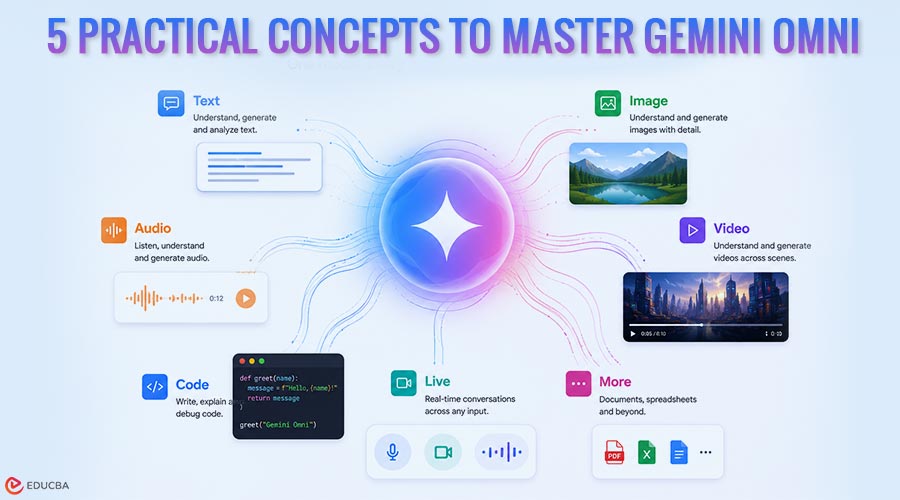
Gemini Omni is Google’s newly launched multimodal AI video model, the company’s first model built specifically to handle multiple input types simultaneously for video generation. The word “multimodal” matters here because it describes the most important practical capability. Earlier video tools usually accepted only one kind of input, text alone, or a single image. Gemini Omni reads text descriptions, photographs, audio recordings, and short reference clips together, treating the combination as a single creative directive rather than a list of separate signals to choose between. In practice, this significantly changes the workflow. Consider Maya, a freelance marketing consultant in Singapore working with a regional restaurant chain.
When asked to produce social content showcasing a new menu, she had to brief a photographer, a videographer, and a copywriter and assemble the outputs into a single deliverable. Now she uploads three food photos from the client, records a brief voice memo describing the mood she wants, types a one-line prompt about pacing, and receives a usable clip within minutes. The model respects the photos for visual fidelity, the voice memo for energy, and the text for narrative direction. Most beginners using Gemini Omni stick to text-only prompts because that is what they learned from ChatGPT. Switching to multimodal input is the single biggest skill jump available to a new user.
2. Conversational Refinement is More Powerful Than Restarting
The second concept professionals understand is iteration. The model uses the previous generation as context, meaning follow-up prompts modify what already exists rather than starting from scratch. This is fundamentally different from how most AI image and video tools have worked historically.
A practical example: Daniel, a property listing manager at a Cape Town real estate agency, generates a clip of a house from a single reference photo. The first attempt has the camera moving too quickly through the kitchen. Instead of writing a new prompt, he simply tells the model, “Slow the camera by half.” The next attempt has the right pacing, but the lighting feels too cold. He types “warm the lighting to late afternoon.” Each iteration takes seconds and preserves the parts that worked.
The mistake beginners make is treating each generation as independent, only to get frustrated when the next attempt loses the parts they liked. Train yourself to refine with follow-up prompts rather than rewriting from scratch.
3. Camera Language Vocabulary Changes Output Quality Dramatically
Gemini Omni was trained on a substantial volume of professional video footage, which means it responds meaningfully to cinematography terminology. This is one of the most under-appreciated practical insights.
Three categories of terminology matter most in everyday use.
- Camera movement terms: Locked off (camera stationary), dolly forward or back (linear movement), tracking shot (camera follows subject), handheld (natural micro-movement), crane up or down (vertical movement). Each produces visibly different output from a prompt that simply describes the scene.
- Lens behavior terms: Rack focus (shifting focus between foreground and background), slow push-in (gradual zoom), shallow depth of field (subject sharp, background blurred), snap zoom (sudden zoom for emphasis).
- Lighting condition terms: Golden hour (warm low-angle light), blue hour (cool ambient just before dawn or after sunset), overcast (soft shadowless light), practical lighting (light sources visible in the scene), rim light (illumination from behind the subject).
Compare the difference. A prompt that says “show the office at sunset” produces generic output. A prompt that says “locked-off medium shot of a quiet office interior, warm late-afternoon glow filtering across the desk, slow push in over five seconds” produces material that feels deliberately composed rather than algorithmically improvised. The vocabulary upgrade takes about thirty minutes to learn and pays back permanently.
4. The Cost Structure is Worth Understanding Before You Commit
Many professionals discover too late that they were already paying for access. There is no separate Gemini Omni product to buy. The tool ships with Google’s broader AI subscription line, the Plus, Pro, and Ultra plans that most knowledge workers may already have for other Google services. Anyone aged 18 or older can also try the model at no cost through YouTube Shorts Remix, which is built on the same Gemini Omni Flash variant that paid subscribers receive. For learners evaluating whether the tool fits their workflow, the cost question divides naturally by usage pattern.
Light experimenters get plenty of mileage from the Shorts Remix entry point alone. Regular daily users typically need the Pro plan to avoid hitting daily generation caps. High-volume professional users gravitate toward Ultra, particularly when production capacity is critical during peak hours. Developers building Gemini Omni into their own applications use the per-generation API instead, where costs scale with usage rather than time. Picking the right plan depends on which tier limits match your projected output, and Google has been adjusting these limits periodically since the wider Gemini family launched.
A regularly updated overview of each tier and what it includes is available on the Gemini Omni Price page, which is a useful cross-check against Google’s own marketing pages. A professional tip: start with Shorts Remix for a week before committing to a paid subscription. The underlying model accessed through that channel is identical to the one paid subscribers receive; only the editing interface differs. By the end of the week, you will know whether higher daily limits would actually change your workflow.
5. The Current Limitations Are Real and Specific
Every AI tool has limitations, and Gemini Omni is no exception. Understanding them upfront saves frustration. Generation length is currently limited to about 10 seconds before output quality visibly degrades. Beyond that threshold, lighting starts to drift, character details shift from frame to frame, and camera movements become unpredictable. For longer pieces, professionals chain together multiple short clips inside an editing application of their choice.
Any text the video is supposed to display, store signs, brand names, captions, road labels, typically comes back as gibberish. This problem affects every commercially available AI video model in 2026, not just Google’s. Any wording that needs to be legible on screen goes in the post-production overlay, not the prompt. Character continuity across separate generations is unreliable. If you generate two clips of “the same person” without aggressive reference imagery, you will get two distinguishably different faces. Narrative content with a single recurring protagonist, therefore, requires careful workarounds, and even then, the results are inconsistent.
Finally, each clip leaves the model carrying a hidden SynthID marker that flags it as machine-generated. The marker is permanent and invisible to the naked eye, but detectable by Google’s detection tooling and a growing number of third-party scanners. Workflows that depend on disclosure are well served by this default. Workflows that depended on AI footage looking indistinguishable from filmed footage need a different plan.
Final Thoughts
Professionals getting real value from Gemini Omni follow a clear pattern: they start with reference images rather than text prompts, refine outputs through conversational iteration rather than restarting, use basic cinematography vocabulary to guide camera behavior, choose subscription tiers based on usage, and design workflows around current limitations rather than fighting them. None of these approaches requires technical expertise; they are habits that develop quickly with practice.
The difference between users who struggle and those who succeed usually comes down to whether they have adopted these five practical understandings. For beginners, the learning path is simple: spend the first day experimenting in YouTube Shorts Remix using your own reference images, the second day refining a single output through follow-up prompts, and the third day learning basic camera language. Within a week, you will know whether Gemini Omni fits your workflow and is worth a paid plan.
Recommended Articles
We hope this comprehensive guide to Gemini Omni helps you understand its real-world applications and practical workflows. Check out these recommended articles for more insights and strategies to deepen your knowledge of other emerging AI tools.


