


Updated May 21, 2026
What Can You Build with Omni Flash?
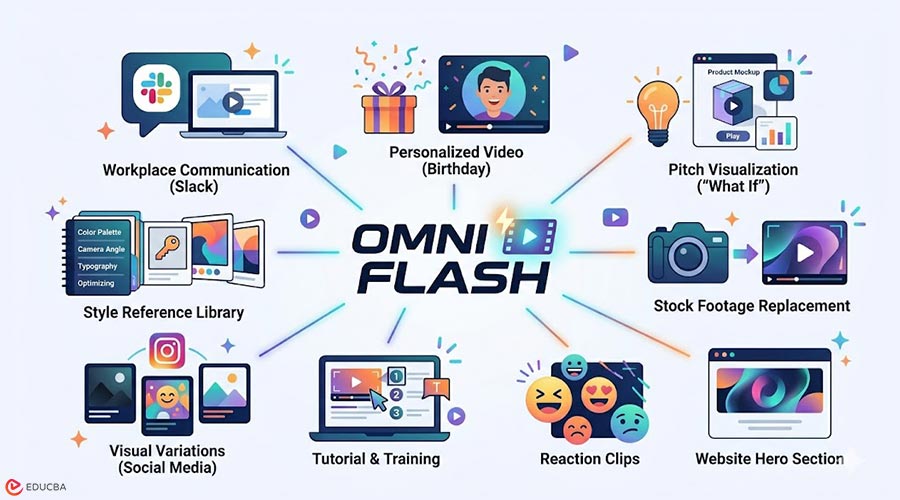
The gap between “I heard about this AI video model” and “I’ve actually made something with it” is wider than it should be. Most people watch the launch demos, nod, close the tab, and never open the tool. That is a missed week. Omni Flash is most useful when you stop thinking of it as a model to evaluate and start treating it as a sketchpad. The generation cycles are fast, outputs are short, and experimentation is low-cost. The following nine Omni Flash use cases demonstrate practical scenarios that can be explored within a short time frame, without requiring scripts, storyboards, or formal production planning.
9 Omni Flash Use Cases Worth Trying
Explore these practical use cases to experiment with AI-generated video quickly.
1. The “Show Don’t Tell” Slack Message
One of the most practical Omni Flash use cases is replacing text-heavy explanations with short visual clips in workplace communication. Instead of writing multiple paragraphs to explain a UI flow, product idea, or layout concept, a 10-second generated clip can communicate spatial and visual relationships more effectively. The objective is not production quality but clarity and communication efficiency. Even a rough visual can reduce ambiguity in internal discussions.
2. A Thoughtful Birthday Video
A simple but impactful use involves generating personalized birthday messages using avatar features and short prompts. Combining a personal photo with a brief instruction can produce a customized 10-second video that feels significantly more personal than standard GIFs or templates. This approach is especially useful for informal personal communication where emotional value matters more than technical refinement.
3. Visualizing a “What If” Scenario for a Pitch
This tool is particularly valuable for presentations and internal pitching. Instead of describing a future product state or environment through text, a generated visual representation can help stakeholders immediately understand the concept. Examples include redesigned workspaces, product packaging variations, or interface transformations. Visual communication significantly improves comprehension in decision-making contexts.
4. Replacing Stock Footage in Video Content
Content creators can use it to replace standard stock footage with generated custom clips. Even substituting a single clip in a video introduces a noticeable difference in originality and relevance. This allows creators to evaluate the contrast between generic visuals and tailored content within real production workflows.
5. Website Hero Section Motion Clips
Another practical application involves generating short looping videos for website hero sections. Instead of static images, subtle motion clips such as product rotation or abstract brand-aligned animation can improve visual engagement. These clips can also be used in A/B testing to measure their effect on conversion rates.
6. Reaction Clips for Group Communication
It can also be used in informal communication. Generating short reaction clips or inside-joke visuals for group chats helps explore creative flexibility and model limitations. This type of use is valuable for understanding prompt behavior in low-stakes scenarios.
7. Tutorial and Training Snippets
A strong application is creating instructional content for onboarding or process documentation. Screen recordings combined with AI-driven enhancements such as zooms, callouts, or transitions can improve clarity and reduce production effort. This enables faster creation of educational content that previously required editing expertise.
8. Visual Variations for the Same Content
Take a single Instagram or TikTok caption you have already used, and generate three different visual treatments for it. Same words, different vibes: moody, playful, minimal. Post them across the week. You will learn more about what your audience actually responds to in seven days than in a month of guessing. If you are going to do this seriously across multiple platforms, it helps to know what you are getting at each tier. The Gemini Omni Flash free access via YouTube Shorts covers a lot of casual experimentation before you need to think about paid usage.
9. A “Style Reference” Library for Your Brand
This is the one that compounds. Spend an hour generating clips in your brand’s visual language, your color palette, your typography vibe, and your camera language, and save the prompts that worked. You are not making content yet. You are building a reusable style guide expressed in prompts. Next time you need actual content, you start from a working prompt instead of a blank box. The first hour is an investment. Every hour after that pays it back.
Final Thoughts
The most important Omni Flash use cases are not any single application; it is simply starting. The barrier is rarely technical. It is psychological. Once you create a few clips, the tool shifts from “interesting AI model” to “creative extension of your workflow.” The people who benefit most are not those with perfect ideas; they are the ones who experiment early, iterate quickly, and build intuition through usage.
Recommended Articles
We hope this guide to Omni Flash use cases helps you explore new ways to create, experiment with, and bring your ideas to life using AI video generation. Check out these recommended articles for more insights and strategies to expand your creative workflow.


