


Updated May 30, 2026
Introduction
Translating a PDF is rarely as simple as translating plain text. PDFs hold contracts, research papers, technical manuals, government forms, and financial statements, and they carry layout elements such as tables, headings, multi-column pages, footnotes, and embedded images. The ISO 32000 standard defines the PDF format and describes how it encodes text, images, and formatting inside a single self-contained file. A translation that ignores this structure creates more work than it saves, since people must reformat the output by hand before they can use it.
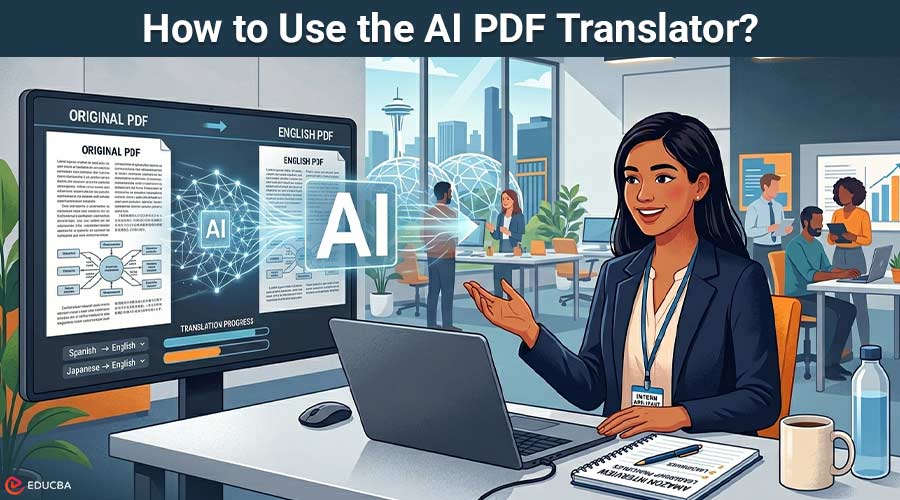
An AI PDF translator solves this problem. It reads the text from a PDF, converts the content into the target language using machine learning models trained in natural language processing, and rebuilds the translation in a layout that matches the original as closely as possible. Better tools also handle scanned PDFs by applying Optical Character Recognition (OCR) before translation, so people can process image-based files without retyping. Several tools in this category rely on a single AI engine. The AI PDF Translator covered in this guide takes a different approach: it compares several AI models and delivers the translation that the most agree on. The rest of this article explains how the tool works, what it can do, and how to get the most reliable results.
Table of Contents
- Introduction
- What is the AI PDF Translator?
- How SMART Powers the Tool
- Key Features
- How to Use the AI PDF Translator
- Common Use Cases
- Comparison With Other PDF Translation Approaches
- Tips for Better PDF Translation Results
What is the AI PDF Translator?
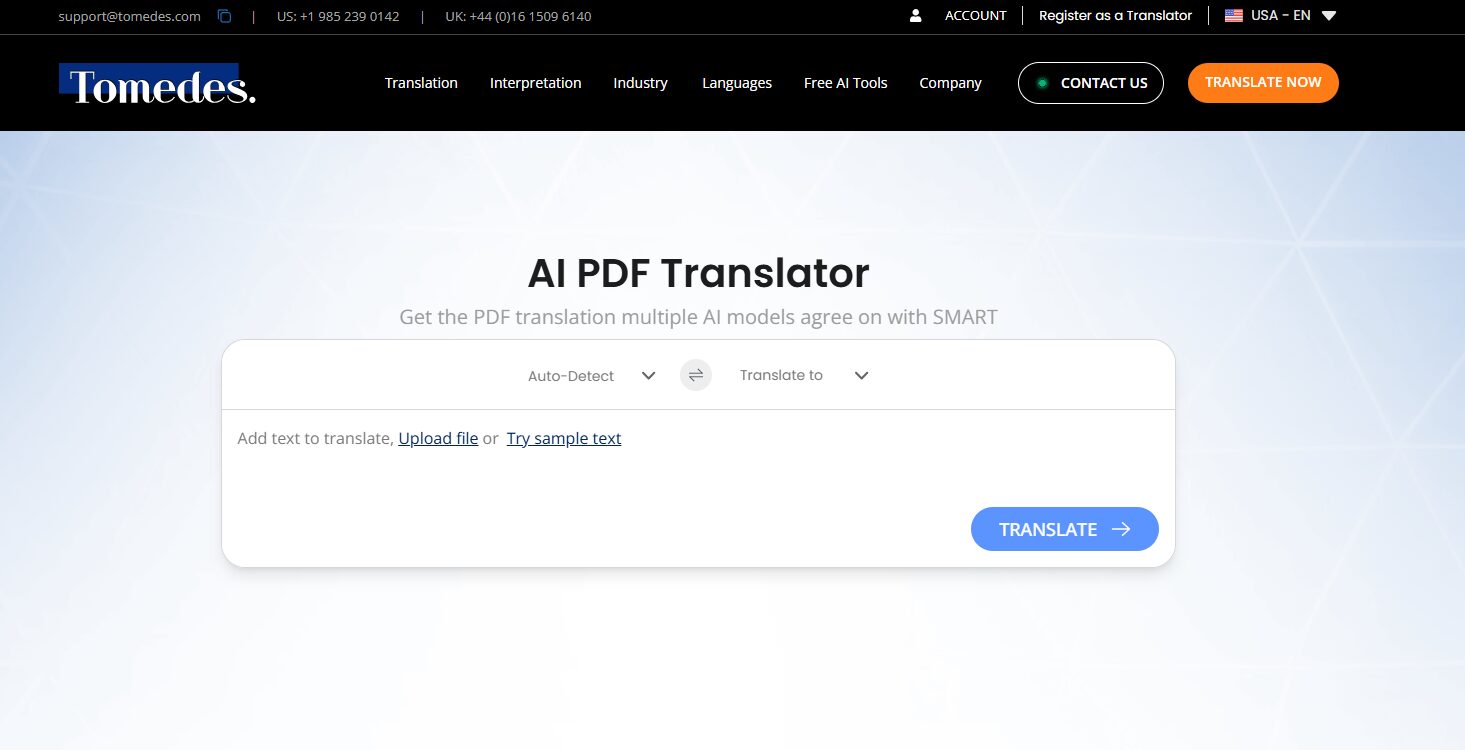
The AI PDF Translator is a free online tool developed by Tomedes that translates complete PDF files into more than 330 languages. It accepts both standard text-based PDFs and scanned, image-based PDFs, and it preserves the original formatting, including tables, columns, headings, lists, and images, so the translated file is ready for review without heavy reformatting.
The tool does not require an account. Users upload a PDF, select the source and target languages, and receive a translated file that mirrors the original’s structure. Fair-use limits apply to longer documents, and people can unlock full translations of long files with a one-time payment.
What distinguishes this tool from other PDF translators is SMART, a consensus feature built by its developer. SMART sends each PDF section to several leading AI models in parallel, compares their translations, and selects the version with the strongest cross-model agreement. The final output is assembled from these best-agreed segments rather than from any single model’s output.
How SMART Powers the Tool?
SMART is the multi-model consensus engine behind the AI PDF Translator. It is the layer of technology that sits on top of standard AI translation and decides, segment by segment, which translation to use in the final document. The approach combines NLP and machine learning with cross-model verification to deliver results more reliable than those of any single engine.
The process works in five stages:
- Input processing: The PDF is uploaded and, if scanned, passed through OCR to extract the text. This step uses the same kind of multimodal AI techniques that read images, and it preserves the document’s layout as a structural map that it later uses to rebuild the translated file.
- Multi-model translation: The extracted text is divided into segments and sent to multiple leading AI translation models simultaneously. Each model produces its own translation of every segment.
- Segment-level comparison: SMART compares the outputs sentence by sentence and clause by clause. The system flags segments as high-agreement versions when they match or closely match across most models.
- Best-segment selection: For each segment, SMART chooses the version with the strongest cross-model agreement. The engine does not rewrite anything; it only selects from what the models have already produced.
- Layout reassembly: The system stitches the selected segments back together in the correct order. It reinserts the translated text into the original PDF layout, preserving tables, headings, lists, and columns in their original positions.
The outcome is a translation that reflects the consensus of several AI models rather than a single model’s view. For PDFs that contain technical terminology, legal language, or nuanced phrasing, this approach reduces the risk of a single-model error making it into the final file.
Key Features
The AI PDF Translator combines several features that make it suitable for both everyday translations and higher-stakes professional documents.
| Feature | Description |
| SMART consensus | Compares outputs from multiple leading AI translation models and selects the version most models agree on, segment by segment. |
| 330+ languages | Supports common pairs such as English to Spanish, English to French, English to Chinese, and English to Arabic, as well as many less-common pairs. |
| Layout preservation | Keeps tables, columns, headings, lists, images, and overall structure intact in the translated PDF. |
| OCR for scanned PDFs | Extracts text from image-based and scanned PDFs automatically before translating, so non-editable PDFs can be processed directly. OCR makes formerly unsearchable scans usable as input. |
| No sign-up required | You can use the tool without signing up. Users can simply land on the page, upload a PDF, and have it translated. |
| File size support | Supports PDFs up to 30 MB, which covers most standard contracts, research papers, and business reports. |
| Optional human review | For critical or sensitive documents, professional linguists from the developer (Tomedes) are available to review and refine the SMART output. |
| Secure handling | The system does not use uploaded content to train public AI models in a way that would expose user data, and it offers dedicated workflows under NDA for sensitive material. |
How to Use the AI PDF Translator?
The tool works in a few short steps. Most translations take less than a minute for standard documents, though larger files and scanned PDFs may take longer due to OCR.
Step 1: Open the tool
Visit the AI PDF Translator page on the developer’s website. No login or account is required to use the free version.
Step 2: Upload the PDF
Click the upload button, then select the PDF from your device. Both text-based and scanned PDFs are accepted. Files up to 30 MB are supported. PDFs of any version that complies with the ISO PDF specification can be processed.
Step 3: Select source and target languages
First, choose the source language of the original PDF and the target language for the translation. Source-language detection is available for most files.
Step 4: Translate
Click the translate button. SMART sends the file to multiple AI models, compares their outputs segment by segment, and assembles the final translation from the most-agreed versions. The system automatically preserves the original PDF’s layout.
Step 5: Review and download
Review the translated PDF on screen. Confirm that names, numbers, dates, and key terms look correct, and download the file. For longer documents, the free tier shows only a limited portion of the output, and users can unlock the full translation with a one-time payment.
Step 6 (optional): Request human review
For contracts, medical records, academic papers, or any document where an error could have real consequences, the translated file can be sent directly to a linguist from Tomedes, the developer behind the tool, for professional human review.
Common Use Cases
An AI PDF translator is useful in a wide range of scenarios. The following list lists the most common situations in which users reach for this kind of tool.
- Legal documents: Contracts, NDAs, court filings, and regulatory documents often arrive as PDFs with complex formatting. SMART helps maintain consistency across clauses, and human review is available for final verification.
- Academic research: Students and researchers use the tool to translate journal articles, conference papers, and thesis extracts, enabling them to study sources originally published in other languages.
- Business reports: Organizations can translate market research, financial statements, and internal reports while preserving tables and charts, which saves hours of manual reformatting.
- Technical manuals: Product manuals, standard operating procedures, and engineering specifications benefit from consensus translation, which reduces the risk of a single model misinterpreting a technical term.
- Medical records: Patient reports, discharge summaries, and clinical documents can be translated quickly, with the option to add human verification for high-stakes content.
- Immigration and government forms: Application packs, civil-status documents, and official letters often need to be translated for submission, and the layout must be preserved for acceptance by authorities.
- Education and training materials: Educators can translate course handouts, textbooks, and training guides for multilingual classrooms without disrupting the original structure. This use case closely aligns with the broader trend of live translation in education, where AI tools are reshaping how multilingual learning is delivered.
Comparison With Other AI PDF Translator Approaches
Several methods exist for translating PDFs. The table below compares the AI PDF Translator covered in this guide with the most common alternatives so readers can choose the right approach for their needs. For a broader look at consumer-facing options, an overview of leading AI translators provides helpful context for the broader category.
| Method | Strength | Limitation | Best For |
| Copy-paste into a generic translator | Fast for short text | Loses all layout; no OCR for scanned files | Very short, informal content |
| Single-engine PDF translator | Simple workflow; one-click output | Relies on one model; single-model errors go through unchecked | Low-stakes, general content |
| AI PDF Translator with SMART (developed by Tomedes) | Multi-model consensus; layout preserved; OCR included | Fair-usage limits on the free tier for longer files | Professional, technical, or high-stakes PDFs |
| Full human translation | Highest accuracy and nuance | Slower; higher cost | Legally binding, published, or certified documents |
For most users, the AI PDF Translator covered here fits comfortably in the middle of this table. It delivers faster results than human translation and more reliable output than a single-engine tool, and it offers the option of human review when needed.
Tips for Better PDF Translation Results
The quality of any AI translation depends partly on the input. The following tips help users get the most out of the tool.
- Use a clean source file: If you scan the PDF, make sure you produce a sharp, high-contrast image. OCR works best when images are clear, and fonts are standard.
- Confirm the source language: Even though detection is available, manually setting the source language prevents errors in multilingual files.
- Check names, numbers, and dates: AI translators preserve these accurately in most cases, but a quick review of proper nouns, figures, and dates is always worthwhile.
- Split very long files: For documents well over the file size limit, splitting by chapter or section keeps processing fast and makes review easier.
- Build a glossary of recurring terms: If you often translate the same document style, maintain a list of preferred terminology and review translations against it.
- Use human review for high-stakes content: For contracts, medical documents, and official filings, pairing SMART output with professional verification gives both speed and accuracy.
Frequently Asked Questions (FAQs)
Q1. Is the AI PDF Translator free?
Answer: Yes. The tool does not require account creation. It applies fair-use limits to longer documents, and on the free tier, it shows only a limited portion of the output for long PDFs. Users can unlock the full translation with a one-time payment, without a subscription.
Q2. Does the translated PDF keep the original formatting?
Answer: Yes. Tables, columns, headings, lists, and images are preserved as closely as possible to the source file, in line with the ISO PDF specification’s structural model. This means the translated PDF can usually be reviewed or shared without heavy manual reformatting.
Q3. Is it safe to upload sensitive or confidential PDFs?
Answer: The tool runs on secure infrastructure and does not use uploaded material to train public AI models in a way that would expose user data. For highly sensitive or regulated documents, dedicated translation workflows under NDAs and enterprise data-processing agreements are also available.
Q4. How does it compare to copy-pasting into a general AI chatbot?
Answer: A general chatbot does not preserve PDF layout, does not include OCR for scanned files, and relies on a single model. The AI PDF Translator described here maintains layout integrity, handles scanned documents, and uses SMART to compare multiple AI models before selecting the final translation. For document-based work, a dedicated tool is the more reliable choice.
Q5. Can a human translator review the AI output?
Answer: Yes. For legally binding, medical, academic, or other critical documents, you can send the SMART output for professional human review by linguists from Tomedes, the developer behind the tool. Human review sits on top of SMART as an extra quality layer rather than a replacement for it.
Recommended Articles
This is a guide to the AI PDF Translator. The article covers how the tool works, its features, and common use cases. Readers may also find the following related articles useful:


