


What is Remote Collaboration?
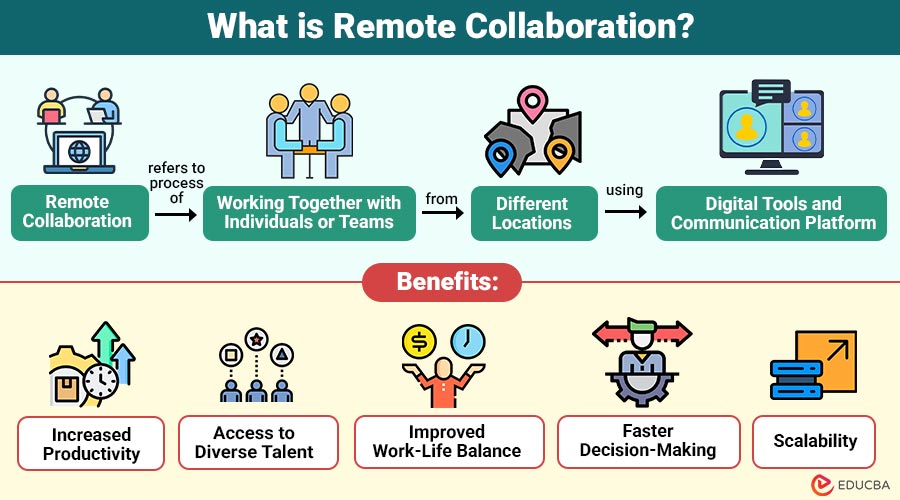
Remote collaboration refers to process of working together with individuals or teams from different locations using digital tools and communication platforms. It enables people to collaborate on tasks, projects, and ideas without being physically present in the same workspace.
In simple terms, remote collaboration allows teams to connect, communicate, and contribute to shared goals from anywhere in the world.
Table of Contents:
- Meaning
- Importance
- Key Features
- Types
- Popular Tools
- Benefits
- Challenges
- Best Practices
- Difference
- Real-World Examples
- Use Cases
Key Takeaways:
- Remote collaboration enables teams to work together globally using digital tools without being physically present.
- It improves flexibility, productivity, and access to diverse talent while reducing operational business costs significantly.
- Effective communication, proper tools, and clear goals are essential for successful remote team collaboration outcomes.
- Remote collaboration supports business continuity during disruptions, ensuring teams remain productive and connected without interruptions.
Importance of Remote Collaboration
Here are the reasons that highlight its importance:
1. Enables Global Workforce
Organizations can hire talent globally, enabling access to diverse skills, perspectives, and innovation, and strengthening their competitive advantage overall.
2. Increases Flexibility
Employees can work from anywhere, improving flexibility, boosting productivity, reducing stress, and supporting a healthier work-life balance.
3. Reduces Operational Costs
Companies reduce operational costs by saving on office rent, utilities, infrastructure, and travel expenses, thereby significantly increasing profitability.
4. Supports Business Continuity
Remote collaboration ensures business continuity during disruptions like pandemics or disasters, allowing teams to operate without interruption.
Key Features of Remote Collaboration
Here are the essential features that make remote collaboration effective:
1. Digital Communication
Remote teams use video calls, messaging apps, and emails to communicate effectively, ensuring seamless interaction and continuous information exchange.
2. Cloud-Based Workspaces
Team members may access, share, and work together on documents in real time from any location thanks to cloud services, which securely store files.
3. Real-Time Collaboration
The ability for multiple people to work on the same project at once increases productivity, cuts down on delays, and allows for immediate updates and feedback.
4. Task and Project Management
Tools help assign tasks, monitor progress, set deadlines, and organize workflows, ensuring better coordination and timely project completion.
5. Asynchronous Communication
Team members communicate at different times across time zones, allowing flexibility, thoughtful responses, and uninterrupted workflow continuity globally.
Types of Remote Collaboration
Here are the main types of remote collaboration used in modern workplaces:
1. Synchronous Collaboration
Team members interact in real time through video meetings, chats, or calls, enabling immediate communication and feedback.
2. Asynchronous Collaboration
Communication occurs at different times, allowing global teams to contribute without requiring simultaneous online participation.
3. Hybrid Collaboration
Combines remote and in-office work, enabling teams to collaborate effectively regardless of physical location or working environment.
4. Cross-Functional Collaboration
Different departments work together remotely, sharing expertise and resources to achieve common organizational goals efficiently and effectively.
Popular Tools for Remote Collaboration
Here are some widely used tools that support effective remote collaboration:
1. Communication Tools
Platforms like Slack and Zoom enable instant messaging, video calls, and seamless virtual team meetings across locations globally.
2. Project Management Tools
Teams can efficiently plan activities, allocate responsibilities, monitor progress, and guarantee timely project completion with the aid of tools like Trello and Asana.
3. File Sharing Tools
Teams can safely save, share, and work together on documents in real time with cloud systems like Dropbox and Google Drive.
4. Collaboration Suites
Integrated platforms like Microsoft Teams and Google Workspace combine communication, file sharing, and project management tools into one unified ecosystem.
Benefits of Remote Collaboration
Here are the key benefits of adopting remote collaboration in modern workplaces:
1. Increased Productivity
Employees work in comfortable environments, improving focus, reducing distractions, enhancing efficiency, and delivering higher-quality output consistently.
2. Access to Diverse Talent
Organizations hire skilled professionals globally, gaining diverse perspectives, expertise, creativity, and innovation without geographical hiring limitations.
3. Improved Work-Life Balance
Flexible schedules help employees manage personal responsibilities, reduce stress, increase job satisfaction, and maintain a healthier lifestyle overall.
4. Faster Decision-Making
Digital tools enable quick communication, instant feedback, faster approvals, and more efficient decision-making across teams and management levels.
5. Scalability
Businesses can easily scale teams up or down without investing in physical infrastructure, reducing costs and supporting growth efficiently.
Challenges of Remote Collaboration
Here are the common challenges faced in remote collaboration environments:
1. Communication Barriers
Misunderstandings, imprecise communication, poor collaboration, and misinterpretations among distant team members can result from a lack of in-person engagement.
2. Time Zone Differences
Coordinating meetings, deadlines, and real-time collaboration across different time zones can create delays and scheduling conflicts for teams.
3. Technology Dependence
Remote collaboration depends on reliable internet, software tools, and devices, and technical issues can significantly disrupt workflow and productivity.
4. Isolation and Engagement Issues
Employees may feel isolated, less motivated, and disconnected, reducing engagement, teamwork, morale, and overall job satisfaction over time.
5. Security Risks
Sharing sensitive data online increases risks of cyber threats, breaches, and unauthorized access without proper security measures in place.
Best Practices for Effective Remote Collaboration
Here are the essential best practices for ensuring successful remote collaboration:
1. Establish Clear Communication Channels
Define communication tools for different types, ensuring clarity, reducing confusion, and improving coordination across remote teams.
2. Set Clear Goals and Expectations
Outline roles, responsibilities, deadlines, and deliverables so every team member understands expectations and works efficiently together.
3. Use the Right Tools
Select collaboration tools that align with team workflows, improving productivity, communication, task management, and overall operational efficiency.
4. Encourage Regular Check-Ins
To assess progress, address problems, coordinate priorities, and uphold team accountability and communication, schedule frequent meetings.
5. Promote Transparency
Share updates, decisions, and changes openly to keep everyone informed, build trust, and ensure alignment across all team members.
6. Foster Team Engagement
Organize virtual activities, encourage interaction, and build relationships to boost morale, collaboration, and team connection in remote environments.
7. Prioritize Security
Implement secure systems, strong passwords, and data protection practices to safeguard sensitive information and reduce cybersecurity risks effectively.
Difference Between Remote Collaboration and Traditional Collaboration
Here is a comparison highlighting the key differences between the two approaches:
| Aspect | Remote Collaboration | Traditional Collaboration |
| Location | Work from anywhere | Requires physical presence |
| Flexibility | High | Limited |
| Communication | Digital tools | Face-to-face interaction |
| Cost | Lower operational costs | Higher infrastructure costs |
| Talent Access | Global | Local or regional |
Real-World Examples
Here are some practical examples of how remote collaboration is applied across different industries:
1. Software Development Teams
Developers across countries collaborate on coding projects using version control systems, shared repositories, and communication tools efficiently.
2. Digital Marketing Agencies
Teams work remotely to plan campaigns, analyze performance data, manage clients, and optimize marketing strategies across global markets.
3. Content Creation Teams
Writers, designers, and editors collaborate remotely to produce blogs, videos, graphics, and engaging social media content consistently.
4. Customer Support Teams
Remote agents handle customer queries via chat, email, and calls, ensuring timely support, issue resolution, and improved customer satisfaction.
Use Cases of Remote Collaboration
Here are common use cases where remote collaboration plays a crucial role:
1. Managing Distributed Teams
Organizations coordinate teams across countries, ensuring collaboration, communication, task alignment, and productivity despite geographical distances and cultural differences.
2. Freelancers with International Clients
Freelancers collaborate with global clients, delivering projects, communicating virtually, managing deadlines, and maintaining relationships without location constraints effectively.
3. Startups Without Physical Offices
Startups operate remotely, reducing costs, leveraging digital tools, scaling teams efficiently, and building flexible business models without office infrastructure.
4. Educational Institutions Online Learning
Institutions provide online classes, enabling students and teachers to interact, share resources, and continue education remotely from anywhere.
5. Remote Customer Support
Businesses manage customer support remotely, efficiently handling queries, resolving issues, and ensuring service quality through digital communication channels.
Final Thoughts
Remote collaboration has transformed the modern workplace, allowing teams to work efficiently from any location. It provides flexibility, reduces operational costs, and enables access to global talent. Despite the existence of challenges such as communication gaps and time zone differences, proper tools, strategies, and practices can help build productive, future-ready teams.
Frequently Asked Questions (FAQs)
Q1. Is remote collaboration more productive than office work?
Answer: It can be more productive when supported by proper tools, clear communication, and effective management practices.
Q2. How do remote teams maintain effective communication?
Answer: Remote teams maintain communication through regular meetings, clear messaging channels, documented processes, and consistent updates to ensure alignment and clarity.
Q3. What skills are required for successful remote collaboration?
Answer: Key skills include communication, time management, self-discipline, adaptability, digital literacy, and the ability to work independently and collaboratively.
Q4. How do managers track productivity in remote teams?
Answer: Managers use project management tools, performance metrics, regular check-ins, and progress reports to monitor productivity and ensure accountability.
Recommended Articles
We hope that this EDUCBA information on “Remote Collaboration” was beneficial to you. You can view EDUCBA’s recommended articles for more information.


