


Single Sign-On (SSO): Overview
Managing dozens of application passwords is one of the most persistent challenges in enterprise IT. Single sign-on solves this by letting users authenticate once and access everything, but selecting the right Single Sign-On (SSO) solution, configuring it correctly, and following established best practices makes the difference between a secure deployment and a costly vulnerability.
What is Single Sign-On (SSO)?
Single sign-on (SSO) lets users log in once with a single set of credentials to access multiple applications without re-authenticating. Rather than maintaining separate usernames and passwords for every application, users authenticate through a central trusted system, the identity provider (IdP), which then vouches for their identity to every connected application.
The concept behind the SSO solution is straightforward: authenticate the user once, rigorously, and then share that verified identity across the ecosystem. This approach eliminates password sprawl, reduces the friction of repeated logins, and centralizes access control in a single place where IT administrators can enforce consistent security policies.
Key Concept
SSO does not eliminate authentication; it consolidates it. Instead of authenticating separately to each application, users authenticate once to a trusted identity provider, which then verifies their identity with other systems via secure tokens or assertions. In enterprise environments, SSO enables employees to access email, project management tools, HR platforms, and cloud storage with a single corporate login. In consumer-facing contexts, it manifests as “Sign in with Google” or “Sign in with Apple” social SSO, which lets users authenticate with an identity they already trust.
The scale of the problem SSO addresses is significant. According to NordPass research, the average business user manages more than 80 passwords. Password-related issues account for a large portion of IT helpdesk tickets. A well-deployed miniOrange single sign-on (SSO) solution dramatically reduces this overhead while improving security by reducing the number of passwords that could be stolen, reused, or forgotten.
How Single Sign-On (SSO) Works?
Understanding the mechanics of SSO helps teams configure it correctly and troubleshoot issues when they arise. If you are unfamiliar with the concept, it helps to first look at how single sign-on (SSO) actually works behind the scenes. The process involves three parties: the user, the SSO identity provider, and the service provider (the application being accessed).
1. Access Request
The user attempts to access an application, such as a CRM, a cloud storage platform, or an internal tool. The application recognizes that the user has no active session and needs to authenticate.
2. Redirect to the Identity Provider
Instead of presenting its own login form, the application redirects the user to the configured SSO identity provider. This redirect carries information about who is requesting authentication and where to return the response.
3. Authentication at the IdP
The identity provider presents a login interface. If the user has an active session from a previous login, the IdP skips this step entirely and proceeds directly to issuing a token. If not, the user provides credentials and potentially completes multi-factor authentication.
4. Token or Assertion Issued
Once the IdP confirms the user’s identity, it issues a digitally signed token or a cryptographically secure assertion that identifies the user, lists the groups they belong to, and specifies the attributes they possess. The format of this token depends on the protocol in use.
5. Access Granted
The application receives and validates the token. Because a trusted identity provider digitally signs the token, the application trusts its contents and grants access according to the user’s roles and permissions. Each subsequent application visit verifies the same session token, so you do not need to log in again.
This flow applies whether the user accesses the application directly (SP-initiated SSO) or starts from the identity provider’s dashboard and navigates to the application (IdP-initiated SSO). Both paths are common in enterprise environments, and a capable SSO service should support both.
SSO Protocols: SAML, OAuth, OIDC, and More
SSO does not operate on a single universal standard. Several protocols govern how identity information travels between systems, and the protocol a team chooses has significant implications for compatibility, security, and implementation complexity.
| Protocol | Full Name | Primary Use | Token Format | Best For |
| SAML 2.0 | Security Assertion Markup Language | Enterprise SSO / Authentication | XML Assertion | Legacy enterprise apps, government systems |
| OAuth 2.0 | Open Authorization | API Authorization | JSON Access Token | Mobile apps, REST APIs, third-party integrations |
| OpenID Connect | OIDC (built on OAuth 2.0) | Authentication + identity layer | JSON ID Token (JWT) | Modern SaaS apps, consumer identity |
| LDAP | Lightweight Directory Access Protocol | Directory authentication | Directory entries | On-premise Active Directory environments |
| Kerberos | Kerberos Network Authentication | Windows domain authentication | Tickets | Windows enterprise networks, internal apps |
| WS-Federation | Web Services Federation | Microsoft ecosystem SSO | XML tokens | Microsoft 365, ADFS, Azure AD environments |
SAML 2.0 remains the most widely deployed protocol in enterprise SSO environments, particularly for applications built before the REST API era. OpenID Connect has become the dominant protocol for modern cloud applications and consumer identity scenarios. OAuth 2.0 focuses on authorization, determining what a user is allowed to do rather than authentication, though it is often used alongside OIDC to handle both.
Practical Tip:
Most modern SSO solutions support multiple protocols simultaneously. When evaluating providers, confirm support for both SAML 2.0 (for legacy systems) and OpenID Connect (for modern applications) before making a selection. Forcing all applications onto a single protocol is rarely practical in mixed enterprise environments.
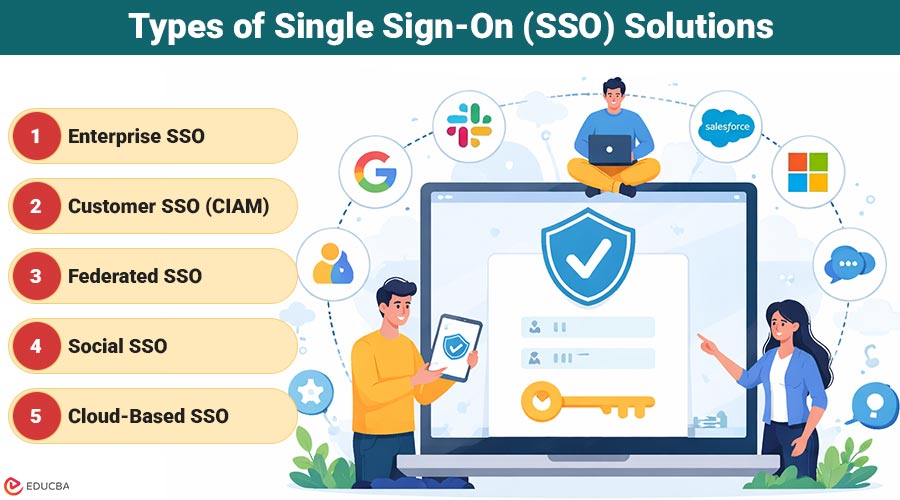
Types of Single Sign-On (SSO) Solutions
SSO is not a monolithic category. The term covers several distinct deployment models, each designed for different use cases, audiences, and organizational structures.
1. Enterprise SSO
Enterprise SSO connects employees to internal applications, HR systems, financial tools, communication platforms, and cloud productivity suites through a single corporate identity. It typically integrates with Active Directory or LDAP and supports provisioning through SCIM (System for Cross-domain Identity Management). The primary goals are productivity, access governance, and compliance.
2. Customer SSO (CIAM)
Customer Identity and Access Management (CIAM) expands Single Sign-On (SSO) to include external users such as customers, partners, and citizens who access public-facing applications. It emphasizes a seamless user experience, the ability to scale to millions of users, and integration with social login options. The security model differs from enterprise SSO because user self-registration is common and traditional directory integration is absent.
3. Federated SSO
Federated identity extends trust across organizational boundaries. Two companies or a company and its SaaS vendors create a trust relationship that enables users from one organization to access another’s resources without needing separate accounts. Federated SSO relies on SAML or OpenID Connect to carry identity assertions across domain boundaries.
4. Social SSO
Social sign-on uses existing accounts from platforms like Google, Microsoft, Apple, or LinkedIn as the authentication credentials. It is common in consumer applications where the goal is to minimize registration friction. Social SSO leverages OAuth 2.0 and OpenID Connect.
5. Cloud-Based SSO
Cloud-based SSO, typically offered as a service, is operated and maintained by an external provider. Organizations configure their applications to authenticate against the provider’s cloud infrastructure without managing any on-premise identity server. This model suits organizations prioritizing rapid deployment and minimal infrastructure overhead.
How to Evaluate an SSO Identity Provider?
Choosing an SSO provider is a long-term architectural decision. The identity provider sits at the center of every authentication event across the organization, which means provider reliability, feature depth, and support quality have direct operational consequences. When evaluating the best SSO providers, consider the following criteria:
1. Protocol and Integration Support
A capable single sign-on provider must support the protocols your applications require. Confirm native support for SAML 2.0, OAuth 2.0, OpenID Connect, and LDAP. Also, evaluate the breadth of pre-built application connectors providers with thousands of pre-configured integrations, which reduces the engineering effort required to connect each application.
2. Deployment Flexibility
Some providers offer only cloud-hosted deployments. Other solutions support on-premises or hybrid deployments, which are critical in regulated industries such as healthcare, government, and financial services, where data residency requirements prohibit sending authentication traffic to third-party cloud infrastructure.
3. Multi-Factor Authentication (MFA) Support
SSO consolidates authentication into a single point. You must protect that point with strong MFA. Evaluate the MFA methods a provider supports: OTP via SMS or email, authenticator apps (TOTP), hardware security keys (FIDO2/WebAuthn), biometrics, and push notifications. Adaptive MFA, which triggers additional verification only when risk signals warrant it, is increasingly important for balancing security with user experience.
4. Directory Integration
The provider must connect to your existing user directory. Most enterprise environments run Microsoft Active Directory, Azure AD (now Microsoft Entra ID), or Google Workspace. Confirm that the provider supports LDAP, SCIM, and the specific directory products your organization uses.
5. User Provisioning and Lifecycle Management
SSO handles authentication, but access governance requires more. Evaluate whether the provider supports automated user provisioning and deprovisioning through SCIM, creating accounts when employees join, updating access when they change roles, and removing access immediately when they leave.
6. Compliance and Security Certifications
For organizations in regulated industries, provider certifications matter. Look for SOC 2 Type II, ISO 27001, and, where relevant, HIPAA BAA availability and FedRAMP authorization.
SSO as a Service vs. On-Premise Deployment
The deployment model for an SSO solution shapes its operational characteristics, compliance posture, and long-term cost profile. Understanding the trade-offs is essential before committing to a provider.
| Factor | SSO as a Service (Cloud) | On-Premise SSO |
| Setup Time | Fast (days to weeks) | Longer (weeks to months) |
| Infrastructure Management | Provider handles it | The organization handles it |
| Data Residency Control | Limited | Full control |
| Internet Dependency | Required for authentication | Can operate offline |
| Customization | Limited by the provider | Extensive |
| Compliance (HIPAA, FedRAMP) | Shared responsibility | Organization controls |
| Upfront Cost | Lower | Higher |
| Scalability | Automatic | Manual capacity planning |
SSO as a service is the right choice for most organizations that do not face strict data residency requirements. It eliminates infrastructure management, scales automatically, and receives security updates without requiring internal operations work. The provider absorbs the complexity of running a high-availability identity service.
On-premises deployment is appropriate when regulatory mandates require authentication data to remain within the organization’s infrastructure, when the environment includes air-gapped or disconnected networks, or when deep customization of the identity stack is required. Many vendors who offer SSO as a service also provide on-premise or hybrid deployment options for these scenarios.
Single Sign-On (SSO) Implementation Steps
Successful SSO implementation follows a structured process. Rushing any phase, particularly application inventory and protocol selection, introduces technical debt that compounds over time.
Phase 1: Application Inventory and Prioritization
Before making any configuration changes, catalog every application in the environment. For each application, document the protocols it supports (SAML, OIDC, LDAP), the user population it serves, and its criticality to business operations. This inventory drives provider selection and the sequencing of implementation. Start SSO rollout with high-traffic, low-risk applications to build organizational confidence before tackling critical systems.
Phase 2: Identity Provider Selection
With the application inventory in hand, select an SSO identity provider that covers the protocol requirements of the broadest possible application set. Confirm that the provider supports your existing user directory and offers the deployment model required by your compliance posture.
Phase 3: Directory Integration
Connect the identity provider to your user directory, Active Directory, LDAP, Azure AD, or another authoritative source. This integration ensures that when you disable a user’s account in the directory, the system automatically revokes their SSO access. It also synchronizes group memberships and attributes that applications use for authorization decisions.
Phase 4: Application Registration
Register each application with the identity provider. This involves exchanging metadata endpoint URLs, certificates, and attribute mappings between the application and the IdP. For SAML applications, this means uploading the IdP metadata to the application and the SP metadata to the IdP. For OIDC applications, the process involves creating an OAuth client registration and configuring redirect URIs.
Phase 5: Attribute Mapping
Applications require specific user attributes to function correctly: email address, department, role, and user ID. Map the attributes held in your directory to the format and field names each application expects. Misconfigured attribute mapping is one of the most common sources of SSO failures during initial rollout.
Phase 6: Testing
Test every configured application with accounts representing each user type: standard users, administrators, users with edge-case attributes, and users from different directory groups. Specifically test both SP-initiated and IdP-initiated flows, single logout, session expiration behavior, and failure scenarios such as an unrecognized user or an expired certificate.
Phase 7: Phased Rollout
Roll out SSO to user groups incrementally rather than all at once. Begin with a pilot group, gather feedback, resolve issues, and then expand. Maintain fallback access mechanisms during the transition period in case authentication issues arise.
Phase 8: Ongoing Monitoring
Post-deployment, configure alerts for authentication failures, unusual login patterns, and certificate expiration. Authentication logs from the identity provider are a valuable security signal; integrate them with your SIEM for correlation and anomaly detection.
Single Sign-On (SSO) Best Practices
Organizations that extract the most security and operational value from SSO follow a consistent set of single sign-on best practices. These recommendations draw on common deployment patterns and recurring failure modes across organizations of all sizes.
1. Always Pair SSO with Multi-Factor Authentication
SSO creates a single authentication point. If attackers compromise that point through credential theft, phishing, or brute force, they gain access to every connected application at once. Pairing SSO with MFA makes the single authentication event a much harder target. This is the most important SSO best practice.
2. Enforce SSO Universally — No Bypass Accounts
The value of centralized access control evaporates if some accounts or applications bypass SSO through direct local logins. Enforce SSO at the application level where possible, disabling local authentication paths for accounts that have SSO enabled. Every bypass creates a blind spot in access monitoring.
3. Maintain a Complete Application Registry
Treat your SSO application registry as a living document. Every application registered with the identity provider represents an access vector. Audit the registry quarterly and remove applications that are no longer in use. Orphaned application registrations accumulate over time, creating an unnecessary attack surface.
4. Monitor Authentication Events
The identity provider generates detailed logs of every authentication attempt, successes, failures, MFA challenges, and session terminations. These logs are a rich source of security signals. Feed them into a SIEM, define baselines for normal authentication patterns, and configure alerts for anomalies such as unusual login times, impossible travel, repeated MFA failures, or access from unrecognized devices.
5. Implement Adaptive Authentication for High-Risk Applications
Not all applications carry the same risk. Payroll systems, code repositories, and customer data platforms warrant additional scrutiny at login. Adaptive authentication evaluates risk signals from device posture, location, time of day, behavior patterns, and triggers, and steps up verification when signals suggest elevated risk, without adding friction to routine, low-risk access.
Benefits and Limitations of SSO
Benefits
Reduced password fatigue. Users maintain fewer credentials, which reduces the tendency to reuse weak passwords across systems, a behavior that significantly elevates organizational risk. Lower IT support costs. Password reset requests represent a substantial and well-documented share of helpdesk volume. Fewer passwords mean fewer resets. Organizations consistently report meaningful reductions in credential-related support tickets after SSO deployment. Centralized access governance. A single identity provider gives IT and security teams a unified view of who has access to what.
Provisioning, deprovisioning, policy enforcement, and audit reporting all operate from one system rather than across dozens of disconnected application-specific admin consoles. Faster user onboarding. New users gain access to all required applications by activating a single directory account. Day-one productivity improves without requiring IT to manually configure access to each application separately. Compliance simplification. Access reviews, audit trails, and deprovisioning documentation are considerably simpler when a central identity provider mediates all access, rather than each application managing its own user store.
Limitations
Single point of failure. If the identity provider experiences downtime, users lose access to all connected applications simultaneously. High-availability architecture, including active-active clusters, geographic redundancy, and documented failover procedures, is not optional for production SSO deployments. Single point of compromise. A compromised SSO credential grants access to the entire connected application estate, not just a single system. This makes the identity provider account the highest-value target in the environment, underscoring the need for strong MFA and anomaly monitoring.
Implementation complexity. Connecting legacy applications that predate modern identity standards requires custom connectors, reverse proxies, or header-injection approaches. Not every application in a typical enterprise environment supports SAML or OIDC natively. Vendor lock-in risk. Deeply integrating with a proprietary SSO service creates dependency on that vendor’s pricing, roadmap, and reliability. Organizations that choose providers with strong support for open standards, such as SAML, OIDC, and SCIM, retain more flexibility to migrate if requirements change.
Final Thoughts
Single sign-on (SSO) has moved from a productivity convenience to a security essential. As the number of applications in the average enterprise environment grows and the consequences of credential compromise escalate, centralizing authentication through a well-configured SSO solution is one of the highest-leverage investments an IT or security team can make. The foundation is selecting a capable SSO identity provider that supports the protocols your environment requires, integrates with your existing directories, and offers the deployment model your compliance posture demands. The structure comes from disciplined SSO implementation, application inventorying, correctly configured attributes, and thorough testing before rollout.
The durability comes from following single sign-on best practices: pairing SSO with MFA, monitoring authentication events, proactively rotating certificates, and enforcing deprovisioning through directory integration. Organizations that treat SSO as a deploy-and-forget infrastructure component often create the very problems it is meant to prevent. Those that actively manage it as a living component of their security architecture, auditing registrations, reviewing access patterns, and refining policies as the environment evolves, extract its full value over time.
Recommended Articles
We hope this comprehensive guide to Single Sign-On (SSO) helps you strengthen your authentication strategy. Explore these recommended articles for more insights and best practices.


