


How Does SlabWise Help You Automate Tasks and Save Time?
By the time your day ends, it is rarely the projects that drain your energy; it is the small repetitive tasks. Updating statuses, assigning work, tracking progress, and sending reminders. They quietly consume hours. Now imagine those tasks running in the background without your input. That is where SlabWise steps in. Let us start with how it changes your time, your focus, and the smoothness of your work.
What Changes When You Start Automating?
The biggest shift is not speed; it is mental clarity. When you use AI workflow automation tools, you are not just automating actions. You are reducing decision fatigue. You do not have to think, “What is next?” because your system already knows. With SlabWise, once a task is created:
- It can automatically move to the stage
- Notify the right person
- Trigger follow-up actions
- Update progress without manual input
This kind of smart flow turns scattered work into a structured process.
How SlabWise Automates Your Daily Tasks?
At its core, SlabWise simplifies how work moves from one step to another. By manually pushing tasks forward, the SlabWise system does it for you.
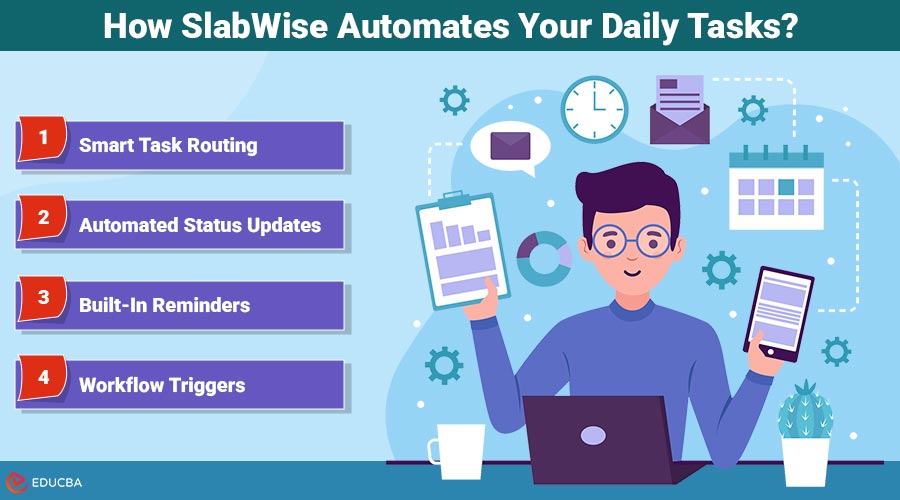
1. Smart Task Routing
When you create a task, SlabWise assigns it based on predefined rules. For example, a design request can go directly to your design team without you lifting a finger. This reduces delays. Keeps everything moving.
2. Automated Status Updates
No chasing updates. It can automatically change task statuses based on progress or triggers. It ensures everyone stays aligned without check-ins.
3. Built-In Reminders
Deadlines do not get missed because the SlabWise system sends reminders automatically. Whether it is pending approval or overdue, nothing slips through the cracks.
4. Workflow Triggers
This is where workflow automation software becomes powerful. One action can trigger another:
- Completing a task can notify the team
- Uploading a file can move the task forward
- Approval can instantly unlock the next step
- Everything connects.
Document Workflow Automation Made Simple
Handling documents is often one of the time-consuming parts of any process. From approvals to sharing files, it usually involves steps and people. Document workflow automation SlabWise simplifies this flow:
- Upload documents and automatically route them for approval
- Track changes without email threads
- Keep everything organized in one place
- Set rules for document access and updates
This not only saves time but also reduces errors and confusion.
Why SlabWise Feels Different?
Many tools promise automation, but they often feel complicated or overwhelming. It focuses on simplicity. You do not need expertise to set up workflows. The interface is clean. The logic is easy to follow. You can create processes that actually make sense for your team. That is what makes it stand out among task automation tools and business process automation tools. The platform is for users, not just tech teams.
The Real Benefit: Time You Can Use Better
Automation is not about doing things faster. It is about doing less of the wrong things. When SlabWise handles work:
- You spend more time on strategy
- Your team focuses on meaningful tasks
- Manual handling reduces errors.
- Productivity improves naturally
It is a shift from “busy work” to “impactful work.”
How It Supports Growing Teams?
As your team grows, managing workflows manually becomes harder. What worked for five people does not work for twenty. It scales with you by keeping processes:
- Every task follows the same structure
- New team members can adapt quickly
- Communication becomes clearer
- Workflows remain organized
This makes it a practical choice for teams seeking productivity tools and workflow management software that scale with their needs.
Small Automation, Big Results
You do not need to automate everything at once. Even small changes can make a difference. Start with:
- Automating task assignments
- Setting up deadline reminders
- Creating approval workflows
Over time, these small automations build into a system that runs smoothly on its own. That is the power of AI workflow automation tools. Save minutes and save hours.
Final Thoughts
So how does SlabWise help you automate tasks and save time? It removes friction from your work. It connects your processes. Most importantly, it gives you back control over your time. By constantly managing tasks, you create a system that manages them for you.
Recommended Articles
We hope this guide on how SlabWise automates tasks and boosts productivity was helpful. Check out these recommended articles for more insights and strategies to maximize your workflow.

