
What is Wireframing?
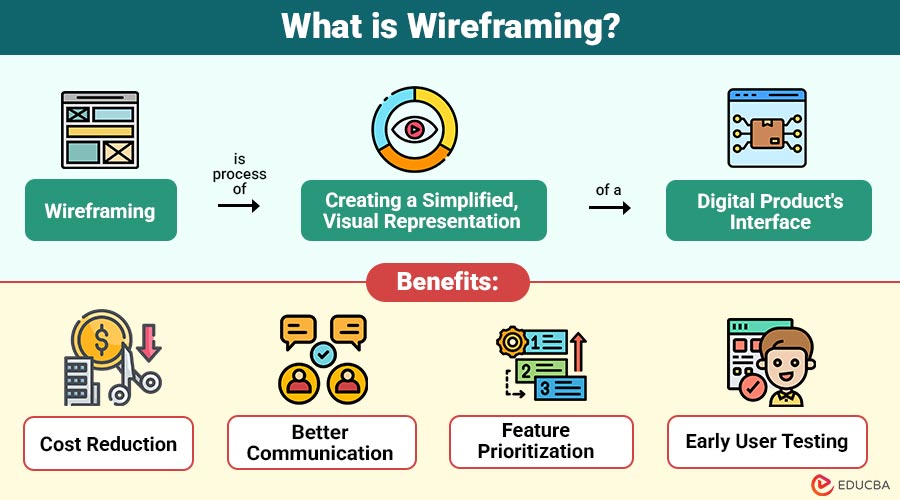
Wireframing is process of creating a simplified, visual representation of a digital product’s interface. Unlike high-fidelity designs, wireframes focus on structure, layout, and functionality rather than colors, fonts, or images.
A wireframe typically includes:
- Layout of pages or screens
- Placement of interface elements like buttons, menus, and forms
- Navigation flow and user interaction paths
- Simple notes that explain how different features or elements work.
Wireframes can be simple paper sketches or detailed digital designs with interactive features.
Table of Contents:
Key Takeaways:
- Wireframing visualizes the interface structure early, reducing errors, saving time, and significantly improving project efficiency.
- Low-, mid, and high-fidelity wireframes are used for different goals at various stages of the design process.
- Wireframes help teams and stakeholders clearly understand the layout and features early, reducing confusion before detailed design starts.
- Redesigning, testing, and adding notes are important to make wireframes useful, easy to use, and clear.
Why is Wireframing Important?
Wireframing is important step in the design process because it allows teams to:
1. Visualize Layout and Structure
Wireframing helps teams clearly see page layouts, content order, and interface structure before adding visual design details.
2. Identify Usability Issues Early
Wireframes show navigation problems, interaction gaps, and user flow issues early, so designers can fix them before development begins.
3. Save Time and Cost
Changing wireframes is quicker and cheaper than changing coded designs, saving time, effort, and project costs.
4. Enhance Communication
Wireframes give everyone—designers, developers, and clients—a clear visual guide, helping teamwork and avoiding misunderstandings.
5. Guide Development
Developers use wireframes to clearly understand features, screen behavior, and priorities, helping them build accurately and efficiently.
Types of Wireframing
Wireframes vary in fidelity depending on the project stage, complexity, and purpose. Here are the main types:
1. Low-Fidelity Wireframes
- Simple sketches or digital outlines
- Focus on structure rather than visual details
- Quick to create and iterate
- Best for brainstorming sessions or early-stage ideas
2. Mid-Fidelity Wireframes
- Include more details, such as basic UI elements
- Often created using digital tools like Figma or Balsamiq
- Helps in defining layout, content hierarchy, and navigation flow
- Makes it easier to match design with function, allowing early testing and feedback from stakeholders.
3. High-Fidelity Wireframes
- Closest to final UI design but still without full visuals
- Includes realistic spacing, buttons, and annotations
- Can include interactive elements to mimic how users navigate through the interface.
- Useful for client presentations or development handoff
Key Elements of a Wireframe
When creating a wireframe, certain elements are commonly included:
1. Navigation Menus
Define site structure using top bars, sidebars, or dropdowns to help users move between sections intuitively.
2. Content Blocks
They show where text, images, videos, or forms will go, helping plan a clear content order and balanced layout.
3. Call-to-Action Buttons
Emphasize interactive features that encourage consumers to complete tasks like downloading, purchasing, or registering.
4. Headers and Footers
Establish consistent layout areas for branding, navigation links, legal information, and supporting content across pages.
5. Annotations
Add clear notes that explain how features work, how users interact, design purpose, and technical needs for teams.
6. Placeholders
Use boxes or symbols to indicate future images, media, or dynamic content without final visual assets.
Wireframing Tools
Several tools help make wireframing faster, more interactive, and easier to collaborate on, such as:
1. Figma
A cloud-based tool that lets teams design screens together, from simple sketches to detailed designs, share feedback, and collaborate in real time.
2. Adobe XD
Adobe XD is a tool that helps designers make interactive wireframes, UI designs, animations, and smooth user flows on any platform.
3. Balsamiq
A simple wireframing tool with sketch-like parts that helps you quickly try ideas, make changes, and test designs early.
4. Sketch
Sketch is a Mac-based design tool popular with UI designers, offering plugins for wireframes, prototypes, collaboration, and smoother workflows.
5. Axure RP
An advanced wireframing tool for creating realistic prototypes with complex interactions, dynamic content, and detailed documentation for large projects.
Benefits of Wireframing
Here are the key benefits that wireframing offers to improve design and development processes:
1. Cost Reduction
Finds problems early in the design, saving money, time, and effort later in development
2. Better Communication
It gives a clear visual guide that keeps designers, developers, and stakeholders aligned, improving understanding and reducing misunderstandings.
3. Feature Prioritization
Allows teams to focus on essential elements, organize content effectively, and make informed decisions about feature importance.
4. Early User Testing
Helps test with users early to find problems and usability issues before building the final design.
Challenges of Wireframing
Here are some common challenges teams may face while creating and using wireframes:
1. Time-Consuming if Over-Detailed
Making very detailed wireframes takes more time, which can slow down the project and reduce the effectiveness of early brainstorming.
2. Misinterpretation of Low-Fidelity Wireframes
Stakeholders might think rough sketches are the final design, which can cause unrealistic expectations or worries about how it looks.
3. Overemphasis on Layout
4. Limited Representation of Visual Design
Wireframes usually don’t include colors, fonts, or branding, so they don’t fully show how the final product will look.
5. Iteration Fatigue
Frequent revisions and feedback cycles can be overwhelming for teams, causing delays or frustration if not managed efficiently.
Best Practices for Effective Wireframing
To maximize the benefits of wireframing, follow these best practices:
1. Start with Low-Fidelity
Start with simple sketches or outlines to quickly explore ideas, spark brainstorming, and reduce wasted effort in the early design stage.
2. Focus on User Flow
3. Keep it Consistent
Maintain uniform symbols, naming conventions, spacing, and layout across wireframes to reduce confusion and improve team communication efficiency.
4. Iterate Frequently
Keep fixing wireframes using feedback and tests so the design is easy to use and meets its goals.
5. Test Early
Share wireframes with users or stakeholders to find problems early, confirm ideas, and guide decisions before starting visual design.
Real-World Examples
Here are some practical examples of wireframing in action:
1. E-Commerce Website Wireframe
- Low-fidelity wireframes display product lists, filter choices, and the checkout process.
- High-fidelity wireframes show how users move step by step, from browsing a product to completing a purchase.
2. Mobile App Wireframe
- Mid-fidelity wireframes show key screens, tab navigation, and call-to-action buttons.
- Interactive high-fidelity wireframes let you test actions like swiping screens or clicking buttons before development.
3. SaaS Dashboard Wireframe
- Low-fidelity wireframes show basic sections like charts, user profiles, and notifications.
- High-fidelity interactive wireframes let users click, explore menus and filters, and see how features actually work.
Final Thoughts
Wireframing is a crucial design step that allows teams to visualize, iterate on, and validate interfaces before development. Focusing on structure, function, and user flow helps teams make fewer mistakes, work together better, and finish faster. Whether for websites, apps, or dashboards, learning wireframing helps create simple, easy-to-use, and efficient products. Begin with basic layouts, improve them step by step, and use modern tools to create clear, practical design plans.
Frequently Asked Questions (FAQs)
Q1. How long does it take to create a wireframe?
Answer: It depends on the fidelity and complexity. Low-fidelity wireframes can take hours, while high-fidelity interactive ones may take days.
Q2. Do I need coding skills to wireframe?
Answer: No. Wireframing focuses on design and layout, not coding. Tools like Figma, Balsamiq, or Adobe XD are code-free.
Q3. Can wireframes replace prototypes?
Answer: Wireframes are not a replacement; they are a precursor. Prototypes simulate real interactions, whereas wireframes focus on structure.
Recommended Articles
We hope that this EDUCBA information on “Wireframing” was beneficial to you. You can view EDUCBA’s recommended articles for more information.

