


Introduction
In a world driven by speed and efficiency, scannable codes have become essential tools for businesses and consumers alike. Whether it is checking out at a store or scanning a menu, we often encounter barcodes and QR codes. While they may look similar at a glance, they function very differently. This blog dives into the key differences, uses, and advantages of barcodes vs QR codes in modern applications.
Table of Contents:
- Introduction
- What is a Barcode?
- What is a QR Code?
- Key Differences
- Use Cases
- Pros and Cons
- Real World Examples
- Which One should you Use?
- Security Implications
What is a Barcode?
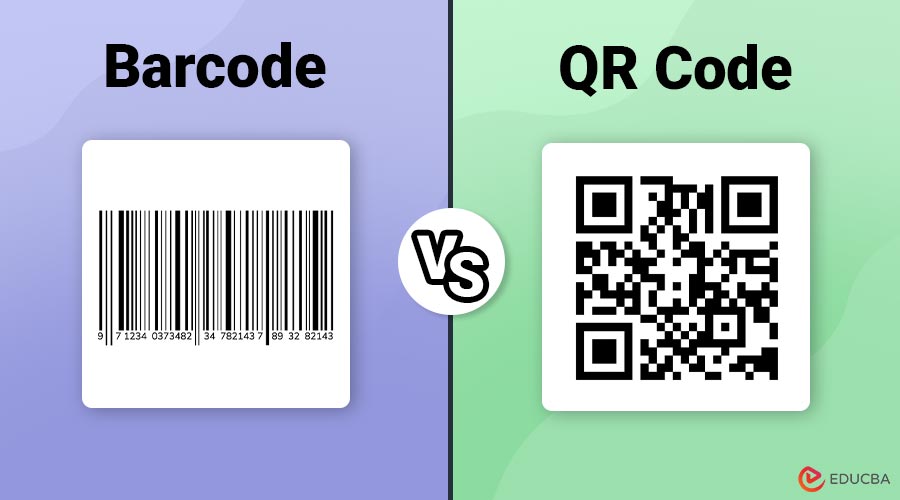
A barcode visually encodes data using a sequence of parallel lines with varying widths and spaces between them. The traditional or linear barcode, also known as a 1D barcode, is typically found on retail products and is scanned to retrieve a unique number associated with a product.
Key Characteristics:
- Consists of black lines on a white background
- One-dimensional (horizontal orientation)
- Holds limited data (usually up to 20-25 characters)
- Commonly used in inventory management and point-of-sale systems
What is a QR Code?
A QR (Quick Response) code is a form of two-dimensional barcode that stores data by encoding it along both horizontal and vertical axes. It can store significantly more data than a traditional barcode and is easily scanned using smartphones and dedicated QR scanners.
Key Characteristics:
- Square-shaped with black and white modules
- Two-dimensional (2D)
- Can store thousands of characters, URLs, images, or even videos
- Used in marketing, payments, authentication, and more
Small businesses looking to implement QR technology on a tight budget can benefit from using a cheap QR code generator to create functional codes without added cost.
Barcode vs QR Code: Key Differences
Here is a detailed comparison between barcode and QR code based on critical parameters:
| Parameter | Barcode | QR Code |
| Design | Vertical lines (1D) | Square matrix (2D) |
| Data Capacity | Up to 25 characters | Up to 7,089 numeric or 4,296 alphanumeric characters |
| Read Direction | Horizontal only | Both horizontal and vertical |
| Error Correction | None | Built-in (up to 30% damage recovery) |
| Scanning Device | Barcode scanner | QR scanner or smartphone camera |
| Speed of Scanning | Fast but single-directional | Faster and omnidirectional |
| Customization | Limited | Highly customizable (colors, logos, shapes) |
| Use Case Examples | Retail, inventory, library systems | Marketing, payments, event access, logistics |
| Internet Integration | Not direct | Direct link to websites, apps, and multimedia |
Use Cases Across Industries
Here are the key ways barcodes and QR codes are leveraged across various industries for practical and strategic purposes:
1. Retail
- Barcode: Used for product identification at checkout counters, stock control, and pricing.
- QR Code: Applied on packaging for marketing campaigns, user manuals, and product authenticity verification. It can be generated easily using a professional QR code generator like Scanova, which also enable real-time scan tracking and analytics.
2. Healthcare
- Barcode: Used on medication labels and patient wristbands for identification and dosage tracking.
- QR Code: Stores full patient records or links to digital health histories and vaccination data.
3. Event Management
- Barcode: Printed on tickets for basic validation.
- QR Code: Stores attendee details, seat numbers, and entry passes with security layers.
4. Marketing & Advertising
- Barcode: Rarely used.
- QR Code: Widely adopted in posters, business cards, and digital ads to provide direct access to websites or promotions.
5. Payments & Banking
- Barcode: Not suitable due to limited capacity and security.
- QR Code: Central to contactless payments, mobile wallets (like UPI in India, Alipay, WeChat Pay), and authentication.
Pros and Cons of Barcode and QR Code
Here are the pros and cons of both barcode and QR code across various use cases.
Barcode – Pros:
- Simple and cost-effective to print
- Easy to implement and read with basic scanners
- Ideal for limited, numeric-only data
- Widely standardized and universally supported
Barcode – Cons:
- Limited data capacity
- Easily damaged (no error correction)
- One-directional reading slows down scanning in dynamic environments
- Cannot store multimedia or encrypted data
QR Code – Pros:
- High data capacity can store multimedia, encrypted data, and long URLs
- Fast and omnidirectional scanning
- Built-in error correction
- Easily readable with smartphones, enhancing accessibility
QR Code – Cons:
- Slightly more complex to design and generate
- Requires more space for printing
- Potential privacy and security risks if misused or linked to malicious content
Real World Examples
Below are practical, real-life examples of barcodes and QR codes across industries and everyday experiences:
1. Starbucks Mobile Ordering
- QR Code: Customers use the Starbucks app to scan a QR code at checkout for loyalty points and payments.
- Barcode: Internal systems use barcodes for inventory tracking on packaged goods and food items.
2. Boarding Passes in Airlines
- QR Code: Airlines like Delta, Emirates, and Indigo issue e-boarding passes with QR codes for quick gate scanning and passenger verification.
- Barcode: Traditional printed boarding passes still use barcodes in some legacy systems.
3. Museum & Exhibition Entry
- QR Code: Museums like the Louvre or the Smithsonian use QR codes for digital ticketing and interactive content (audio guides, exhibit details).
- Barcode: Backend systems use barcodes for inventory and maintenance of exhibits.
Which One Should You Use?
It depends entirely on your needs:
Use Barcode If:
- You need to encode simple numeric product IDs
- Your business involves inventory or retail
- You prefer a low-cost implementation
- Traditional POS systems perform the scanning
Use QR Code If:
- You want to encode URLs, images, or long texts
- You are aiming for mobile or smartphone engagement
- You require error correction and faster scanning
- Your application involves authentication or payment
Security Implications
While many industries widely use both barcodes and QR codes, their security implications vary greatly based on complexity, capacity, and usage context.
Barcodes:
Barcodes are simple and store limited data, reducing the risk of complex threats. However, they are vulnerable to tampering or duplication. While commonly used for tasks like inventory, they still require safeguards in sensitive environments to prevent misuse or unauthorized access.
Key Risks:
- Easy to replicate or alter
- No encryption or error detection
- Not suitable for sensitive or personal data
QR Codes:
QR codes store more data and can link to external content, increasing security risks. Malicious QR codes may redirect users to phishing sites, trigger unwanted downloads, or collect personal information without consent, making secure generation and verification essential in public or sensitive use cases.
Key Risks:
- Potential phishing or malware attacks via malicious URLs
- Risk of data leakage if personal information is embedded
- Users may scan without verifying authenticity due to the ease of use
Final Thoughts – Barcode vs QR Code
Barcode vs QR Code remains a key consideration for businesses navigating data solutions. Barcodes are reliable for retail and inventory tasks, while QR codes enable richer, interactive data sharing. Choosing between them depends on your needs—data type, cost, and usage context. Whether managing product stock or launching a mobile campaign, understanding both technologies helps you select the best tool for your business goals and customer engagement strategies.
Frequently Asked Questions (FAQs)
Q1. Can QR codes replace barcodes entirely?
Answer: Not completely. Barcodes are still efficient for simple tasks like product identification in retail. However, QR codes offer more advanced functionality.
Q2. Is it possible to scan a QR code with a barcode scanner?
Answer: No. Barcode scanners cannot read QR codes. However, QR code scanners (like those in smartphones) can often scan both.
Q3. Are QR codes more secure than barcodes?
Answer: QR codes have more layers of data and can include encryption, but they can also be used maliciously if not verified.
Q4. Do QR codes need an internet connection to work?
Answer: No. The QR code itself does not need the internet. However, if it links to a web resource, internet access is needed to view it.
Recommended Articles
We hope that this EDUCBA information on “Barcode vs QR Code” was beneficial to you. You can view EDUCBA’s recommended articles for more information.

