


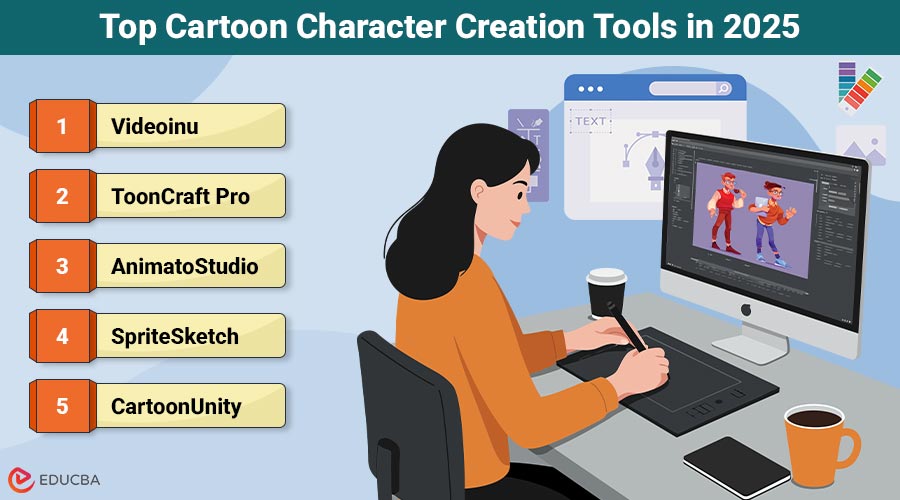
Cartoon Character Creation Tools: Overview
Cartoon characters are everywhere in our modern world—on TV, in video games, and across social media platforms. They play a huge role in storytelling and branding. However, creating cartoon characters that maintain a consistent look can be challenging for artists. Fortunately, 2025 has brought several tools to help artists create uniform and consistent characters. This article will guide you through the best cartoon character creation tools.
Why Consistency Matters in Cartoon Characters?
When you draw a cartoon character, you want them to look the same in every picture or scene. For example, Mickey Mouse must look like Mickey in every cartoon. If he looked different all the time, fans might get confused or lose interest. Additionally, consistent characters help tell stronger stories. When you recognize a character right away, you get pulled into their world and feel all the emotions the story wants to share. Not to mention, businesses and influencers often use cartoons for logos and branding.
If a character is always changing, it will be less memorable. Therefore, using the best cartoon character creation tools is key. They help you keep your characters looking just right, no matter how many times or ways you draw them.
Important Features in Cartoon Character Creation Tools
Before we talk about the best tools, it is important to know what to look for. Here are some features you should keep in mind when choosing cartoon character creation tools:
1. Easy-to-Use Interface
The tool should be straightforward and user-friendly. A confusing tool will slow you down and make it harder to be creative. Furthermore, an easy interface helps new creators start quickly.
2. Customization Options
You need multiple options to change your character’s appearance. For example, maybe you want to tweak their hair or switch their clothes. The best tools let you do this without compromising their key features.
3. Templates and Asset Libraries
Another great feature is having ready-to-use templates. Templates save you time by allowing you to start from scratch every time. An asset library works similarly, providing you with elements like eyes, mouths, hats, and more that you can combine and customize.
4. Consistency Tools
In addition, the best tools offer special features to help keep characters consistent. For instance, some programs have “character sheets” or reusable models. These features ensure every drawing stays true to your original design.
5. Export and Sharing Options
Also, the tool must allow you to export your character in many file types. With good export options, you can use your cartoons online, in videos, or games. Plus, some tools even let you share your work directly to social media or with other team members.
6. Artificial Intelligence Support
Because 2025 is a high-tech year, many leading tools now use artificial intelligence. For example, AI can help fix mistakes, suggest color ideas, or even turn your doodle into a finished character. As a result, work is faster and easier than ever.
Top Cartoon Character Creation Tools in 2025
Let us find out the best tools you can use to create consistent cartoon characters this year.
1. Videoinu
Videoinu is an easy-to-use, powerful cartoon character and animation tool. Whether you are creating cartoons for personal enjoyment, classroom use, or business purposes, Videoinu helps ensure your characters look consistent every time.
Why Choose Videoinu?
- Smart Templates: Videoinu offers a large set of templates, and you can also create your own, ensuring your characters stay consistent across different projects.
- Asset Libraries: The tool comes packed with thousands of customizable eyes, noses, mouths, and clothes, making it easier to maintain the character’s design.
- Easy Controls: Everything in Videoinu is just a click or drag away. Kids, beginners, and pros can create amazing cartoons without getting lost.
- AI Consistency Checker: Videoinu uses AI to double-check your work. If you make changes that might ruin your character’s look, it will warn you and give you tips.
- Instant Export: You can save or share your characters instantly, perfect for platforms like YouTube, TikTok, or school projects.
- Regular Updates: Videoinu constantly adds new features based on creator feedback.
Best for:
- Students and Teachers: It is easy enough for classroom use and brings lessons to life.
- Artists and Animators: Use it for comics, videos, and webtoons while keeping your characters perfect every time.
- Businesses and Marketers: Cartoon mascots that always look the same help customers remember your brand.
- Social Media Creators: Create shareable, fun characters for every platform in minutes.
2. ToonCraft Pro
ToonCraft Pro is a professional cartoon character creation tool designed for detailed drawing, coloring, and asset management.
Why Choose ToonCraft Pro?
- Custom Asset Creation: Build your own eyes, hairstyles, and more.
- Design Reuse: Save and reuse character parts to stay consistent.
- Advanced Drawing Tools: Great for those who prefer hand-drawn styles.
Best For: Experienced artists, comic creators, and indie animators who want creative control.
3. AnimatoStudio
AnimatoStudio is a powerful tool for both designing and animating cartoon characters, favored by professionals.
Why Choose AnimatoStudio?
- Model Sheet Creator: Visualize characters from every angle.
- Pro-Level Animation Tools: Easily animate your consistent characters.
- Studio-Grade Features: Perfect for animation teams or studios.
Best For: Professional animators and studios creating full-length animated content.
4. SpriteSketch
SpriteSketch is a simple, web-based cartoon character design tool ideal for beginners and casual creators.
Why Choose SpriteSketch?
- Web Access: Use from any device, no installation needed.
- Auto-Align Tools: Keeps body parts proportionate and consistent.
- Beginner-Friendly UI: Simple and fast character design process.
Best For: Students, hobbyists, and quick sketching on the go.
5. CartoonUnity
CartoonUnity combines character design and animation in one platform, offering smart control over every layer.
Why Choose CartoonUnity?
- Design + Animation: Build and animate in the same workspace.
- Layer Management: Helps organize parts for consistency.
- Advanced Export Options: Great for game or video production.
Best For: Game developers, indie animators, and designers who want animation built-in.
6. DoodleGenie
DoodleGenie is an AI-powered tool that transforms sketches into polished cartoon characters automatically.
Why Choose DoodleGenie?
- AI Auto-Finish: Instantly polishes your rough doodles.
- Quick Results: Ideal for fast concept generation.
- Simple for Beginners: Little to no drawing skills required.
Best For: Beginners, marketers, and concept artists looking for quick visuals.
How to Choose the Right Tool for You?
Having read about the best tools, you might wonder which one is best for your needs. Here is how to narrow it down:
1. Consider Your Skill Level: If you are a beginner, consider a simple tool like Videoinu or SpriteSketch. On the other hand, experienced users may want advanced features from ToonCraft Pro or AnimatoStudio.
2. Think About Your Goals: Are you creating characters for personal enjoyment, educational purposes, or professional reasons? At this point, decide whether you need animation, templates, or special export options. Videoinu is great for all types, but teachers and marketers love its ready-to-use designs.
3. Look at the Budget: Some tools are free, while others cost money. Videoinu offers a free trial, so you can try before you buy, which is helpful when you are not sure.
4. Test Features: Before you buy any program, try out its demo or free version. That way, you test if its controls make sense and if you enjoy using it.
Tips to Make Your Characters Consistent
Having the right cartoon character creation tools is important, but there is more you can do. Below, find helpful tips to make your cartoon characters look the same every time.
1. Create a Reference Sheet: Always make a character sheet. Draw your character from several angles—front, side, and back. Add a few facial expressions and poses. With a sheet like this, it is easier to remember how your character moves and changes.
2. Save Favorite Assets: Whenever you make a great eye, hairstyle, or outfit, save it. Tools like Videoinu let you store these pieces and use them again later.
3. Use Guides and Grids: Many cartoon programs come with line guides or grids. These help you keep your character’s height, arms, and legs just the way you want. Even if you are freehand drawing, try adding light grid lines first.
4. Stick to a Color Palette: Pick a set of colors for each character and stick with them consistently. This trick makes it much easier to spot your characters right away, even from far away.
5. Check with AI: If you use a tool like Videoinu, let its AI double-check your work. Sometimes, you may not notice you made the nose smaller, but AI will spot it and let you know.
6. Practice Often: The more you draw your character, the better you will get at keeping them consistent. Try redrawing them in new situations, or from memory, and compare your results to your reference sheet.
Final Thoughts
In 2025, creating consistent cartoon characters is easier than ever, thanks to advanced tools like Videoinu. Whether you are a beginner or an experienced artist, these cartoon character creation tools will help you bring your ideas to life while maintaining a consistent look. With the right tool and a few helpful tips, your characters will stand out and stay true to their design, no matter the platform.
Recommended Articles
We hope this guide on cartoon character creation tools helps you bring your creative ideas to life with ease. Explore these recommended articles to design unique and consistent characters.

