
What is Network Latency?
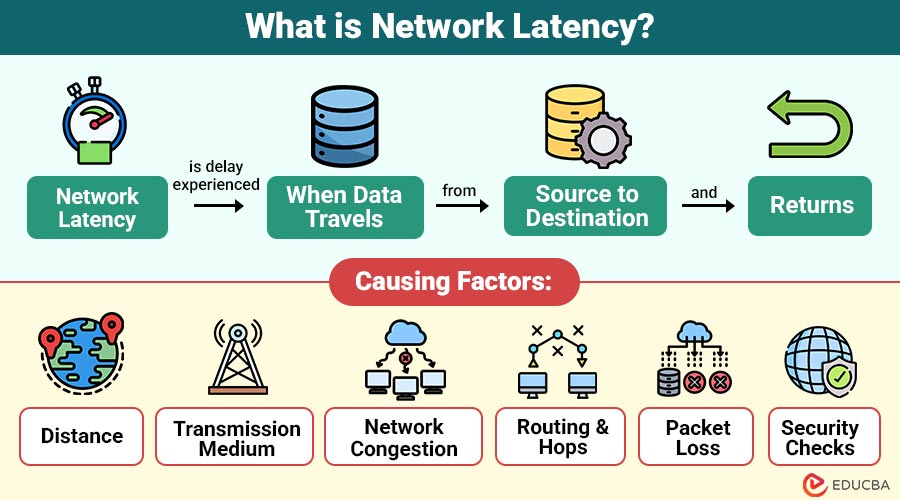
Network latency describes the delay experienced when data travels from the source to the destination and returns. It is typically measured in milliseconds (ms). A lower latency means data packets are transmitted quickly, while a higher latency results in noticeable delays.
For instance, when you click a link on a website, the request travels from your device to the server hosting the site. Latency partially determines the time the server takes to respond and send the page data back.
Table of Contents:
- Meaning
- Why is Network Latency Important?
- Factors Causing Network Latency
- How to Measure Network Latency
- Ideal Network Latency Ranges
- How to Reduce Network Latency?
- Real World Examples
- Low vs High Latency
- Future
Key Takeaways:
- Network latency refers to the delay in transmitting data, measured in milliseconds, and it directly affects overall performance.
- Network latency is heavily influenced by elements like physical distance, data transmission methods, routing steps, and overall traffic congestion
- Proactive monitoring, troubleshooting, and efficient infrastructure planning help maintain low latency and smooth operations.
- 5G technology promises ultra-low latency, enabling advancements in autonomous vehicles, remote surgeries, and immersive AR/VR experiences.
Why is Network Latency Important?
Network latency plays a vital role as it significantly affects user experience, the performance of applications, and overall network efficiency. Here is why it matters:
1. Real-Time Communication
Video conferencing suffers when latency exceeds 150ms, causing echo, delays, and talk-over effects that disrupt smooth, natural communication between participants.
2. Online Gaming
Gamers need latency under 50ms for responsiveness; above 100ms, gameplay becomes laggy, causing delays in actions and frustrating competitive performance.
3. Web Browsing
High latency slows page loading, reduces responsiveness, and creates user dissatisfaction, ultimately leading to poor engagement and lower retention on websites.
4. Financial Trading
Speed is crucial in algorithmic and high-frequency trading, as milliseconds of latency can lead to lost chances and monetary losses.
5. Cloud Applications
Collaboration platforms like Google Workspace or Microsoft 365 rely on low latency for smooth document editing, messaging, and real-time team productivity online.
Factors Causing Network Latency
Several factors contribute to network latency, including:
1. Distance
The farther the data has to travel, the higher the latency. For example, data packets sent between continents experience higher latency due to the longer physical distance.
2. Transmission Medium
Latency is affected by the type of data transmission medium, such as wireless signals, copper wires, or fiber-optic cables. Fiber optics typically offer lower latency compared to copper due to faster light-based transmission.
3. Network Congestion
Congestion can happen when too many people or devices send data at once, lengthening the time it takes for data packets to get to their destination.
4. Routing and Hops
Every time data passes through a router or network device, a small delay occurs. More hops along the route translate into increased latency.
5. Packet Loss
If the network loses or corrupts data packets during transmission, it must retransmit them, which increases latency.
6. Security Checks
Security checks, deep packet inspection, and firewalls can introduce processing delays, especially in networks with strict security policies.
How to Measure Network Latency?
Latency is typically measured in milliseconds (ms) using various tools and metrics. Common methods include:
1. Ping Command
The ping utility sends ICMP echo request packets to a destination and measures the round-trip time (RTT).
For example:
nginx
ping google.com
A result of 20 ms indicates the total time it takes for the packet to reach Google’s server and return.
2. Traceroute
Traceroute helps identify latency at each hop between the source and destination. It is useful for diagnosing where delays occur in a network path.
3. Network Performance Monitoring Tools
Advanced tools like Wireshark, SolarWinds Network Performance Monitor, or PRTG Network Monitor provide detailed latency reports, including jitter and packet loss.
4. Application Performance Monitoring
For businesses, tools like New Relic and Datadog measure latency for web and cloud applications, helping optimize performance.
Ideal Network Latency Ranges
Here are the typical latency ranges and their impact on network performance:
1. 0-20 ms
Excellent latency, common in LAN environments, ensures fast responses and smooth performance for all real-time activities.
2. 20-100 ms
Acceptable latency range for web browsing, streaming, and general applications without significant delays or noticeable performance issues.
3. 100-200 ms
Causes delays in online gaming, video conferencing, and other real-time interactions, affecting the smoothness and responsiveness of activities.
4. 200+ ms
Poor latency results in noticeable lag, disrupted communications, slow application responses, and degraded user experience during online activities.
How to Reduce Network Latency?
Reducing latency involves optimizing both hardware and network configurations to achieve optimal performance. Here are key strategies:
1. Upgrade to Fiber Optics
Switch from copper to fiber optic cables for faster data transmission and significantly lower latency due to light-based signal transfer.
2. Use a Content Delivery Network
Deploy CDNs to store cached website content on globally distributed servers, minimizing the distance between users and content for faster data access.
3. Optimize Network Routing
Reduce the number of hops and implement direct routing paths to ensure data packets travel faster and more efficiently between endpoints.
4. Reduce Network Congestion
Apply Quality of Service (QoS) settings to prioritize critical tasks, such as VoIP and video conferencing, over non-essential data traffic.
5. Upgrade Network Devices
Use modern, high-performance routers, switches, and firewalls with faster processing speeds to minimize delays in handling and forwarding data packets.
6. Monitor and Troubleshoot Regularly
Leverage tools like PingPlotter or PRTG to detect latency spikes, diagnose network issues, and resolve bottlenecks before they escalate.
Real World Examples
Here are the common real-world scenarios where network latency plays a crucial role:
1. Online Gaming
Games like Fortnite or Call of Duty require low latency (often below 50 ms) for smooth gameplay. Any delay can result in “lag,” where actions appear delayed.
2. Video Conferencing
Apps like Zoom or Microsoft Teams rely on low latency to ensure real-time audio and video synchronization. Latency above 150 ms can cause voice overlaps and awkward communication gaps.
3. Streaming Services
Platforms like Netflix use buffering techniques to counteract latency. However, excessive latency can result in long buffering times or quality drops.
4. Financial Trading Systems
High-frequency trading (HFT) requires ultra-low latency (as low as microseconds). Trading firms invest in dedicated fiber and microwave links to minimize delays.
Low vs High Latency
The table below shows a quick comparison between low latency and high latency across different aspects:
| Aspect | Low Latency | High Latency |
| User Experience | Smooth, responsive | Laggy, frustrating |
| Real-Time Apps | Ideal for gaming and VoIP | Poor performance |
| Streaming | Minimal buffering | Frequent interruptions |
| Productivity | Fast access to cloud apps | Delayed workflows |
Future of Network Latency
The advent of 5G networks is expected to significantly reduce latency. Unlike 4G, which averages 50 ms, 5G aims for just 1 ms, enabling innovations like:
1. Autonomous Vehicles
5 G’s low latency enables real-time vehicle communication, improving navigation, traffic safety, and automated decision-making effectively.
2. Remote Surgeries
Surgeons can operate remotely with robotic tools, as 5G ensures instant responses, accuracy, and life-saving precision.
3. AR/VR Applications
5G provides seamless augmented and virtual reality experiences, minimizing lag, boosting immersion, and enabling interactive real-time environments.
Final Thoughts
Network latency has a significant impact on online performance, affecting gaming, streaming, and business communications. Latency may be reduced by comprehending its causes and optimizing with CDNs, improved routing, and contemporary technology. Faster, real-time digital experiences with cutting-edge technologies like 5G and edge computing will be made possible by ultra-low latency, guaranteeing improved consumer satisfaction and smooth cross-industry collaboration.
Frequently Asked Questions (FAQs)
Q1. Is zero latency possible?
Answer: No, zero latency is impossible because even data traveling at the speed of light experiences a minimal delay due to distance and processing.
Q2. Does bandwidth affect network latency?
Answer: No, bandwidth does not directly affect latency. But low bandwidth during heavy traffic can cause congestion, which may increase latency.
Q3. How does packet loss affect latency?
Answer: Packet loss causes retransmissions, increasing latency and causing jitter in real-time communications.
Q4. Can VPNs increase latency?
Answer: Yes, VPNs often route traffic through additional servers, which can add extra delay.
Recommended Articles
We hope that this EDUCBA information on “Network Latency” was beneficial to you. You can view EDUCBA’s recommended articles for more information.


