


Updated April 9, 2025
Introduction to SaaS Website Design
SaaS (Software as a Service) businesses face fierce competition in developing innovative products and retaining customers in the fast-paced digital world. A well-designed SaaS website is essential for attracting new users and keeping existing ones. The functionality, design, and user experience (UX) of a SaaS website design directly impact customer perceptions and conversions.
Building a SaaS website that excels at conversion and retention requires a strategic approach. This article delves into the key elements that make a SaaS website design effective: UX, content structure, and performance optimization. We will also discuss how platforms like Elementor, a flexible platform for SaaS websites, can help create high-converting SaaS websites.
Why SaaS Website Design Matters
SaaS products work on subscriptions, so it is just as important to keep customers as it is to find new ones. Your website is where this happens.
- First Impressions Count: A SaaS website is often the first touchpoint. A clean, modern design creates trust and encourages visitors to explore the product.
- User-Friendly Experience: People visit SaaS websites looking for solutions. A clear layout, fast loading, and easy navigation help them find what they need quickly.
- Converting Visitors into Customers: A Good SaaS website includes strong calls-to-action (CTAs), simple sign-up forms, and clear benefits. These turn visitors into trial users or paying customers.
- Retaining Customers: The website should support current users by offering help, updates, and learning resources — reducing churn and improving loyalty.
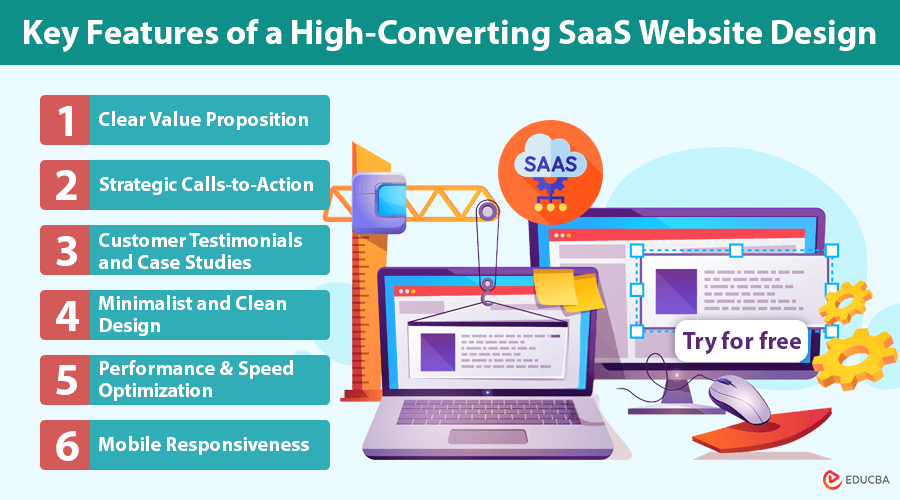
Key Features of a High-Converting SaaS Website Design
To turn visitors into loyal customers, your SaaS website design must combine the following elements:
#1. Clear Value Proposition
The value proposition serves as the central message, highlighting the key benefits and unique advantages of the SaaS product to potential users. It should answer three key questions:
- What does the product do?
- Who is it for?
- How does it solve the customer’s problem better than competitors?
Place this value proposition clearly on the homepage, preferably above the fold, and reinforce it with visuals like images or videos.
#2. Strategic Calls-to-Action (CTAs)
CTAs guide visitors toward taking action. Effective SaaS websites use multiple CTAs throughout the site without overwhelming visitors. Best practices include:
- Use action-oriented language like “Get Started,” “Try for Free,” or “Schedule a Demo.”
- Ensure CTAs stand out through color contrast and prominent placement.
- Reduce friction by simplifying sign-up (e.g., using single sign-on or minimal form fields).
#3. Customer Testimonials and Case Studies
Social proof is a powerful conversion driver. SaaS websites can build credibility and trust by showcasing customer testimonials, success stories, and client logos. Video testimonials, in particular, can make a strong emotional connection with visitors.
#4. Minimalist and Clean Design
A clutter-free design ensures visitors can focus on the core message and key features. SaaS websites often adopt a minimalist design with ample white space, consistent typography, and a limited color palette. This enhances the visual appeal and overall user experience.
#5. Performance and Speed Optimization
Fast loading times are crucial for user retention. Studies show that a delay of even one second can reduce conversions by up to 7%. SaaS websites should be optimized for speed by:
- Compressing images and videos.
- Using content delivery networks (CDNs).
- Minimizing HTTP requests and reducing code bloat.
#6. Mobile Responsiveness
A SaaS website must be fully responsive. Given the substantial web traffic from mobile devices, the design must seamlessly adapt to different screen sizes, ensuring intuitive navigation and accessible content on all devices.
How Elementor Empowers SaaS Website Development
Building a high-performing SaaS website requires technical expertise and design flexibility — two key strengths of Elementor. As a flexible platform for SaaS websites, Elementor allows businesses to create professional, customizable, and fast-loading websites without writing complex code.
- No-Code Design Flexibility: Elementor’s drag-and-drop editor enables SaaS businesses to design custom websites without relying on developers. This allows marketing teams to test and iterate design elements quickly to optimize for conversions.
- Customizable Templates for SaaS: Elementor provides pre-designed templates tailored for SaaS websites. These templates are optimized for conversions and feature strategic placements for CTAs, customer testimonials, and value propositions.
- Performance-Optimized Architecture: Elementor’s lightweight framework ensures fast-loading websites. The platform also supports lazy loading and caching, further improving the performance of your SaaS website.
- Seamless Integration with Third-Party Tools: Most SaaS businesses rely on tools like CRM systems, marketing automation platforms, and analytics dashboards. Elementor supports easy integration with popular platforms such as HubSpot, Mailchimp, and Google Analytics, ensuring that SaaS businesses can track performance and optimize conversion funnels.
Designing for Retention and User Engagement
While conversions are essential, long-term success in the SaaS industry depends on customer retention. A well-designed SaaS website should support ongoing user engagement by offering valuable content and resources.
#1. Onboarding and Educational Content
A smooth onboarding process increases the likelihood that new customers will understand the product’s value and continue using it. SaaS websites should include:
- Step-by-step guides and video tutorials.
- FAQs and help center links.
- Interactive product walkthroughs.
#2. Resource Center or Blog
Educate your users with helpful content. Include:
- Case studies
- Whitepapers
- How-to blog posts
Leveraging creative business branding resources supports long-term user success and loyalty.
#3. Community and Customer Support
A strong user community encourages customers to stay engaged with the product. SaaS websites can foster this by offering:
- Forums and user groups.
- Live chat and ticket-based support.
- Feedback channels for product improvements.
Measuring Success and Optimizing Performance
A SaaS website’s success is dynamic and should continuously evolve based on performance data and user feedback. SaaS businesses should monitor key metrics such as:
- Conversion rate (visitor to sign up).
- Churn rate (percentage of customers leaving).
- Time on site and bounce rate.
- User journey analysis (how users navigate the site).
A/B testing and heatmap analysis can provide valuable insights into which design and content elements drive conversions and engagement.
Final Thoughts
Effective SaaS website design is vital in growing and maintaining a successful SaaS business. By focusing on conversion, user experience, and ongoing engagement, your website can become a major asset in attracting and keeping customers. Platforms like Elementor help streamline the process, making it easier to design and launch SaaS websites that perform well and look great. With a user-first mindset and consistent optimization, your SaaS website can drive results and support your long-term goals.
Recommended Articles
We hope this detailed guide on SaaS website design inspires you to create a high-converting and user-friendly platform. For more such topics, check out these recommended articles.

