
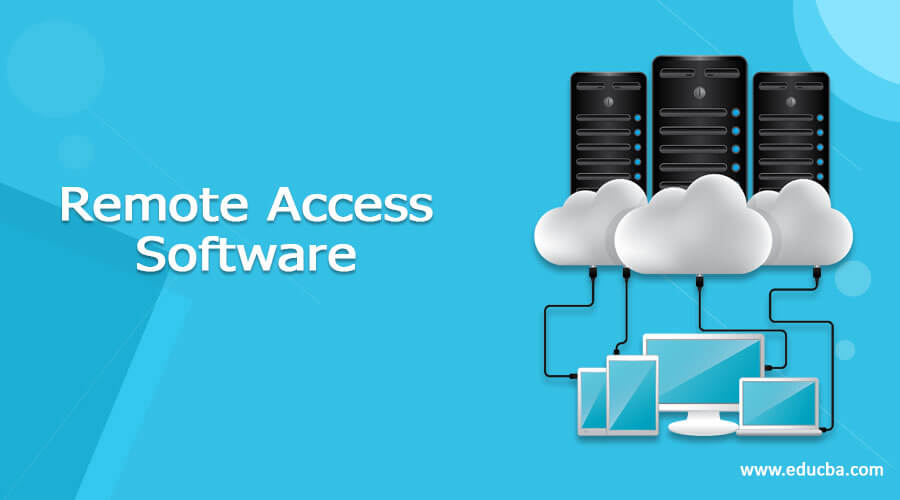
Working remotely is no longer limited to big corporations. Students, workers, freelancers, IT teams, and business owners often need to access a computer that is not on their person. You may need to retrieve a file from your office PC, assist a family member with a computer issue, or manage a device while away from your usual location.
That is where Remote Access Software comes in handy, as it lets one computer access and control another over the internet. Depending on the tool you choose, you can view and interact with another device through a remote screen, exchange files, transfer and print documents, and perform other tasks like using multiple monitors and accessing it remotely.
Many software options let you remotely access another computer, but not all are intended for the same audience.
What Is Remote Access Software?
Remote Access Software is an application that enables a computer to access and control another device over an internet connection.
After establishing a connection with other computers, a machine running such software can typically view a remote PC’s screen and control it. Depending on the chosen application, additional functions may include file sharing, remote printing, chat, screen recording, working with multiple monitors, and unattended access.
For example, if you left an important document on your office PC, you could use remote access software to view your work files on your personal laptop. You can use remote access software for personal purposes and technical support. An IT specialist can access a client’s computer and troubleshoot issues without needing to be physically present.
What to Look For in Remote Access Software?
Depending on how you plan to use it, look for certain features when choosing remote access software. Here are some of the characteristics that should be taken into account:
Connection Speed
A slow connection can be incredibly tedious when you need to perform a task at a remote computer. Choose applications that offer fast, stable connections, especially if you rely on them for work. Some remote access tools also offer features designed for more demanding tasks. For example, AweSun supports high-frame-rate connections and high-quality display options on supported plans, which can help with remote design, video work, or other tasks where a smooth screen experience matters.
Security
Always prioritize security when using software that connects two or more machines. The best remote access tools ensure strong privacy and data protection by using encryption. Also consider other security features when choosing remote access apps, such as password protection, access management, and two-factor authentication. Access control is especially useful when you use remote connections for work or support. AweSun, for example, includes device authorization, access controls, encryption, and privacy features to help protect remote sessions and the data being accessed.
Ease of Use
Not everyone using the software is familiar with technology. In such scenarios, an intuitive interface and easy setup are essential. A complicated interface and setup process can be a deal-breaker for individuals trying to access a remote computer.
5 Popular Remote Access Software Options
Various applications let you access and control one computer from another over the internet. Here are five of the most popular options:
1. Awesun
Awesun is a remote access tool that makes it easy to access another device without an overly complicated setup.
This software can help you work remotely, receive technical support, and access a personal computer from another location.
Awesun is great for users who want a simple remote access experience, which can be vital for those who do not want to spend too much time learning how to set up the software.
The tool can also be utilized by people who need remote desktop tools for regular activities, support, or to access other computers when they are not at their machine. Another advantage of Awesun is its range of features for different remote access needs. It supports remote access across Windows, Mac, Android, and iOS devices, along with features such as file transfer, multi-monitor support, and remote mobile access. These options make it useful not only for accessing a personal computer, but also for remote work, technical support, and managing devices from different locations.
For personal users or small teams, a simple interface can be a huge plus when using remote access tools.
2. AnyDesk
AnyDesk is one of the most popular remote access tools, used for remote support, accessing one’s computer from anywhere, and other business-related activities.
The application is lightweight and offers fast connection speeds, which work well for most activities.
You can use AnyDesk to access or support a computer remotely, provide technical support, or handle other business-related tasks. In some cases, depending on the plan, users can also enjoy features tailored towards professional technical support teams.
The tool offers an intuitive interface that people without much technical expertise can use.
3. TeamViewer
TeamViewer is one of the most well-known remote access software producers. Its applications can establish remote desktop connections, provide remote support, and transfer files.
One of the main reasons why businesses choose this tool is the variety of remote support features it offers. Technical support professionals can utilize TeamViewer to access a remote computer, troubleshoot issues, and provide assistance.
However, depending on how you want to use the tool, you will need to consider different plans and licensing options, especially since some people may use it for personal purposes while others use it for business.
4. Splashtop
This company is well known for its remote access tools for remote work and business applications.
They specialize in remote-work tools that can help employees access a computer from another location, including applications available on that computer. This can be important for businesses that need employees to work on specific documents and applications from remote locations.
Keep in mind that Splashtop offers multiple products to choose from, depending on individual or business needs.
5. RemotePC
RemotePC is one of the many remote access tools available for download. RemotePC supports remote desktop access, file transfer, unattended access, and similar activities. It is ideal for both personal and business use if you need to access or control a computer remotely.
RemotePC offers several plans, which can matter for individuals who want to access only their own computer, while others may want to access several devices. If you are looking for a remote desktop tool that does not require an array of additional services, RemotePC is an option to consider.
Remote Access Software Comparison
| Software | Common Use | Notable Feature |
| Awesun | Remote access and support | Simple remote connection |
| AnyDesk | Remote support and desktop access | Lightweight application |
| TeamViewer | Business and IT support | Wide range of remote tools |
| Splashtop | Remote work and business | Focus on remote working |
| RemotePC | Personal and business access | Unattended access |
The right option depends on the user’s needs, not what is most popular.
How to Choose the Right Tool?
Before selecting a remote access tool, consider your requirements. The needs of someone who occasionally wants to access their own PC differ greatly from the demands of an enterprise-level organization that needs to control multiple devices. Consider your requirements and how a tool’s features can meet them.
For instance, if you occasionally need remote desktop access, you might not need an application with advanced features. If you work with others, such as technical support, consider features like unattended access, file transfer, and connection management. Consider how many computers you will access or control, the operating system they run, connection speed, security, and other factors.
Final Thoughts
Remote Access Software has made working on a computer from a distance much easier. Whether you want to access your home PC, work remotely, provide technical support, or control multiple business computers, accessing another device can be incredibly convenient. Awesun, AnyDesk, TeamViewer, Splashtop, and RemotePC are all great options, but each serves a different audience. First, determine your requirements, then choose a tool that meets them.
Recommended Articles
We hope that this EDUCBA information on “Remote Access Software” was beneficial to you. You can view EDUCBA’s recommended articles for more information.

