

Updated April 14, 2023
Introduction to Python File readline
Python readline function is the file handling method of python. This method is used to read a single line from the file and return it as a string. By default, it will return the complete line, but we can also define the size of the bytes that can be returned. If the file has no data and has reached EOF, then this empty string is returned. Python can read two types of file text files and a binary file containing only 0’s and 1’s.
Syntax:
file = open("sample.txt", "r")
print(file.readline())
The open method is used to open the file, and the second parameter is the mode, r indicates read mode. So we are opening the file in the read mode only.
Examples of Python File readline
Given below are the examples mentioned:
Example #1
Code:
file = open("sample.txt", "r")
print(file.read())
Output:
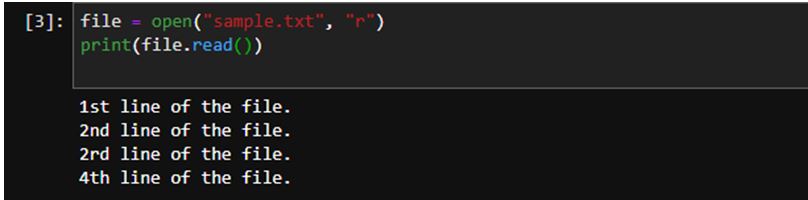
We have created the sample.txt file, which contains these 4 lines. We have created a file object from the open method that will open the file into read mode; we have specified the read mode into the open method as the second parameter. We print method, and inside the print method, we have used the read method that will return all the lines from the file.
Example #2
Code:
file = open("sample.txt", "r")
print(file.readline())
Output:
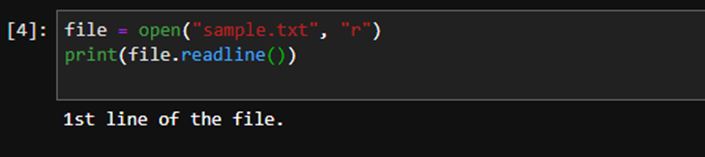
In the above program, we have used the readline method, and it has only returned only one line from the txt file. Once the method reads the line, it also captures the next line character so it can remember which line it has already returned, so next time when we execute the same method again, it will return the next line.
Example #3
Code:
print(file.readline())Output:
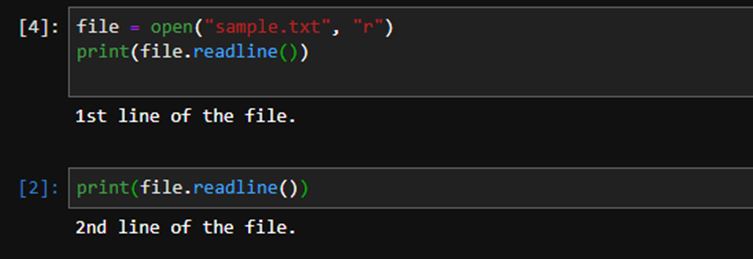
As you can see that this time, it has returned the 2nd line of the file.
Example #4
Code:
file = open("sample.txt", "r")
print(file.readline(11))
Output:
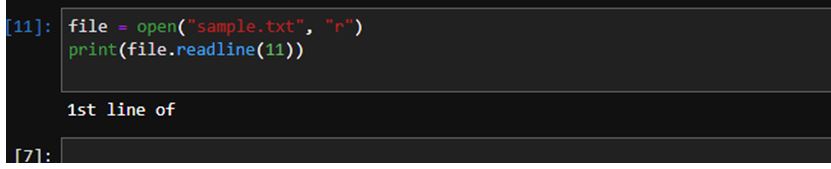
In the above example, you can see that we have specified the size into the readline method, and it will return the string upto that size, not more than that. If we have specified the size that is more than a single line of the string, still it will return only a single line irrespective of the size.
Example #5
Code:
file = open("sample.txt", "r")
print(file.readlines())
Output:

In the above program, you can see that readlines method has returned all the text from the file.
Code:
print(file.readline())Output:
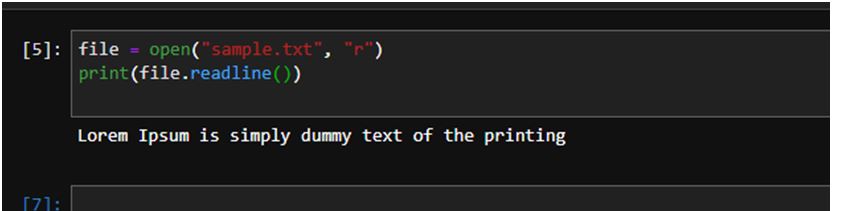
In the above program, you can see that this time readline function has only returned the single line from the text file. We are getting a complete line as the output.
Code:
print(file.readline())Output:
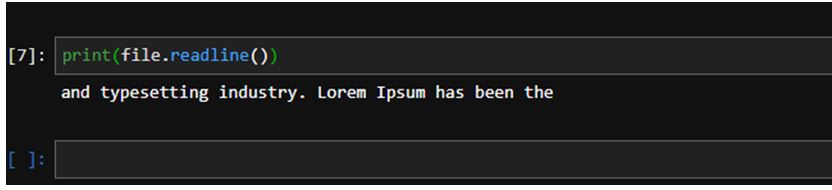
In the above program, you can see that this time readline function has returned the next line from the previous line.
Code:
print(file.readline(15))Output:

In the above program, you can see that this time function has returned only limited data according to the size we have mentioned into the method.
Example #6
Code:
file = open("sample.txt", "r")
print(file.read())
Output:
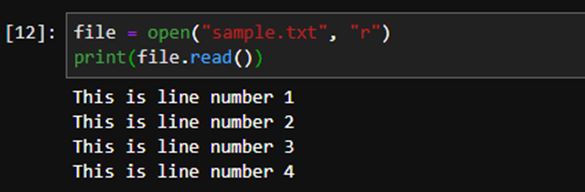
In the above program, you can see that we have 4 lines into our file. We are using the read method to read the complete file at once. We can also use the read method to read a few specific characters; also, we just need to pass the size into the method.
Code:
print(file.read(10))Output:
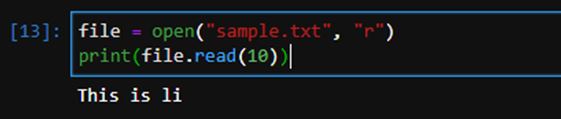
As you can see that we have got string matching to the character count; here, the important thing is that space is also counted as a character.
Code:
print(file.readlines())Output:

Readlines method is also used to read the complete file, but as you can see that it returns every line into a string array and ‘\n’ as a line terminator.
Code:
file = open("sample.txt", "r")
print(file.readline())
Output:

In the above program, we have used the readline method. It will return only a single from the text file. A line is considered as a single line until a next line character is found.
Output:

If we try to execute the same method again without any size, it will return the next line from the file. If we don’t specify any size in the method, then the whole line is returned by the method. Size is specified according to the character count, and space is also counted as a character.
Code:
print(file.readline(10))Output:

In the above program, you can see that we have the size 10, which means 10 characters will be returned by the method.
Code:
print(file.readline(10))Output:
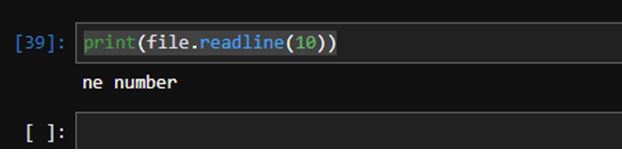
If we execute the same method again, it will return the next set of characters from the text file according to the size specified. It remembers till when it has printed the character and saves it into memory so that when the next time when the same command is executed, it will return the character from the next character.
Conclusion
readline method is a beautiful method of python that is used to read the file, the file can be either txt file or binary file, and it reads the file line by line and returns only a single line as an output. We can have output as a full line or limited data, depending on the size we pass into the readline method. Sometimes the file is heavy, and it’s not good practice to read the complete file at once.
Recommended Articles
This is a guide to Python File readline. Here we discuss the introduction to the Python File readline along with programming examples. You may also have a look at the following articles to learn more –

