


Updated May 16, 2026
Photorealism has been the central, unsolved challenge in AI video generation since the technology entered public use. For most of the last two years, generated clips could approximate the look of real footage at a glance, but consistently failed under scrutiny. Flickering textures, drifting features, unnatural lighting, and physics violations would emerge the moment a viewer paid closer attention. The release of Veo 4, the AI video generator, marks a meaningful shift in this landscape. The model produces output that, across a wide range of standard test scenarios, holds up to inspection in ways its predecessors did not. This article outlines what photorealism actually requires in AI video, what Veo 4 has improved, where the model still has limitations, and what creators and businesses should consider when evaluating it for production use.
What Photorealism Means in AI Video?
Photorealism in generative video is a multi-layered requirement. It is not sufficient for a single frame to look real; every frame must remain consistent with the frames around it, and the relationships between elements in the scene must obey real-world expectations. The core components include:
- Subsurface light behavior: Skin, leaves, and other translucent materials interact with light in complex ways. Light enters the surface, scatters, and exits, creating subtle warmth and depth.
- Continuity across motion: Facial structure, wardrobe, lighting state, and background details must remain stable from frame to frame.
- Plausible physics: Hair, fabric, water, and smoke must respond to gravity, momentum, and air movement in expected ways.
- Lighting consistency: A given light source must illuminate the scene consistently across every frame; highlights and shadows must move correctly as the subject or camera moves.
- Texture stability: Surface details, pores, fabric weave, and brick texture must persist without flickering or regenerating frame to frame.
A model that fails on any one of these tends to produce output that viewers can identify as artificial, even when they cannot articulate why.
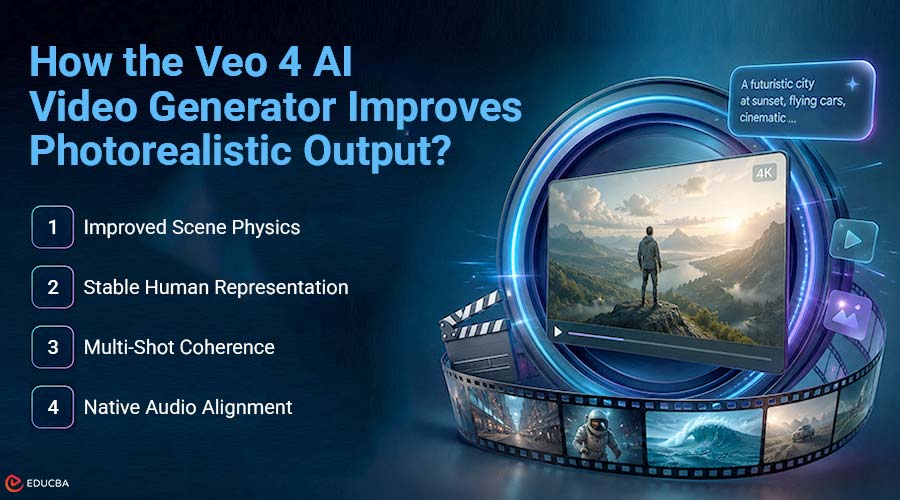
How the Veo 4 AI Video Generator Improves Photorealistic Output?
Veo 4 demonstrates measurable improvement across all dimensions outlined above. While the underlying architecture has not been publicly disclosed in detail, the model’s observable behavior suggests substantial advances in how it represents and renders complex visual systems.
1. Improved Scene Physics
Veo 4 produces clips in which lighting, water, hair, and motion interact coherently across the full duration of a generation. Reflections track with their source objects. Cast shadows move correctly when light sources change angle. Cloth and hair respond to motion with appropriate weight and resistance. These behaviors appear consistently rather than occasionally.
2. Stable Human Representation
Human subjects in Veo 4 outputs retain identity, wardrobe, and proportions throughout a generation. Subsurface scattering on skin appears within the correct range, micro-shadows under the eyes and around the nose remain stable, and facial expressions transition smoothly. The “plastic skin” appearance that characterized earlier AI video models is largely absent.
3. Multi-Shot Coherence
When a generation includes multiple shots, for example, a wide establishing shot followed by a close-up, the model maintains continuity of character, lighting, and environment across the cuts. This capability extends photorealism from individual clips to scene-level outputs.
4. Native Audio Alignment
Audio elements, including ambient sound, dialogue, and lip-sync, are generated alongside the video. Because they are produced together rather than added in post-production, the audio reinforces rather than disrupts the visual realism of the output.
Practical Considerations for Production Use
Teams evaluating Veo 4 for commercial or educational projects should weigh several practical factors:
| Consideration | What to Evaluate |
| Output Resolution | Supports up to 4K video output |
| Clip Length | Generates clips up to approximately two minutes |
| Commercial Rights | Included with paid plans |
| Provenance | SynthID watermarking embedded for transparency |
| Editing Workflow | In-place editing reduces regeneration time |
For most short-form professional video work, advertising, training material, product reels, and social content, the model’s current capability range covers the requirements of standard production briefs.
Known Limitations of the Veo 4 AI Video Generator
Veo 4 is not without weaknesses, and awareness of them helps set realistic expectations:
- Long hair in fast motion. The model still struggles with long, loose hair in high wind or fast motion, often producing unnatural strand behavior.
- Large crowds with overlap. When many people occupy the frame and overlap, occasional anomalies, such as extra limbs or merged figures, may appear.
- Fast-moving water. Calm and moderately moving water renders well; crashing waves and similar high-velocity fluid dynamics remain difficult.
These limitations are consistent enough that creators can plan around them by adjusting prompt strategy, selecting subject matter accordingly, or applying selective post-processing.
Getting Started with Veo 4
For users new to the platform, a Veo 4 Free generation is the most direct way to evaluate the model against a specific use case. Testing with prompts drawn from real production briefs rather than abstract creative descriptions gives the clearest indication of whether the output meets professional requirements. For organizations planning regular use, Veo 4 Pricing offers credit-based tiers with included commercial licensing, 4K resolution, and varying degrees of priority and concurrency. The structure makes it straightforward to align cost with expected output volume.
Final Thoughts
The introduction of the Veo 4 AI video generator marks a significant advancement in the creation of photorealistic AI-generated videos. By improving critical areas such as lighting consistency, motion realism, texture stability, scene continuity, and physics simulation, Veo 4 delivers a level of realism that earlier AI video models struggled to achieve. For businesses, educators, marketers, and content creators, the Veo 4 AI video generator offers a practical way to produce professional-quality short-form videos without the time, cost, and complexity associated with traditional production workflows. Although certain limitations still exist in areas such as fast-moving hair, dense crowd scenes, and complex water dynamics, the model’s overall performance now closely aligns with many real-world production requirements. As AI video technology continues evolving rapidly, testing the Veo 4 with realistic prompts and clearly defined production goals is the best way to evaluate its effectiveness.
Recommended Articles
We hope this comprehensive guide to the Veo 4 AI video generator helps you better understand the future of photorealistic AI video creation. Check out these recommended articles for more insights, strategies, and developments in AI-powered video production and creative technology.


