


How to Use Turnitin AI Checker to Review Academic Writing?
Students and educators have become increasingly concerned about whether AI detectors might flag their writing as AI-generated. As AI writing tools become more common, institutions increasingly rely on AI detection indicators to support academic integrity. Many students first encounter these indicators when reviewing a Turnitin AI detection report. Learning how to use the Turnitin AI checker properly can help students interpret these reports and avoid unnecessary misunderstandings when submitting their work. This guide explains how Turnitin’s AI checker works, how to access and read reports, and what to do if writing shows AI-related signals.
What is the Turnitin AI Checker?
The Turnitin AI checker is part of Turnitin’s broader academic integrity system. Unlike similarity checking, which compares text against existing sources, the AI checker focuses on linguistic patterns that may suggest AI‑generated writing. It does not declare that a student “used AI.” Instead, it highlights sections of text that statistically resemble patterns common in AI‑generated content. These indicators support human review rather than replace academic judgment. This distinction matters because AI indicators are probabilistic rather than definitive. They provide context, not conclusions.
How Turnitin Analyzes AI‑Written Content?
Turnitin’s AI analysis examines writing characteristics rather than searching for a database match. While Turnitin does not publicly disclose its full methodology, AI indicators generally rely on:
- Sentence predictability and uniform structure
- Repetitive phrasing patterns
- Lack of natural variation in tone or syntax
- Overly consistent vocabulary usage
These signals are evaluated across the document to estimate whether certain sections resemble AI‑generated text. Importantly, this analysis is separate from plagiarism detection. A paper can show low similarity while still triggering AI indicators, or vice versa.
How to Access a Turnitin AI Detection Report?
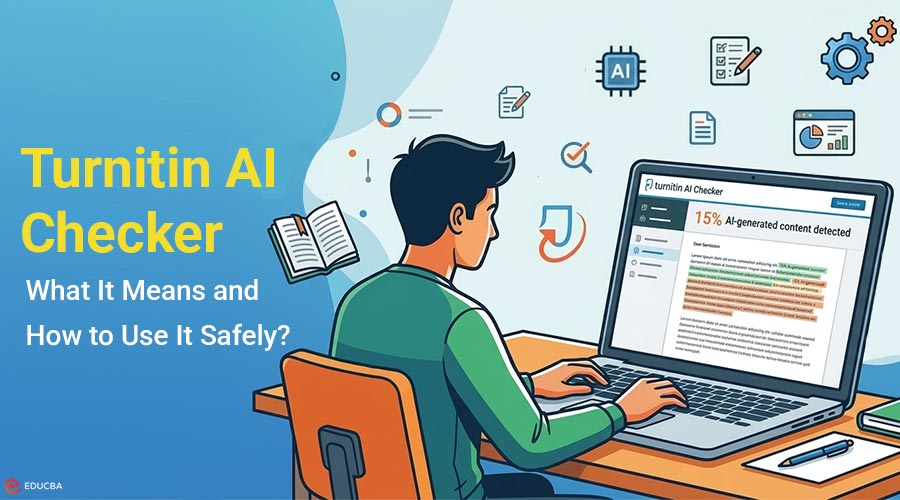
In most academic settings, students access Turnitin reports through their institution’s learning management system. After submission, instructors can view both similarity information and AI writing indicators. If you want to preview how AI indicators might appear before submitting, many students use third‑party tools that generate Turnitin‑style reports.
These tools help users become familiar with the report’s layout and terminology, reducing confusion later. When reviewing any report, remember that unofficial tools provide guidance rather than official institutional results. You should use them as preparation rather than treat them as a guarantee.
How to Read and Interpret AI Results?
AI detectors usually present results as indicators rather than as a single score. Some reports highlight passages of text that may warrant closer review. When reading these results, focus on context:
- Are flagged sections highly formulaic or generic?
- Do they lack citations where sources are expected?
- Were they heavily edited from AI‑generated drafts?
An AI indicator does not automatically imply misconduct. Many academic writing styles, especially technical or highly structured ones, can resemble AI output. This is why instructors should interpret results alongside writing samples, drafts, and the assignment context.
Common Reasons AI Indicators Appear
Students are often surprised when original work shows AI‑related signals. Common reasons include writing habits rather than intentional use of AI. One reason is excessive paraphrasing. Over‑simplifying complex ideas into uniform sentences can reduce stylistic variation.
Another factor is over‑editing. Rewriting text repeatedly to “sound academic” may unintentionally create patterns similar to AI‑generated language. Finally, heavy reliance on templates or formulaic structures can trigger indicators, especially in introductions or conclusions.
What to Do if AI Writing is Flagged?
If your report shows AI indicators, the first step is not to panic. Instead, review the highlighted sections carefully. Ask yourself whether those passages sound natural and genuinely reflect your own voice. If not, revise them by adding specific examples, clearer explanations, or more personal analytical transitions.
You can also review detailed guides, such as ‘Turnitin AI Writing Indicator Explained,’ to understand how AI indicators work and what these signals do and do not mean. If concerns remain, transparency helps. Keeping drafts, outlines, and notes can demonstrate your writing process if questions arise.
Best Practices Before Submission
Using AI responsibly in academic writing requires balance. Even when AI tools assist with brainstorming or editing, the final work should clearly reflect your own reasoning. Before submitting:
- Read your paper aloud to catch unnatural phrasing
- Add discipline‑specific examples or interpretations
- Ensure citations are clear and properly integrated
- Avoid overly generic academic language
These steps improve clarity and also reduce the likelihood of AI‑like patterns appearing in your writing.
Final Thoughts
Learning how to use the Turnitin AI checker is about understanding interpretation, not chasing a perfect score. AI indicators exist to support academic integrity, not to unfairly penalize students. By focusing on clarity, originality, and thoughtful revision, students can submit work with confidence knowing how AI detection works and how to respond if questions arise. Used properly, these tools become educational aids rather than sources of stress.
Frequently Asked Questions (FAQs)
Q1. Does the Turnitin AI checker prove someone used AI?
Answer: No. AI indicators are signals, not proof. They support human review rather than replacing it.
Q2.Can original writing trigger AI indicators?
Answer: Yes. Certain writing styles or heavy editing can resemble AI patterns even when the work is original.
Q3.Should students check AI indicators before submitting?
Answer: Students can use it as a helpful learning tool to understand how instructors interpret academic writing, but they should not let it replace good writing practices.
Recommended Articles
We hope this comprehensive guide to the Turnitin AI checker helps you better understand AI writing indicators and review academic work confidently. Check out these recommended articles for more insights and strategies to improve your academic writing.


