



Overview
Traditional 3D workflows use complex tools and slow manual steps, forcing creators to rely on many different programs for modeling, texturing, optimization, and export. As production demands rise across industries such as gaming, design, and digital content, teams must deliver high-quality 3D assets under tighter timelines and resource constraints. These pressures have exposed inefficiencies in conventional pipelines. In response, Tripo Studio emerges as an advanced AI 3D model generator that streamlines the entire 3D creation process. By reducing technical friction while preserving creative control, Tripo helps creators produce professional-grade 3D assets faster and more efficiently.
Tripo Studio: A Unified All-in-One Workspace for 3D Creation
Tripo Studio is a unified, all-in-one workspace that integrates the traditionally fragmented stages of 3D production into a single, intelligent system. Powered by Tripo AI, the platform consolidates essential processes, including 3D modeling, AI-based texturing, mesh optimization, and rigging, into a single cohesive environment. Instead of using separate tools, creators can smoothly go from asset creation to refinement and export without breaking their workflow.
Users can create 3D models from text, images, or simple inputs, then refine, texture, and prepare them for use all within the platform. This unified approach minimizes repetitive manual work, reduces compatibility issues between software, and significantly improves production efficiency. By centralizing these capabilities, Tripo lowers technical barriers while maintaining flexibility for professional use cases. The result is an AI 3D model generator that not only accelerates asset creation but also simplifies complex pipelines, making high-quality 3D production more accessible to creators across industries.
The Core AI 3D Modeling Features in Tripo Studio
To understand how Tripo Studio supports end-to-end 3D production, it is useful to examine its key AI-powered features. Each capability addresses a specific stage of the 3D pipeline, allowing creators to maintain control while accelerating output.
1. Text to 3D: From Prompts to Fully Formed 3D Models
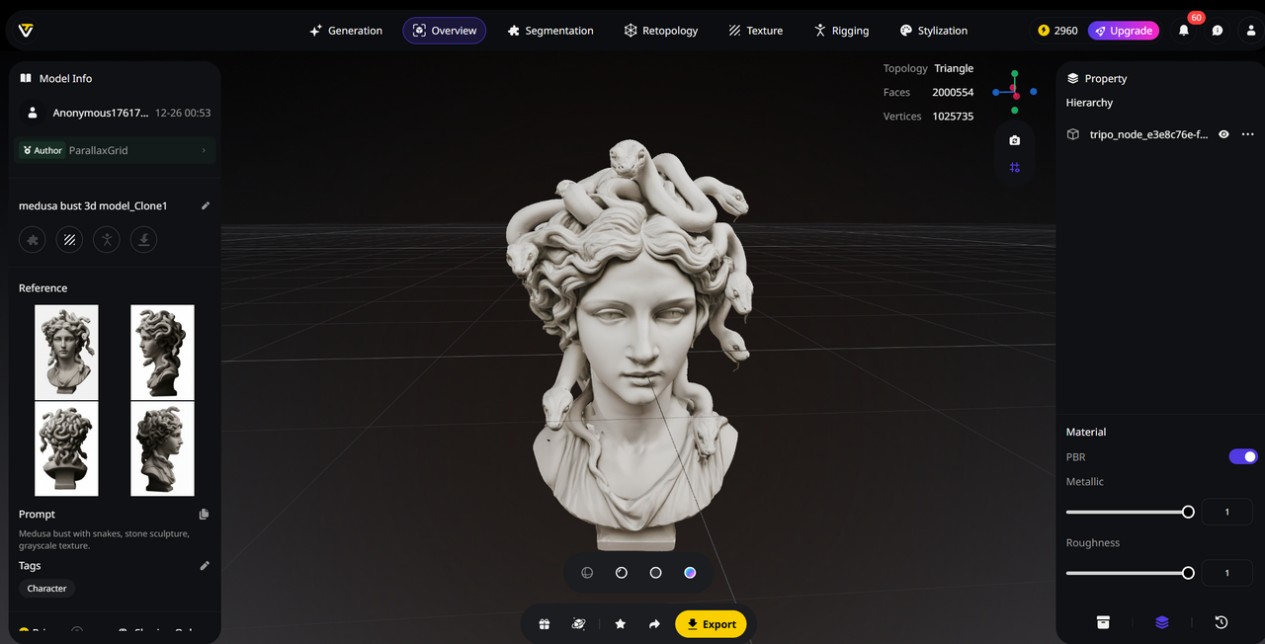
Image Source: Tripo
The Text-to-3D feature in Tripo enables creators to generate detailed 3D models directly from natural language prompts. By describing an object’s form, material, and visual style, users can move from concept to a usable 3D asset in seconds, without manual modeling.
For example, a prompt such as “Medusa bust with snakes, stone sculpture, grayscale texture” can be translated into a structured 3D model that reflects both the subject’s shape and surface characteristics. This method speeds up early-stage ideas and adds flexibility, allowing quick experimentation even with the AI 3D model generator’s free tier for new users.
2. Image to 3D: Turning 2D Images into High-Fidelity 3D Models
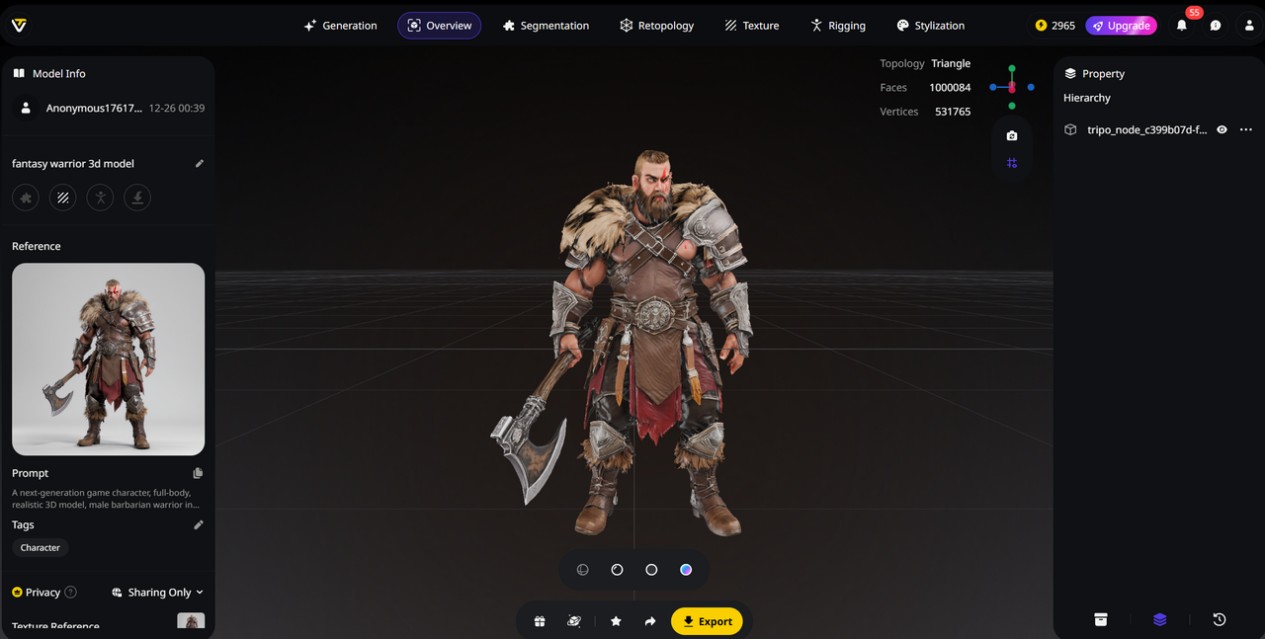
Image Source: Tripo
The Image to 3D Model capability in Tripo enables creators to transform 2D images into detailed 3D models with accurate geometry and textures. By uploading a single image or a set of reference visuals, users can quickly generate 3D assets that preserve shape, surface detail, and overall visual consistency. This makes the platform a practical AI 3D model generator for projects where visual references already exist, such as concept art, product images, or character illustrations.
To improve accuracy and control, Tripo Studio also supports multi-view image input, allowing creators to provide multiple angles of the same object for more reliable structure reconstruction. In addition, users can use built-in tools like Nano Banana to generate, refine, or adjust reference images before conversion, thereby enhancing the quality of the final 3D output.
3. AI Model Segmentation: Intelligent Control for Smarter 3D Editing
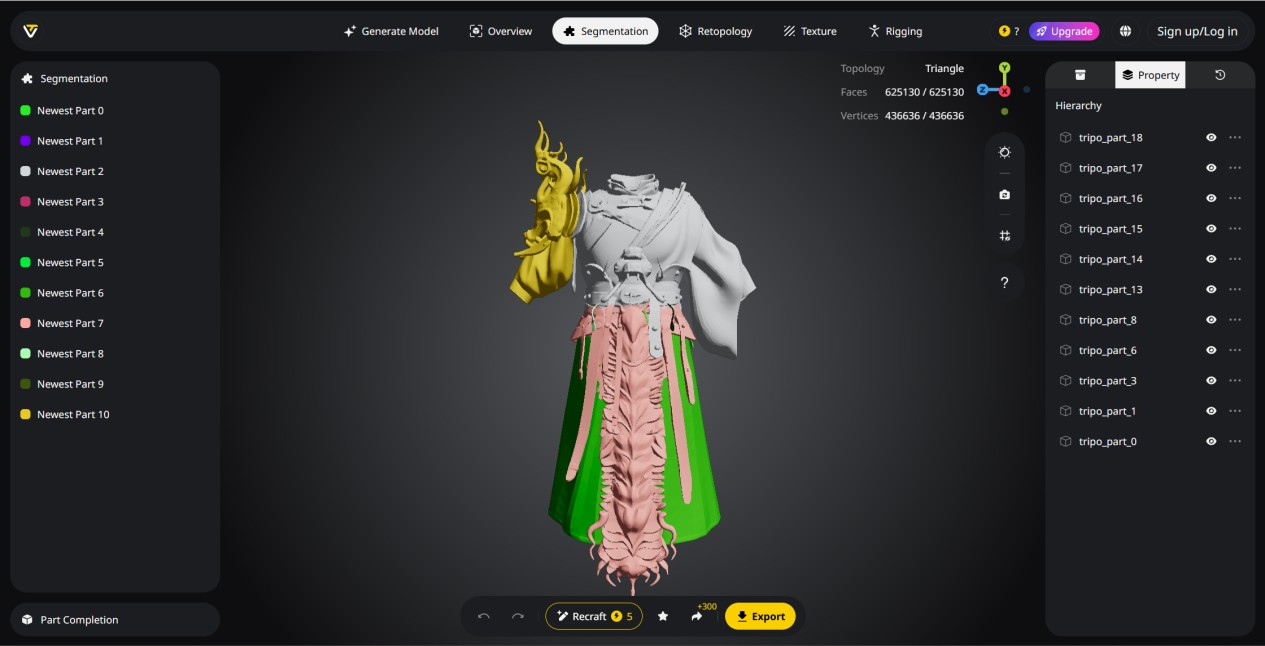
Image Source: Tripo
Tripo’s Intelligent Segmentation splits complex 3D models into clean, well-organized, and editable parts. Instead of using a fully merged mesh, it automatically analyzes the geometry and separates it into meaningful pieces for more precise and flexible editing.
By eliminating the need for manual mesh splitting, creators can focus on refining individual sections without affecting the rest of the model. Components can be adjusted, merged, or reorganized as needed, making it easier to create variations, optimize assets for different use cases, or prepare models for downstream tasks such as game development, level of detail (LOD) optimization, or 3D printing. The result is a faster, more controlled approach to managing complex 3D assets.
4. AI Retopology: Clean Geometry Optimized for Real-Time Use
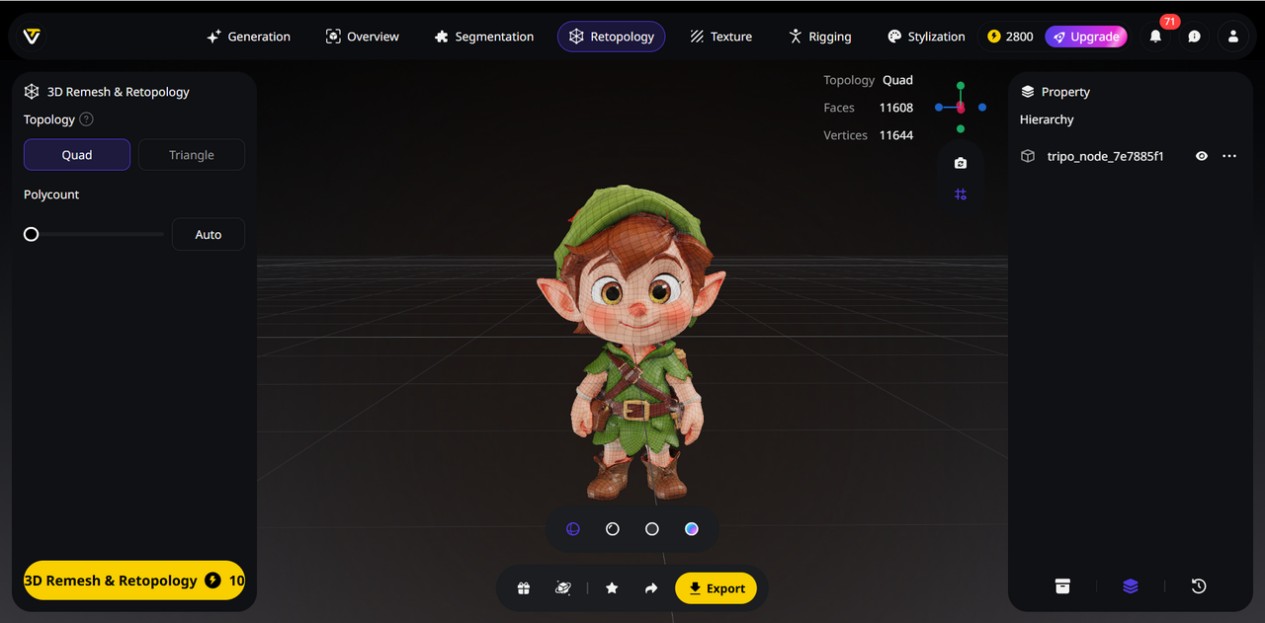
Image Source: Tripo
The AI Retopology feature automatically creates clean and efficient meshes from existing 3D models. It studies the model’s shape and builds optimized quad or triangle meshes that keep important visual details while removing extra complexity. This makes the models lighter, easier to edit, and better suited for further use in different projects.
Instead of rebuilding topology by hand, creators can use automated remeshing to get production-ready results much faster. The optimized meshes are well-suited for real-time applications such as games, VR/AR experiences, and interactive content, where performance and visual fidelity must be carefully balanced. By simplifying a traditionally tedious step, Tripo Studio enables creators to focus more on design intent and less on technical cleanup.
5. AI Texturing: Production-Ready PBR Materials with Precision Control
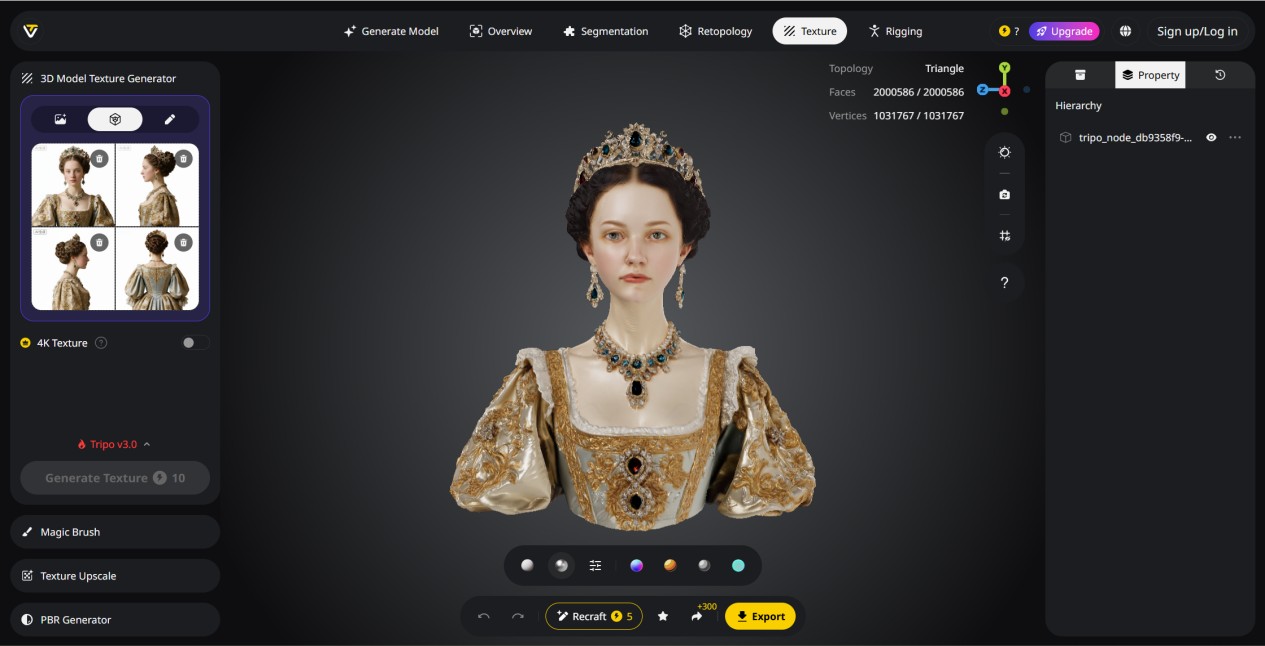
Image Source: Tripo
The AI Texturing system goes beyond basic material assignment by automatically generating complete, production-ready PBR texture sets. From a text prompt or reference image, the system applies consistent global styles while producing realistic surface details, accurate material responses, and cohesive visual results. This capability allows creators to texture 3D models efficiently while maintaining compatibility with modern production pipelines.
For more creative control, the built-in Magic Brush allows you to edit textures on specific parts of the model. You can improve areas like wear, surface details, or material highlights, while the AI smoothly blends the changes so everything looks consistent. New updates add Ultra HD texturing and a Texture Upscale feature, which enhance fine details and improve image quality without changing the original look. The final result is high-quality textured models ready for games, visual projects, and product design.
6. AI Auto Rigging: From Static Meshes to Animation-Ready Assets
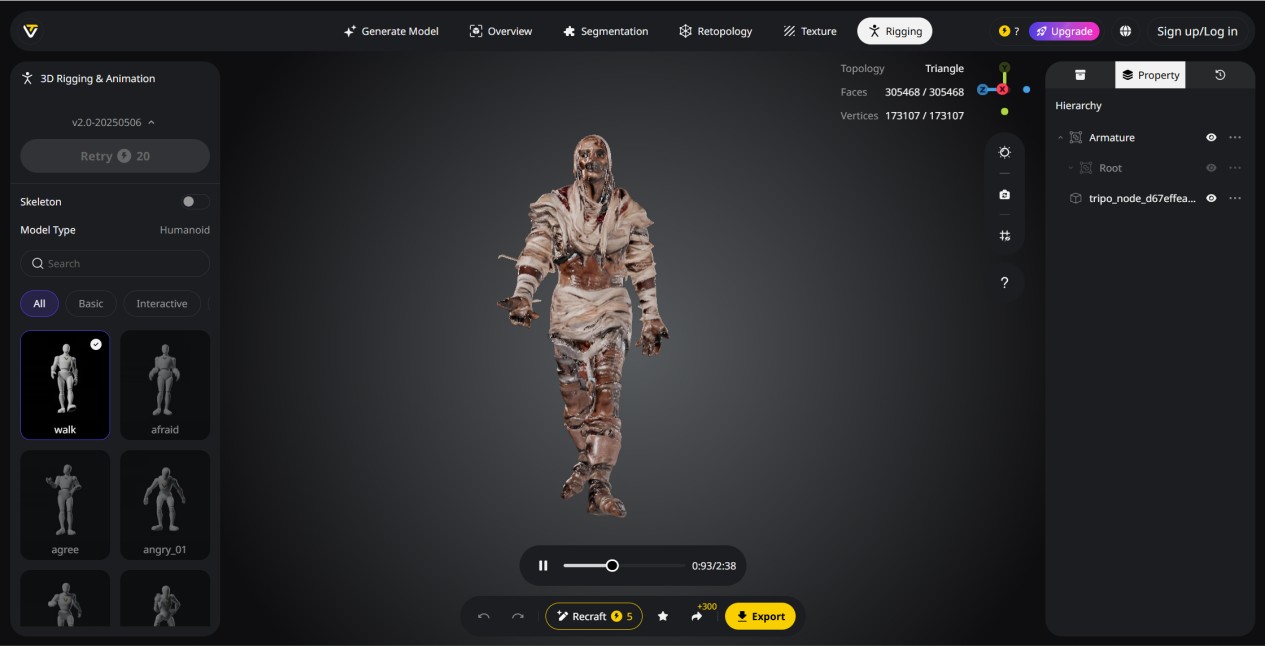
Image Source: Tripo
Rigging is often one of the most time-consuming and difficult steps in 3D creation. This AI 3D model generator simplifies the process by automatically turning static models into fully rigged, animation-ready assets. Instead of setting up bones and weights by hand, creators get clean, editable rigs that move naturally in just a few steps. The system looks at the model’s shape to create accurate skeletons and smooth movement for characters, creatures, and mechanical models.
To speed up testing, creators can use a built-in library of over 100 ready-made animations to quickly check movement and poses, without any extra setup. The Lock Frame feature allows you to pause a pose and export it as a still model, making it easy to create different pose versions or prepare models for 3D printing without setting up the rig again. All rigs work smoothly with tools like Blender, Maya, and Unreal Engine, helping creators move easily from modeling to animation.
7. Model Stylization: Reimagining 3D Assets with Creative AI Styles
Model Stylization allows creators to transform raw 3D assets into a wide range of distinctive visual styles without manual remodeling. With Tripo Studio, a single model can be reimagined in formats such as Lego-inspired blocks, voxel-based structures, or Voronoi-style patterns, enabling rapid experimentation with different artistic directions. This makes it easy to explore stylized looks that would otherwise require extensive rework.
Stylized models created with Tripo Studio stay fully editable even after export. Users can easily upload and export files in common formats like OBJ, FBX, and GLB, so they work smoothly with existing 3D tools. The stylization process is fully automated and does not require any prior 3D knowledge, making it easy for beginners while still allowing further editing in other software.
Industry Applications: How Tripo Powers Creative Workflows?
Tripo Studio streamlines 3D content creation across industries, transforming workflows from concept to production.
- Gaming: Developers can rapidly prototype and populate virtual worlds, maintaining visual consistency while shortening asset production cycles.
- 3D Printing: Tripo Studio produces watertight, ready-to-print models, making it a useful AI 3D model generator for 3D printing applications and real-world manufacturing.
- Animation & Film: From sketches to fully rigged characters, creators can move quickly from concept to animation-ready assets.
- Product Design: Designers can iterate, visualize, and present 3D concepts without rebuilding models from scratch, speeding up the design process.
- AR & VR: Optimized geometry and textures let teams use assets in real-time, immersive environments with little impact on performance.
- Architecture & Interior Design: Quick creation of spatial elements lets teams explore layouts and visualize designs efficiently, helping with collaborative decisions.
Final Thoughts
Tripo, a leading AI 3D model generator, already supports over a million creators worldwide with access to millions of high-quality 3D assets. By combining automated generation, intelligent texturing, and advanced workflow integration, Tripo is not only accelerating production today but also shaping the future of 3D content creation across gaming, film, AR/VR, product design, and more. With growing demand for rapid prototyping, immersive experiences, and diverse visual styles, AI-powered tools like Tripo Studio will expand their role, enabling creators to iterate faster, explore new ideas, and push the boundaries of what’s possible in 3D.
Recommended Articles
Check out these articles for more tips and insights to enhance your 3D modeling and design projects.


