
Updated November 5, 2026
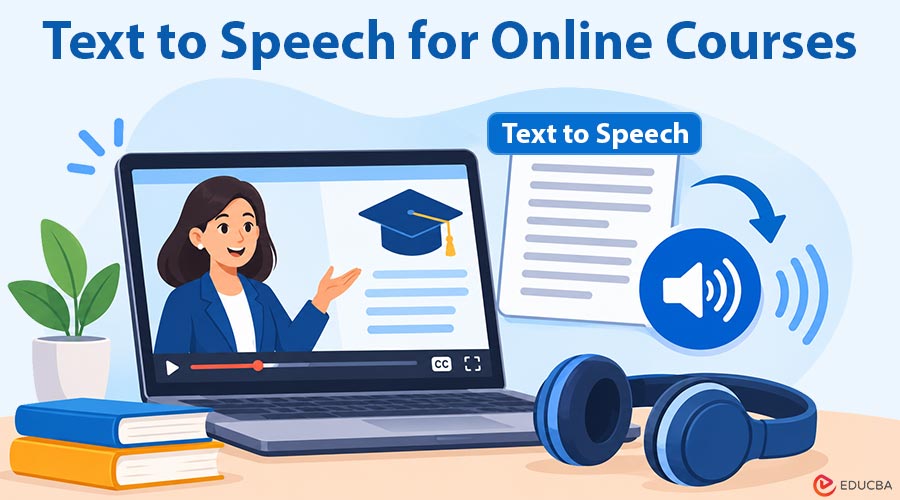
An online course can have video lessons and still leave plenty to read. The next module might include a web tutorial, a downloadable theory chapter, and a case study to discuss. Text to Speech for Online Courses makes it easier to listen to those written materials, as text-to-speech tools can narrate supported webpages and text-based PDFs. You can follow the original wording, pause at an example, and return to the lesson when a definition needs another look.
Choose a Section That Makes Sense Aloud
Start with the assigned reading for one lesson, keeping the module’s exercise nearby. A chapter explaining stakeholder management or customer segmentation gives narration a connected argument to follow. A spreadsheet exercise or a page of programming syntax calls for more attention to the screen. The aim is to hear the explanatory prose while leaving yourself room to work through the practical parts.
Check the module’s learning objective and the reading’s headings before pressing play. If the lesson asks you to distinguish a project scope from its deliverables, begin with the section defining those terms. Then follow the author’s example. Listening to that complete explanation is a more specific task than starting a whole course handbook without deciding where to stop.
How to Use Text to Speech for Online Courses in a Browser?
For material presented as a normal webpage, open the reading itself rather than the course dashboard. A page containing the lesson’s full text gives a browser reader something useful to narrate. Sign in to the course as usual, then check that the section you need is visible. A reading extension does not supply access to paid course material.
CastReader offers a browser extension that reads supported pages aloud with highlighting. Install the extension, open the lesson page, and choose Read Aloud. Start at the paragraph you want to hear and select a comfortable voice and pace. The original text stays available, so you can pause when the lesson refers to a diagram, a worked example, or a term in its glossary.
Listen to the opening paragraph before settling into a longer section. Confirm that narration follows the lesson rather than a menu or a list of related links. Course sites use different layouts, so this small check matters more than assuming every page will behave identically. If the provider also supplies a downloadable PDF, that gives you a separate document-reading route.
Open a PDF Lesson in the Web Reader
For a downloadable chapter, open the text-based PDF in CastReader’s Web Reader. The current Chrome extension also has a Read a file entry for reaching the document reader. Begin with the relevant section and use narration alongside the visible page. A PDF containing selectable text is a better starting point than a scan made entirely of page images.
Keep the course’s page references handy. An instructor may ask you to read a particular range or connect a paragraph to an exercise later in the file. Pause at that exercise and inspect it directly. In a finance lesson, for example, hearing the explanation of a calculation can accompany reading, but you still need to examine the formula and its inputs.
(Image Source: CastReader)
A sample document in CastReader’s Web Reader, with the current passage highlighted during playback.
Hear the Original Before Switching to Explain
Use Read Aloud for the first pass through a theoretical passage. It narrates the original wording, including the distinctions the course author chose to make. Explain is a different mode: it gives an AI explanation of a paragraph. In the Web Reader, sign in, select an AI voice, and use Explain on the current or selected paragraph. Return to the source after hearing that second account of the idea.
Suppose a management chapter distinguishes an output from an outcome. Hear the author’s definitions and example first. Then use Explain on the paragraph defining the distinction and compare its explanation with the course’s wording. Keep the original definition in your notes when terminology matters; an AI explanation can be useful, but it is not the instructor’s answer key.
Make Text to Speech for Online Courses Part of Your Study Routine
Choose a stopping point where the course moves from explanation to application. That might be a case question, a calculation, or a short coding task. Pause the audio and attempt it with the relevant passage nearby. You can replay the explanation if you need context, then check your response against the materials the course provides. With a case study, name the concept from the reading, identify the detail in the case that illustrates it, and explain how the two connect. Use the chapter again to check whether your reasoning fits its definition.
Before closing the lesson, write down one unresolved question and the heading where it arose. That gives the next class discussion or reading session a clear starting point. A useful routine connects listening to the work the module asks you to do: hear the theory, look closely at the example, and try applying the idea yourself.
Using Text to Speech for Online Courses can make written learning materials easier to follow while keeping the original text available for reference. By combining narration with focused reading, note-taking, and practical exercises, you can build a study routine that supports both understanding and application.
Recommended Articles
Explore how Text to Speech for Online Courses can simplify your study routine by turning online readings and PDF lessons into audio. Discover practical ways to improve learning, review key concepts, and make studying more flexible.