
Updated March 13, 2023

Introduction to Teradata RENAME TABLE
The following article provides an outline for the Teradata RENAME TABLE. There could be a process where a table needs to be modified. This altered process can be of any type. There could be changes associated with the table’s characteristics; there could be changes associated with the data in the table. Even the changes may be associated to the name of the table. Here the change of the table name can be achieved only by means of RENAME table statement.
Basically, the rename operations can be achieved through the ALTER table statement in other sequential databases. But for the Teradata database cases, it predominantly has the RENAME statement. This RENAME statement helps to rename a table from one specific name to the other specific name. So, as a result, the table name gets changed. Which means after the RENAME statement is applied, then from there on, the table involved can be referred to only by means of the new table name. This is the major process of the RENAME operation table.
Syntax of Teradata RENAME TABLE
Given below is the syntax mentioned:
RENAME TABLE DATABASE_NAME.OLD_TABLE_NAME TO NEW_TABLE_NAME;| Syntax Element | Explanation |
| RENAME | This string at the start of the statement represents the type of operation which is going to be carried on. This means the RENAME string at the start of the statement mentions that the RENAME E operation is expected to be performed. This is the key statement among the above syntax because this statement is responsible for denoting precisely on the type of operation to be performed upon. |
| TABLE | This is a standard statement which mentions the type of entity which is being changed. So the TABLE statement after the RENAME string depicts that the further item which is applied for operation. So, since the RENAME statement is a table-level statement here, the keyword table is used. |
| DATABASE_NAME.OLD_TABLE_NAME | This is the most important statement in the query. This represents the left end side of the process. This means it represents the name of the left side table which is involved. So, the old table name for which the name needs to be altered will be mentioned here. One critical thing is the database name must always be cojoined with the old table name involved. Then only the operation will go as expected. |
| DATABASE_NAME.NEW_TABLE_NAME | This is the another most important statement in the query. This represents the Right end side of the process. This means it represents the name of the Right side table which is involved. So, the New table name for which the new name needs to be created will be mentioned here. One critical thing is the database name must always be cojoined with the old table name involved. Then only the operation will go as expected. |
Examples of Teradata RENAME TABLE
Given below are the examples of Teradata RENAME TABLE:
Example #1
Table creation process.
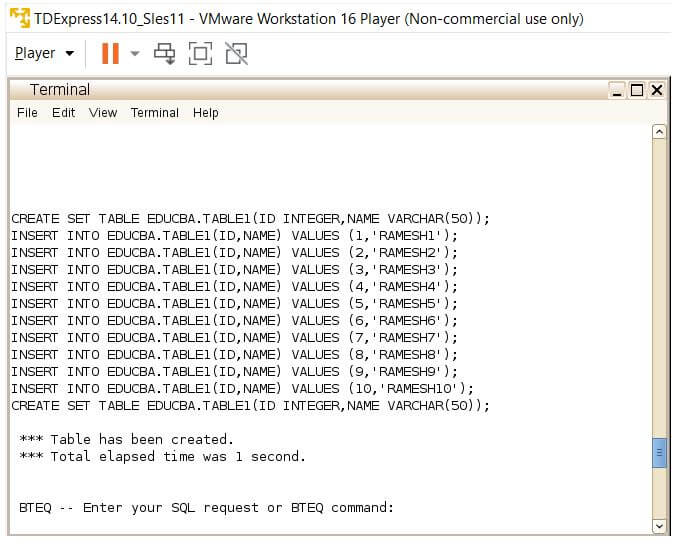
The table creation process involves the process of creating the table needed. This table creation process involves a create query and then a wide set of insert queries involved. Here in the create table statement, the first column is named ID, which is associated with a data type of Integer. Next, the Name column has been declared. This Name column is of VARCHAR type and holds a column length of 50 characters. After this creation process, the insert operation is performed. Because the insert operation involves insert of the ID and name values into the table. Around 50 records have been inserted into the table.
Table Creation:
Code:
CREATE SET TABLE EDUCBA.TABLE1(ID INTEGER, NAME VARCHAR (50));
INSERT INTO EDUCBA.TABLE1(ID, NAME) VALUES (1,’RAMESH1’);
INSERT INTO EDUCBA.TABLE1(ID, NAME) VALUES (2,’RAMESH2’);
INSERT INTO EDUCBA.TABLE1(ID, NAME) VALUES (3,’RAMESH3’);
INSERT INTO EDUCBA.TABLE1(ID, NAME) VALUES (4,’RAMESH4’);
INSERT INTO EDUCBA.TABLE1(ID, NAME) VALUES (5,’RAMESH5’);
INSERT INTO EDUCBA.TABLE1(ID, NAME) VALUES (6,’RAMESH6’);
INSERT INTO EDUCBA.TABLE1(ID, NAME) VALUES (7,’RAMESH7’);
INSERT INTO EDUCBA.TABLE1(ID, NAME) VALUES (8,’RAMESH8’);
INSERT INTO EDUCBA.TABLE1(ID, NAME) VALUES (9,’RAMESH9’);
INSERT INTO EDUCBA.TABLE1(ID, NAME) VALUES (10,’RAMESH10’);
Output:
Code:
SELECT * FROM EDUCBA.TABLE1;Output:
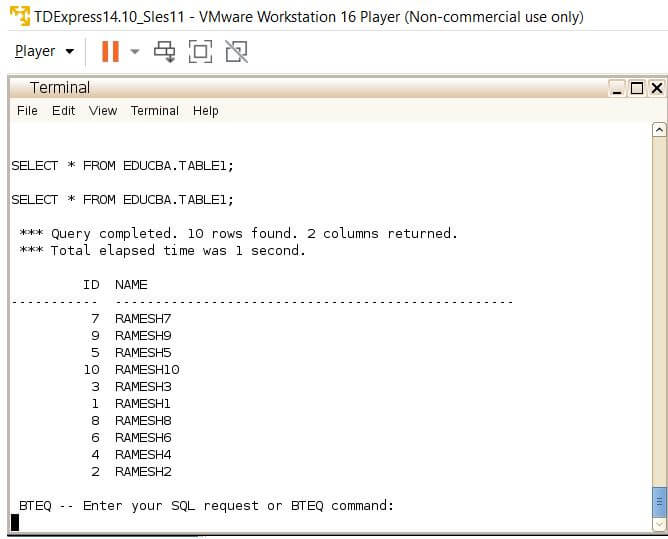
Table Rename:
Code:
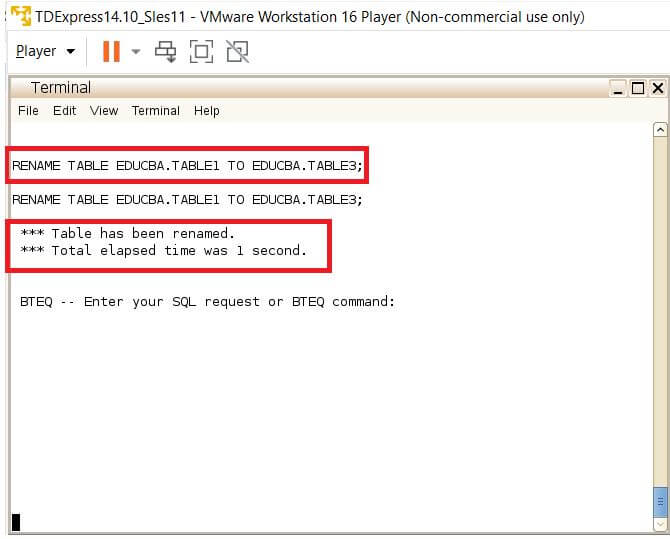
RENAME TABLE EDUCBA.TABLE1 TO EDUCBA.TABLE3;Explanation:
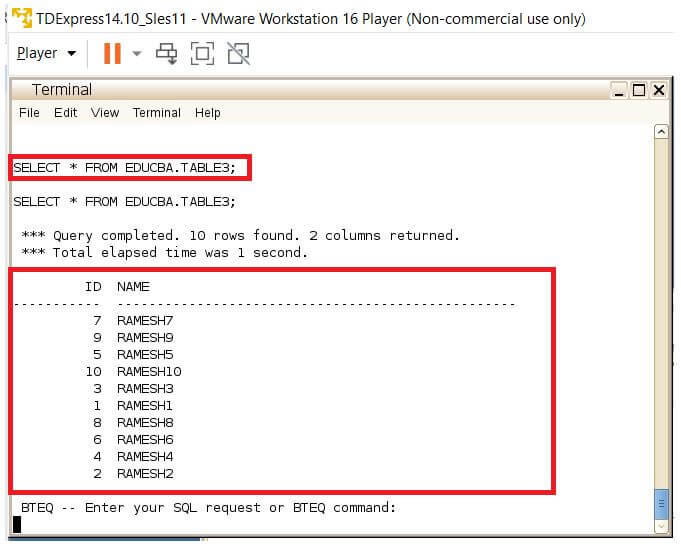
- As per the above-given rename statement, the table created is named as EDUCBA.TABLE1 is changed into a new name if EDUCBA.TABLE3. Here is the below-given snapshot EDUCBA.TABLE3 is printed, and we can notice from the below-given snapshot, the table name is successfully changed to a new name called EDUCBA.TABLE3.
- As a result of this process, the new table name is generated, and moreover, on top of that, the select statement can be noticed to be printed with all the expected records.
Output:
Code:
SELECT * FROM EDUCBA.TABLE3;Output:
Code:
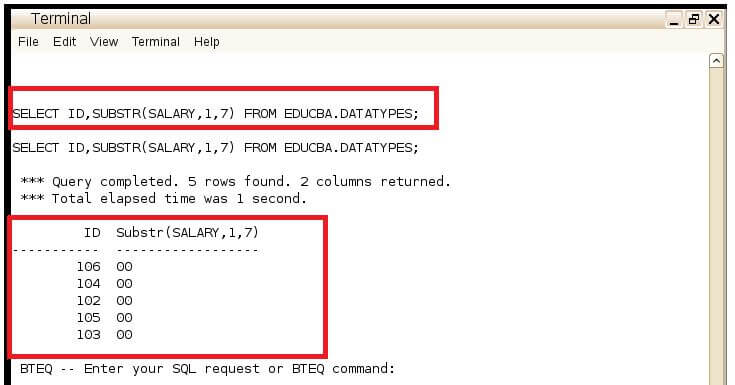
SELECT ID,SUBSTR(SALARY,1,7) FROM EDUCBA.DATATYPES;Output:
Example #2
Table Creation.
Code:
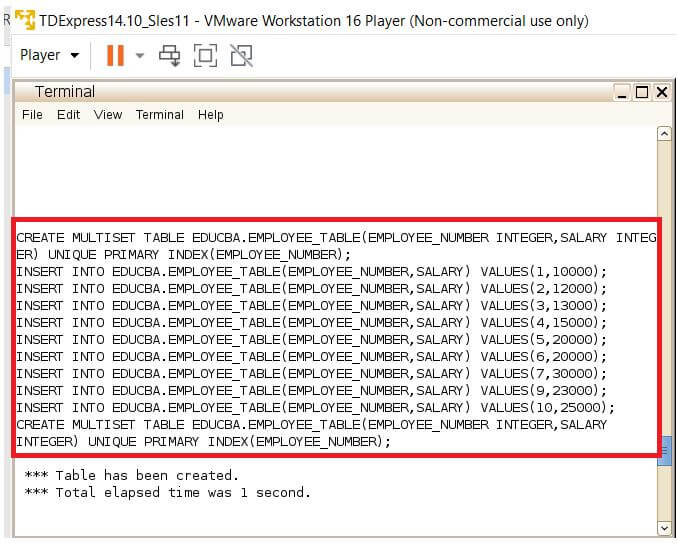
CREATE MULTISET TABLE EDUCBA.EMPLOYEE_TABLE (EMPLOYEE_NUMBER INTEGER, SALARY INTEGER) UNIQUE PRIMARY INDEX(EMPLOYEE_NUMBER);
INSERT INTO EDUCBA.EMPLOYEE_TABLE (EMPLOYEE_NUMBER, SALARY) VALUES (1,10000);
INSERT INTO EDUCBA.EMPLOYEE_TABLE (EMPLOYEE_NUMBER, SALARY) VALUES (2,12000);
INSERT INTO EDUCBA.EMPLOYEE_TABLE (EMPLOYEE_NUMBER, SALARY) VALUES (3,13000);
INSERT INTO EDUCBA.EMPLOYEE_TABLE (EMPLOYEE_NUMBER, SALARY) VALUES (4,15000);
INSERT INTO EDUCBA.EMPLOYEE_TABLE (EMPLOYEE_NUMBER, SALARY) VALUES (5,20000);
INSERT INTO EDUCBA.EMPLOYEE_TABLE (EMPLOYEE_NUMBER, SALARY) VALUES (6,20000);
INSERT INTO EDUCBA.EMPLOYEE_TABLE (EMPLOYEE_NUMBER, SALARY) VALUES (7,30000);
INSERT INTO EDUCBA.EMPLOYEE_TABLE (EMPLOYEE_NUMBER, SALARY) VALUES (8,23000);
INSERT INTO EDUCBA.EMPLOYEE_TABLE (EMPLOYEE_NUMBER, SALARY) VALUES (9,25000);
INSERT INTO EDUCBA.EMPLOYEE_TABLE (EMPLOYEE_NUMBER, SALARY) VALUES (10,23000);
Output:
Code:
SELECT * FROM EDUCBA.EMPLOYEE_TABLE;Output:
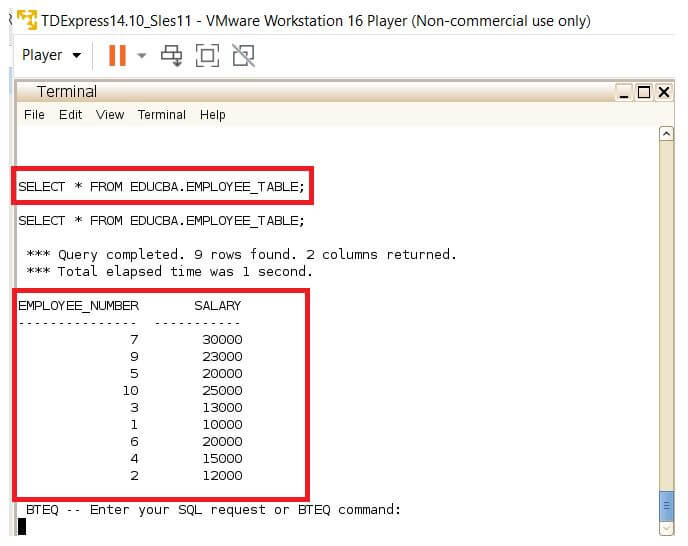
Table Rename:
Code:
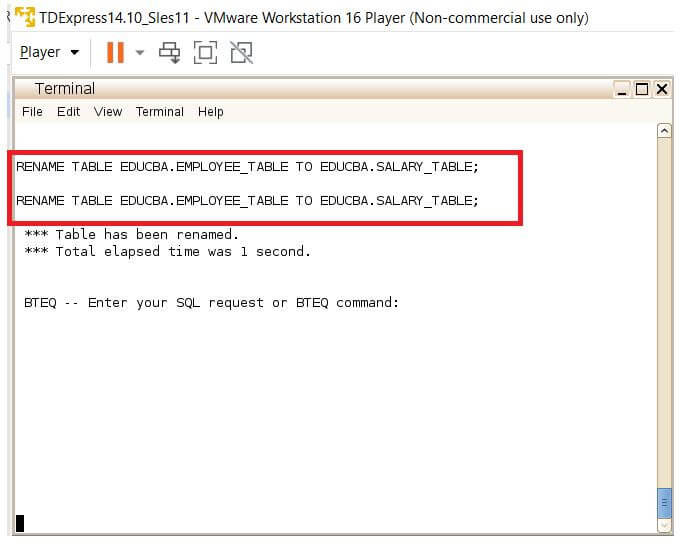
RENAME TABLE EDUCBA.EMPLOYEE_TABLE TO EDUCBA.SALARY_TABLE;Explanation:
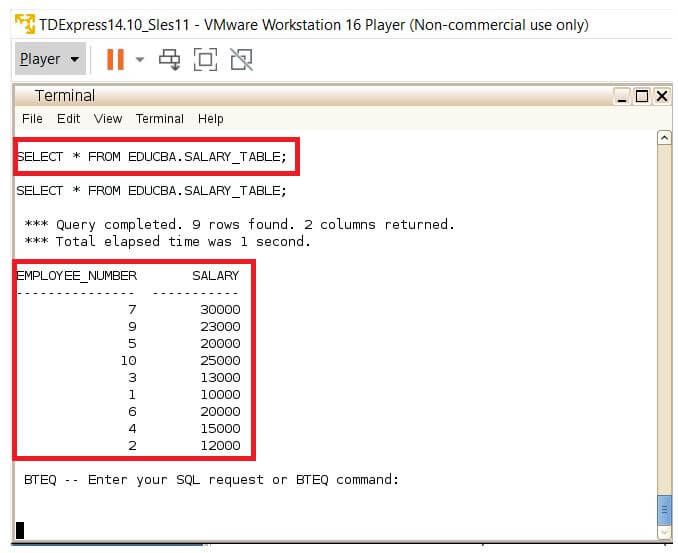
- The table creation process involves the process of creating the table needed. Here as the above-given rename statement, the table created is named as EDUCBA.EMPLOYEE_TABLE is changed into a new name if EDUCBA.SALARY_TABLE.
- Here is the below-given snapshot EDUCBA.SALARY_TABLE is printed, and we can notice from the below-given snapshot, the table name is successfully changed to a new name called EDUCBA.SALARY_TABLE. As a result of this process, the new table name is generated, and moreover, on top of that, the select statement can be noticed to be printed with all the expected records.
Output:
Code:
SELECT * FROM EDUCBA.SALARY_TABLE;Output:
Conclusion
From the relational database standpoint, we can notice that the renaming process always involves the use of the alter table statement. From the standpoint of the Teradata tables, this process is made largely flexible by using the rename command. This renames command can be strongly used in the Teradata systems for renaming the table entities as needed. This functionality can be considered as a key capability of Teradata databases.
Recommended Articles
We hope that this EDUCBA information on “Teradata RENAME TABLE” was beneficial to you. You can view EDUCBA’s recommended articles for more information.

