
Updated April 3, 2023
Definition of SQLite Data Types
SQLite database provides the different types of data types. When we compare SQLite data type with other database systems such as MySQL and PostgreSQL it uses the static data types, which means when we declare the data type of column at the time of table creation that specified column accepts only the value of the declared data type. But when we use SQLite database it uses the dynamic type system that means we can say that the stored value in the column specify the data type. In another way we can say that there is no need to declare the data type for a specific column at the time of table creation, meaning we can store any kind of data even if we declared integer data type at the time of table creation.
Data Types in SQLite
Now let’s see the different types of data type and class in the SQLite database as follows.
First, see the Storage with its description as follows.
- Null: This storage is used to store the null value.
- Integer: it is used to store the integer value in bytes and it depends on the magnitude of value.
- Real: This class is used to store the floating values and the size of this class is 8 bytes.
- Text: This class is used to store the string value in the database.
- Blob: This class is used to store the exact value that we need as input.
Now let’s see the different data types in SQLite as follows.
1. String Data types
In this data, type SQLite converts all string data types into the TEXT data types. In which we try to specify the size for string data type then SQLite it will ignore that means it does not allow size restrictions for the string data type.
Different String data types as follows.
- CHAR (size): It is equivalent to the TEXT data types; in SQLite database, the size parameter is ignored.
- VARCHAR (size): It is also equivalent to the TEXT data types; in SQLite database, the size parameter is ignored.
- TINYTEXT (size): it is equivalent to the TEXT data types; in SQLite database, the size parameter is ignored.
- TEXT (size): it is equivalent to the TEXT data types; in SQLite database, the size parameter is ignored.
- MEDIUMTEXT (size), LONGTEXT (size), NCHAR (size), NVARCHAR (size), CLOB (size) : All string data types are equivalent to the TEXT data type and in SQLite database, the size parameter is ignored.
Example:
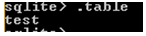
create table test(name text);
.table
Explanation: In the above example we use a create table statement to create a new table name as a test with a name attribute and its data type is TEXT as shown in the above statement. The end out of the above statement we illustrated by using the following screenshot.
Similarly, we create a new table by using another type of string as follows.
create table test1(name varchar);
.table
Explanation: In the above example we use the create table statement to create a new table name as test1 with a name attribute and its data type is varchar as shown in the above statement. The end out of the above statement we illustrated by using the following screenshot.

After that, we can insert value by using the insert into statement. In this way we can use all data types as our requirements and all string data types are equivalent to TEXT data type.
2. Numeric Datatypes
SQLite database has different numeric data types and all are converted into an integer, numeric, and real data types.
Different types of Numeric data type in SQLite as follows.
- TINYINT: It is equivalent to the INTEGER data type.
- SMALLINT: It is equivalent to the INTEGER data type.
- MEDIUMINT: It is equivalent to the INTEGER data type.
- INT: It is equivalent to the INTEGER data type.
- INTEGER, BIGINT, INT2, INT4, INT8, NUMERIC, DECIMAL, and BOOLEAN: All are equivalent to the INTEGER data type.
- REAL: It is equivalent to the REAL data type.
- DOUBLE: It is equivalent to the REAL data type.
- DOUBLE PRECISION: It is equivalent to the REAL data type.
- FLOAT: It is equivalent to the REAL data type.
Let’s see the different examples of Numeric data types in SQLite as follows.
Example
Create a new table by using the int data type as follows.
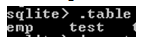
create table emp (id int, name text);
.table
Explanation: In the above example we use create table statement to create a new table name as emp with two attributes such as id with int data type and name with text data type as shown in the above statement. The end out of the above statement we illustrated by using the following screenshot.
Now insert some records into the emp table by using insert into the statement as follows.
insert into emp values (1, "AAA");Explanation: In the above example we use to insert into a statement to insert new records, here 1 is an integer value and AAA is a TEXT value as shown in the above statement. The end out of the above statement we illustrated by using the following screenshot.

Similarly, we can use any numeric data type as per our requirement.
3. Date / Time Data Types
SQLite database has date and time data type and in SQLite converted into the NUMERIC data types.
Now let’s see the different types of date/time data types in SQLite as follows.
- DATE: It is equivalent to a numeric data type.
- DATETIME: It is equivalent to a numeric data type.
- TIMESTAMP: It is equivalent to a numeric data type.
- TIME: It is equivalent to a numeric data type.
Now let’s see an example of Date and Time data type as follows.
Example
create table demo (date1 text, time1 text);Now insert date and time into the demo table, here we use the datetime function to insert date and time into the demo table.
insert into demo (date1, time1) values(datetime('now'), datetime('now', 'localtime'));
select * from demo;
Explanation: First we created a demo table with date and time attribute, after that, we insert the date and time by using insert into statement. The end out of the above statement we illustrated by using the following screenshot.

Example
create table sample (n integer, nu numeric, te text, bl blob);
.table
Explanation: In the above example we created a new table name as a sample with different attributes with different data types as shown in the above statement. The end out of the above statement we illustrated by using the following screenshot.

Conclusion
We hope from this article you have understood about the SQLite data types. From the above article, we see different examples of SQLite data types. We also learned the rules of SQLite data types. From this article, we learned how and when we use SQLite data types.
Recommended Articles
We hope that this EDUCBA information on “SQLite Data Types” was beneficial to you. You can view EDUCBA’s recommended articles for more information.

