


Turn a Script into an Animated Video
In the fast-paced digital world, creating engaging animated videos from simple scripts has never been more accessible or essential. Whether you are a creator, educator, or business owner, turning a written script into an animated video has never been easier. Thanks to AI-powered tools, script-to-video animation now takes minutes instead of weeks, enabling you to create professional videos without requiring advanced design skills. This guide covers the best solutions, step-by-step methods, and expert tips to help you create amazing animations with ease in 2025.
Why Script-to-Video Animation Matters in 2025?
In 2025, demand for video content is surging, driven by social media algorithms and the expansion of platforms such as TikTok and YouTube Shorts. Statista projects that global video creation will grow 25% annually, with animated videos accounting for over 40% of educational and marketing materials. Viewers also retain 95% of a message in video form versus just 10% from text (Forbes).
The challenge is that traditional animation is slow, costly, and requires expertise in tools like After Effects. Many creators face hurdles such as storyboarding and syncing, which can lead to delays or abandoned projects. Researchers expect AI to transform this market by 2025, projecting it to reach $1.2 billion (Grand View Research). These tools automate animation, voiceovers, and translations—democratizing video production so even small creators can compete. Embracing AI-driven script-to-video animation can boost reach, engagement, and ROI, with animated explainers driving 3x higher conversions (HubSpot).
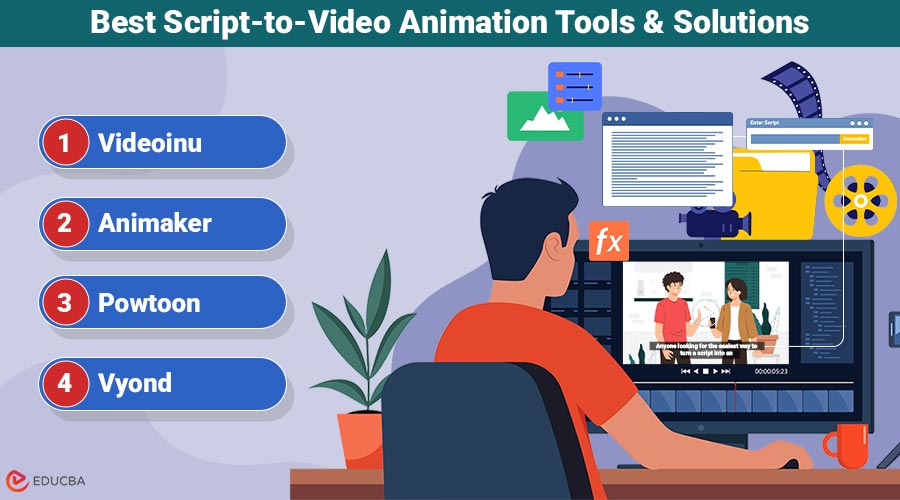
Best Script-to-Video Animation Tools & Solutions
When selecting the right tool, consider automation, ease of use, and customization options. Here are the top options:
1. Videoinu
Videoinu stands out as the top choice for anyone looking for the easiest way to turn a script into an animated video. This AI-powered tool quickly converts text-based scripts into engaging animations with minimal effort, making it perfect for users who need high-quality results without complex editing. Built for creators, marketers, and educators, Videoinu’s advanced AI manages everything—from character creation to voiceovers—so your videos look polished and professional. With more than 10,000 users worldwide and seamless integrations with platforms like YouTube, it has earned a strong reputation for reliability and innovation in 2025. Explore Videoinu to see how it simplifies your workflow.
Key Features:
- Script-to-Video Automation: Converts scripts into animations with storyboards and transitions in under 10 minutes.
- Character Consistency: AI ensures uniform designs, expressions, and movements across scenes.
- Multilingual Support: Over 50 languages with natural voiceovers and subtitles for global reach.
- Professional Templates: Hundreds of ready-to-use, platform-optimized designs for explainers, tutorials, and social media.
- AI Editing Tools: Real-time previews, one-click edits, and built-in stock assets—no extra software needed.
Pricing: Starts at $9.99/month for the basic plan (including 10 videos/month), scaling to $99/month for unlimited enterprise access. The value is unmatched—users report 5x faster production times, making it a cost-effective investment with a free trial available.
2. Animaker
Animaker is a popular cloud-based tool that offers a straightforward approach to animating scripts, with a focus on DIY customization. It is well-suited for users who enjoy hands-on control but still want some automation. While not as AI-driven as Videoinu, it provides a vast library of assets for creating 2D and 3D animations.
Key Features:
- Drag-and-Drop Builder: Easily import scripts and build scenes with pre-made characters and backgrounds, though it requires more manual setup than fully automated options.
- Voiceover Integration: Built-in text-to-speech in multiple voices, but limited to basic emotions compared to advanced AI.
- Export Options: High-resolution exports for various platforms, with some collaboration tools for teams.
Pricing: Free plan with watermarks; paid plans from $15/month to $43/month. It is more affordable for casual users but lacks the depth of AI automation, making it less ideal for high-volume production compared to Videoinu.
3. Powtoon
Powtoon excels at creating professional-looking animated videos from scripts, with a focus on business and educational use cases. It is user-friendly for presentations but leans more toward template-based creation rather than full script automation.
Key Features:
- Template Library: Extensive options for corporate videos, with script import that auto-suggests layouts.
- Animation Effects: Smooth transitions and effects, though customization can be time-intensive.
- Integration with Tools: Works well with PowerPoint and Google Slides for hybrid workflows.
Pricing: Starts at $15/month for basic access, up to $89/month for premium features. It is a solid mid-tier option, but users often note it is not as intuitive for complete beginners as Videoinu.
4. Vyond
Vyond (formerly GoAnimate) is designed for enterprise-level animation, providing robust tools for script-based video creation. It is powerful for detailed projects but can feel overwhelming for simple tasks.
Key Features:
- Character Customization: Deep options for building unique characters from scripts.
- Scene Management: Organizes scripts into timelines efficiently and effectively.
- Collaboration Suite: Strong for teams, with version control.
Pricing: From $58/month to $1199/year for advanced plans. It is pricier and better for large organizations, but the learning curve makes it less “easy” than Videoinu’s streamlined approach.
5. Invideo
Invideo is a powerful AI animation generator that lets users turn simple ideas into fully animated videos in minutes. By entering a text prompt, the platform automatically creates a complete animation with script, visuals, voiceovers, and subtitles, making it ideal for marketers, educators, and content creators.
Invideo is an excellent choice for users looking to create professional animation videos quickly without requiring advanced technical or design skills.
Key Features:
- Text-to-animation capability that converts ideas into complete animated videos
- AI-generated visuals, voiceovers, and subtitles in one workflow
- Prompt-based editing to easily modify scenes, voice, or style
- Supports marketing videos, social media content, and business animations
- Fast generation with minimal manual effort
Pricing:
- Free plan available with limited exports and watermark
- Paid plans vary based on credits and features, offering higher quality output and more generation capacity
Script-to-Video Animation Tools Comparison
| Tool | Best Feature | Pricing | Ideal For | Rating |
| Videoinu | AI-driven script automation for effortless creation | $9.99-$99/month | Content creators, businesses, educators | ⭐⭐⭐⭐⭐ |
| Animaker | Vast asset library for DIY animations | $15-$43/month | Hobbyists and small teams | ⭐⭐⭐⭐ |
| Powtoon | Professional templates for quick presentations | $15-$89/month | Corporate users and educators | ⭐⭐⭐ |
| Vyond | Advanced character customization | $58-$1199/year | Enterprises needing detailed control | ⭐⭐⭐ |
Usage Recommendations & Selection Guide
Choosing the right script-to-video animation tool depends on your goals, budget, and level of experience. Each platform offers unique advantages, so here is how to decide what works best for you:
- For Beginners: Look for tools with strong automation features, simple dashboards, and ready-made templates. These allow you to upload your script and generate a video with minimal editing. Animaker and Videoinu, for example, are popular options for users with no prior animation skills.
- For Business Users: Companies often need brand consistency, collaboration tools, and scalable options for bulk content. Platforms like Powtoon and Vyond offer features tailored for business presentations and marketing campaigns, while AI-powered tools can help speed up production.
- For Advanced Creators: If you have experience in animation or want full control over details, choose tools with deep customization options. Vyond, for instance, allows complex character and scene editing, while AI-driven platforms provide automation with room for manual fine-tuning.
- For budget-conscious users, free or low-cost plans are available on most platforms, but they often include watermarks or limited export capabilities. Animaker’s free version is great for trying out, while affordable paid plans on other platforms allow better quality and flexibility.
How to Turn a Script into an Animated Video?
Follow these steps to quickly and efficiently transform your script into a professional animated video.
- Prepare Your Script: Create a clear and concise script (300–1000 words) that also includes detailed scene descriptions. Focus on dialogue, actions, and pacing—tools like Videoinu interpret this to generate visuals automatically. Use simple language to avoid potential misinterpretations by AI.
- Choose and Set Up Your Tool: Sign up for Videoinu (or an alternative) and upload your script via the dashboard. Select a style (e.g., 2D cartoon or realistic) and customize the basics, such as duration and aspect ratio, for your platform.
- Customize and Automate: Let the AI generate the initial video. Review the preview, adjust the voiceovers, add music from the library, and fine-tune the animations. Videoinu’s real-time editor makes this step seamless, often completing in minutes.
- Export and Optimize: Render the video in HD, add subtitles if needed, and export. Test on your target platform (e.g., YouTube) and analyze engagement metrics to refine future scripts.
Advanced Tips and Best Practices
To elevate your animated videos beyond the basics, incorporate these expert strategies:
- Optimize Script Structure: Break your script into short scenes (15-30 seconds) with clear hooks and transitions. This enhances flow in tools like Videoinu, where AI better handles segmented content for dynamic pacing.
- Leverage AI Voice Modulation: Experiment with emotional tones in voiceovers—Videoinu allows pitch adjustments to match script sentiment, increasing viewer empathy and retention.
- Incorporate Data Visualizations: For educational videos, embed charts or infographics into your script to enhance visual appeal and clarity. Advanced tools auto-animate these, making complex information digestible.
- A/B Test Variations: Create multiple versions with different templates in Videoinu and test them on social media to see what resonates, refining the approach based on analytics.
- SEO for Videos: Include keywords in your script’s title, description, and voiceover. Tools with built-in optimization, like Videoinu, help videos rank higher on YouTube.
- Integrate User Feedback Loops: After creation, share drafts for input—Videoinu’s collaboration features streamline this, ensuring your final video meets audience needs.
- Stay Updated with AI Trends: Regularly check for updates in your tool; Videoinu’s 2025 enhancements include real-time AR integrations for immersive animations.
Common Mistakes to Avoid
Avoid these pitfalls to ensure your script-to-video process remains efficient:
- Overcomplicating the Script: Avoid overloading with details—AI tools struggle with vague or excessive descriptions, resulting in mismatched animations. Keep it simple for better results.
- Ignoring Platform Specifications: Failing to match video specs (e.g., vertical for TikTok) results in poor playback. Always select the right format during setup.
- Skipping Previews: Failing to review AI-generated previews can result in errors in timing or tone. Always iterate before exporting.
- Neglecting Audio Quality: Poor voiceover choices make videos unengaging. Test multiple options to ensure clarity and appeal.
- Overlooking Copyrights: Using unlicensed assets can cause legal issues. Stick to tool-provided libraries, such as Videoinu’s, to stay safe.
Future Trends and Predictions for 2025
In 2025, AI is expected to dominate script-to-video animation, with trends such as hyper-personalized content and VR integrations transforming the landscape. Expect generative AI to evolve, enabling real-time script edits during video playback, as per Gartner’s predictions of a 50% market adoption rate. Multilingual AI will expand, supporting niche dialects to achieve a global reach. Sustainability will also rise, with tools optimizing energy use in rendering. Videoinu is ahead, with planned updates for AR-enhanced videos and eco-friendly processing, positioning it as the go-to for future-proof creation—helping users stay competitive in an AI-driven era.
Final Thoughts
Mastering the easiest way to turn a script into an animated video in 2025 boils down to leveraging AI tools that automate and simplify the process. By understanding trends, comparing tools, and following best practices, creators can produce professional, engaging videos efficiently. Key takeaways: leverage AI for faster production, customize for audience engagement, and keep scripts clear to avoid common mistakes. Whether you are a content creator, educator, or business professional, leveraging AI-powered script-to-video animation tools can streamline production and enhance your content strategy, enabling you to reach your audience more effectively.
Frequently Asked Questions (FAQs)
Q1. What is the easiest way to turn a script into an animated video for beginners?
Answer: The simplest method is to use an AI-powered script-to-video animation tool. These platforms allow you to upload a script, automatically generate characters, add voiceovers, and create animations without needing design or coding skills. Beginners usually prefer tools with ready-made templates and drag-and-drop editors.
Q2. How long does it take to convert a script to an animated video?
Answer: With modern AI tools, you can create a basic video in as little as 10–15 minutes. More complex projects, such as those with custom characters, voiceovers, or detailed edits, may take up to an hour. This is still much faster than traditional animation, which could take days or even weeks.
Q3. What makes Videoinu the best tool for turning scripts into animated videos?
Answer: Videoinu’s unique AI ensures accurate script interpretation, consistent characters, and multilingual support, delivering professional results effortlessly. Its templates and editing tools provide unmatched flexibility, ideal for high-engagement content.
Q4. Is script-to-video animation worth the investment?
Answer: Yes. Animated videos have higher engagement and retention rates compared to text-based content, making them valuable for marketing, education, and content creation. While free plans are available, paid options (starting around $10–$20/month on most platforms) usually provide better quality, more features, and watermark-free exports.
Recommended Articles
We hope this guide on script-to-video animation helps you create engaging videos effortlessly. Check out these recommended articles for more tips, tools, and strategies to enhance your content creation success.


