
Plagiarism Remover vs Paraphrasing Tool: Overview
You have just finished hours of work on your research paper. Feeling proud, you run it through a plagiarism checker, and the results shock you: 35% similarity. Panic sets in.
You start searching for solutions, but the advice is everywhere and all over the place. Some say, “Use a paraphrasing tool!” Others insist, “Only a plagiarism remover will work!” Now you are stuck in the middle of the Plagiarism Remover vs Paraphrasing Tool debate, unsure which one can actually fix your problem.
Here is the truth: these tools are not the same. Using the wrong one is like showing up to an important presentation with the wrong equipment; you might get by, but the results will not be what you need.
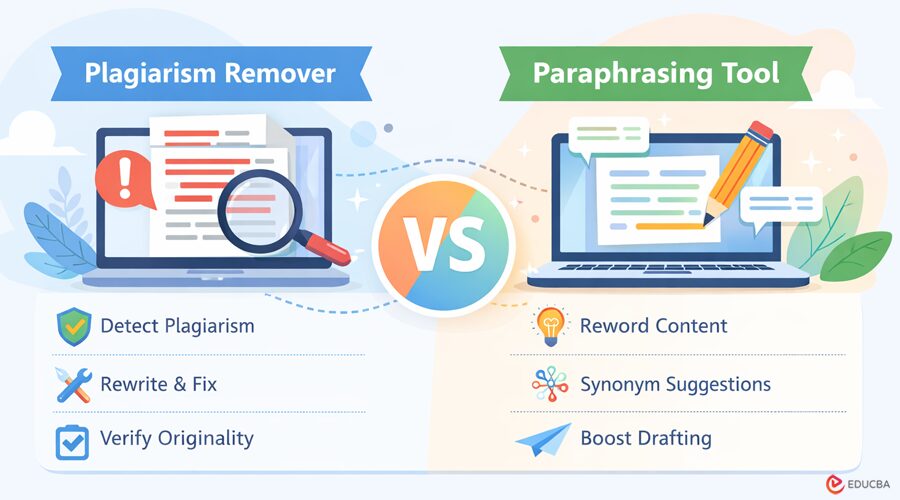
In short, paraphrasing tools help you rewrite content, while plagiarism removers go further, detecting issues, rewriting intelligently, and ensuring your work is truly original. Knowing the difference between a plagiarism remover vs paraphrasing tool can save you time, stress, and even your academic or professional reputation.
In this guide, you will learn exactly which tool to use, when to use it, and how to avoid common mistakes that trap most users.
What is a Paraphrasing Tool?
A paraphrasing tool is software or an online application that rewords or rewrites text while preserving the original meaning. Its main purpose is to help you express ideas in a new way without changing the core message.
In simple terms, a paraphrasing tool:
- Replaces words with synonyms
- Changes sentence structure
- Reorganizes phrases for smoother readability.
Think of it as translating English into a slightly different version of English; the ideas stay the same, but the wording feels fresh and unique.
Paraphrasing tools are commonly used by:
- Students are to avoid excessive direct quotes in essays
- Writers and bloggers to present ideas from a new angle
- Professionals who need to adapt content for multiple projects without repeating the same phrasing.
How Does a Paraphrasing Tool Work?
Most modern paraphrasing tools use AI-powered algorithms, similar to advanced language models. They work by:
- Analyzing sentence structures to understand meaning
- Identifying key phrases and important words
- Replacing words with synonyms
- Reorganizing sentences to produce a fresh, readable version.
The result is content that sounds new, even though the original ideas remain intact.
When Do People Use Paraphrasing Tools?
- Students: rewriting research material for essays or assignments
- Bloggers: refreshing content or expressing ideas in a different way
- Freelancers: adapting similar topics across multiple projects without repeating themselves.
Why Paraphrasing Alone Is Not Enough?
Here is where the Plagiarism Remover vs Paraphrasing Tool debate matters most: simply rewording text does not guarantee originality.
Even if a paraphrasing tool changes every word, the underlying ideas and structure may still match the source. Without a proper citation, this can still be considered plagiarism.
In other words, paraphrasing is a helpful writing aid, but it cannot replace a plagiarism remover when you need verified originality.
What is a Plagiarism Remover?
A plagiarism remover is a tool that finds and fixes plagiarism in your content. Unlike paraphrasing tools, which only reword text, a plagiarism remover checks your work against existing sources and ensures your writing is truly original.
In simple terms, a plagiarism remover:
- Checks your content against billions of websites, research papers, and articles
- It flags any matched or similar text that might be considered plagiarism
- Intelligently rewrites flagged sections while keeping the original meaning
- Verifies originality after correction to reduce similarity scores.
Think of it this way: if a paraphrasing tool is like a spell-checker, a plagiarism remover is a full editorial and compliance system that not only fixes issues but also protects your credibility.
How a Plagiarism Remover Works?
A plagiarism remover does more than reword text; it actively detects and fixes plagiarism in your content. Here is how it works:
- Detection: It scans billions of web pages, academic papers, and publications to find any content that matches your text.
- Identification: It flags both exact matches and near-duplicate sections that may constitute plagiarism.
- Intelligent Rewriting: Instead of just swapping words, it reconstructs sentences while preserving the original meaning. The tool preserves context, so your text reads naturally.
- Verification: After rewriting, it checks your work again to ensure your similarity score is low and your content is original.
Why Plagiarism Removers Are Different?
In the Plagiarism Remover vs Paraphrasing Tool debate, plagiarism removers stand out for three main reasons:
- Integrated Detection: They do not just rewrite; they first find exactly where the problem lies.
- Smarter Rewriting: Advanced algorithms understand context, so rewritten text flows naturally instead of sounding awkward. For example, “The study shows positive results” might come out as “The research demonstrates favorable outcomes,” rather than a strange, literal synonym swap.
- Quality Control: They verify that the final output is coherent, readable, and genuinely original.
For writers, students, and professionals who need complete protection against plagiarism, a plagiarism remover tool is a more reliable solution.
Plagiarism Remover vs Paraphrasing Tool: Comparison
Let us establish a clear understanding of how these tools compare in practical application:
| Feature | Paraphrasing Tool | Plagiarism Remover |
| Primary Function | Rewrites content | Detects + Rewrites |
| Detection Capability | None | Built-in scanning |
| Best For | Preventive writing | Fixing existing issues |
| Output Quality | Hit or miss | Generally more accurate |
| Citation Help | Barely any | Often included |
| Speed | Lightning fast | Takes a bit longer |
| Cost | Usually free | Freemium or paid |
When to Use Each Tool?
Using the right tool at the right stage of writing makes all the difference.
- Paraphrasing tools: Use these tools while you write. If a section feels too close to your source material, you can run it through a paraphrasing tool and continue your draft. This is proactive content management that helps you avoid plagiarism before it happens.
- Plagiarism removers: Use these tools after you complete your draft, especially when a plagiarism check shows high similarity scores. They address existing issues by detecting, rewriting, and verifying the originality of content.
Why Understanding the Difference Matters?
Consider this: studies show that 95% of students admit to some form of academic dishonesty, often unintentionally. Ideas absorbed weeks earlier can resurface in your writing without you realizing it. Even experienced writers can accidentally produce text that is too similar to their sources.
Knowing whether you need a paraphrasing tool or a plagiarism remover is crucial for protecting your integrity and avoiding potential consequences.
Paraphrasing vs Plagiarism Removal
- Paraphrasing Tools: Can sometimes produce awkward or unnatural phrasing. For example, “The study shows positive results” might turn into “The research demonstrates happy outcomes,” which can sound clumsy.
- Plagiarism Removers: They maintain better readability because they produce publishable content, not just different content. They ensure that your work is both original and coherent.
If your goal is to remove plagiarism while keeping high-quality writing completely, a plagiarism remover is typically more effective than a simple paraphrasing tool.
Neither a paraphrasing tool nor a plagiarism remover is a complete solution. They are powerful assistants, not autonomous fixes. You still need to:
- Review content for clarity and flow
- Ensure your voice and ideas remain authentic
- Apply proper citations when needed.
Think of these tools as co-pilots: they help you enhance and protect your writing, but you are still in control of the final product.
When Should You Use Each Tool? Real-World Scenarios
Let us examine practical situations where each tool proves most effective:
| Scenario | Situation | Recommended Approach | Why It Matters |
| Stressed College Student | Writing multiple research papers during finals week, incorporating complex sources | Use a paraphrasing tool while writing to reword complex findings. Then run a plagiarism remover before submission. | Provides layered protection, ensuring originality while saving time. |
| Blogger Chasing Rankings | Covering competitive topics inspired by top-performing competitor articles | Use competitor content for inspiration only, write your own analysis, then check with a plagiarism remover before publishing. | Guarantees content originality and protects SEO rankings from duplicate content penalties. |
| Freelance Writer on Deadline | Managing multiple client projects simultaneously with overlapping ideas | Use a plagiarism remover as a final check before delivering work to clients. | Protects professional reputation and avoids accidental content recycling across projects. |
| Academic Researcher | Writing a thesis after reviewing hundreds of papers, high risk of unintentional similarity | Apply paraphrasing during note-taking and run a plagiarism remover during final revisions. | Ensures originality, meets academic standards, and avoids detection by AI tools. |
The Hidden Dangers of Using the Wrong Tool
Understanding potential pitfalls helps avoid serious consequences:
Danger #1: The Paraphrasing-Only Trap
Relying solely on a paraphrasing tool can create a false sense of security. You might assume your content is original, only to discover later that it still has a high degree of similarity to the source material.
Why? Most paraphrasing tools swap words or adjust sentence structures. The core ideas and organization often remain unchanged. Surface-level changes do not guarantee originality.
Studies show that nearly 44% of academic violations involve improper paraphrasing, underscoring the importance of detection. Always use a proper plagiarism remover to verify your work, even after paraphrasing it.
Danger #2: The Over-Automation Problem
On the other hand, unthinkingly relying on a plagiarism remover without engagement can also backfire. Simply running text through an automated rewriting system may:
- Strip your work of your personal voice
- Produce content that reads awkwardly or artificially
- Reduce the clarity and flow of your argument.
In academic or professional contexts, evaluators and clients can often spot overly processed content. The work might be technically original, but it lacks authenticity and intellectual engagement.
Finding the Sweet Spot
Finding a useful tool that balances automation with quality output becomes essential when your academic or professional reputation is on the line. However, you still need to be the captain of this ship. The tool is your co-pilot, not your autopilot.
How to Choose Between a Plagiarism Remover vs Paraphrasing Tool?
Deciding which tool to use does not have to be confusing. Here is a simple decision framework to help you pick the right one based on your needs and stakes:
| Question | If Yes → Use | If No → Use | Notes |
| Do I already have plagiarized content? | Plagiarism Remover
Detects issues and rewrites intelligently |
Paraphrasing Tool
Safe during drafting, but verify afterward |
Paraphrasing tools cannot diagnose plagiarism, only rewrite text |
| What happens if I make a mistake? | Plagiarism Remover
Essential for high-stakes work like theses, client deliverables, or published content |
Either tool
Suitable for low-stakes work like personal blogs or practice writing |
Verification is critical when your reputation or grades are on the line |
| Do I need to know exactly where the problems are? | Plagiarism Remover
Shows flagged sections and similarity scores |
Paraphrasing Tool
Good for simply rewording content |
Detection capability is the key difference between the tools |
The Hybrid Approach: How to Get the Best of Both Tools?
For optimal results, combining paraphrasing tools and plagiarism removers can give you original, high-quality content. Here is a step-by-step approach:
- Write Your Original Draft: Focus on getting your ideas down first. Do not worry about phrasing at this stage.
- Use a Paraphrasing Tool for Challenging Sections: Reword complex sentences or sections that closely mirror your sources. This helps maintain a smooth writing flow while reducing similarity.
- Run the Final Version Through a Plagiarism Remover: Detect and fix any remaining instances of plagiarism. This ensures your content meets originality standards.
- Perform Manual Editing: Review the text to restore your personal voice, clarify ideas, and improve readability. AI and tools can assist, but human editing ensures authenticity.
- Submit with Confidence: By combining proactive rewriting and final verification, you can confidently submit or publish content knowing it is both original and high-quality.
Final Thoughts
Paraphrasing tools are writing assistants that help reword content, suggest synonyms, and speed up drafting. Plagiarism removers are verification systems that detect issues, rewrite intelligently, and ensure originality.
For anything important, such as academic papers, client deliverables, or published content, relying solely on paraphrasing is risky. Detection and verification are no longer optional in 2026.
Action Steps:
- Draft your content freely
- Use a paraphrasing tool to reword tricky sections
- Run a plagiarism remover before submission to catch remaining issues
- Edit manually to maintain your voice and clarity.
Understanding the difference between a paraphrasing tool and a plagiarism remover is not just technical; it is the difference between hoping for originality and knowing your content is truly original.
Recommended Articles
We hope this guide on Plagiarism Remover vs Paraphrasing Tool helps you create original, high-quality content without risking plagiarism. Explore these recommended articles for expert insights, practical writing strategies, and the latest trends in AI-powered content creation and academic integrity.


