


Updated August 24, 2026
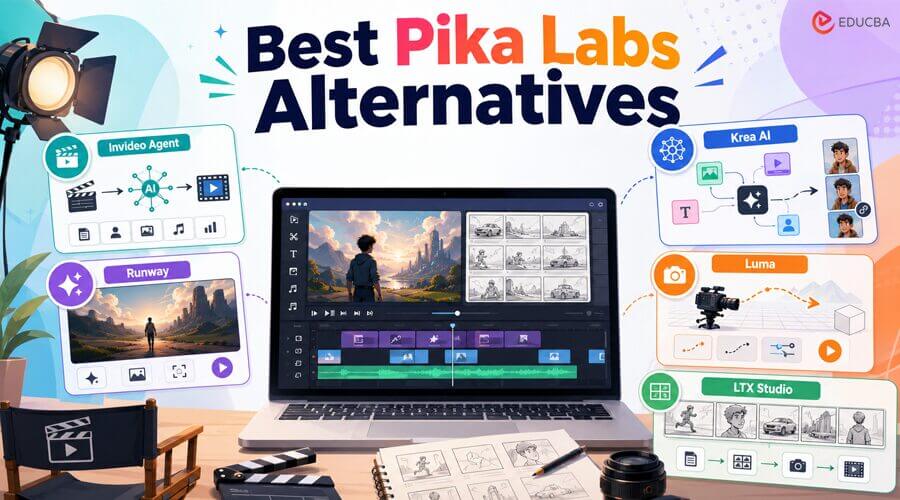
Pika Labs made its name on speed and personality; Pikaffects, Pikaframes, and quick turnaround times make it a favorite for social-first clips.
That focus comes with real limits when you try to make something longer than a single punchy clip.
This guide walks through five Pika Labs alternatives for AI filmmaking, from a full agentic production platform to tools built for cinematic motion and narrative planning so that you can match the right one to the work in front of you.
Why Creators Look for Pika Labs Alternatives?
Most complaints trace back to what Pika is built for: short, stylized clips, not sustained production.
Clips cap out around 10 seconds, which rules out most narrative or long-form work without heavy stitching. Photorealism also trails cinematic-focused tools, with physics glitches showing up more often in complex scenes.
A few specifics worth knowing before you commit to a plan:
- Commercial rights start at Pro: Watermark-free downloads and commercial usage rights only kick in on the $28/mo Pro plan; the cheaper Standard tier is closer to a paid trial than a working plan.
- Credits burn fast when experimenting: Failed or discarded generations still spend credits, and lower tiers do not carry credit rollover.
- No continuity tooling: Pika is built around individual clips, not a system for holding a character or scene consistent across a longer project.
- No built-in editor: Assembling multiple clips into a finished piece means exporting into a separate editing tool.
To judge the five Pika Labs alternatives below fairly, we looked at pipeline depth (a full script-to-edit workflow vs. isolated clips), character and scene consistency, pricing predictability, model breadth, and commercial usage rights at the entry paid tier. None of these five wins on all five counts; the right Pika Labs alternative depends on what you are actually producing.
The 5 Best Pika Labs Alternatives at a Glance
| Tool | Best at | Starts at | Free option |
| Invideo Agent | Full agentic AI filmmaking, script to finished edit | $17/mo (annual) | Free trial |
| Runway | Studio-grade single clips with editing built in | ~$12/mo (annual) | Yes (125 credits) |
| Krea AI | Cleaner model aggregator with a real-time canvas | $9/mo | Yes (100 units/day) |
| Luma Dream Machine | Natural camera motion and physics | ~$30/mo | Yes (limited) |
| LTX Studio | Script-to-storyboard narrative planning | ~$15/mo (annual) | Yes (800 credits) |
1. Invideo Agent
Invideo Agent handles scriptwriting, shot planning, model routing, and full film production in one workflow. Invideo Agent Two can retain character looks and lighting rules while integrating new image and video models as they become available.
Its AI filmmaking workflow uses specialized agents for cinematography, casting, storyboarding, and VFX that share project context. It can also analyze scripts, PDFs, brand books, and videos to identify inconsistencies and maintain consistent lighting, camera movement, and character performance.
- Best for: Film productions that need script, style, generation, and editing in one place, with consistency held across an entire project rather than one clip.
- Where it falls short: The full-project, context-heavy approach introduces more structure than a creator needs for one quick, disposable clip.
- Pricing: Plus $17/mo, Max $85/mo, Generative $170/mo, Elite $900/mo, all billed annually with a built-in discount.
2. Runway
Runway is the closest thing on this list to a complete production studio built around a single model family. Its Gen-4 lineup pairs with motion brushes, inpainting, and a real editing timeline, so generation and post-production live under one roof instead of two.
That quality comes at a cost, since credits are charged per second of generated footage and unused monthly credits do not carry over. Heavy iteration before landing a final take can burn through an allowance fast.
- Best for: Creators who want the highest per-shot generation quality with editing tools in the same place.
- Where it falls short: Unlike InVideo Agent or LTX Studio, which offer a script-to-storyboard-to-edit pipeline, Runway is built for strong individual shots, not a managed production process.
- Pricing: Standard ~28/mo, Max ~$76/mo, all on annual billing.
3. Krea AI
Krea bundles 60+ image and video models, Flux, Veo, Kling, and Runway itself among them, behind one interface, so switching models does not mean switching accounts and billing. Its Realtime Canvas is the standout: sketch or upload an image on one side and watch a photorealistic render generate on the other in under a second.
That breadth is aimed more at image and quick concept work than long-form filmmaking; video generation draws down its unit-based credits fast, and heavier video use pushes you toward the Pro or Max tiers quickly.
- Best for: Creators who want a cleaner model aggregator with real-time, sketch-to-render tools built in.
- Where it falls short: It is a strong aggregator for stills and short concept clips, but it does not offer a script-to-edit production pipeline like InVideo Agent or LTX Studio.
- Pricing: Free (100 units/day), Basic $9/mo, Pro 70/mo, Business $200/mo.
4. Luma Dream Machine
Luma’s Dream Machine, built on the Ray model family, earns its reputation through smooth, natural camera movement, a byproduct of Luma’s roots in 3D capture technology. It is a strong pick for product shots or anything that needs to feel grounded in real space.
Luma has also grown a bundling layer of its own, called Luma Agents, which pulls in outside models like Veo, Kling, and Seedance alongside Luma’s own Ray models under one credit pool.
- Best for: Creators who care most about how convincingly the camera and physics behave.
- Where it falls short: There is no script-to-edit production pipeline, so assembling a full film still means exporting to another editor.
- Pricing: Free tier available; Plus ~90/mo, Ultra ~$300/mo (roughly 20% cheaper billed annually).
5. LTX Studio
LTX Studio, built by Lightricks, starts from a script instead of a single prompt. It auto-generates a multi-scene storyboard, then lets you adjust lighting, swap actors, or reposition the camera in 3D space shot by shot before anything renders.
That script-in, storyboard-out structure feels more like a directing tool than a clip generator, which suits creators planning a full short rather than chasing one hero shot.
- Best for: Filmmakers who want to plan and adjust an entire multi-scene story before committing to final renders.
- Where it falls short: It has no native AI music generation, and commercial usage rights only kick in at the Standard tier or above.
- Pricing: Free tier available; Lite ~35/mo, Pro ~$125/mo, billed annually.
Which Pika Labs alternative should you use?
There is no single best pick, because the right one depends on the job in front of you.
| Need / Use Case | Best Tool |
| Full AI filmmaking crew for an entire project | invideo Agent |
| Best single-shot quality with editing tools | Runway |
| Multiple AI models with sketch-to-render tools | Krea AI |
| Natural camera motion and realistic physics | Luma Dream Machine |
| Planning multi-scene narratives before rendering | LTX Studio |
Final Thoughts
Most of these Pika Labs alternatives offer a free tier or trial, so the smartest move is to test two or three on the same brief and compare what actually comes out. Pay attention to the real cost per usable clip, not the headline price; iteration is where AI video budgets quietly disappear.
If the job is a real production a short film, an episodic series, or a campaign that needs a character or brand to hold together across dozens of shots Invideo Agent is the Pika Labs alternative on this list built specifically to do that as an AI filmmaking collaborator rather than a single-prompt tool.
Frequently Asked Questions (FAQs)
Q1. Is there a free alternative to Pika Labs for making AI video?
Answer: Runway, Luma Dream Machine, LTX Studio, and Krea AI all have free tiers, and InVideo Agent offers a free trial. However, each one restricts resolution, watermarks output, or caps generations until you upgrade. None of these Pika Labs alternatives support a full paid production on the free tier alone.
Q2. Which Pika Labs alternative is best for keeping a character consistent across many shots?
Answer: Invideo Agent is built specifically around this, using a persistent context engine that holds character, product, and location references across an entire project. Runway and Krea AI focus more on strong individual clips than long-run continuity.
Q3. Do any of these Pika Labs alternatives handle a full production pipeline, not just clip generation?
Answer: Invideo Agent and LTX Studio both go beyond single-clip generation. Invideo Agent covers scripting through editing inside one agent-driven workflow, while LTX Studio focuses on script-to-storyboard planning before rendering.
Q4. Are these tools cheaper than Pika Labs?
Answer: It depends on the tier. Krea AI’s entry plan and the Plus tier of invideo Agent both start close to Pika’s own entry pricing, while Luma Dream Machine’s higher tiers and the Elite tier of invideo Agent run well above Pika’s published range. Pricing across all of these platforms, including Pika’s, has shifted more than once in 2026, so check each provider’s live pricing page before you commit.
Recommended Articles
We hope this guide helps you compare the best Pika Labs alternatives and choose the right AI filmmaking tool for your needs. Explore these recommended articles for more insights into AI video generation, filmmaking, video editing, visual effects, and content creation.


