


Updated October 30, 2025
Repurposing Photos and Voice Notes into Shorts
Most teams already have everything they need to create engaging short videos: finished photos, clear voice notes, and a defined message. The challenge lies in finding a simple workflow that turns these existing assets into professional, vertical clips ready for platforms like YouTube Shorts, Instagram Reels, and TikTok. This guide explains how to transform photos and voice notes into shorts using lightweight tools such as photo animation on GoEnhance AI and a free AI lip-sync video generator. Think of these as utilities that fit into your current creative process your storytelling, brand tone, and editorial judgment still make the real difference.
What is New in 2025 and Why it Matters?
Here are the key trends shaping how teams turn photos and voice notes into shorts this year:
- Operational reality, not spectacle: Teams prize repeatability over one-off demos. Tools that produce clean first drafts in minutes are winning.
- Provenance and permissions: Likeness consent, caption accessibility, and watermark/provenance settings are now part of basic hygiene.
- Sound-off habits: Most viewers scroll on mute. Visual clarity and readable titles beat fancy transitions.
- Creative control remains human: Utilities speed up the mechanical parts; they do not replace editorial judgment.
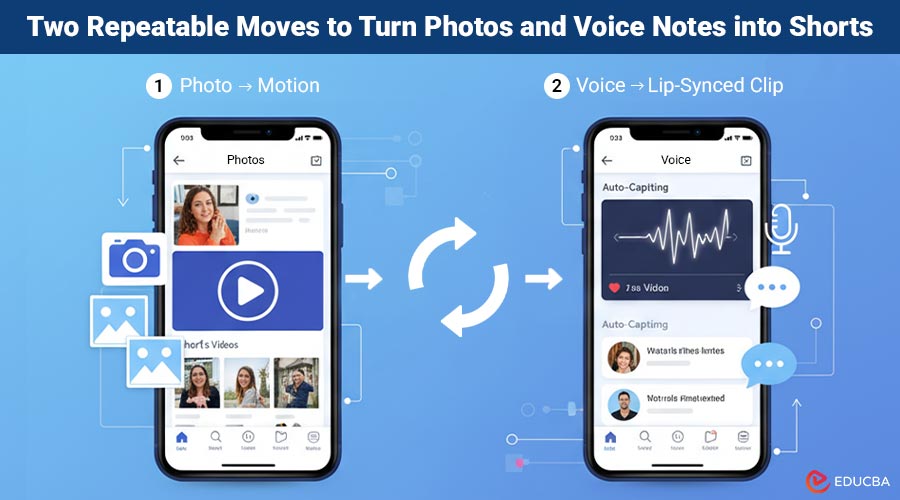
Two Repeatable Moves to Turn Photos and Voice Notes into Shorts
You can create professional, engaging short videos using two simple, repeatable techniques.
1) Photo → Motion
Start with a strong still product beauty, founder portrait, or hero frame and add measured movement: a soft depth pass, gentle parallax, or subtle elements that breathe.
Do’s
- Choose photos with a clear subject and even light.
- Lead with a 2–4 word title card; it sets the context for muted viewing.
- Keep motion quiet; let typography and framing communicate priority.
Don’ts
- Over-animating eyes/mouths for serious topics.
- Busy backgrounds that fight with captions or legal copy.
2) Voice → Lip-Synced Clip
Transform a recorded voice track into a lifelike on-screen delivery whether that is a friendly digital presenter or a stylized brand avatar—for quick, authentic updates that feel personal yet polished.
Do’s
- Record VO in a quiet space; remove filler phrases.
- Use open captions; test legibility on a small phone.
- Get written consent for any real likeness.
Don’ts
- Using look-alikes of public figures.
- News-style framing that could confuse viewers.
A Simple Weekly Pipeline
Follow this repeatable workflow to repurpose photos and voice notes into Shorts efficiently:
- Define the promise (one sentence): Example: “Post credible shorts from your photo archive—no reshoots.”
- Pick the asset: Clean subject edges for animation; front-facing portrait for lip sync.
- Write the words: 40–80 words are enough. Trim adjectives; land one concrete benefit.
- Generate conservatively: In GoEnhance AI, start with subtle motion and natural pacing; you can always add more later.
- Design for silence: Title card → key point → CTA. Two lines of captions, 28–34 characters each, high contrast.
- Export for distribution: Produce 9:16 for Shorts/Reels/TikTok and 1:1 for the feed. Keep file sizes modest.
- Measure like a pro: Look at hold at 2s/5s, average watch time, and saves. Fix the first two seconds before anything else.
Make Results Feel Authentic and Effortless
Follow these key practices to ensure your shorts look natural, human, and professionally polished.
- Pacing Over Perfection: Slight pauses around key nouns make lip sync read human.
- Micro-movement: A small head tilt and irregular blinks beat a steady, “locked” gaze.
- Caption craft: Avoid all caps; add generous line spacing; keep safe margins.
- Color discipline: Reuse brand tokens for background, accent, and CTA.
- Typography hierarchy: Big title, shorter subline, compact CTA—no visual shouting.
Consent, Disclosure, and Record-Keeping
Maintain transparency and ethical standards by following these essential guidelines when creating and publishing AI-assisted shorts.
- Likeness & voice permissions: Written approval for any non-owned face/voice is non-negotiable.
- Labels and watermarks: Follow platform rules for AI-assisted media; do not strip provenance.
- Audit trail: Keep a small log: asset names, prompts/settings, approver, and date.
- Neutral scenes: Avoid third-party trademarks, uniforms, or “breaking news” treatments.
Practical Templates
Use these ready-to-apply templates to streamline your short video creation process and maintain consistency across projects.
Hook lines (pick one)
- “Turn one photo into a week of vertical posts.”
- “Showcase a new feature without touching editing software.”
- “Announce updates in under a minute.”
Caption skeleton
[Title] Two to four words [Line 1] Plain-language benefit [Line 2] Expected outcome or time saved [CTA] Try now / Learn more / See howPre-publish checklist
- Promise line matches the brief
- Approved asset & likeness consent on file
- 9:16 + 1:1 exports with open captions
- Hook A/B tested (first two seconds)
- Log updated with settings and approver
Where GoEnhance AI Fits in the Process?
GoEnhance AI is designed to simplify the process of turning photos and voice notes into Shorts. It provides:
- A photo-to-motion module for dynamic hooks.
- A speech-to-face tool for clear delivery.
- Smart export defaults for multiple platforms.
You keep full creative control script, tone, and brand identity remain yours. The AI simply handles repetitive steps, helping your team produce more credible, engaging videos faster.
Recommended Articles
We hope this comprehensive guide to turning photos and voice notes into shorts helps you streamline your video creation process for 2025. Check out these recommended articles for more insights and strategies to elevate your digital storytelling.


