


Updated May 24, 2023
Introduction to MySQL SHOW
MySQL SHOW command is a special query in MySQL to view the information schema of any records stored on the database. We can define MySQL SHOW with several commands that help deliver important data records or info like logs, events created, triggers, databases, tables, columns, status information of commands, and many more administrative-level commands. This MySQL SHOW command helps provide various transactional, datetime, and output statuses of all the MySQL statement queries on the MySQL server, which we need to keep records of.
The MySQL SHOW commands permit showing off the structure, fields, indexes, and functions created or stored procedures of the MySQL server, which may be necessary to view for the users at a time.
Syntax:
You can find a simple basic syntax to denote the SHOW commands in MySQL, like:
SHOW DATABASES;SHOW ERRORS;SHOW TABLES;SHOW COLUMNS FROM TableName;SHOW [FULL] PROCESSLIST;SHOW EVENTS;SHOW TABLE STATUS;SHOW PRIVILEGES;SHOW WARNINGS;SHOW CREATE VIEW;SHOW VARIABLES;SHOW ENGINE;SHOW INDEX;SHOW GRANTS;SHOW STATUS;SHOW PLUGINS;SHOW CREATE FUNCTION;How does SHOW Command Work in MySQL?
Further, the MySQL SHOW Commands like SHOW CREATE VIEW query allow the display of the create view MySQL statement; SHOW DATABASES query helps list all the databases on the MySQL server. Also, we can use SHOW SCHEMAS as a synonym for SHOW DATABASES, etc. Even we can implement a MySQL LIKE clause along with the SHOW DATABASES that indicates the list of those databases which match a specific pattern type. TO view the server status, we can apply the SHOW STATUS command.
For some critical conditions, SHOW commands in MySQL provide a SHOW ERRORS query to show any errors, warnings, or notes on the server. We can also look up the privileges using the SHOW PRIVILEGES command, supported on that MySQL server version.
In this way, the MySQL SHOW commands work on the MySQL database server to perform different activities responsible for other tasks.
Examples to Implement MySQL SHOW
Let us view some examples regarding the MySQL SHOW commands to understand the functionality better.
Example #1 – Using SHOW DATABASES Command
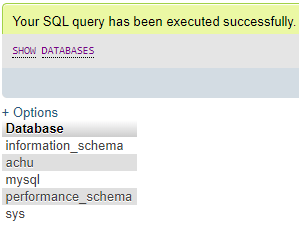
This MySQL command is responsible for displaying all the databases present on the server using the following statement:
Query:
SHOW DATABASES;Output:
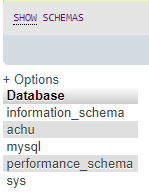
We can also use the SHOW SCHEMAS command, which also results in the same value as the above output.
Query:
SHOW SCHEMAS;Output:
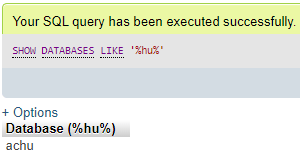
If we want to fetch the information of databases by applying a particular pattern, we should use the LIKE clause in the previous query.
Query:
SHOW DATABASES LIKE '%hu%';Output:
Example #2 – Using SHOW TABLES Command
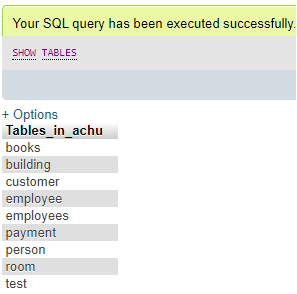
We will apply this command to query and retrieve tables from a specific database on the server. For this, when we log in to the MySQL server or phpMyAdmin then, we need to select a particular database to list out the tables available there using the following query:
Query:
SHOW TABLES;Output:
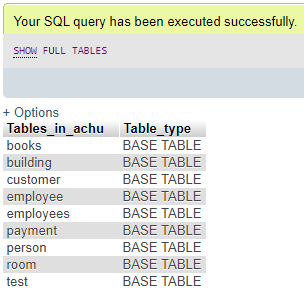
The below SHOW command shows if the existing table is a base or view table in the result fetched.
Query:
SHOW FULL TABLES;Output:
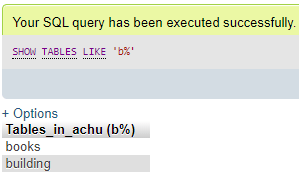
If we further want to fetch the result of tables specifying a specific name, like suppose starting or ending with particular letters, then we use the query here:
Query:
SHOW TABLES LIKE 'b%';Output:
Example #3 – Using SHOW COLUMNS Command
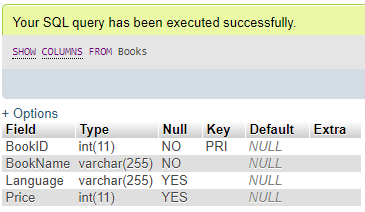
This MySQL command is used to query the list of table columns found in a specific table in a particular database. We will execute the following statement:
Query:
SHOW COLUMNS FROM TableName;Suppose we have a sample table named ‘Books’ in a database.
Query:
SHOW COLUMNS FROM Books;Output:
Example #4 – Using SHOW CHARACTER SET Command
We can check all the present character sets available on the MySQL server. We use the following MySQL statement for this:
Query:
SHOW CHARACTER SET;Output:
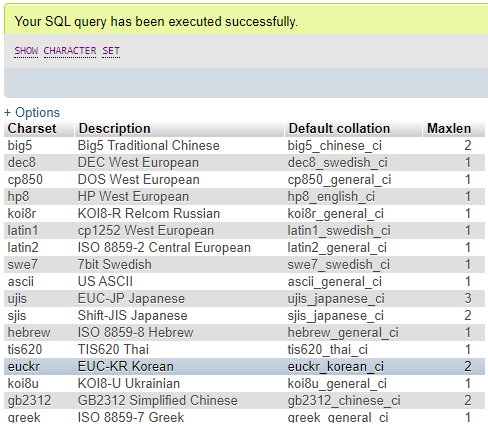
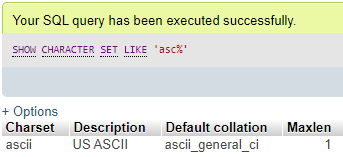
To find a matching character set from the database, we can apply an option such as a LIKE clause to specify a certain pattern expression to produce the matched results. We run the below code:
Query:
SHOW CHARACTER SET LIKE 'asc%';Output:
Example #5 – Using SHOW COLLATION Command
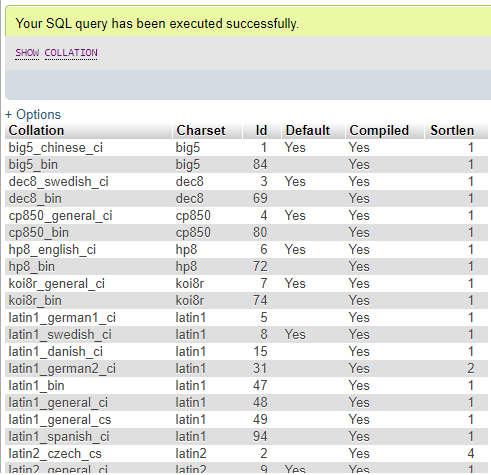
In MySQL, a Collation is a set of procedures for relating letterings in a character set. By using this SHOW COLLATION query statement, we will get the list of collations supported by the MySQL server. Below is the syntax for this command.
Query:
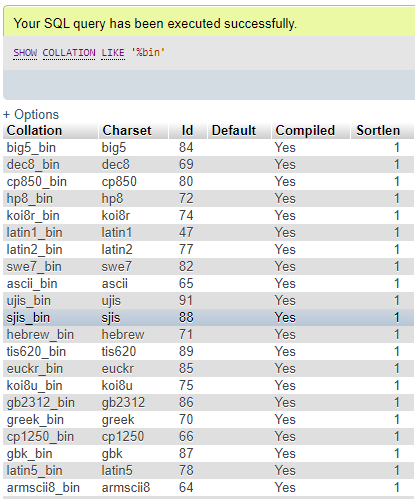
SHOW COLLATION SET [LIKE 'Specified_pattern' | WHERE expression];Also, we use the LIKE clause option to show matched collations on the MySQL server, and with the help of the WHERE clause, we can join a conditional expression with the SHOW query.
Query:
SHOW COLLATION;Output:
Query:
SHOW COLLATION LIKE '%bin';Output:
Example #6 – Using the SHOW ENGINE command
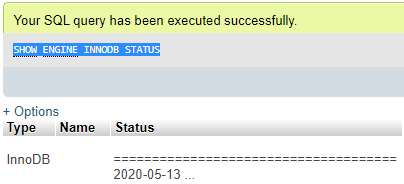
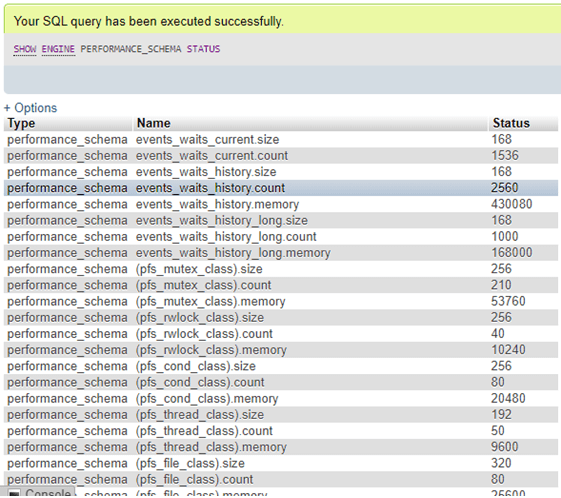
This MySQL SHOW query displays the MySQL Database Engine status report that provides us with functioning information about the storage engine on the MySQL server.
Query:
SHOW ENGINE INNODB STATUS;Output:
We can also perform the following SHOW command:
Query:
SHOW ENGINE PERFORMANCE_SCHEMA STATUS;Output:
Example #7 – Using SHOW ERRORS Command
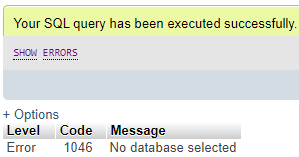
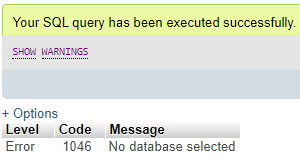
A SHOW command is implemented to show errors, notes, warnings, and notices. This SHOW command works equivalent to SHOW WARNINGS but is an exceptional case of showing errors.
Query:
SHOW ERRORS;Output:
Query:
SHOW WARNINGS;Output:
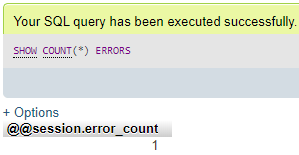
Also, the SHOW code below shows the number of errors found on the server.
Query:
SHOW COUNT(*) ERRORS;Output:
We can also use the LIMIT clause with the SHOW ERRORS command to provide a specific rows number to be displayed after execution having syntax like:
Query:
SHOW ERRORS [LIMIT clause];Example #8 – Using SHOW FUNCTION STATUS Command
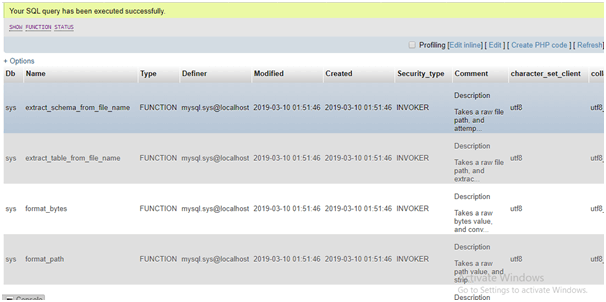
If we want to view the status or characteristics of functions stored in the database, including database, type, name, creation, creator, character set, and revision dates, then follow to use the SHOW FUNCTION command as follows:
Query:
SHOW FUNCTION STATUS;Output:
And many more SHOW commands are available to use in different conditions.
Conclusion
- In this article, we have learnt some important uses of different SHOW commands in MySQL, and can work for distinct operations.
- Using the SHOW syntax mentioned above, we can query to view different sections of database information, from tables and columns to events, errors, and functions, as well as server status and logs.
Recommended Articles
We hope that this EDUCBA information on “MySQL SHOW” was beneficial to you. You can view EDUCBA’s recommended articles for more information.

