


Updated October 26, 2026
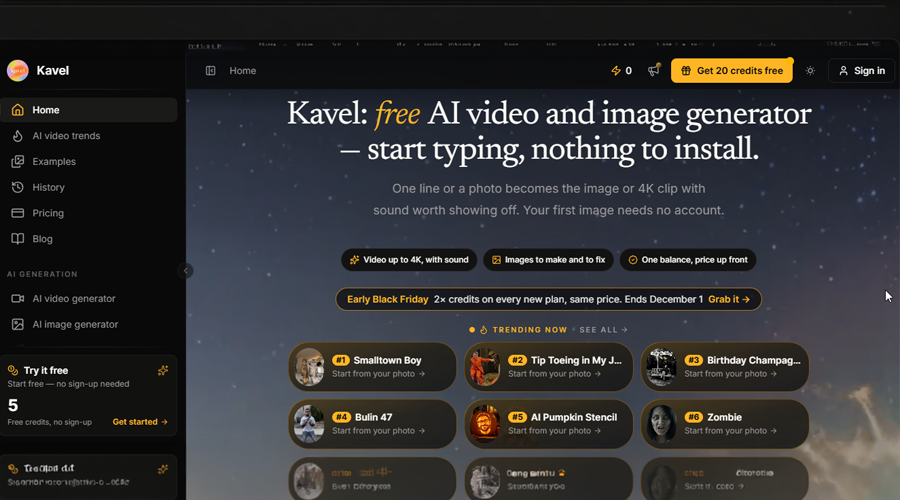
The Kavel AI Video Generator is a free AI video and image generator that turns your photo into the clip you just watched on someone else’s feed. Pick the trend, upload a photo, and the finished vertical video comes back with you in it, sound included, ready to post. It is the shortest route from “I just saw that” to your own version: one photo in, no reference video, no editing app, and no prompt to write.
What is a Photo-to-Trend AI Video Generator?
Most AI video tools start with a blank prompt box. You describe a scene, choose a model, set a duration and aspect ratio, and hope the output matches what you had in mind.
A photo-to-trend generator starts from the other end. The scene, camera moves, timing, and soundtrack are already written because they come from a trend already circulating. The only thing missing is the person, and that is what your photo supplies.
That is the gap Kavel fills. Someone sees a friend’s clip and thinks, “I want one of those, with my face.” The Kavel AI Video Generator provides a page for that exact trend with an upload button ready to use.
Why Recreating a Viral Video Usually Takes So Long?
Before tools like this, copying a trend meant a chain of separate jobs:
- Finding the original clip and working out which template or filter it used
- Installing an editing app such as CapCut and searching its template library
- Supplying a reference video, which many template effects require
- Writing prompts for a general AI video model and re-rolling until the face looked right
- Cropping to 9:16 so the result fits TikTok, Reels, or Shorts
Each step is small. Together, they are why most people who want to join a trend never post anything, and the trend has moved on by the time they figure it out.
How the Kavel AI Video Generator Handles Trend Videos?
One Page per Trend, With the Scene Already Built
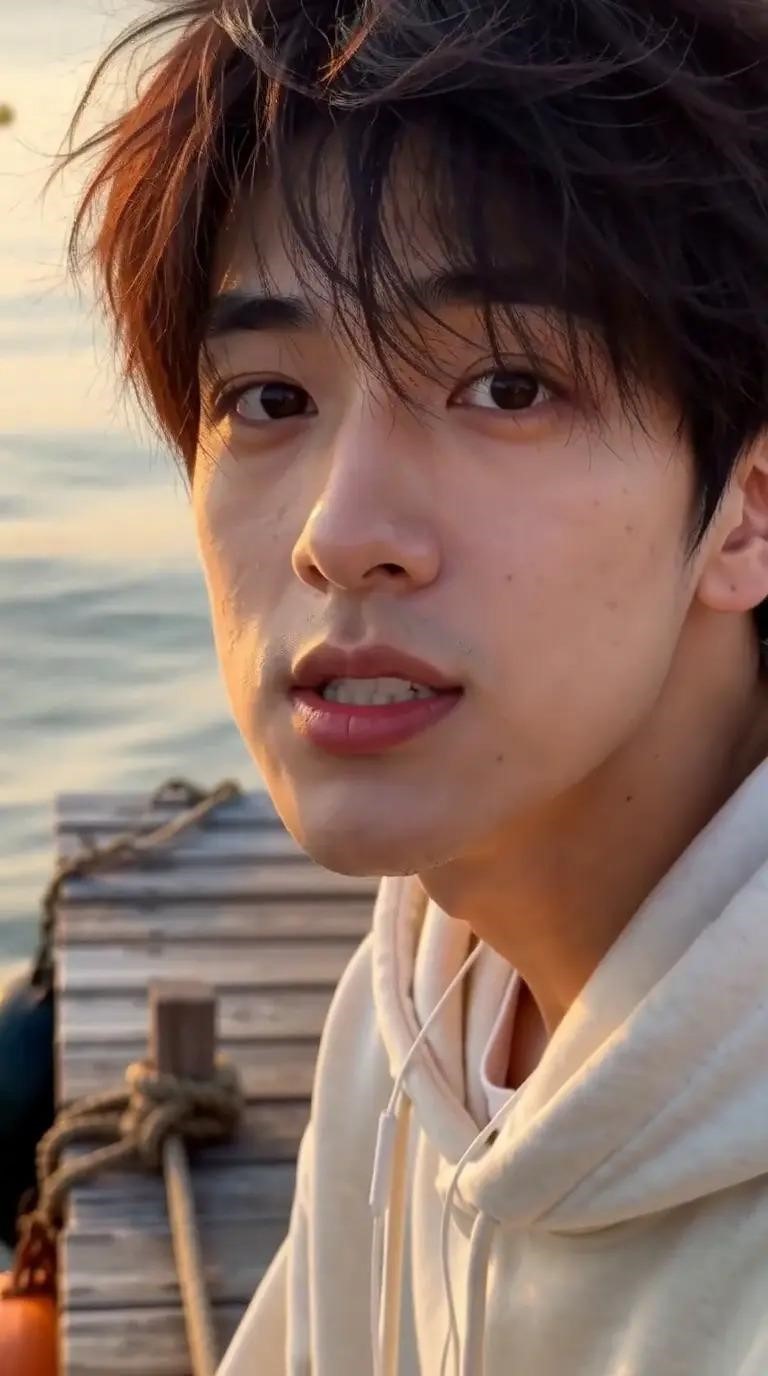
Every trend Kavel covers gets its own page, and the creative work is done before you arrive. Take the Raindance trend: the page asks for one photo and offers six ready-made scenes on a golden-hour pier. The result is a 12-second vertical clip in which your picture cuts to you singing to the lens.
You do not need a reference video, and you do not need CapCut. The Kavel AI Video Generator simplifies the process by letting you choose a trend and provide the photo you want to use.
(Image Source: Kavel)
Stories, Not Just Effects
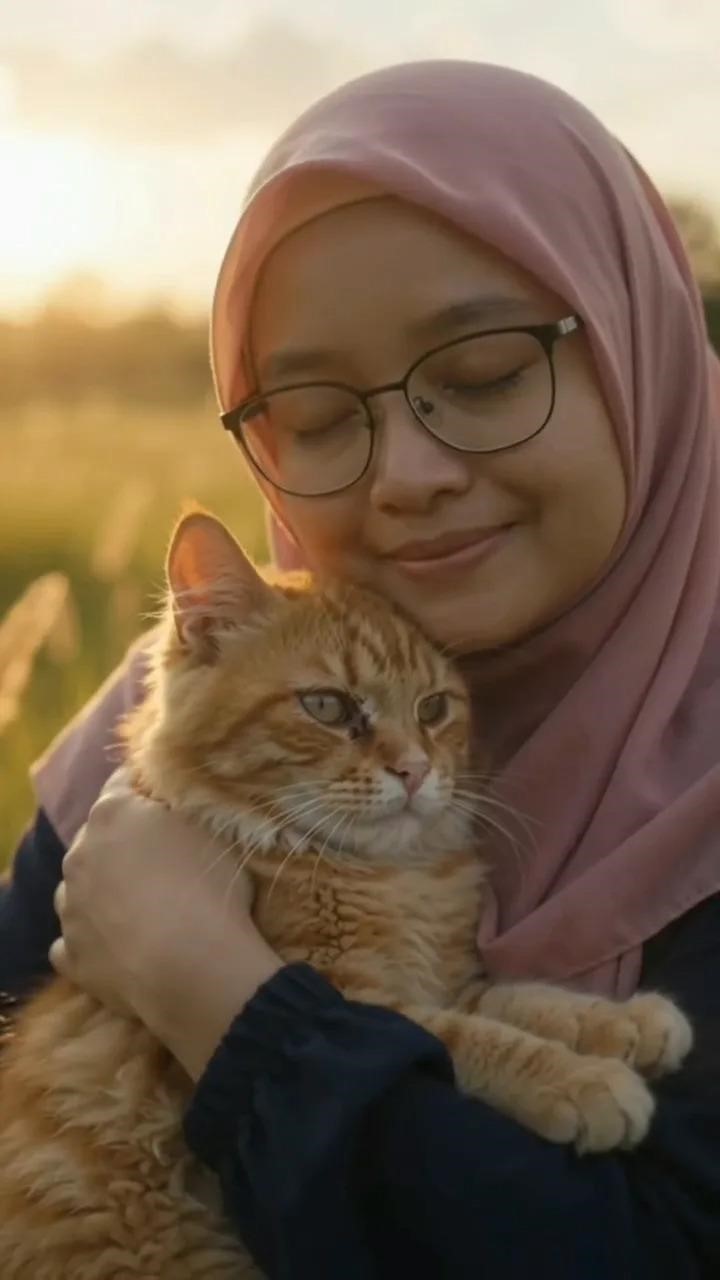
Some trends are short stories, not single effects. Kavel’s zombie trend page takes two photos and produces the whole arc in one clip: your partner has turned, your hands shake on the gun, and then it cuts back to your happiest day together. A dog or cat can play the one who turns. You bring the faces; the script is already there.
(Image Source: Kavel)
Sound and Vertical Framing Built In
Clips come out vertical and with sound, so they are ready for the platforms where the trend lives. Kavel generates video up to 4K with audio, so the clip doesn’t need another editing app before you post it.
For creators who want to publish quickly, the Kavel AI Video Generator combines video generation, audio, and vertical framing in one workflow.
One Credit Pool for Video and Images
Kavel uses a single credit pool you can spend on any model on the site, video or image. AI images can be made without an account or a card. Paid plans skip the free queue, download in HD without the Kavel mark, and license what you make for commercial use.
How to Use the Kavel AI Video Generator?
Step 1: Pick the Trend
Open Kavel (kavel.ai) and choose the trend you want to recreate. Each trend page shows finished examples first, so you can see exactly what you will get before uploading anything.
Step 2: Upload Your Photo
Upload a clear photo of yourself, or two photos for duo trends. A front-facing picture with good light gives the model the most to work with. Choose a scene if the page offers several.
Step 3: Generate and Post
Press generate, wait for the clip, and download it. It is already vertical and already has sound, so it can go straight to TikTok, Instagram Reels, or YouTube Shorts.
The Kavel AI Video Generator removes the need to build a scene from scratch, making it easier to turn a trending idea into personalized social media content.
Kavel vs Interactive Story Apps Like PopVid
Kavel is sometimes mentioned alongside PopVid AI, but the two serve different needs. PopVid AI is an interactive story platform: AI characters answer you in generated video inside community roleplay stories, and its “twist” videos let people remix memes and each other’s clips. When we read PopVid’s public pages in August 2026, it had no public pricing page. Our PopVid AI review covers its credit system, creator program, and 18+ content rules in detail.
| What you want | Better fit |
| Chat with AI characters inside an ongoing story | PopVid AI |
| Remix a meme into a chain of twist videos | PopVid AI |
| A finished trend clip starring your own face, ready to post today | Kavel |
| AI images without making an account | Kavel |
If you came from a PopVid twist and what you really wanted was your version of the clip, the photo-to-trend route is the shorter path. The Kavel AI Video Generator is designed for users who want a finished, personalized video rather than an ongoing interactive story.
Use Cases for Creators
- Joining a trend while it is still trending: Trend clips get the most reach while the trend is peaking. Removing the editing work means you can post the same day you see it.
- Couple and friend content: Duo trends like the zombie story are made for tagging someone else.
- Pet content: Several trends let a dog or cat take a role, and they tend to travel further than a solo clip.
- Social media managers: Brand accounts that ride trends need speed more than control, and paid plans cover commercial licensing for that use.
- Birthday and holiday posts: A personalized clip is a quicker gift than an edited montage.
Final Thoughts
General-purpose AI video generators ask users to act as the director by writing prompts, choosing models, setting durations, and adjusting framing. The Kavel AI Video Generator asks for a photo and a trend.
For people whose actual goal is to recreate a clip they have just seen, this simpler workflow can make the difference between posting their own version and scrolling past the trend. With ready-made scenes, vertical framing, and sound, Kavel offers a straightforward way to create personalized social media videos.
Frequently Asked Questions (FAQs)
Q1. Is the Kavel AI Video Generator free?
Answer: Yes, you can start for free. AI images can be generated without an account or a payment card, while video generation comes with free credits after signing up. Credit packs start at $19.90, and plans start at $29.90 per month. No subscription is required to use credit packs.
Q2. Do I need a reference video to recreate a trend with Kavel?
Answer: No. Kavel’s trend pages already contain the scene, camera movements, and story. You supply a photo, or two photos for duo trends, to create your personalized video.
Q3. What format do Kavel AI videos use?
Answer: Trend clips come out in a vertical 9:16 format with sound, making them suitable for TikTok, Instagram Reels, and YouTube Shorts.
Q4. Can I use videos created with the Kavel AI Video Generator commercially?
Answer: Paid plans include a commercial use license and remove the Kavel watermark from HD downloads. Users should review the applicable plan terms to understand the scope of their commercial rights.
Q5. How is Kavel different from PopVid AI?
Answer: PopVid AI is an interactive story and remix platform built around AI characters and community content. The Kavel AI Video Generator turns your own photo into a finished trend video that you can download and post. The comparison table above explains which platform better fits different creative goals.
Recommended Articles
We hope this guide helps you discover how the Kavel AI Video Generator can turn your photos into trending videos with ease. Explore our recommended articles for more insights on AI video generators, viral social media trends, AI image creation, and content creation tools.


