
VBA Macros Course Bundle
Specialization | 18 Course Series | 13 Mock Tests
This VBA Training includes 18 courses with 76 hours of video tutorials and One year access and several mock tests for practice. Along with this, you also get verifiable certificates (unique certification number and your unique URL) when you complete these courses. This course will take your Excel skills to the next level and want to master visual basic programming and its application.
Offer ends in:
What you'll get
- 76 Hours
- 18 Courses
- Course Completion Certificates
- One year access
- Self-paced Courses
- Technical Support
- Mobile App Access
- Case Studies
- Download Curriculum
Synopsis
- Courses: This is 18-course, Projects bundle. Please note that you get access to all the 18 courses. You do not need to register for each course separately.
- Hours: 76+ Video Hours
- Core Coverage: Basic VBAs and Macros, Advanced VBAs and Macros, Creating Interactive Dashboards using VBA, VBA Macros Applications, Creation of Basic CRM by using Excel VBA and SQL Express, Creating a Basic Project Management Tool
- Excel Templates Included: Excel templates that were used are provided as a download if applicable
- Course Validity: One year access
- Eligibility: Those who want to learn Excel VBA Macros can register for this online course. No eligibility as such.
- Pre-Requisites: None (Basic Excel knowledge should help)
- What do you get? Certificate of Excellence for each of the 18 courses, Projects
- Certification Type: Course Completion Certificates
- Verifiable Certificates? Yes, you get verifiable certificates for each course with a unique link. These link can be included in your resume/Linkedin profile to showcase your enhanced kills
- Type of Training: Video Course – Self Paced Learning
Content
-
MODULE 1: VBA Macros Fundamentals
Courses No. of Hours Certificates Details VBA Macros Overview 1m ✔ VBAs and Macros - Beginners to Beyond 3h 16m ✔ VBAs and Macros - Advanced 7h 36m ✔ VBA and Macros Training 7h 32m ✔ Test - Excel Exam - Complete Test - Excel Complete Test Series Test - Excel Essential Exam -
MODULE 2: Advanced VBA Macros and Dashboard Development
Courses No. of Hours Certificates Details Macros and VBAs Features and Concepts 6h 39m ✔ TreeView and ListView in VBA 2h 23m ✔ Interactive Dashboards using VBA 1h 6m ✔ Test - Amazing Excel Practice Test Test - Microsoft Excel Beginner Exam MS Excel Sales Dashboard 1h 3m ✔ Creating Attendance Register using MS Excel & VBA 3h 6m ✔ Project on Excel VBA - Restaurant Billing System using Microsoft Excel VBA 3h 1m ✔ Test - Mock Excel Test Series -
MODULE 3: Project-based Learning and Advanced Applications
Courses No. of Hours Certificates Details Interactive Sales Dashboards using MS Excel & VBA 2h 18m ✔ Project on VBA Macros - Create a Login-Logout Tracker 3h 35m ✔ Creation of Basic CRM using MS Excel & VBA 3h 49m ✔ Test - Excel 2023 Complete Test Series Test - Microsoft Excel Practice Test Project - Business Barcodes using VBA 1h 05m ✔ Project on VBA Macros - Automation using Loop 28m ✔ Project on VBA - Project Schedule Indexes 2h 52m ✔ Project on VBA - Financial Modeling using VBA 3h 7m ✔ Project - Case Paper using Excel VBA and Macros 2h 51m ✔ Test - Basic Excel Practice Test Test - Advanced Excel Practice Test -
MODULE 4: Mock Tests and Quizzes
Courses No. of Hours Certificates Details Test - Excel VBA Mini Quiz Test - Mini Quiz Excel VBA Test - Excel VBA Assessment Test
Description
Welcome to our comprehensive VBA Macros course! This course is designed to equip you with the essential skills and knowledge needed to master Visual Basic for Applications (VBA) macros in Microsoft Excel. Whether you're a beginner looking to automate repetitive tasks or an experienced user seeking to enhance your VBA proficiency, this course offers something for everyone. Throughout the course, you'll embark on a journey through various sections, each focusing on different aspects of VBA macros. From the fundamentals of VBA programming to advanced topics like creating interactive dashboards and automating complex processes, you'll gain a deep understanding of how to leverage VBA macros to streamline your workflow and increase productivity. Our experienced instructors will guide you through each lecture, providing clear explanations, practical examples, and hands-on exercises to reinforce your learning. By the end of the course, you'll be equipped with the skills needed to create powerful VBA macros, develop custom solutions, and take your Excel automation skills to the next level. Whether you're a student, professional, or business owner, proficiency in VBA macros is a valuable asset that can save you time, increase efficiency, and open up new opportunities for career advancement. Join us on this journey to unlock the full potential of VBA macros and revolutionize your Excel experience!
Section 1: VBA Macros Fundamentals
This section provides an overview of VBA macros, starting from the basics and progressing to advanced concepts. Learners will gain a solid understanding of VBA fundamentals, including how to create and execute macros in Excel. The courses included cover topics such as macro recording, editing, debugging, and automation, preparing learners to harness the power of VBA for automating repetitive tasks and enhancing productivity.
Section 2: Advanced VBA Macros and Dashboard Development
In this section, learners delve deeper into advanced features and concepts of VBA macros. They will explore topics like manipulating user interface elements using TreeView and ListView controls, creating interactive dashboards, and designing sales dashboards for effective data visualization. Additionally, learners will engage in practical projects such as creating attendance registers and restaurant billing systems, applying their VBA skills to real-world scenarios and enhancing their proficiency.
Section 3: Project-based Learning and Advanced Applications
This section focuses on project-based learning and advanced applications of VBA macros in Excel. Learners will work on hands-on projects such as creating a basic CRM system, generating business barcodes, and automating tasks for financial modeling and project scheduling. By applying VBA macros to practical projects, learners will deepen their understanding of VBA concepts and develop valuable skills for solving complex problems efficiently.
Section 4: Mock Tests and Quizzes
To reinforce learning and assess comprehension, this section includes mock tests and quizzes. Learners can test their knowledge and skills acquired throughout the course, ensuring a comprehensive understanding of VBA macros and their applications in Excel. Additionally, these assessments provide valuable feedback to learners, helping them identify areas for further improvement and mastery of VBA macros.
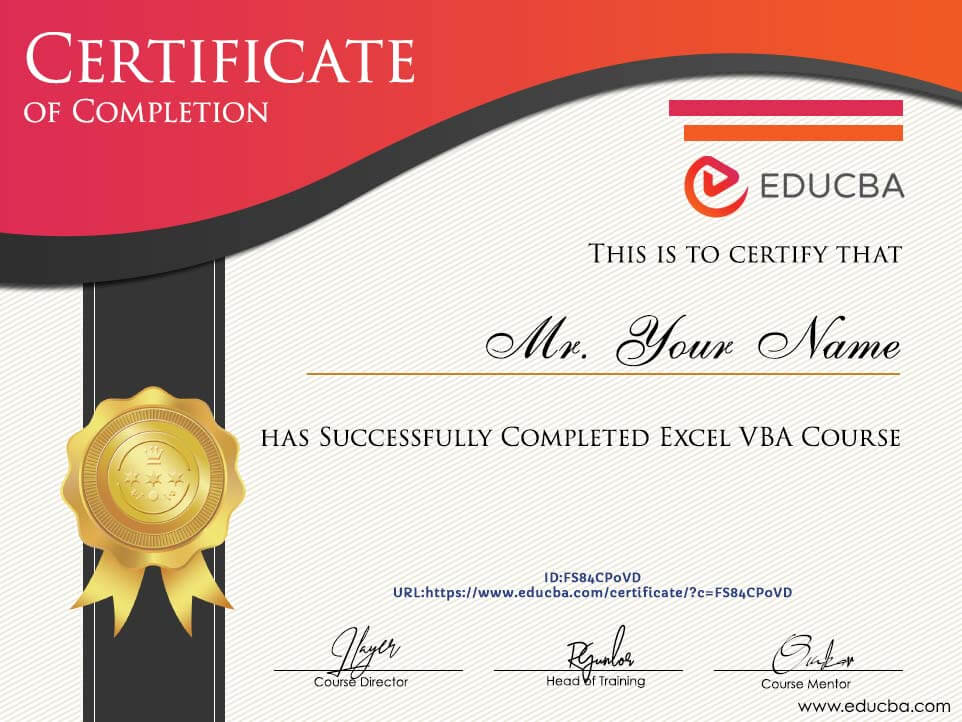
Sample Certificate
Requirements
- Basic knowledge of Microsoft Excel: Familiarity with Excel's interface, basic functions, and spreadsheet concepts will help in understanding the application of VBA macros within Excel.
- Understanding of programming concepts: While not mandatory, having a basic understanding of programming concepts such as variables, loops, and conditional statements can facilitate the learning process.
- Access to Microsoft Excel: Participants should have access to Microsoft Excel installed on their computers to practice the exercises and examples provided throughout the course.
- Eagerness to learn: A positive attitude and willingness to engage with the course material through practice and experimentation are essential for success in mastering VBA macros.
- Access to a computer with internet: Participants should have access to a computer with internet connectivity to watch video lectures, access course materials, and interact with online resources.
Target Audience
- Excel Users: Individuals who use Microsoft Excel for data analysis, reporting, and other tasks and want to enhance their skills by learning VBA macros.
- Beginners: Those who have little to no experience with VBA macros but are eager to learn how to automate tasks and improve productivity in Excel.
- Professionals: Working professionals across various industries who rely on Excel for their day-to-day tasks and seek to streamline workflows through automation.
- Analysts: Data analysts, financial analysts, and business analysts who want to leverage VBA macros to manipulate data, generate reports, and perform complex calculations more efficiently.
- Programmers: Aspiring programmers who want to expand their skill set by learning VBA macros and their application in Excel.
- Small Business Owners: Entrepreneurs and small business owners who use Excel for budgeting, inventory management, and other business-related tasks and want to automate processes to save time and resources.
- Students: College students or anyone pursuing a degree who wants to gain a competitive edge in their academic or professional endeavors by mastering VBA macros.
Course Ratings
Offer ends in:
Training 5 or more people?
Get your team access to 5,000+ top courses, learning paths, mock tests anytime, anywhere.
Drop an email at: [email protected]

This was very exceptional never even thought i could gather this much. Thanks for this great opportunity.
OYEWOLE, DIMEJI YEMI
We learn about pivot tables, pivot charts and visualize the raw data by creating the dashboard. An Excel dashboard is a one pager (mostly, but not always necessary) that helps managers and business leaders in tracking key KPIs or metrics and take a decision based on it. It contains charts/tables/views that are backed by data
Sami Haider
I will definitely give this course a 5 star cause I was impressed with some of the information presented. I have taken various dashboard courses to find little gold nuggets and i found a bunch in this course. The instructor provided some new twists for creating dynamic ranges, for example. He didn't present the normal formulas that I have seen from different sites but came up with some new approaches which caused my eyes to grow wider. I felt I was gaining a deeper understanding how excel thinks and works. His presentation showed me that he put some thought and effort into the presentation and made an effort to bring me from a Joe to a Pro!
Samson Oluwasegun Abioye
The ability to build simple-to-read and highly insightful dashboards in excel is a necessity for any data analyst or business intelligence professional worth their salt. I recommend this short course to anyone out there trying to start learning how to build interactive dashboards in excel. Learn with ease and fun. Thank me later!
Joel Baidoo