


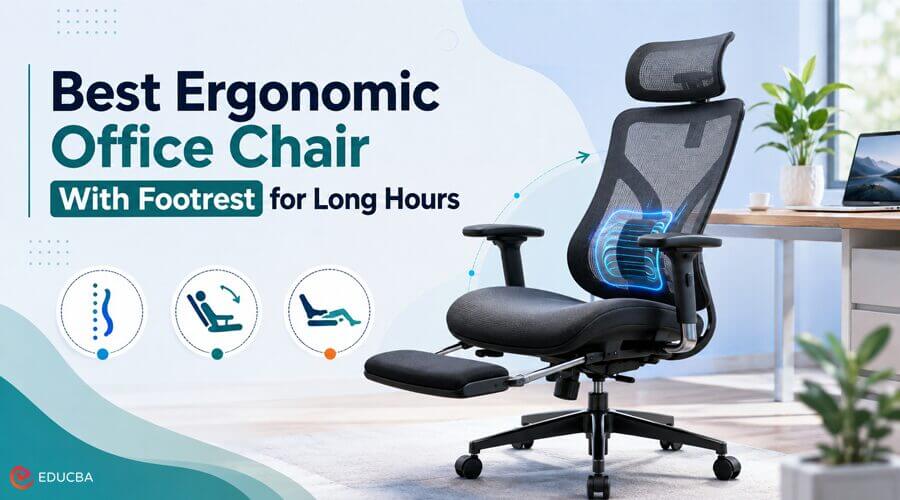
You spend long days in an office chair, so every weakness will be exposed. A comfy seat for 30 minutes can turn into a tense lower back, raised shoulders, and restless legs by halfway through the day. That is why an ergonomic office chair with a footrest is important. Instead of sitting in the softest seat you can find, you need a chair that can adjust to your body and support different working positions. A good footrest can also help make reclining breaks more manageable.
However, the chair as a whole should provide ample lumbar support, adjustable armrests and seat depth, and a stable working posture. Guidance from OSHA and the Mayo Clinic indicates that the feet should rest on the floor or a footrest, with the back and thighs properly supported by the chair. This guide also discusses the importance of these features, which styles fit different users, and what to look for (and avoid) if your goal is to choose the best ergonomic office chair for maximum everyday comfort and value.
Why Does a Footrest Matter During Long Working Hours?
The footrest supports your legs when you lean back, read, jump on a call, or take a break between tasks. It is useful for remote workers who use the same ergonomic office chair for work, meetings, and relaxing. The important difference is between a built-in reclining footrest and a fixed ergonomic footrest. Your feet should generally stay flat on the floor and still while doing focused keyboard work. If you have to raise your chair to the level of the desk and your feet no longer reach the floor, OSHA recommends a footrest for stability.
The built-in leg rest is really nice when:
- You routinely recline while taking a call or sit back while reading.
- Your legs start to feel tired after a few hours.
- You alternate between sitting up straight and slouching.
- You want it to retract completely and stay out of the way when it is not needed.
Its purpose is to provide another way to sit without disrupting your regular desk work.
What Features Define the Best Ergonomic Office Chair With Footrest?
The best ergonomic office chair does not rely on a single standout feature. Instead, it combines several ergonomic adjustments that work together to support your posture throughout the day.
Adjustable Lumbar Support
Good lumbar support guides the natural curve of the lower spine rather than aggressively pushing into a single point. Look for height, depth, firmness, or multi-zone adjustment. A chair that is properly adjusted, according to OSHA, should provide support to the back, legs, buttocks, and arms while minimizing awkward postures and contact stress.
Seat Height and Depth
The proper seat height should keep your knees at approximately 90 degrees, with your thighs roughly parallel to the floor. Seat depth is just as important. If the seat is too long, it could press against the back of your knees, if it is too short, your thighs might not be properly supported. If different people will be using the chair, an adjustable seat pan can be beneficial.
Armrest Range
Armrests must support the forearms without raising the shoulders. Height adjustment is the minimum. Enhanced models also move forward and backward, inward and outward, or rotate to adapt to typing, mouse work, and reclined use. Cornell, which has its own ergonomics guidance page on its website, suggests armrests that slide out of the way and fit comfortably.
Supportive Recline
Sitting squarely for the next eight hours is neither practical nor a requirement. If your chair reclines easily, you can shift pressure points throughout the day. Cornell guidance encourages a mildly reclined working posture instead of rigidly holding the body at 90 degrees. Watch for controlled resistance, the ability to lock recline positions securely, and a backrest that continues to support your lumbar area as you lean back.
Breathable Materials and an Adjustable Headrest
A high-quality ergonomic office chair should also use breathable materials that keep you comfortable during long working hours. Mesh is ideal for extended use because it allows better airflow, distributes pressure more evenly than thick upholstery, and traps less heat. At the same time, the mesh should feel supportive enough that it does not sag over time. An adjustable headrest is useful when reclining, attending video calls, or reading for short periods. It should support your neck naturally without pushing your head forward.
Which Chair Types Work Best for Different Users?
The best ergonomic office chair depends on how you work. These categories make it easier to compare different options and find a chair that suits your daily routine.
Best for Full-Day Desk Work
If your workday runs a full eight hours, get a chair with well-defined lumbar support, adjustable seat depth and armrest height and range, a breathable material, and a stable recline. Use the footrest to add comfort, but do not buy the chair for the footrest alone. On paper, this type is compatible with the HBADA E3 Pro 2026 Edition.
The chair offers three-zone adaptive lumbar support, seat-depth adjustment, four-position recline up to 140 degrees, a 4D headrest, and highly adjustable armrests, all made of breathable mesh, with an optional footrest. The advertised optimal height range is 5 ft 1 in to 6 ft 5 in, and it supports up to 330 lbs. A full breakdown of the configuration can be found on the E3 Pro 2026 product page.
Best Ergonomic Office Chair for Remote Workers
Remote workers may type for an hour, join a meeting, review documents, and then lean back for a call. For this pattern, choose a chair with easy-to-reach controls and quick-adjust armrests. An ergonomic office chair with a footrest works well here when the leg rest slides away cleanly. You should not need to rearrange the chair every time your task changes.
Best Ergonomic Office Chair for Warm Rooms
If your workspace becomes hot, prioritize a mesh back and seat. Breathability can make long afternoons more comfortable. Do not judge mesh only by appearance. Check the weight rating, frame construction, edge pressure, and whether the material stays supportive across the seat.
Best Ergonomic Office Chair for Taller or Shorter Users
People outside the middle of the height range should examine dimensions carefully. Terms such as “fully adjustable” do not guarantee a proper fit.
Check:
- Minimum and maximum seat height
- Usable seat-depth range
- Backrest and headrest travel
- Armrest height relative to your desk
- Footrest length when extended
A chair can offer many adjustments and still be wrong for your proportions.
Best for Reclining and Short Recovery Breaks
If you take calls, read, or get up between work blocks, a robust recline and pull-out leg support might be worth it. Chair stability should not be compromised here; the mechanism should feel solid, and the footrest should hold the lower legs securely without ever making you feel off-balance or like you are about to topple. This is precisely where an ergonomic office chair with footrest beats a conventional task chair. This creates a comfortable position without needing an extra ottoman.
How to Test an Ergonomic Office Chair Before Buying?
A quick five-minute test can be misleading. To see whether an ergonomic office chair truly suits you, use it for a few typical working days and note how your body feels after 2, 4, and 6 hours of sitting.
Use this setup order:
- Set the seat height for stable foot positioning.
- Use the seat-depth adjustment to leave a small gap (less than two finger widths) behind your knees.
- Place the lumbar support against the curve of your lower back.
- Lower the armrests to a point where your shoulders relax.
- Set the recline resistance to make sure it moves as expected.
- Use the leg rest primarily while reclining.
Change one setting at a time. Then take a little time to see how things pan out.
Common Mistakes When Buying an Ergonomic Office Chair
The first mistake is choosing a chair based on padding alone. Extremely plush cushioning that feels lovely at first can become uncomfortable within weeks. The second is automatically assuming that more adjustability means better ergonomics. Controls should be helpful, actionable, and appropriate for your body. The third is failing to account for desk height. Even the best chair will not fully fix a desk that keeps your elbows too high or your monitor too low.
Moreover, finally, no chair will ever replace movement: get up, walk around, and change your position throughout the day. Ergonomics does not make sitting in one position any better; it simply lessens the muscle fatigue that comes from remaining in a given posture for an extended period.
Final Thoughts
The ideal ergonomic office chair for long working hours is not simply the one with the thickest cushion or the longest list of features. It is the chair that fits your body, supports your lower back, keeps your arms comfortable, and allows you to change positions naturally throughout the day. A well-designed ergonomic office chair with a footrest is an excellent choice for professionals who switch between focused work, meetings, reading, and short periods of reclining.
When comparing chairs, prioritize lumbar support, seat dimensions, adjustable armrests, breathable materials, and a smooth recline mechanism before considering the footrest itself. Shop based on fit rather than marketing claims, spend time fine-tuning the adjustments, and remember that even the best ergonomic office chair delivers the greatest benefits when paired with regular movement, proper desk setup, and healthy sitting habits.
Recommended Articles
We hope this guide helps you choose the best ergonomic office chair for long working hours with the right support, comfort, and adjustable features to improve your daily workspace. Explore these recommended articles for more insights into ergonomic office furniture, workplace ergonomics, home office setup, posture improvement, and healthy sitting habits.

