


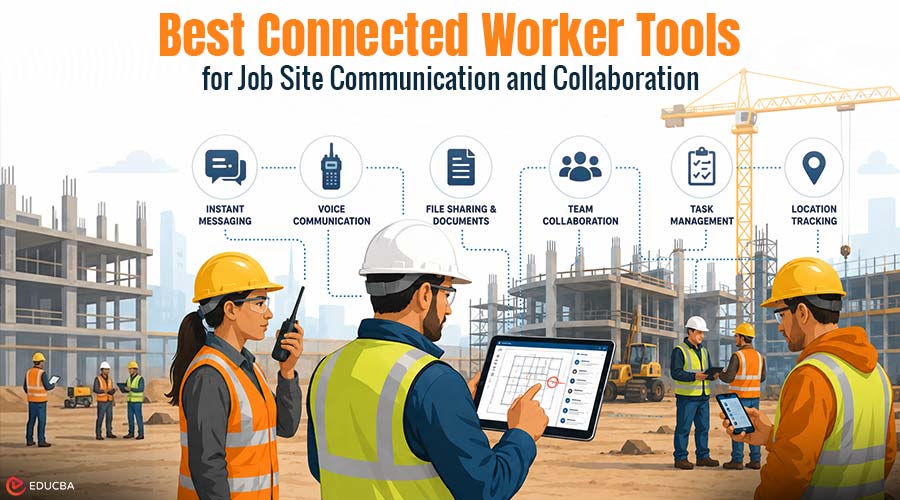
Maintaining clear communication among workers on a busy job site is crucial for ensuring productivity, safety, and overall efficiency. Whether teams are spread across multiple floors, remote locations, or large construction projects, reliable communication can prevent delays and reduce costly mistakes. Fortunately, today’s connected worker tools are more affordable, durable, and user-friendly than ever before. As organizations continue investing in digital workforce solutions, the connected worker market is expected to reach $11.49 billion in 2026. This growth highlights the increasing demand for technologies that improve communication, collaboration, and visibility across job sites.
If you want gear that survives drops, dust, and long shifts, you have real choices now. In this blog, you will find 10 tools, starting with our top pick, along with the mix that fits your site.
Best Connected Worker Tools for Job Site Communication and Collaboration
Here are the best connected worker tools that help streamline job site communication, improve collaboration, and keep field and office teams seamlessly connected.
1. Peak PTT
Peak PTT sits at the top for a reason: it treats voice as the thing your crew leans on most. If you want one tool that works the second you press the button, this can be it.
What it Does?
Peak PTT runs on 4G LTE and WiFi, so your team can talk at the push of a button, from one floor to across state lines. No repeaters, no tower juggling. Radios arrive ready to use, which helps a lot if you cycle through new hires. You can mix radios and phone apps on the same channel, too.
Why it Stands Out?
The PTT-624G is the loud, rugged one, with an IP68 rating, a 5000 mAh battery, dual noise-canceling mics that cut through generator hum, and a built-in map so supervisors can see who is talking. The PTT-394G is a compact pick, IP67-rated and drop-tested from 5 feet, with an OLED screen and roughly 5 days of standby. If your crew works in noisy environments, the PTT 58394G Surveillance Headset keeps hands free while keeping voices clear.
| Device | Best for | Rating | Battery | Standout |
| PTT-624G | Supervisors, loud sites | IP68 | 5000 mAh | Built-in map, 2W speaker |
| PTT-394G | All-day field crews | IP67 | 3600 mAh | OLED screen, compact |
| PTT 58394G Headset | Noisy, hands-free work | Built to last | n/a | Discreet, noise-canceling |
2. Procore
Procore is one of those platforms that tries to hold your whole project in one app. If your paperwork lives in five places right now, it can bring all that mess into a single feed.
What Does it Handles?
Procore pulls the office and the field onto one screen, so drawings, RFIs, daily logs, and photos all live in the same place. If a spec changes at 7 a.m., your crew can see it before the first pour.
How Can it Help You?
The mobile app can work offline, which matters when you are deep in a basement or out past the last cell tower. You snap a photo, tag the location, and it syncs once you get a signal back. For bigger jobs with lots of subs, that shared record can save you from the classic he-said-she-said over what got approved. It can feel heavy for a tiny two-person crew, so it tends to shine on mid-size and large projects where the paper trail grows quickly, and people need answers without having to drive back to the trailer.
| Feature | Best For | Availability | Mobile Access | Standout |
| Drawings | Field teams | Included | Yes | Real-time plan updates |
| Daily Logs | Supervisors | Included | Yes | Faster field reporting |
| Project Financials | Project managers | Included | Yes | Budget visibility and control |
3. Fieldwire
Fieldwire keeps things close to the dirt, focused on the tasks your crew tackles hour by hour. If your days run on punch lists and plan changes, this one can feel made for you.
What Makes it Valuable?
Fieldwire, now part of Hilti, lives on the tasks that make or break a day. You load the plans, drop pins where work needs doing, and assign them to the right person without a single group text.
Fieldwire Features Worth a Look
The plan viewer can handle large drawing sets on a phone or tablet, so nobody has to unroll paper on a windy deck. Field workers can mark up sheets, attach photos, and check off punch list items as they go, and the office can monitor progress in near real time. If your jobs run on tight schedules, that quick loop between found-it and fixed-it can shave days off a punch walk. It leans more toward field execution than full accounting, so many teams pair it with a bigger platform. For task-level coordination on the deck, though, it can be hard to beat.
| Feature | Best For | Availability | Mobile Access | Standout |
| Task Management | Site crews | Included | Yes | Real-time assignment updates |
| Plan Viewer | Field teams | Included | Yes | Fast and reliable drawing access |
| Punch Lists | Project closeouts | Included | Yes | Efficient issue tracking |
4. Microsoft Teams
Teams shows up on plenty of sites because the office already runs on it. If your back office and field crew need to talk frequently, it can close that gap without requiring new logins for everyone.
What it Does?
Teams gives your crew chat, calls, video, and file sharing in one app that most folks already half-know from the office. You can spin up a channel per trade, so the electricians are not buried under concrete updates.
Where it Fits?
On a job site, the value can be the bridge it builds to the back office. A super in the field can hop on a video call, point the camera at a tricky detail, and get an answer from an engineer who never left the desk. Files, submittals, and meeting notes sit in one searchable spot. It needs a decent data connection to feel smooth, so it pairs well with strong site WiFi or a hotspot. For pure, instant voice over a loud site, a radio still wins, but for richer back-and-forth, Teams can carry much of the load.
| Feature | Best For | Availability | Mobile Access | Standout |
| Team Channels | Department communication | Included | Yes | Organized, structured discussions |
| Video Meetings | Remote collaboration | Included | Yes | Reliable HD conferencing |
| File Sharing | Document management | Included | Yes | Seamless Microsoft 365 integration |
5. Samsara
Samsara looks past the trailer and out at everything that moves. If your trucks and machines wander across town or across the county, it can give you eyes on all of it.
What Makes it Valuable?
Samsara watches the moving parts of your operation, your trucks, trailers, and heavy equipment, through GPS, dash cams, and sensors that report back in real time. You can see where every vehicle is from a single dashboard.
How it Helps the Crew?
If a crew is waiting on a delivery, dispatch can provide a real arrival window instead of just shrugging. The cameras can flag risky driving and help clarify what happened after an incident, protecting your drivers as much as your trucks. Equipment sensors can warn you before a machine quits, so you fix it on your terms rather than mid-pour. It carries a real cost and works best across a fleet, so a single van might not need it. For companies operating large amounts of rolling stock, the visibility can pay for itself.
| Feature | Best For | Availability | Mobile Access | Standout |
| GPS Tracking | Fleet management | Included | Yes | Real-time location visibility |
| Dash Cams | Safety monitoring | Included | Yes | Incident clarity and accountability |
| Equipment Sensors | Maintenance planning | Included | Yes | Predictive breakdown alerts |
6. Spot-r by Triax
Spot-r leans hard into safety, turning each worker into a dot you can find in a hurry. If your site goes up instead of out, that kind of awareness can matter even more.
What it Does?
Spot-r is a small sensor your workers clip to a belt that quietly tracks location, falls, and time on site. If someone takes a hard fall, it can trigger an alert for the person and the floor.
Why it Matters?
On a big vertical build, knowing who is where can change how fast help arrives. During an evacuation, you can push a site-wide alarm to every clip and get a live headcount instead of running a clipboard down twelve flights. The same data can handle attendance and labor hours without anyone having to punch a clock. It asks workers to wear the device, so buy-in matters, and it shines most on larger sites where a hand count gets messy. For safety-first teams, that extra layer of awareness can be worth the ask.
| Feature | Best For | Availability | Mobile Access | Standout |
| Wearable Tracking | Worker visibility | Included | Yes | Real-time location monitoring |
| Fall Detection | Safety response | Included | Yes | Instant emergency alerts |
| Live Headcount | Emergency evacuation | Included | Yes | Faster accountability tracking |
7. ServiceTitan
ServiceTitan speaks the language of service techs who live in their vans. If your business runs on calls, quotes, and quick turnarounds, it can tie that whole day together.
What it Does?
ServiceTitan is built for the trades, HVAC, plumbing, electrical, and the techs who roll van to van all day. It ties scheduling, dispatch, invoicing, and customer history into a single mobile flow your field people can run on a phone.
Where it Helps You?
When a tech finishes early, dispatch can route them to the next job in seconds, so fewer hours leak away. The tech can pull up a home’s full service history at the door, quote on the spot, and take payment before leaving the driveway. Office and field stay on the same page, eliminating awkward callbacks about what was promised. It is a larger investment intended for service businesses, so a pure construction GC may not need it. For shops that live on service calls, the link between field and front desk can be a game-changer.
| Feature | Best For | Availability | Mobile Access | Standout |
| Scheduling & Dispatch | Field operations | Included | Yes | Faster job routing |
| Customer History | Service delivery | Included | Yes | Full job context on-site |
| Mobile Invoicing | Job completion | Included | Yes | Instant billing and payment |
8. Starlink
Starlink solves a problem that stops every other tool cold: no signal. If your site is far from the nearest tower, this can be what switches everything else back on.
What it Does?
Starlink beams high-speed internet from low-orbit satellites, so a site with weak or zero cell coverage can still get online. You set up a dish, point it at the open sky, and most other tools on this list suddenly work the way they should.
Why it can Matter?
Remote builds, rural utility work, and disaster response often sit far from any tower, and that dead zone can stall every connected device you own. A solid link means your cloud apps, video calls, and tracking all keep humming. The kit and monthly plan cost money, and heavy tree cover or canyons can get in the way, so placement matters. For teams whose biggest problem is simply having a signal at all, Starlink can be the piece that makes everything else click into place.
| Feature | Best For | Availability | Mobile Access | Standout |
| Satellite Internet | Remote job sites | Included | Yes | Reliable off-grid connectivity |
| Cloud Access | Digital workflows | Included | Yes | Enables all connected tools |
| Portable Setup | Temporary sites | Included | Yes | Flexible installation |
9. Raken
Raken aims to address the part of the day nobody loves: reporting. If your foremen lose evenings to paperwork, it can hand back a chunk of that time.
What Makes it Valuable?
Raken keeps the daily grind simple, daily reports, time cards, photos, and safety logs, all from a phone in a couple of taps. You speak or type a quick note from the field, and it lands in a clean report the office can read.
Why do Crews Stick With it?
The big win can be getting field data without burning a foreman’s evening on paperwork. Workers log hours and snap progress photos throughout the day, so the report nearly writes itself by quitting time. Production tracking and safety checklists live in the same app, keeping your audit trail tidy. It focuses on field reporting rather than full project management, so larger outfits often run it alongside a heavier platform. For crews that want less admin and more time on tools, Raken can lighten the daily load.
| Feature | Best For | Availability | Mobile Access | Standout |
| Daily Reports | Field documentation | Included | Yes | Fast mobile reporting |
| Time Tracking | Labor management | Included | Yes | Reduced administrative work |
| Safety Logs | Compliance tracking | Included | Yes | Organized site records |
10. Bluebeam Revu
Bluebeam Revu treats your plans like a shared canvas the whole team can touch. If drawing accuracy makes or breaks your work, it can keep everyone honest.
What it Does?
Bluebeam Revu turns your plans into a living workspace, where teams can mark up PDFs, measure, and comment on the same set at once. You can run takeoffs and redlines on a tablet right where the work is happening.
Where it Fits?
Studio Sessions let people in the trailer and the field edit one document together, so changes show up for everyone instead of getting lost in a dozen printed copies. Markups carry over cleanly, which can keep a submittal review from turning into a guessing game. It rewards a little learning time, and it leans more toward documents than live messaging, so it pairs nicely with a radio or chat tool for the talking part. For plan-heavy work where accuracy counts, Revu can keep your whole team reading the same page.
| Feature | Best For | Availability | Mobile Access | Standout |
| PDF Markups | Plan collaboration | Included | Yes | Shared real-time annotations |
| Takeoff Tools | Estimating | Included | Yes | Accurate measurement workflows |
| Studio Sessions | Team collaboration | Included | Yes | Live multi-user editing |
Picking the Tool Your Crew Will Carry
There is no single solution that fits every job site. The most effective connected worker tools strategy for 2026 combines communication, project management, safety, and connectivity tools. The trick is to match the gear to how your crew works. If voice is your lifeline, a push-to-talk system like Peak PTT can be the backbone, with radios that take a beating and a headset for the loud days. On a platform like Procore or Fieldwire for plans and logs, add Samsara or Starlink if your sites are spread out or far out, and lean on wearables when safety is the priority. Start with one painful gap, fix that, and grow from there. Your crew will tell you fast what sticks.
Final Thoughts
Connected job sites depend on fast, reliable communication and the right mix of digital tools. From real-time messaging and project management platforms to safety systems and connectivity solutions, these connected worker tools help bridge the gap between field and office teams. The key is not to use everything at once, but to choose the tools that solve your biggest challenges first, then scale as your operations grow. With the right setup, teams can reduce delays, improve coordination, and keep projects running smoothly from start to finish.
Recommended Articles
We hope this comprehensive guide to connected worker tools helps you improve job site communication and efficiency. Check out these recommended articles for more insights and strategies to strengthen your field operations and team connectivity.

