


CMMS for Small Businesses: Overview
Running a small business requires handling many roles at once. From managing staff and overseeing daily operations to tracking finances, everything depends on your ability to keep things running smoothly. However, unresolved maintenance issues can quickly pile up and become overwhelming. The solution? CMMS for small businesses. A Computerized Maintenance Management System helps streamline maintenance operations and brings order to what would otherwise be chaos. This article explains how CMMS software improves daily operations and why it has become essential for small businesses.
What Exactly is a CMMS?
A CMMS is a digital system that supervisors, schedulers, and maintenance planners use to manage operations and maintenance tasks. Think of it as a trusted database that tracks, monitors, schedules, and centralizes maintenance tasks for you.
Instead of a mountain of spreadsheets and scattered sticky notes, everything is organized and accessible from a single and shared location. In fact, CMMS is a notable solution for businesses to reduce downtime and maintenance chaos. It saves time, reduces confusion, and prevents missed repairs.
How Does CMMS for Small Businesses Work?
CMMS software centralizes maintenance operations to maximize the availability and performance of physical assets such as machinery, infrastructure, vehicles, and equipment. Below are the key features that make CMMS so effective:
- Work Order Management: Automates and organizes the creation, assignment, and tracking of operational and maintenance tasks.
- Scheduling: Also known as resource and labor management, scheduling helps in the effective allocation of human resources and material goods to achieve greater productivity.
- Asset Registry: Acts as a centralized database for assets for seamless management across the business
- Condition Monitoring: Continuously tracks asset and operational resource condition and performance, alerting maintenance teams to any anomalies.
- Reporting and Analytics: Helps identify inefficiencies in maintenance processes, maximize transparency across the organization, and uncover cost-saving opportunities.
- Predictive Maintenance: Collects and analyzes historical and real-time data to forecast equipment maintenance needs, preventing sudden breakdowns and downtime.
- Inventory Management: Helps you track the availability, location, and status of different items to ensure the right components are available.
- Mobile Maintenance: Enables supervisors and technicians to access information and initiate and oversee maintenance tasks from mobile devices, anywhere.
- Auditing and Compliance Tracking: Ensures that all maintenance activities are well documented and comply with the latest industry guidelines.
Why CMMS for Small Businesses is Essential?
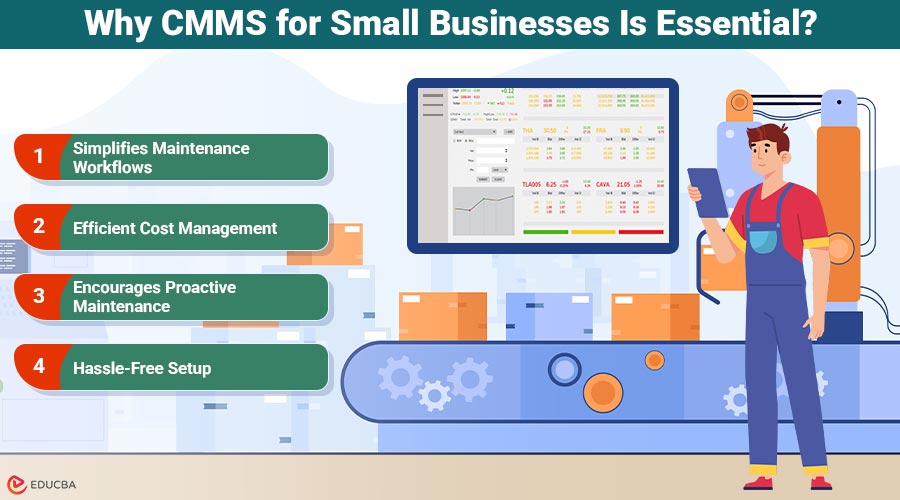
Small businesses often rely on a few machines, tools, or vehicles so that equipment failure can disrupt operations. CMMS minimizes this risk with preventive maintenance and timely alerts, keeping assets in optimal condition and avoiding costly breakdowns. Here is an overview of the other factors, highlighting why CMMS is a necessity for small businesses:
1. Simplifies Maintenance Workflows
When you have a limited workforce and resources, you cannot afford complicated processes or costly mistakes. CMMS aims to simplify everything, from initiating tasks to tracking progress and generating reports. Even better, the software gives employees mobile access to update work orders from anywhere. This means there are no more missed updates or repair alerts. Everyone stays informed and completes their work on time.
2. Efficient Cost Management
Many business owners still believe that cost management is an unnecessary expense. But in reality, it saves your business from draining money. Automated updates ensure timely maintenance, which in turn prevents breakdowns, reduces the need for emergency repairs, and extends the asset’s lifespan. The CMMS software also gives insights into equipment costs and their maintenance charges. That way, you can plan and make smarter budgeting decisions, and allocate the budget for emergency repairs to your company’s growth.
3. Encourages Proactive Maintenance
CMMS shifts your maintenance culture from reactive to proactive maintenance. You do not just wait for a machine to break down or a spare part to go missing; you take precautionary steps to stay ahead of issues. This builds employee confidence because they know they are working with reliable systems. With time and continuous practice, proactive maintenance becomes an integral part of the work culture, viewed as a strategic move to ensure operations run smoothly.
4. Hassle-Free Setup
Developers design modern CMMS tools for small and medium-sized enterprises. You do not require advanced IT setup or additional training to get things rolling. You can easily list assets, assign maintenance tasks, set reminders, and track progress in just a few clicks. This hassle-free setup delivers long-term reliability, stability, and cost-effectiveness. These are three things every business (big or small) needs.
Final Thoughts
CMMS for small businesses is more than just maintenance software it is a strategic tool that transforms how businesses operate. With this advanced tool, your small business can move from chaotic to consistent operations, reduce unexpected costs, and foster a culture of accountability. Whether you run a logistics company or a cafe by the lane, CMMS is the partner you need to future-proof your operations and restore your peace of mind the smart way.
Recommended Articles
This article on CMMS for small businesses is designed to help you manage maintenance more efficiently. Check out the recommended articles below for additional tips, tools, and best practices to support business growth.

