


Updated September 2, 2026
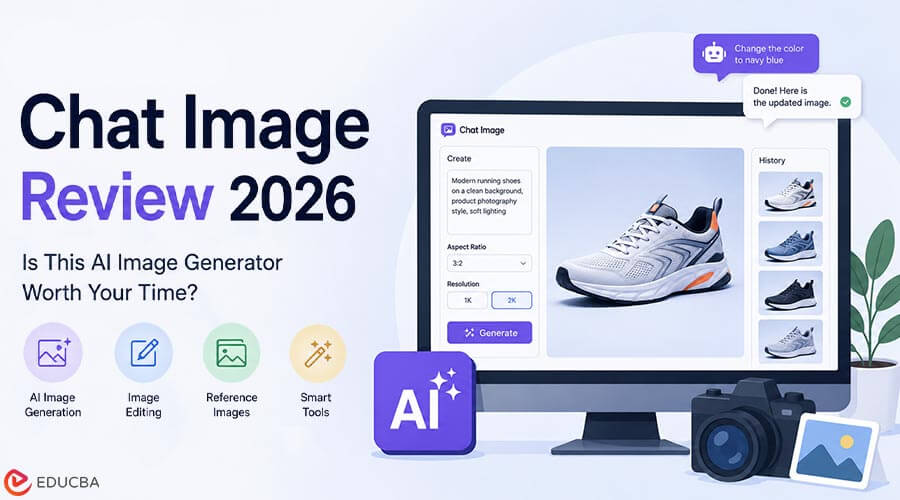
For an independent ecommerce seller, freelance designer, or content creator, an AI image generator is worth time only when it reduces the work between idea and publishable asset. A tool can produce impressive samples and still be a poor everyday choice if its prompts are hard to repeat, changing one detail means starting over, or it cannot adapt an image to the formats a creator actually posts. This Chat Image review examines the platform from a practical solo-creator perspective. The service uses GPT Image 2 for text-to-image generation, reference-based editing, and follow-up refinements. It also provides ready-to-use image tools for specific tasks.
The goal is not to treat every feature as equally important. It is to decide whether Chat Image can save a solo operator enough time on product images, thumbnails, social posts, simple brand graphics, and visual concepts to justify learning the workflow and, eventually, paying for it. The short answer is conditional. Chat Image appears most worthwhile for creators who regularly need several versions of an idea and prefer to refine a successful image with references and chat instructions. It is less compelling for someone who only needs occasional images, needs a documented output resolution above 2K, or depends on a traditional layer-by-layer editing workflow.
What is Chat Image?
Chat Image is a web-based, multimodal image platform that generates and refines images from text prompts and uploaded references. It is powered by GPT Image 2, the model recommended in its generator, and it supports both text-to-image and image-to-image workflows.
The platform is designed around commercial graphics, social content, product mockups, posters, portraits, and UI-oriented visual concepts. A creator can set resolution, quality, and aspect ratio, generate an image, review recent versions, then use chat-style edits to alter selected details such as clothing, logos, or lighting.
For a solo user, that means Chat Image is not limited to the first prompt. It allows a creator to carry a useful image forward, which is often where time savings appear. Rebuilding a product scene several times because the layout is right but the lighting is wrong is slow. A focused revision workflow can be more useful than another broad model list.
GPT Image 2: Why It Matters Here?
Chat Image presents GPT Image 2 as a fast, high-quality image generation and editing model. A documented standard generation at 1K and Medium quality uses three credits. For a solo creator, its relevance comes from how the platform describes the model’s handling of complex visual requests.
1. It Interprets a Brief as More Than a Style Prompt
According to Chat Image, the model reasons about context, purpose, and relationships between elements before rendering. The site describes a pricing-page hero as a layout task, not simply a visual style.
That is useful for a seller or creator with a specific goal: a product centered with space for copy, a vertical thumbnail with an expressive subject, a banner with a defined hierarchy, or a lifestyle image that still shows the product clearly. The feature does not remove the need for a clear brief. It makes structured prompts a more natural way to work than a cycle of vague adjectives and unpredictable reruns.
2. It Treats Typography and Composition as One Output
The platform emphasizes English and Chinese text rendering and describes letters as integrated into the visual composition rather than as decorative shapes. For a creator making poster concepts, sale graphics, menu-style visuals, thumbnails, or infographics, this can reduce a common source of retrying: an otherwise good image with unusable wording.
Still check final marketing copy carefully. Prices, claims, and brand names need human verification. The value is that readable text can be part of the first visual concept, not an afterthought that forces a creator to rebuild the layout elsewhere.
3. It Supports Fine-Grained Follow-Up Changes
Chat Image’s refinement workflow is designed for commands such as changing a jacket, moving a logo, or adjusting lighting while preserving the surrounding background and subject identity. For a solo ecommerce operator, this is likely the most useful model behavior.
Product photos often require small practical changes. A scene may need a lighter background for a product page, a new color for a promotion, or more open space for a caption. The platform’s stated approach helps a creator keep the good parts of a visual while testing one change.
Key Chat Image Features for Independent Creators
1. Start with a Prompt or a Reference
Chat Image supports text-to-image generation and image-to-image editing. It accepts up to five reference images in PNG, JPG, JPEG, or WEBP format. Those references can guide style, composition, brand details, or object changes. This is useful if an ecommerce listing already has product photography, if a creator has an earlier post that established the desired look, or if a client has sent a small moodboard.
Instead of describing every material, color, and compositional cue in words, a creator can use a small selection of decisive visual inputs. The platform also offers an original ratio in image-to-image mode. That helps when an existing product image or social layout already has the right shape and only needs a targeted visual update.
2. Get the Format Right Before Generating
The generator offers 1K and 2K resolution, Low, Medium, and High quality, and ten aspect ratios:
- 1:1
- 3:2
- 2:3
- 3:4
- 4:3
- 4:5
- 5:4
- 9:16
- 16:9
- 21:9
For a solo creator, these settings can save time. A vertical product reel cover, a square marketplace tile, and a wide web hero all ask the generator to distribute visual information differently. Choosing a closer format at the beginning gives the image a better chance of being usable without awkward cropping.
The documented maximum is 2K. Treat that as a firm decision point, not a minor specification. It can be enough for many online visuals and creative concepts, but creators with higher-resolution production needs should confirm it fits their publishing workflow.
3. Revise Without Losing the Winning Image
The platform keeps recent results and prompts in a history view. Users can compare outputs and reopen prompts without leaving the browser. This matters when a creator makes a good image, receives one piece of feedback, and needs to improve it without losing the original prompt formula. Chat-style refinement adds a second layer of speed. Instead of starting from a blank prompt, a creator can ask for a different garment, logo position, lighting condition, or other focused adjustment.
The product states that this process preserves the image’s structural integrity, including background and identity context. For one-person businesses, that continuity can be more valuable than speed alone. Less time spent recreating an approved direction means more time for product copy, publishing, customer work, or the rest of the actual business.
4. Use Tools When a General Prompt is Overkill
Chat Image’s Tools page offers focused workflows for specific visual tasks. Users choose the task, upload the required image where applicable, set output options, and generate without writing prompts or selecting a model. Examples include AI Image Cutout, Image Watermark Remover, Image Face Swap, Ghibli Style Filter, AI Hairstyle Changer, AI Makeup Generator, AI Outfit Generator, Photo to Coloring Page, and 360 World Image Generator. Practical value varies by user type.
A shop owner may get more use from cutout and background-related workflows than from a playful style filter. A content creator may value face, outfit, and portrait tools more often. The family crest maker shows the benefit of a specialist route. It creates a custom family crest using a shield, meaningful symbols, colors, initials, and an optional motto. For a club badge concept, heritage-themed event asset, personal brand emblem, or symbolic graphic, it can provide a faster, structured starting point than a general prompt.
5. Build Related Assets from One Brief
Chat Image describes an All-Platform Bundles feature that can generate coordinated visual bundles for social, marketing, and print feeds from one design brief. For a creator publishing the same idea across several destinations, this is a meaningful promise.
The alternative is often to make one image, crop it repeatedly, and discover too late that the subject, text, or product no longer works in the new layout. A coordinated bundle approach is especially useful for launches, seasonal promotions, newsletters, events, and content series that need a shared look without feeling like identical crops.
Chat Image Review: Pros and Cons
Pros
- ✅ Text-to-image and reference editing are available in the same workspace.
- ✅ Up to five references can make a product or style brief easier to communicate.
- ✅ Local chat edits can reduce the need to regenerate a whole image for a small correction.
- ✅ Ten aspect ratios make the tool more practical for cross-platform publishing.
- ✅ Prompt history helps solo creators reuse effective directions.
- ✅ English and Chinese typography is useful for text-heavy social and promotional visuals.
- ✅ The specialized tools offer prompt-free routes for several visual tasks.
Cons
- ❌ Explore has only three trial credits, and outputs are watermarked.
- ❌ The official generator documentation lists 1K and 2K, not a higher resolution option.
- ❌ No unlimited-generation plan is documented.
- ❌ Commercial-ready downloads begin with Create, not the free tier.
- ❌ The workflow is conversational rather than a full manual layer-editing system.
How to Use Chat Image?
The fastest way to judge the product is to test it on one real recurring task, not on an unrelated art prompt.
- Open the generator and choose GPT Image 2.
- Decide whether text-to-image is enough or whether an existing product photo, moodboard, or visual reference should guide the result.
- Set the aspect ratio for the actual destination, then choose 1K or 2K and the appropriate quality level.
- Write a prompt that states the subject, layout, visual treatment, important product or brand details, and any required text.
- Add up to five reference images if the result needs to retain a particular object, composition, or style.
- Compare the resulting versions in prompt history.
- Use a short follow-up instruction to change one element rather than rebuilding the entire prompt.
- Review wording, visuals, and commercial suitability before downloading the final asset.
The free tier is enough to test the basic interface and one standard documented generation. A creator should use that test to see whether the model understands the type of brief they actually produce, such as a product graphic or social visual, before paying for a plan.
Who Should Use Chat Image?
Chat Image is worth trying for independent ecommerce sellers, social-media creators, freelance designers, small-business marketers, bloggers, and creators who repeatedly need posters, thumbnails, product shots, mockups, launch graphics, or branded illustrations. It is especially relevant for users who already have visual references and need an AI image generator that can make focused changes after a promising initial result.
Create is positioned for solo creators and light production. It supplies 300 credits per month, text and reference workflows, commercial-ready downloads, and email support for $14.9/mo when billed annually. For creators who post consistently and revise visuals daily, Scale costs $29.9/mo annually and adds 650 monthly credits, priority creative iteration, prompt and reference history, and priority support.
Who Should Skip It?
Chat Image is not the best choice for users who rarely need more than one or two images, require a documented resolution higher than 2K, or want to manually manipulate layers and masks in a traditional editor. It may also be a poor fit for someone who cannot work from a prompt or reference-based workflow and instead needs a library-first design tool.
The free trial is intentionally limited. If a user has no regular image need, there may be little reason to move beyond Explore. Likewise, a creator who requires unlimited generations or strictly quantified high-resolution output should not assume those capabilities from the supplied plan information.
Value for Money: Which Plan Makes Sense?
Chat Image uses a credit-based subscription model. Annual billing is presented as a 25% saving for Create and Scale and a 33% saving for Operate.
| Plan | Annual Price | Credits | Practical Reading |
| Explore | $0/mo | 3 trial credits | Interface and core-workflow test |
| Create | $14.9/mo | 300/month | Light commercial production |
| Scale | $29.9/mo | 650/month | Frequent daily iteration |
| Operate | $199.9/mo | 5,000/month | Team and heavier production |
The standard documented GPT Image 2 generation uses three credits at 1K and Medium quality. That makes the three free credits a narrow test rather than a durable free plan. Create gives a solo user a more realistic recurring allowance and, crucially, commercial-ready downloads. Scale is the better value only when its extra credits, priority creative iteration, and saved prompt and reference history are used often enough to reduce real working time.
Operate is not aimed at a typical individual creator. Its 5,000 monthly credits, team workflow, custom usage guidance, and dedicated support are designed for repeatable production systems. A freelancer with periodic campaign work may prefer to judge Create or Scale by the number of paid visual deliverables they produce each month.
Final Thoughts
This Chat Image review finds the platform worthwhile when you need more control than a one-shot text-to-image generator provides. Its useful strengths are reference uploads, GPT Image 2’s layout-oriented prompt interpretation, format settings, prompt history, and conversational refinements that can preserve a successful visual while changing a specific detail. For an independent commercial creator, Create is the sensible starting tier once the free test proves the workflow fits. Scale is better for steady, high-frequency iteration.
The platform is less convincing as an all-purpose replacement for advanced editing software or for workflows that require output above its documented 2K maximum. The most practical next step is simple: test a real product image, social graphic, or branded visual brief. If Chat Image produces a useful first draft and lets you correct the normal issues without rebuilding it, it has a credible place in a fast solo production workflow.
Recommended Articles
We hope this Chat Image review helps you understand its features, pricing, and suitability for your creative workflow. Check out these recommended articles for more insights into AI image generation and creative tools.


