


Updated July 31, 2026
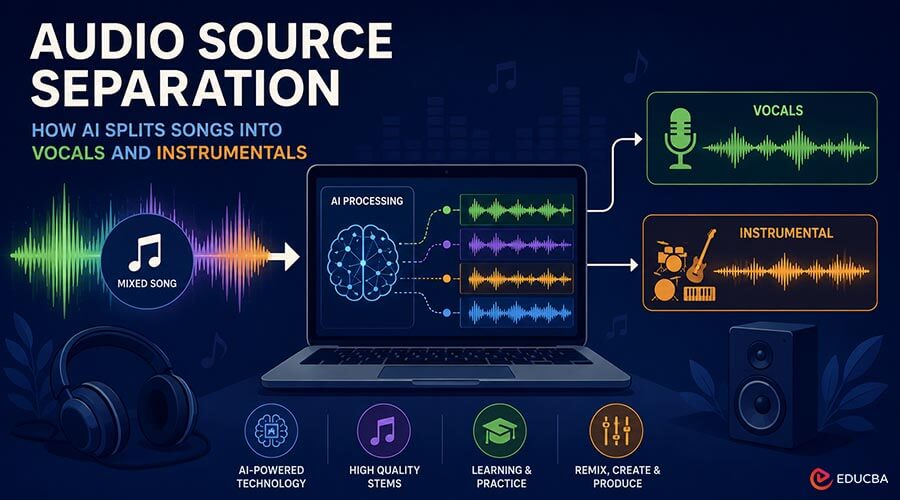
Every finished song you hear is a single mixed file: the voice, drums, bass, and everything else are combined into one stereo track. Audio Source Separation is the technique of reversing that process, taking the finished mix and recovering its individual parts. Once a research problem, Audio Source Separation is now a practical tool that students, teachers, and content creators use every day, often without knowing the field’s name.
This guide explains what Audio Source Separation is, how the underlying technology works, what a typical workflow looks like, and where the technique still has limits.
What Is Audio Source Separation?
Audio source separation is the technique of breaking down a mixed audio recording into its original components, known as stems, so that each sound source can be isolated. In music, the most common split is two stems: the vocal (the singing voice) and the instrumental (everything else). More advanced systems produce four or more stems, separating drums and bass as well.
The task is harder than it sounds. Mixing is a lossy operation: once signals are summed, there is no mathematical way to un-add them perfectly. Every separation method is therefore an estimation, an educated reconstruction of what each source probably contributed to the mix.
From Phase Cancellation to Neural Networks
For decades, the only accessible technique was a stereo trick. Because lead vocals are typically mixed to the center of the stereo image, inverting one channel and combining it with the other cancels whatever both channels share. The vocal drops out along with the bass, kick drum, and every other centered element, leaving a hollow, unusable result.
Modern systems replaced that geometry trick with machine learning. The differences are fundamental:
| Aspect | Phase Cancellation (legacy) | AI Source Separation (current) |
| Principle | Exploits stereo placement | Learns what each instrument “looks like” in audio |
| Removes | Everything center-panned | Specifically the modeled source (e.g., voice) |
| Output quality | Hollow, phasey artifacts | Near-studio quality on clean mixes |
| Works on mono? | No | Yes |
| Requirements | Any audio editor | Trained neural network, usually server GPUs |
How Audio Source Separation Technology Works?
Three concepts explain most of what happens inside an AI Audio Source Separation system.
- The spectrogram: Software converts audio into a time–frequency representation, effectively an image showing how much energy exists at every pitch, moment by moment. A voice, a snare, and a piano each leave visually distinct patterns in this image.
- Learned masks: A neural network, trained on thousands of songs where the isolated stems are known, predicts a mask for the target source: a map that says, for every point in the spectrogram, what fraction of the energy belongs to the voice. Applying the mask and converting back to audio yields the isolated stem.
- Waveform refinement: Newer hybrid architectures also process the raw waveform alongside the spectrogram. This preserves sharp transients and phase detail that spectrogram-only methods tend to smear, which is why recent models sound noticeably cleaner on drums and consonants.
Training is the expensive part; using the trained model, called inference, takes seconds. That asymmetry is what allows free web tools to offer the technology to anyone.
Typical Audio Source Separation Workflow
A typical Audio Source Separation workflow has become simple enough to complete in just a few steps:
- Upload the track to a browser-based vocal remover; common input formats include MP3, WAV, M4A, and OGG.
- Wait for processing. The file is analyzed on the provider’s servers; a three-minute song typically takes well under a minute to analyze.
- Preview both stems. Listen to the vocal and the instrumental separately, ideally checking a dense section such as the final chorus rather than the intro.
- Download the result in your preferred format.
- Refine if needed. Import into any audio editor for level adjustments, EQ, or trimming.
No step requires audio-engineering knowledge, which is precisely why the technique has spread beyond studios into classrooms and home practice rooms.
Audio Source Separation has become valuable across music education, content creation, audio production, and live performance, making high-quality stem extraction accessible to both professionals and beginners.
Applications in Learning and Production
Ear training and music education. Isolating one part at a time turns a full mix into study material. Students can hear exactly how a bass line moves under a chord progression, or how a lead vocal phrases against the beat, details that are difficult to teach from the full arrangement.
- Transcription practice: Students can write music down by ear more easily when they can hear the target line clearly. Teachers use isolated stems to create progressive exercises.
- Language learning through music: Songs are a popular resource for pronunciation. An isolated vocal makes lyrics, liaison and stress patterns audible in a way the mixed track never is.
- Karaoke and performance: Using the exact original recording, rather than a re-recorded backing track, keeps the arrangement and key singers already know.
- Content production: Video editors remove vocals from licensed music so narration sits cleanly on top; podcast producers rescue segments where music overlaps speech.
- Remixing and DJ practice: Acapellas and instrumentals extracted from the same track are raw material for mashups and transitions.
Limitations to Understand
Understanding failure modes prevents wasted effort:
- Reverb-heavy mixes: Reverberation spreads the voice’s energy across time and frequency. Models typically extract the dry vocal but leave the reverb tail in the instrumental.
- Stacked harmonies: Thick, layered vocals blur the boundary between “lead voice” and “arrangement,” reducing the precision of separation.
- Voice-like instruments: Saxophones, cellos, and expressive lead guitars share the same frequency range and vibrato as human voices and can be partially misclassified.
- Compressed sources: A low-bitrate file has already discarded audio detail; separation cannot recover what encoding removed. Source quality is the single biggest factor users control.
Best Practices
- Use the highest-quality source file available to achieve the best Audio Source Separation results; lossless audio is ideal whenever possible.
- Evaluate results on the busiest section of the song, not the intro.
- Check both stems: bleed removed from one appears as a gap in the other.
- Keep original files; models improve, and reprocessing later may give better results.
- Respect copyright: separated stems from commercial recordings remain derivatives of the original master. Private study is one thing; publishing or monetizing the output requires the relevant rights.
Final Thoughts
Audio Source Separation has transformed what was once a complex studio process into an accessible tool for anyone working with music or audio. Powered by AI and neural networks, it can accurately separate vocals and instrumentals from a mixed track, making it valuable for learning, practicing, remixing, and content creation. While the quality of the output still depends on factors such as the source audio and the complexity of the mix, the technology continues to improve rapidly. As AI advances, musicians, educators, and creators will rely on Audio Source Separation as an even more reliable and widely used solution.
Recommended Articles
We hope this guide on Audio Source Separation helps you understand how AI-powered tools are transforming music processing and audio creation. Explore these recommended articles for additional insights into artificial intelligence, audio technology, and the latest innovations shaping the future of digital content creation.


