


Updated June 18, 2026
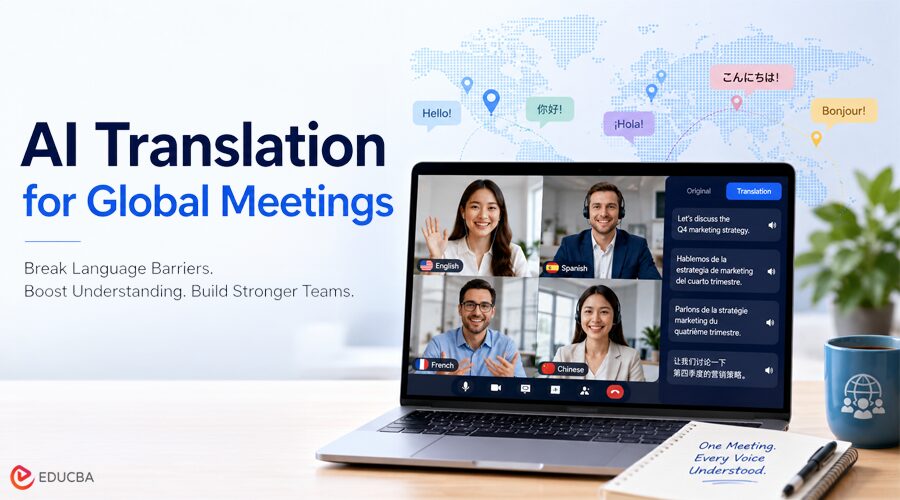
Language barriers in global meetings do not always mean that participants completely misunderstand one another. More often, they appear as repeated explanations, slower responses, missed technical details, and employees who hesitate to speak because they are less confident in the meeting language.
These problems can make international meetings longer and less productive. Teams may also need to send clarification emails, correct meeting notes, or revisit decisions after the call.
AI translation for global meetings offers a practical way to reduce this friction by translating speech in real time.
What Are Language Barriers in Global Meetings?
Global teams often rely on a shared business language, even when participants have different levels of fluency. While most attendees may understand the general discussion, they can still miss important details such as numbers, product names, acronyms, or action items. Others may need extra time to process information and formulate responses.
Language barriers in multilingual meetings often stem from a combination of factors, including varying language proficiency levels, fast-paced conversations, regional accents, background noise, and industry-specific terminology. These challenges can lead to:
- Frequent requests to repeat information
- Long pauses before participants respond
- Misunderstood names, figures, or technical terms
- Limited participation from less fluent speakers
- Decisions that require confirmation after the meeting.
As a result, meetings become slower and less inclusive, and important decisions may be influenced primarily by the most fluent speakers rather than the entire team.
How Does AI Translation for Global Meetings Improve Communication?
Real-time AI translation for global meetings captures speech, converts it into text, translates it, and displays or reads the result in another language.
This allows participants to understand the conversation without waiting for someone to manually translate each sentence.
A complete AI meeting translation system may include:
- Bilingual live subtitles
- Automatic language detection
- Two-way speech translation
- Translated voice playback
- Custom keywords and context
- Transcripts and AI-generated meeting notes.
The main advantage is that translation becomes part of the meeting workflow.
Participants can follow the discussion in their preferred language, respond more naturally, and spend less time confirming basic information after the meeting.
Best Practices for Using AI Translation for Global Meetings
AI translation works best when teams properly prepare the meeting environment.
1. Use Clear Audio
Participants should use a reliable microphone and reduce background noise whenever possible. Clear input improves speech recognition and translation quality.
2. Avoid Speaking at the Same Time
Overlapping voices are difficult for both people and AI systems to process. Allowing one person to finish before another responds creates more complete translations.
3. Prepare Important Terminology
Add company names, product terms, personal names, and technical vocabulary before the meeting when the tool supports custom keywords.
Meeting context can also help the system distinguish between words with multiple meanings.
4. Choose the Right Output
Captions are useful for checking numbers and terminology. Voice translation is more convenient when participants need to focus on slides, documents, or demonstrations.
A tool that offers both formats gives teams greater flexibility.
5. Review Important Decisions
AI translation can improve routine communication, but critical dates, prices, responsibilities, and contractual details should still be confirmed before the meeting ends.
How to Choose an AI Translation Tool?
When evaluating AI translation for global meetings, organizations should look beyond the number of supported languages and focus on accuracy, speed, and integration with meetings.
The most important factors include:
- Translation speed: Results should arrive quickly enough to support natural conversation.
- Two-way support: Both sides should be able to speak in their preferred language.
- Meeting compatibility: The tool should work with platforms such as Zoom, Microsoft Teams, and Google Meet.
- Terminology support: Custom keywords and context are important for professional discussions.
- Output options: Captions and translated voice serve different meeting needs.
- Post-meeting records: Transcripts and summaries can reduce manual follow-up.
- Privacy: Organizations should understand how meeting data is stored and used.
The best way to evaluate a product is to test it in a real meeting with the team’s normal accents, terminology, audio equipment, and speaking speed.
How Does Transync AI Support Multilingual Meetings?
Transync AI is designed specifically to improve AI translation for global meetings, helping multilingual teams communicate more effectively in real time.
It supports bidirectional translation in 60 languages and automatically identifies which of the two selected languages is being spoken. This reduces the need to switch language settings whenever another participant begins speaking.
The platform displays the original speech and translation side by side. Users can also enable AI voice playback when listening is more convenient than reading subtitles.
For online meetings, Transync AI works alongside Zoom, Microsoft Teams, and Google Meet as a standalone application. It does not need to enter the meeting as a participant bot.
Its virtual microphone feature can send translated voice directly into the meeting as microphone audio. This allows a person to speak in one language while other participants hear the translated version.
Teams can also add custom keywords and context for company names, products, people, and technical terminology. Other features include floating subtitles and AI-generated meeting notes.
Transync AI’s Gale 2.0, Monsoon 2.0, and Jetstream 2.0 models are optimized for conditions commonly found in real conversations, including short sentences, mixed-language speech, background noise, and irregular pauses.
The service requires an internet connection and is focused on spoken communication. It does not currently provide offline translation for images or documents.
When is Human Interpretation Still Necessary?
AI translation is useful for routine project meetings, client updates, training sessions, and communication between regional offices.
Professional interpreters may still be the better choice for:
- Legal proceedings
- Medical consultations
- Government meetings
- Major contract negotiations
- Situations requiring certified interpretation
Organizations can use a hybrid approach: AI for frequent daily communication and professional interpretation when accuracy, accountability, and cultural nuance are especially important.
Final Thoughts
Language barriers can make global meetings slower, less inclusive, and more difficult to manage.
AI translation for global meetings helps participants understand and respond during conversations, rather than translating information afterward. When combined with clear audio, prepared terminology, bilingual subtitles, and voice output, it can make multilingual meetings significantly more efficient.
For international teams, the goal is not simply to translate more words. It is to help everyone participate, make decisions, and work together across languages.
Recommended Articles
We hope this guide on AI translation for global meetings helps you overcome language barriers, improve multilingual communication, and make international meetings more productive. Explore our recommended articles below to learn more about AI-powered collaboration, business communication, and workplace productivity tools.


