


Updated August 6, 2026
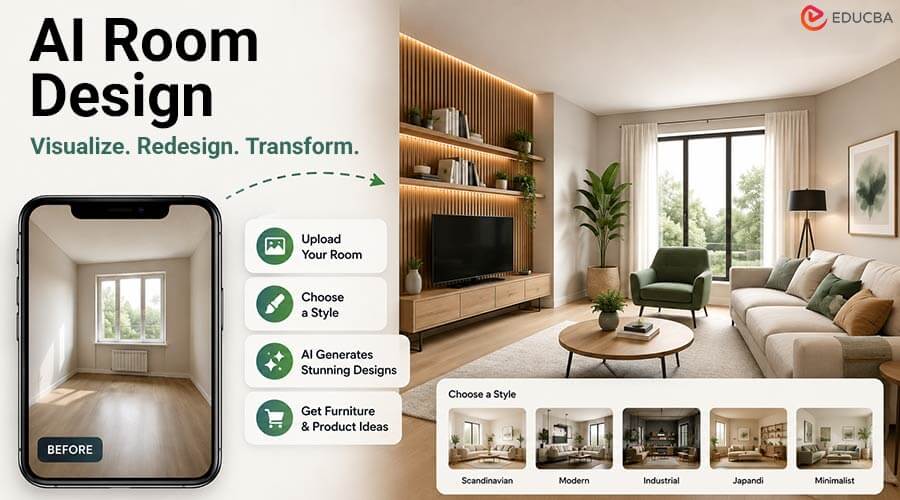
Visualizing a room before starting an interior design project has always been challenging. Traditional mood boards often fail to show the complete picture, while professional 3D renderings require significant time and money. This makes it difficult for homeowners and designers to confidently choose a design direction. AI room design solves this problem by transforming a photo of your existing room into a realistic visualization within minutes.
Instead of imagining how a space might look, you can see multiple design ideas before making any decisions. MeltFlex AI is one of the tools built for this purpose. Using artificial intelligence, it creates photorealistic room designs while preserving your space’s original layout. This guide explains how AI room design works, how to use MeltFlex AI effectively, and where its limitations lie.
What is AI Room Design?
AI room design uses a photo of a real room and applies artificial intelligence to create a redesigned version of the same space. Unlike general AI image generators, it works with your actual room instead of creating a completely imaginary one. It is important to understand the difference between the three common categories:
- Room planners create accurate layouts but look less realistic.
- AI image generators create beautiful rooms from text prompts, but those rooms are not yours.
- AI room design tools like MeltFlex AI redesign your real room using a photograph you upload.
This makes AI room design ideal for exploring different furniture styles, color palettes, and layouts before spending money on renovations.
How Does AI Room Design Work?
AI room design tools rely on advanced image-generation technology. After you upload a room photo, the AI analyzes the room’s structure, including walls, windows, floors, and major objects. Using this information, the software generates a redesigned version while preserving the room’s overall geometry.
Instead of creating an entirely new room, it replaces the furniture, colors, décor, and finishes to match your selected style. However, these tools do not create measured architectural models. Small details and exact dimensions may vary slightly, so AI-generated images should be used for inspiration rather than for construction planning.
How to Design a Room with MeltFlex AI?
Using MeltFlex AI is simple, but following the right workflow produces much better results.
1. Take a High-Quality Photo
The quality of your input photo has the biggest impact on the final result. Capture the room in daylight, keep the camera level, and photograph the room from a corner or doorway to show as much depth as possible. A clean room with fewer objects also helps the AI better understand the space.
2. Select the Correct Room Type
Choose whether the room is a living room, bedroom, kitchen, bathroom, or another space. This setting helps the AI understand what furniture and layout are appropriate for your room.
3. Pick an Interior Style
MeltFlex AI offers multiple design styles, including:
- Scandinavian
- Modern
- Industrial
- Traditional
- Japandi
- Minimalist
Instead of combining several styles at once, start with one clear design direction to achieve more consistent results.
4. Generate Multiple Versions
Do not rely on the first image. Generate several variations of the same room and compare them before selecting your favorite. Since AI can produce different interpretations, exploring multiple options often leads to better ideas.
How to Test AI Room Design Quality?
One of the easiest ways to judge any AI room design tool is by generating the same room in two completely different styles. For example, create one bright Scandinavian design and another dark industrial design. Then compare the architecture instead of the furniture.
A reliable AI tool should keep the following elements consistent:
- Window positions
- Door locations
- Ceiling height
- Room proportions
- Built-in architectural features
If these elements remain unchanged while only the décor changes, the AI is doing a good job of preserving your room’s structure.
Tips for Better AI Room Designs
Good results always start with good photos.
For the best output:
- Photograph the room during daylight.
- Keep the camera straight and level.
- Capture the entire room rather than a single wall.
- Remove unnecessary clutter before taking the picture.
- Make sure the floor and walls are clearly visible.
These simple improvements allow the AI to better recognize the room and produce more realistic designs.
Furniture and Product Suggestions
One useful feature of MeltFlex AI is its ability to recommend furniture and décor that match the generated design. Many of these suggestions include estimated prices and links to similar products from popular retailers.
This makes it easier to understand the approximate cost of furnishing a room and helps homeowners create a realistic renovation budget. However, these recommendations should be treated as inspiration rather than an exact shopping list, as some products may be similar alternatives instead of identical items.
Limitations of AI Room Design
Although AI room design is impressive, it has several important limitations. The generated image is not based on precise architectural measurements. While the room layout is generally preserved, small proportions may change, making the design unsuitable for construction or custom furniture measurements.
AI can also simplify decorative details such as moldings, ceiling designs, and built-in cabinets. Lighting conditions may also change unexpectedly, even if your original photo was taken during the day. Because of these limitations, AI-generated room designs should never replace architectural drawings, technical plans, or professional design documents.
Best Uses for AI Room Design
AI room design works best during the early planning stage of a project. It helps homeowners, interior designers, and real estate professionals visualize different design ideas before making expensive decisions.
It is especially useful for:
- Exploring different interior styles
- Comparing furniture layouts
- Testing color palettes
- Planning room renovations
- Creating presentations for clients
- Estimating furniture costs
However, it should not be used to create construction drawings, measure spaces, or make final renovation decisions without professional verification.
Final Thoughts
AI room design has made it easier than ever to visualize home renovations without spending days on 3D modeling or hiring expensive visualization services. By uploading a single photo, tools like MeltFlex AI can generate multiple realistic room concepts within minutes, helping users compare layouts, furniture, and color schemes before making decisions. However, AI should be viewed as a creative planning tool rather than a replacement for professional design work.
It performs best when exploring ideas, communicating design concepts, and estimating furnishing costs. For accurate measurements, construction planning, or technical documentation, professional designers and architects remain essential. When used correctly, AI room design can save time, inspire creativity, and enable faster, more confident interior design decisions.
Frequently Asked Questions (FAQs)
Q1. Is AI room design the same as virtual staging?
Answer: Not exactly. Virtual staging focuses on furnishing empty properties for real estate marketing, while AI room design is intended for redesigning existing spaces. Both use similar AI technology but serve different purposes.
Q2. Can AI redesign a furnished room?
Answer: Yes. AI can work with both empty and furnished rooms. However, cleaner and less cluttered photos generally produce better results.
Q3. Are the room dimensions accurate?
Answer: No. AI-generated images are designed for visualization only. They should not be used for taking measurements or planning custom-built furniture.
Q4. Why are my AI results poor?
Answer: The most common reason is the quality of the uploaded photo. Dark lighting, clutter, tilted angles, or low-resolution images reduce AI accuracy.
Q5. Can I use AI room designs for construction?
Answer: No. AI room designs are concept images and should not replace architectural drawings or professional construction plans.
Recommended Articles
We hope this comprehensive guide to AI room design helps you visualize and plan stunning interior spaces with greater confidence. Check out these recommended articles for more insights, tips, and innovative solutions to enhance your home design and renovation projects.


