

Updated October 26, 2026
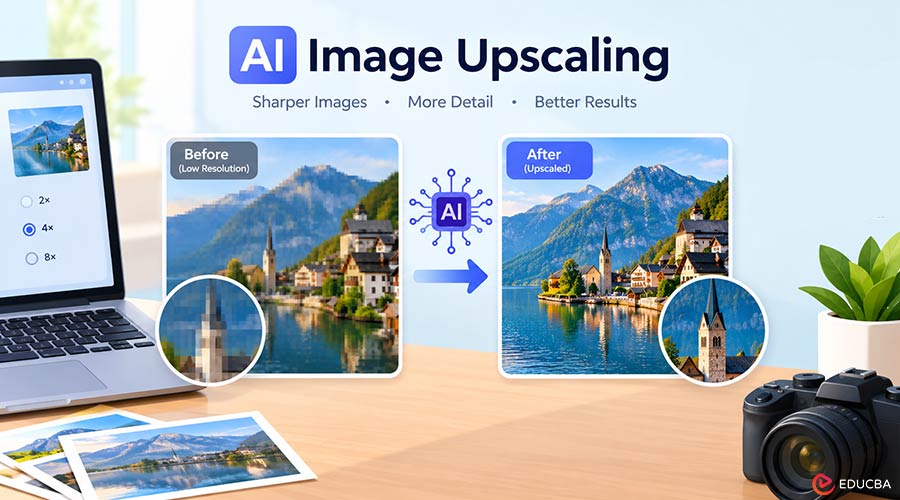
Here is what most people get wrong about AI Image Upscaling, and I got it wrong for a long time. I assumed the software was digging up detail hidden in the file, like the zoom-and-enhance scenes in crime shows. It is not.
An AI image upscaler is pure guessing; it looks at your little photo, thinks back to the millions of pictures it trained on, and paints in whatever detail seems to fit. Usually it guesses well (that is how a 500-pixel thumbnail ends up fine at 4×), but not always, and if you use it for work stuff you kind of need to know when it is bluffing.
What is AI Image Upscaling?
The textbook answer is that it is image resizing done by a trained neural network. Researchers call it single-image super-resolution, and I would pay attention to that “single-image” bit, because it tells you the model only ever gets the one small picture you uploaded. There is no secret original tucked away anywhere, so anything the camera did not record has to be filled in from what the model knows about other pictures.
Why Traditional Image Resizing Falls Short?
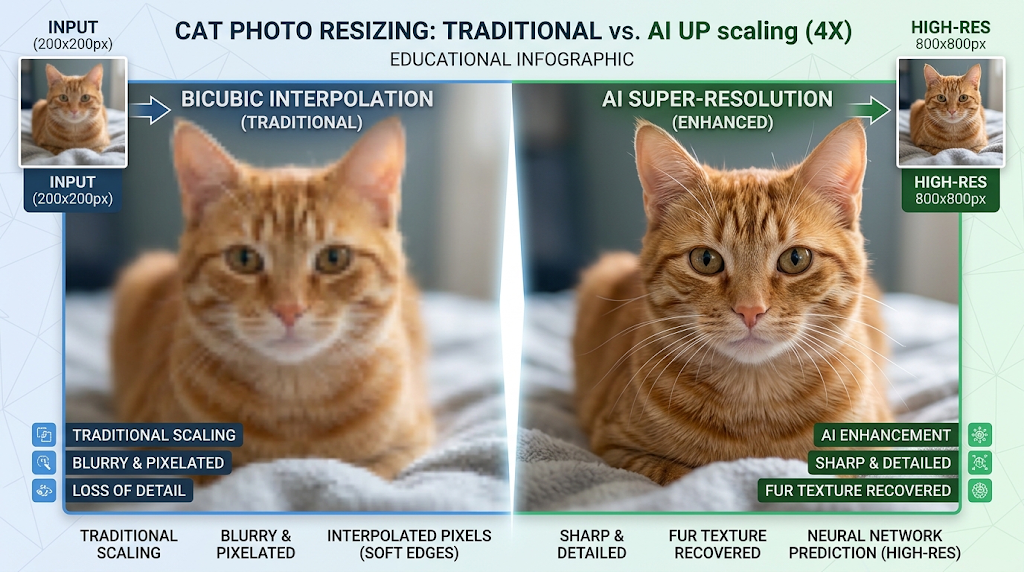
The old way of making pictures bigger was interpolation, and you have used it even if you never heard the word. Drag the corner of an image in a slide, and the app is doing bicubic interpolation behind your back, working out each new pixel as a weighted average of the 16 pixels around it. There is also nearest-neighbor, the crude one, which copies each pixel into a bigger block and gives you those stair-step edges everyone hates.
My problem with averaging is simple. It can not make anything up. Double the width and height, and 3 out of every 4 pixels in the new file mix the old ones, so a fluffy cat becomes a fuzzy, cat-shaped blob. Bigger, yes. Sharper, no.
How Super-Resolution Models Learn?
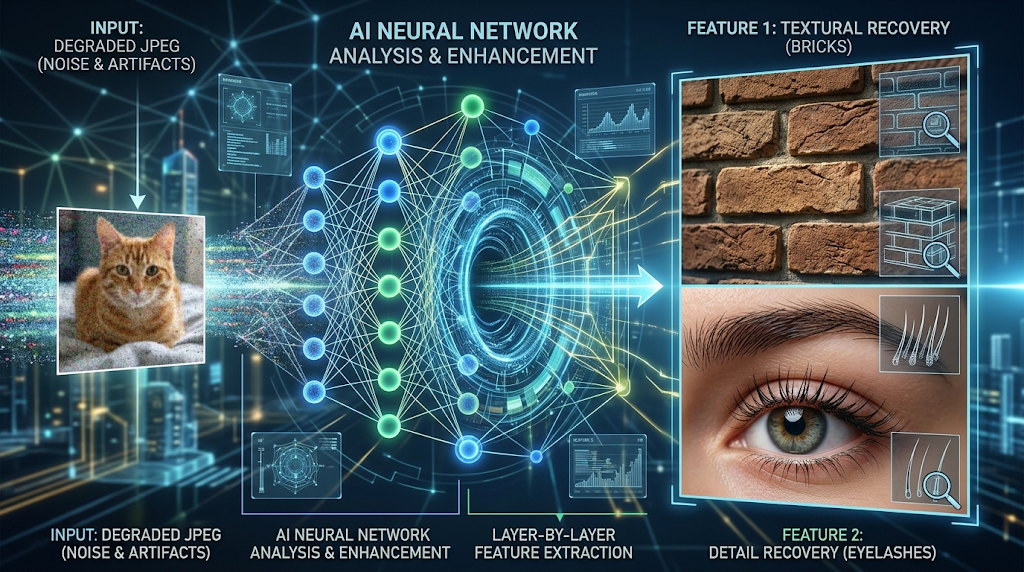
I always explain this part with a slightly cruel teacher. She has a mountain of sharp photos, and for each one she makes a ruined copy, shrinks it, smears it, adds grain, saves it as a horrible JPEG, then hands it to the network and says, ok, now give me the real one back. It fails, gets corrected a tiny bit, tries again, millions of times over.
By the end it has picked up habits, not memories. It kind of “knows” bricks come with mortar in between, that eyelashes are skinny dark lines, that letters on a sign have hard edges. So a blurry photo it has never met still gets rebuilt to fit the scene.
From SRCNN to GANs: The Evolution of AI Image Upscaling
Quick history lesson. In 2014, a paper introduced SRCNN, a small convolutional network that still beat bicubic resizing. Its output still looked soft, and I love the reason why. Researchers evaluated it using average pixel error, and when they judge a model by averages, it plays safe by guessing something in the middle. ESRGAN came along in 2018 and borrowed the trick behind generative adversarial networks.
The setup includes a second network called the discriminator, which spots fake details and pushes the upscaler to create realistic textures rather than details that simply score well on paper. In 2021, researchers trained Real-ESRGAN on the messy mix of blur, noise, and compression found in real phone photos and screenshots, helping today’s tools enhance images forwarded through three group chats.
AI Image Upscaling and Hallucinated Details
Because the network predicts details instead of recovering them, it creates some of the details you see in an upscaled image. For landscape or beach photos, it matters less because no one will check every leaf for accuracy.
I would worry about anything where accuracy matters. Tiny text can come back looking razor-sharp and still be wrong; a 3 can quietly turn into an 8. At 4×, faces sometimes pick up little features the person never had. Number plates, scanned contracts, a still from a doorbell camera? Do not trust the upscaled one more than the blurry one; it is prettier, that is all. Looks, not proof.
Getting Better Results in Practice
A surprising number of poor AI image upscaling results have nothing to do with the tool and everything to do with the starting file. Got the photo on your phone and a WhatsApp copy that is squashed? Use the phone one every time; it is not even close. Also, consider where you’ll use the image. For a slide or web page, 2× upscaling is usually enough. I only bother with 4× when I am printing or planning to crop in a lot.
Clean up JPEG artifacts and fix blur before upscaling, or the tool may enlarge these flaws along with the image. After upscaling, zoom in to 100% and inspect the eyes, text, and repeating patterns to spot invented details. Keep the original file in case you need to compare the results or restore the image. Numbers help here. Upscaling 640×480 to 2560×1920 allows a 21×16 cm print at 300 dpi, but plain bicubic scaling looks noticeably softer.
Final Thoughts
So no, nothing is lost with AI Image Upscaling. You are getting a guess from a model that has seen an absurd number of sharp photos, and for grandma’s old prints or a kid’s drawing, that guess is often great. For text, faces, or anything a lawyer might look at, check it twice. That is really all there is to it.
Recommended Articles
We hope this comprehensive guide to AI Image Upscaling helps you enhance image quality and achieve sharper results. Check out these recommended articles for more insights and practical tips on AI-powered image editing and enhancement.