


AI for Google Slides: Overview
AI is revolutionizing presentation creation. Artificial intelligence makes crafting compelling slide decks faster and more efficient. These tools seamlessly integrate with Google Workspace, simplifying complex tasks. The AI tool options streamline your workflow. They turn hours of design work into quick, easy processes. Your presentations will look professional in no time. The best AI for Google Slides can elevate your visual storytelling for any occasion. The power of AI suggests layouts, colors, and graphics that resonate with your audience. Your slides will captivate viewers, whether for business or education.
The AI assistant technology is user-friendly. You do not need technical skills to use these tools. Smart presentation tools work alongside you, enhancing your creativity without overwhelming you. AI can transform your slide creation experience. Let us explore the top solutions that will make your next presentation extraordinary. Get ready to impress your audience with AI-powered slides.
Why AI is Revolutionizing Google Slides Creation?
AI streamlines slide creation in modern presentation software. It helps users create presentations faster with better visual appeal. AI in Google Slides is changing how we approach business communication.
The Power of AI in Modern Presentations
AI brings smart automation to slide design. It generates content suggestions and layout recommendations instantly. These AI features analyze content and propose effective ways to present information. The system learns from millions of successful presentations. This knowledge helps create engaging slides that deliver clear messages.
Time-Saving Benefits for Busy Professionals
AI handles repetitive tasks, saving teams hours each week. It can make slides from simple text inputs in minutes. AI-powered tools cut presentation creation time by up to 70%. Executives now focus on crafting compelling messages. AI takes care of the design work, freeing up valuable time.
Enhanced Design Capabilities
AI makes professional design accessible to everyone. Users without design experience can create polished presentations. The technology suggests color schemes, fonts, and layouts following best practices.
| Traditional Method | AI-Enhanced Method | Time Saved |
| Manual slide formatting | Automated layout suggestions | 60-80% |
| Content research and writing | AI content generation | 50-70% |
| Design element selection | Smart design recommendations | 40-60% |
| Template customization | Intelligent theme adaptation | 70-90% |
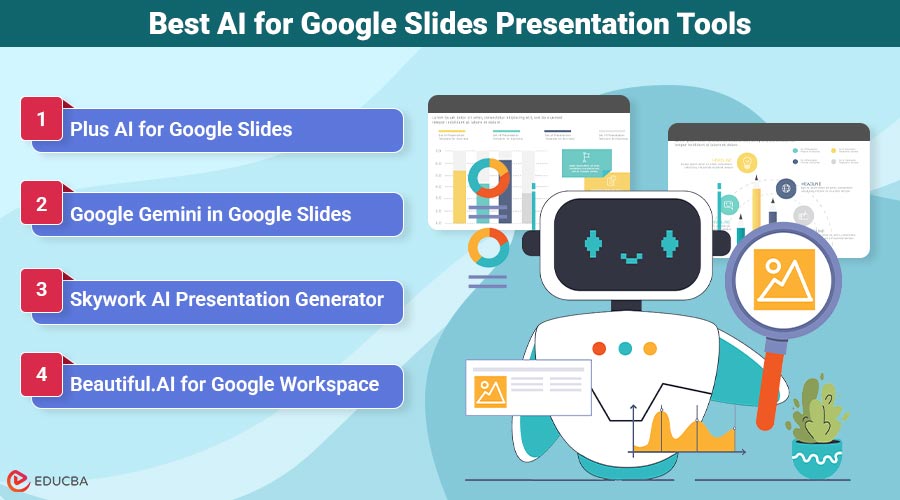
Best AI for Google Slides Presentation Tools
AI tools can transform how you create Google Slides presentations. This roundup covers four leading tools that work well with Google Slides
1. Plus AI for Google Slides
Plus AI for Google Slides is a dedicated Google Workspace add-on. It works directly within your familiar Google environment. Former Google employees, who understand the platform deeply, built the tool.
Pros
- Seamless Google Workspace integration: Works directly in your browser
- Text-to-slides automation: Creates full presentations from simple prompts
- Real-time collaboration: Multiple users can edit AI-generated content simultaneously
- Template variety: Offers professional designs for different industries
Cons
- Limited to Google Slides only
- Requires subscription for advanced features
- Learning curve for complex customizations
Features
Plus AI offers powerful features that streamline presentation creation. It converts written content into structured presentations automatically. Users can customize design elements while maintaining professional consistency.
The tool includes smart content suggestions and automatic formatting. It can generate speaker notes and refine existing slides with AI assistance.
2. Google Gemini in Google Slides
Google Gemini is Google’s native AI integration within its presentation platform. It eliminates the need for third-party add-ons. Gemini in Google Slides uses Google’s advanced language models directly.
Pros
- Native integration: No additional installations required
- Advanced language processing: Understands context and nuance
- Free tier available: Basic features included with a Google account
- Consistent updates: Regular improvements from Google’s AI team
Cons
- Limited design customization options
- Requires a Google Workspace subscription for full features
- Less specialized than dedicated presentation tools
Features
Users can use Gemini to create presentations through natural language commands. It helps with content generation, slide organization, and basic formatting. Gemini excels at breaking complex topics into digestible slide content. The tool provides smart suggestions for improving existing presentations. It can also help with research and fact-checking within your slides.
3. Skywork AI Presentation Generator
Skywork is an AI presentation generator that prioritizes visual design. It creates presentations from scratch using advanced AI algorithms. The tool focuses on producing visually stunning results with minimal user input.
Pros
- Superior design capabilities: Creates visually impressive presentations
- Minimal setup required: Start creating immediately
- Export flexibility: Works with multiple presentation platforms
- AI-powered layouts: Automatically optimizes visual hierarchy
Cons
- Requires separate platform usage
- Limited real-time collaboration features
- Higher learning curve for advanced customization
Features
Skywork’s AI engine creates complete presentations from brief descriptions. It automatically selects appropriate images, colors, and layouts. Users can refine generated content through simple text commands. The platform includes advanced design templates and smart content organization. Compared to other AI presentation tools, Skywork excels at visual storytelling and brand consistency.
4. Beautiful.AI for Google Workspace
Beautiful.AI brings professional design intelligence to Google Workspace users. It creates presentations that follow design best practices automatically. The platform combines AI assistance with human design expertise.
Pros
- Professional design templates: Created by expert designers
- Smart slide adaptation: Automatically adjusts layouts for content
- Team collaboration features: Built for business environments
- Brand consistency tools: Maintains visual standards across presentations
Cons
- Premium pricing for full features
- Limited free tier options
- Requires an internet connection for all features
Features
Beautiful.AI automatically applies design principles to user content. It suggests optimal layouts based on slide content and presentation flow. Users benefit from intelligent spacing, color coordination, and typography choices. The platform includes collaboration tools designed for business teams. It stands out for its focus on professional design standards and team workflow integration.
Advanced AI Features That Transform Your Slides
AI-powered presentation platforms provide advanced features that surpass traditional slide-making methods. These tools, such as Hyper3D image to STL, enable the creation of professional visuals and presentations quickly and precisely. AI capabilities transform every aspect of the presentation workflow.
1. Text-to-Slides Automation
The text-to-slides conversion process is a game-changer. Input your notes or ideas into the platform. The AI analyzes your content and structures it into well-organized individual slides. This automation saves hours of manual work. You can focus on your core message. The AI handles formatting and hierarchically organizing information.
2. Smart Content Generation
AI assistants can generate presentations with intelligent content suggestions. They research your topic and recommend relevant information. These systems can even write compelling copy matching your style. The technology keeps your slides informative and engaging. However, human oversight is still crucial for accuracy and personalization.
3. Visual Design Enhancement
Modern AI image generator tools suggest appropriate layouts and color schemes. They analyze your content and recommend visual elements. This creates visually appealing slides without needing design expertise. The AI considers factors like content type and audience. It applies professional design principles to make your slides look polished and cohesive.
4. Real-Time Collaboration Tools
AI-powered collaboration features streamline teamwork during presentation development. These tools maintain consistency across team contributions. They suggest improvements in real-time, helping teams create slides more efficiently.
| AI Feature | Primary Benefit | Time Saved | Skill Level Required |
| Text-to-Slides | Automated structure | 60-80% | Beginner |
| Content Generation | Research assistance | 40-60% | Intermediate |
| Design Enhancement | Professional visuals | 70-90% | Beginner |
| Collaboration Tools | Team efficiency | 30-50% | All levels |
Choosing the Perfect AI Assistant for Your Needs
Finding the right AI tool can boost your presentation creation process. The perfect choice will transform how you create Google Slides and increase your productivity. Think about how a tool fits your current workflow. Some work directly in Google, while others need separate platforms.
1. Google Workspace Integration Requirements
Your Google Workspace account affects which AI tools work best. Native integrations offer a smooth experience when you use Google Slides often.
Tools that work within Google Slides give quick access to your files. They can improve your existing presentation and help start a new one. Think about cross-platform needs. Some people use both PowerPoint and Google Slides, needing tools for multiple formats.
2. Budget and Pricing Considerations
AI presentation tools range from free AI presentation options to costly enterprise solutions. Determine how much time you spend preparing presentations each week. Many tools offer different prices based on features and usage. Basic plans often work for occasional users. Power users benefit from advanced features. Include the cost of team training. Some tools are easy to learn, while others need more time.
3. Feature Comparison
List your must-have features before comparing options. Do you need design suggestions, content creation, or teamwork tools? Check how each tool handles different presentation types. Some are great for professional presentation creation. Others focus on creating quick and simple slides.
Integration with Google Docs and other workspace tools can speed up your content creation process.
4. User Experience and Learning Curve
Try the user interface before choosing any tool. The best AI assistant should feel easy to use right away. Look for tools with good tutorials and customer support. Quick learning helps you see benefits faster and reduces frustration.
Transform Your Workflow with AI for Google Slides
AI assistants are revolutionizing presentation creation. These tools help you craft unique presentations that stand out from traditional slides. With the right AI tool, you can quickly generate impressive presentations or detailed templates. Most apps offer free trials and basic features to get started. You can test AI-powered outline generation and smart content suggestions without commitment. This allows you to explore the potential of AI in creating stunning visuals.
AI streamlines your workflow, giving you a competitive edge. Your clients will notice the polished slides and engaging content. Educational presentations become more effective with advanced visual storytelling tools. Users can handle the learning curve easily and see the benefits immediately. These tools adapt to your skill level, from basic improvements to advanced features. Users familiar with AI for PowerPoint will discover new capabilities in Google Slides. Start your transformation today by choosing an AI assistant. Pick one that fits your needs and budget. Experience the speed and creativity these tools provide with just one click.
Final Thoughts
AI is transforming the way we create and deliver presentations. AI for Google Slides enables faster, easier, and more efficient creation of professional, visually compelling slides. From automated text-to-slides conversion to smart content suggestions and design enhancements, these tools save time and elevate the quality of every presentation. Whether you are a business professional, educator, or student, integrating AI into your Google Slides workflow allows you to focus on your message while the AI handles design, organization, and content generation. Embrace the power of AI and transform your slide creation process into a faster, smarter, and more creative experience.
Frequently Asked Questions (FAQs)
Q1. What is the best AI for Google Slides?
Answer: Plus AI for Google Slides stands out as the top AI presentation maker. It seamlessly integrates with Google Workspace, offering powerful text-to-slides automation. Other great options include Google Gemini and Gamma AI for advanced design features.
Q2. Can AI tools help with existing presentations?
Answer: Yes, AI presentation tools can enhance your current slides. They suggest design improvements and generate additional content. AI can reformat layouts and create visually appealing slides. You can upload an existing presentation for AI refinement. It can add new slides or transform the visual style while keeping your original content.
Q3. What are the best ways to use AI in presentation creation?
Answer: AI excels at generating initial presentation outlines from brief descriptions. It can create slides from text input and enhance visual design. AI also generates relevant images and improves content flow. These features work best when combined with human creativity. AI can automate repetitive tasks, leaving you free to focus on strategy.
Q4. How quickly can AI generate a full presentation?
Answer: Most AI tools can create a full presentation in 2-5 minutes. Tools like Plus AI can generate 10-15 slides almost instantly from your topic and key points. You will want to spend extra time customizing the AI-generated content. This ensures it matches your specific needs and brand requirements.
Recommended Articles
We hope this guide on AI for Google Slides helps you create professional presentations effortlessly. Check out these recommended articles for more tips and strategies to enhance your slide creation skills.


