


Updated September 4, 2026
Search engines have used web crawlers for decades. Googlebot visits a webpage, reads its content, and decides whether to include it in Google’s search index. SEO helps websites improve their chances of appearing in those search results. That process is well understood, and an entire SEO industry exists to optimize for it.
However, a newer class of crawlers now visits websites for a different purpose: to feed content into large language models. GPTBot collects pages for OpenAI. ClaudeBot does the same for Anthropic. PerplexityBot, Google-Extended, and OAI-SearchBot each serve their respective AI platforms. When someone asks ChatGPT or Perplexity a question, the answer draws in part on what these crawlers could read.
The problem is that many websites are partially or fully inaccessible to these AI crawlers without anyone on the team knowing. Understanding and testing AI crawler accessibility can help identify these issues before they affect how AI platforms access your content. This tutorial explains why these problems happen, how to test for them, and what to do about them.
What is a Web Crawler and How is an AI Crawler Different?
A web crawler is a program that automatically visits web pages, reads their content, and follows links to discover more pages. Traditional search engine crawlers like Googlebot do this to build an index, a searchable catalog of the web that powers Google Search results.
AI crawlers work similarly but for a different purpose. Instead of building a search index, they collect content that gets processed into training data or retrieval systems for large language models. When an AI assistant answers a question about a product, a company, or a technical concept, the quality of that answer depends partly on whether the relevant web pages were crawlable.
Two important differences separate traditional crawlers from AI crawlers.
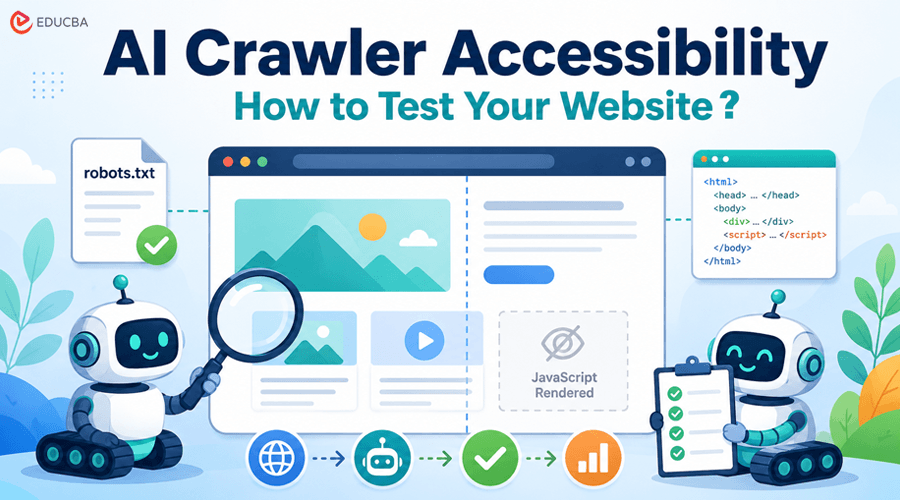
- JavaScript rendering: Googlebot has a sophisticated rendering engine that can execute JavaScript and see the fully loaded page, much like a real browser. Many AI crawlers lack this capability. They receive the raw HTML the server sends before any JavaScript runs, and on modern websites built with frameworks like React, Angular, or Vue, that raw HTML can be nearly empty. This difference can directly affect AI crawler accessibility, particularly for websites that depend heavily on client-side rendering to display their main content.
- txt recognition: Each AI crawler uses its own user agent string. If a website’s robots.txt file was written before these crawlers existed, which is the case for the vast majority of sites, it may contain rules that inadvertently block them. A Disallow directive aimed at unknown bots will catch GPTBot and ClaudeBot just as effectively as it catches a spam scraper.
Common AI Crawler Accessibility Issues That Block AI from Reading Your Pages
Two problems account for most AI crawler access failures.
- txt blocking AI user agents: The robots.txt file is placed at the root of a website and tells crawlers which pages they can access. A line like User-agent: * / Disallow: / blocks every crawler that is not specifically allowed elsewhere in the file. Since AI crawler user agents are relatively new, they rarely have explicit Allow rules. The result: they obey the blanket block, and your content never reaches the AI platforms.
You can check your own robots.txt by adding /robots.txt to your domain (e.g., yoursite.com/robots.txt). Look for Disallow rules under User-agent: * and check whether any AI-specific user agents, GPTBot, ClaudeBot, PerplexityBot, and Google-Extended, have their own rules. Reviewing these directives is one of the first steps in evaluating AI crawler accessibility.
- JavaScript-dependent content: If your website loads its main content through client-side JavaScript, the raw HTML that a non-rendering crawler receives may contain little more than a page title and an empty <div> Everything a visitor sees product descriptions, articles, pricing, FAQs loads only after the browser executes the JavaScript. A crawler that cannot run JavaScript sees none of it.
This is easy to test manually: open your browser’s developer tools, disable JavaScript, and reload the page. What remains visible is roughly what a non-rendering AI crawler receives. If the page looks empty or broken, that is what GPTBot sees.
How to Test AI Crawler Accessibility on Your Website?
Manual testing, checking robots.txt, disabling JavaScript, and inspecting user agents work but are slow and error-prone when you need to check multiple pages across multiple crawlers. Free tools can check whether AI crawlers can access your site in one pass, which saves time if you are auditing more than a handful of pages.
Whichever method you use manual inspection or a dedicated tool the things to verify are:
- Robots.txt rules per AI user agent: Check whether GPTBot, ClaudeBot, PerplexityBot, and Google-Extended are allowed or blocked individually. Each one is independent; a site can allow GPTBot but block ClaudeBot. This makes user-agent-specific testing an important part of evaluating AI crawler accessibility.
- Raw HTML content: Does the raw HTML the server returns contain your page’s text? Or is the text injected by JavaScript after the page loads? If the raw version is empty, non-rendering crawlers get the empty version.
- Rendering gap: How much content appears only after JavaScript runs? A small gap (navigation menus, interactive widgets) is normal. A complete gap (the entire page body loads via JavaScript) means non-rendering crawlers cannot see your core content.
These checks provide a practical way to measure AI crawler accessibility and identify technical barriers that could prevent AI platforms from accessing your content.
If you find problems, the fixes are well documented: update robots.txt to explicitly allow the AI crawlers you want to reach, and consider server-side rendering or static generation for key pages so the content appears in the raw HTML.
What to Do After Improving AI Crawler Accessibility?
Giving AI crawlers access to your content is a prerequisite, not a guarantee. A page can be fully crawlable and still never appear in an AI-generated answer. The second question, whether AI platforms cite or recommend your brand when users ask relevant questions, is a separate problem that requires its own tracking.
AI visibility platforms track how your brand appears in AI-generated answers, whether you are being mentioned, how often, and how you compare to competitors. Established tools like Profound cover this space, and more affordable options like Beamtrace by Elfsight (plans start at $20/month) have made it accessible to smaller teams. If you have confirmed your pages have good AI crawler accessibility but your brand still is not showing up in AI search, this is the next diagnostic layer to explore.
Final Thoughts
AI crawlers are a distinct category from traditional search engine crawlers. They often cannot render JavaScript, and they rely on robots.txt rules that predate their existence. As a result, many websites are invisible to AI platforms without anyone realizing it.
Testing AI crawler accessibility takes minutes: check your robots.txt for AI-specific user agents, compare your raw HTML with the rendered page, and verify that your core content appears in both. Fix access issues first; everything else in the AI visibility chain depends on it.
Recommended Articles
We hope this guide helps you understand AI crawler accessibility, from checking robots.txt to identifying JavaScript and crawlability issues. Explore these recommended articles for more insights on AI crawlers, technical SEO, website accessibility, and AI search visibility.


