


AI Course Video Generator: Overview
Education and professional training are evolving faster than ever. Organizations, educators, and course creators all face the same challenge: producing high-quality learning content quickly without draining time or budget. Traditional video production is expensive, slow, and difficult to scale. This is where AI-powered video creation changes everything. Modern tools enable the creation of professional training videos at scale without cameras, studios, or technical expertise. An AI course video generator allows educators and businesses to focus on teaching while automation handles production. This guide explains how AI video generators work, their benefits, essential features to look for, and best practices for using them effectively in scalable learning programs.
What is an AI Course Video Generator?
An AI course video generator is software that transforms scripts, outlines, or written lessons into complete educational videos. These videos include visuals, animations, transitions, and voiceovers, all created automatically using artificial intelligence. Instead of filming lectures or hiring a production team, you provide content and preferences. The AI system handles design, narration, timing, and rendering. Within minutes, you have a polished training video ready for learners. This technology enables individuals and organizations to produce consistent, professional educational content without specialized skills or equipment.
How AI Video Creation Technology Works?
AI video generators combine several advanced technologies working together in the background:
- Machine Learning: Analyzes millions of video patterns to determine effective pacing, layouts, and structure.
- Natural Language Processing (NLP): Understands your script’s meaning, tone, and context.
- Computer Vision: Selects relevant visuals, animations, and layouts.
- Text-to-Speech Neural Networks: Convert text into natural-sounding narration.
These systems collaborate to automate tasks that previously required teams of designers, editors, and voice actors.
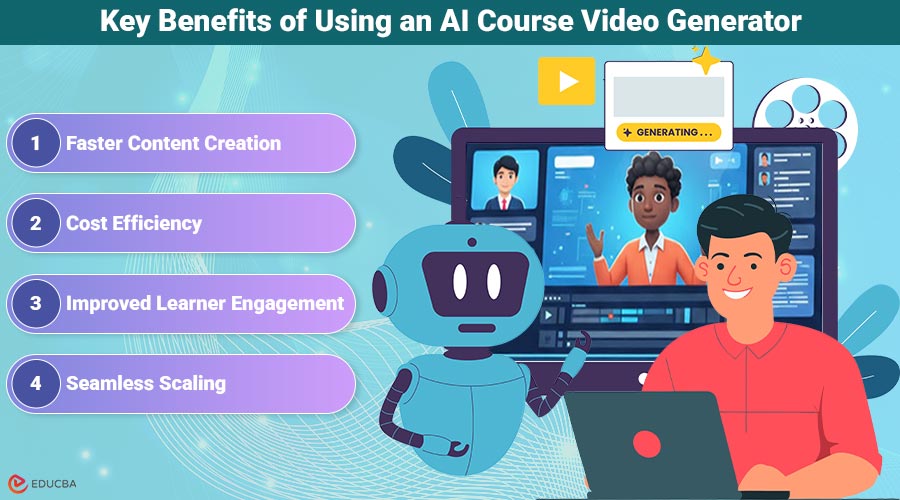
Key Benefits of Using an AI Course Video Generator
The following benefits highlight how an AI course video generator supports scalable learning initiatives across educational and professional environments.
1. Faster Content Creation
Traditional video production can take weeks. AI video generators reduce that timeline to hours or even minutes. Creators can build entire course modules in a single session. This speed allows educators and businesses to respond quickly to new training needs, updates, or market changes.
2. Cost Efficiency
Hiring videographers, editors, studios, and voice talent is expensive. AI tools remove most of these costs. Subscription-based pricing makes professional video creation affordable for startups, educators, and small organizations. Many users reduce production costs by 70–90% while maintaining high-quality output.
3. Improved Learner Engagement
Video-based learning improves retention when the content is well-structured. AI-generated videos maintain consistent pacing, audio quality, and visuals, helping learners focus on the material rather than production inconsistencies. Learners can pause, replay, and review lessons at their own pace, increasing comprehension.
4. Seamless Scaling
AI breaks the link between production effort and output. Creating 100 videos no longer requires 100 times the resources. Once teams establish workflows, scaling becomes effortless. This is especially valuable for corporate training, online academies, and educators serving global audiences.
Essential Features to Look For in an AI Course Video Generator
To maximize the impact of an AI course video generator, it is important to evaluate the key features outlined below.
1. Natural Voiceovers
High-quality narration is critical. Look for tools offering:
- Multiple voice options
- Adjustable pacing and tone
- Pronunciation controls
- Multi-language support
Premium voices significantly improve perceived professionalism.
2. Templates and Customization
Strong platforms offer:
- Educational video templates
- Brand customization (colors, fonts, logos)
- Drag-and-drop editing
- Reusable custom templates
Consistency across your course library builds trust and recognition.
3. Platform Integration
Choose tools that integrate with your LMS or course platform. Support for standard formats (MP4) and SCORM compliance simplifies deployment and tracking.
4. Multi-Language Support
If you serve global learners, ensure the platform supports subtitles, translations, and localized voiceovers.
How AI Transforms Course Development?
- From Outline to Video: You can input a course outline directly into an AI generator. The system automatically structures lessons, assigns visuals, synchronizes narration, and produces a complete video. What once took a week can now be done in an afternoon.
- Unified Course Materials: Many AI platforms generate transcripts, summaries, and quizzes alongside videos. This keeps all learning materials aligned and reduces duplicate work.
- Consistency Across Large Libraries: AI ensures uniform audio, visuals, and branding across hundreds of videos. This consistency enhances professionalism and learner confidence.
- Rapid Updates: Need to revise outdated information? Edit the script and regenerate the video in minutes. No reshoots. No extra costs.
Step-by-Step Process for Creating AI Training Videos
- Plan Your Course Structure: Define learning objectives, audience level, and success metrics. Break content into short, focused lessons.
- Write Clear Scripts: Use conversational language, short sentences, and clear transitions. Write for spoken delivery, not academic reading.
- Select the Right Tool: Test platforms through free trials. Evaluate voice quality, templates, ease of use, and integration options.
- Generate and Customize Videos: Upload scripts, choose templates, select voiceovers, and preview results. Adjust visuals and pacing as needed.
- Polish and Review: Add branding, captions, and accessibility features. Test on desktop and mobile devices.
- Publish and Track Performance: Upload to your LMS, organize modules, and monitor engagement analytics to refine content over time.
Best Practices for High-Quality AI Video Content
- Write scripts specifically for AI narration
- Keep videos short (5–10 minutes)
- Use subtle animations
- Maintain consistent branding
- Choose appropriate voice tone and pacing
- Collect learner feedback and iterate
Planning tools like Ponder Mind Mapping AI are especially useful for organizing complex course structures before scripting. Visual outlines help identify logical lesson breaks and ensure smooth progression.
Overcoming Common Challenges
- Robotic Voiceovers: Use premium voices, proper punctuation, and pacing controls.
- Generic Branding: Customize templates and consistently apply brand guidelines.
- Over-Automation: Add human touches personal intros, custom explanations, or live examples.
- Technical Limitations: Break long videos into shorter segments and export in multiple formats.
The Future of Scalable Learning with AI
AI-powered video creation is no longer experimental. It is now a practical, proven solution used by educators, enterprises, and online course creators worldwide. If your current process is slow, expensive, or hard to update, AI video technology offers a smarter path forward. You can create more content, reach larger audiences, and keep materials current without burning out your team or budget. Start small, test one module, and compare results. Most creators quickly realize that AI is not replacing education it is amplifying it.
Final Thoughts
An AI course video generator has become an essential tool for modern educators and organizations looking to scale learning efficiently. By reducing production time, lowering costs, and maintaining consistent quality, AI-powered video creation enables faster course development without compromising learner experience. Whether you are building corporate training programs or online courses, adopting an AI course video generator can future-proof your learning strategy and help you deliver impactful education at scale.
Recommended Articles
We hope this overview of an AI course video generator supports your course creation goals. The recommended articles below provide additional information and related insights.


