

Updated November 7, 2026
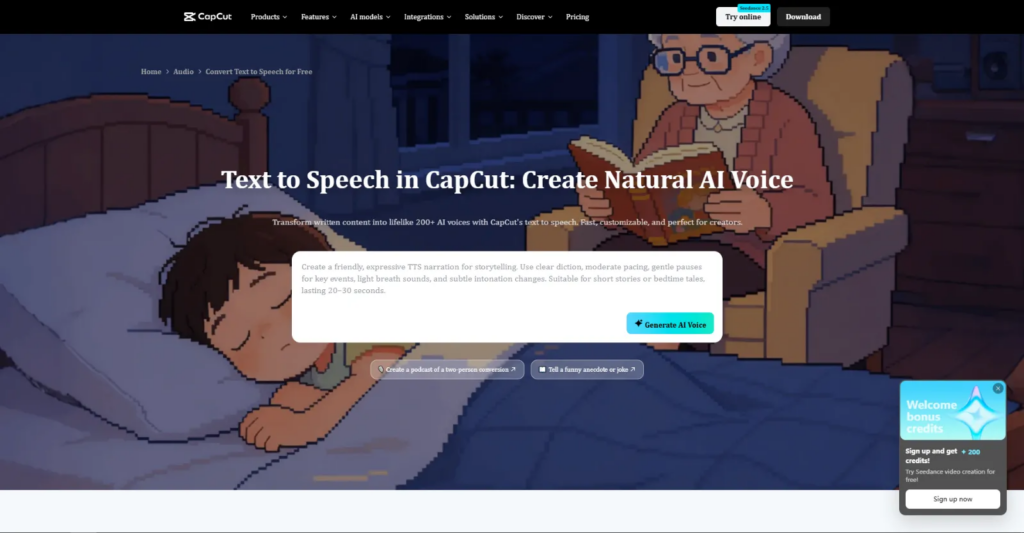
A natural-sounding voiceover depends heavily on how well the script is written. The CapCut AI voice generator helps creators produce voiceovers for YouTube explainers, Instagram Reels, and product tutorials without recording their own audio. However, narration quality largely depends on the script, as poorly structured sentences can make AI-generated speech sound robotic. This review explores the tool’s key features, strengths, and limitations, along with practical tips for writing text-to-speech scripts that sound more natural and engaging.
Overview and Tips for Better Voiceovers
CapCut’s text-to-speech feature is integrated directly into its video editor, making it a convenient option for content creators. Users can paste a script, select a voice, and add the generated narration directly to their video timeline. According to CapCut, its library includes more than 200 AI voices and supports dozens of languages for localized voiceovers. Users can also adjust tone, speed, and pitch to match their videos’ mood. The CapCut AI voice generator generally performs well with clear, conversational English but may struggle with long, comma-heavy sentences. This highlights the importance of well-structured scripts, making the following techniques useful for creating more natural-sounding AI voiceovers.
1. Write for the Ear When Using an AI Voice Generator
Written English and spoken English behave differently. A sentence that reads beautifully on a blog can sound stiff when an AI narrator reads it aloud. Before using the CapCut AI voice generator, read the script aloud to catch awkward phrases or unnatural pauses. If a sentence is hard to say smoothly, the AI-generated narration may sound unnatural. Replacing formal phrases such as “in order to” with “to” and “utilize” with “use” helps make the script more conversational. Simple, everyday language produces more natural-sounding AI voiceovers.
2. Keep Sentences Short for Natural Text-to-Speech
Long sentences can make text-to-speech sound robotic because AI voice generators may struggle to identify natural pauses. For best results, keep sentences to 12 to 18 words and rarely exceed 25. Breaking a 40-word product description into three shorter sentences can help the CapCut AI voice generator produce smoother, more relaxed, and natural-sounding narration.
3. Use Punctuation to Control Voiceover Pacing
Punctuation is your direction to the virtual voice actor. Commas create short pauses, periods create full stops, and an em dash or ellipsis adds a dramatic beat. Question marks change intonation, which helps a script feel interactive. For a deeper breakdown, this guide on CapCut AI voice generator explains how pauses and phrasing shape a realistic AI voiceover.
4. Spell Out Numbers, Acronyms, and Names in Your Script
Text-to-speech engines can sometimes misread numbers and abbreviations. While a year like “2026” is usually pronounced correctly, figures such as “$1.5M” or “Q3” may cause errors. To improve accuracy, write “one and a half million dollars” and “third quarter” instead. You can also spell brand names and unusual words phonetically to ensure correct pronunciation. Review the generated audio afterward to catch pronunciation errors and reduce the need for repeated exports.
5. Match the AI Voice and Settings to the Script’s Tone
A cheerful voice may sound inappropriate when narrating a serious health topic, regardless of how polished the script is. Select the AI voice after you finalize the script to ensure it matches the content’s tone. In CapCut, a slightly slower narration speed works well for tutorials, while a natural or slightly faster pace suits short-form videos. Small adjustments to pitch and speed usually sound more natural than drastic changes.
6. Use Contractions and Conversational Transitions
People say “you’ll” and “it’s,” not “you will” and “it is.” Contractions instantly soften an AI voice. Transitions such as “here’s the thing,” “now,” and “so” also guide listeners from one idea to the next, just as a human presenter would. Keep them light, though, because too many fillers make narration feel padded.
7. Listen, Edit, and Regenerate Your Voiceover
No script is perfect on the first attempt. After generating the voiceover, creators should listen to it alongside the visuals and identify any awkward pauses or unusual emphasis. They can then revise the affected lines and regenerate the narration. Since the voiceover and video are managed within the same editor, this process can take minutes rather than hours.
8. Format Scripts Differently for Short-Form and Long-Form Videos
A script for a 30-second Reel and a ten-minute YouTube explainer should be written differently. For short-form content, the script should begin with an engaging hook and keep each line under 12 words to capture viewers’ attention within seconds. For long-form videos, slightly longer sentences and clear transitions such as “first,” “next,” and “finally” help listeners follow the content without losing track. This approach gives AI-generated voiceovers a natural rhythm that aligns with how audiences consume different video formats.
Who Should Use the CapCut AI Voice Generator?
From my experience, this tool fits best for social media creators, small business owners, educators, and beginners who want to produce videos without recording equipment. Because the narration sits on the same timeline as your clips, captions, and music, it suits anyone who values speed over complex audio editing. Students producing class presentations or explainer projects will also find it practical, since the online version runs in a browser without installation.
Limitations of the CapCut AI Voice Generator
No tool is perfect, and an honest review should mention the trade-offs. Voice selection and quality can vary between languages, so test your chosen language before committing to a full project. Some voices and advanced features may sit behind CapCut’s paid Pro plan, and those offerings change over time. The voices also have a limited emotional range for highly dramatic storytelling, where specialist tools or human narrators still perform better. Finally, always review CapCut’s terms before using generated audio in commercial or client projects.
Final Thoughts
The CapCut AI voice generator is one of the most convenient text-to-speech tools for video creators, especially beginners who want voice generation and editing in one place. Its free access, large voice library, and multilingual support make it a strong starting point. Still, the tool works best when you write the script for listening. Short sentences, smart punctuation, and conversational language will do more for your narration than any setting.
Recommended Articles
Explore our recommended articles to discover AI voice generation tools and techniques for creating professional video narration.