


Updated November 7, 2026
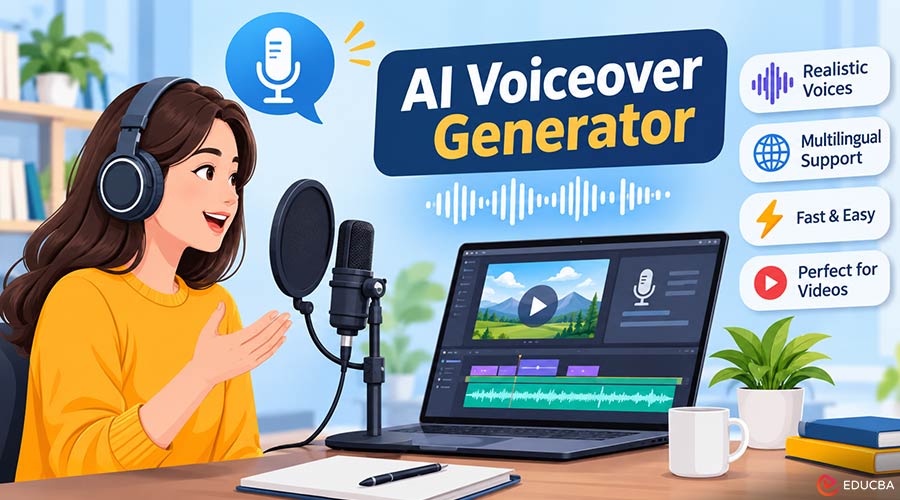
When I started producing explainer videos a decade ago, a single voiceover meant booking a narrator, waiting days for revisions, and paying again for every script change. Today, an AI voiceover generator can produce a natural narration in minutes, often in several languages.
After testing many tools on client projects, course videos, and social content, I have settled on a reliable process. This listicle covers how to add an AI voiceover to a video, step by step, and which AI voiceover generator tools are worth your time in 2026.
1. Write a Script Built for an AI Voiceover Generator
The quality of any AI voiceover generator depends on the script you feed it. Write in short, spoken sentences rather than long academic paragraphs, and read each line aloud before pasting it in. Spell out abbreviations the way you want them pronounced, and use commas and full stops to guide pacing. For a two-minute video, I aim for roughly 280 to 300 words, since natural narration runs at about 150 words per minute.
2. Choose the Right AI Voiceover Generator for Your Project
Different tools suit different jobs. ElevenLabs is known for highly expressive, human-like voices and strong multilingual support, which makes it popular for storytelling and dubbing. Murf AI offers a studio-style editor where you can sync narration with slides or video, useful for presentations and training content.
Google Cloud Text-to-Speech and Microsoft Azure AI Speech provide large libraries of neural voices across many languages and give developers fine control through SSML. If you prefer an all-in-one workflow, CapCut and Descript let you generate speech directly inside the video editor. For a quick, browser-based option to compare narration styles, you can also try this AI voiceover generator before committing to a paid plan.
Compare Free Plans and Commercial Rights of AI Voiceover Generators
Almost every AI voiceover generator offers a free tier with limited characters or minutes each month, and some restrict commercial use or require attribution. Check the current licensing terms before publishing monetized videos, because these policies change often.
3. Select a Realistic Voice and Language
Pick a voice that matches your audience and tone. Calm, mid-pitched voices work well for educational content, while brighter voices suit marketing clips. For multilingual videos, always choose a native voice for each language rather than letting an English voice read translated text. I learned this on a Spanish training project where switching to a native speaker voice immediately improved viewer feedback.
4. Generate and Fine-Tune the Narration
Generate a first draft, then listen carefully. Adjust speaking speed, emphasis, and pauses where the delivery feels rushed or flat. Most text-to-speech platforms let you regenerate a single sentence instead of the whole script, which saves credits and time. I usually render two voice options and choose the one that sounds best against the visuals.
5. Import the Voiceover Into Your Video Editor
Export the audio as WAV for editing or MP3 for lightweight projects, then import it into your editor, such as Premiere Pro, DaVinci Resolve, or CapCut. Place the narration on its own audio track, align each sentence with the matching scene, and trim gaps so the pacing feels deliberate.
Balance Music and Narration
Background music should sit well below the voice. I lower music by roughly 12 to 18 decibels during narration and add short fades at transitions, so the synthetic voice stays clear and easy to follow.
6. Add Captions and Review the Final Cut
Auto-generated captions improve accessibility and help viewers who watch without sound. Proofread every caption, especially names and technical terms. Finally, watch the full video on both headphones and phone speakers before publishing, since audio problems often show up differently on each.
Final Thoughts
Adding an AI voiceover generator to your video production process makes narration fast, affordable, and accessible to students, educators, and creators alike. Write a clean script, choose a tool that fits your project, pick a natural voice, and spend a few minutes on timing and mixing. That small effort turns synthetic narration into a professional result.
Recommended Articles
We hope this comprehensive guide to AI voiceover generators helps you create realistic, natural-sounding narrations for your videos. Check out these recommended articles for more insights and tips on using AI tools to improve your video content creation.