
Updated November 5, 2026
Product videos powerfully showcase a product’s features, appearance, and benefits to potential customers. You can use them on product pages, social media, marketplaces, landing pages, and ad campaigns.
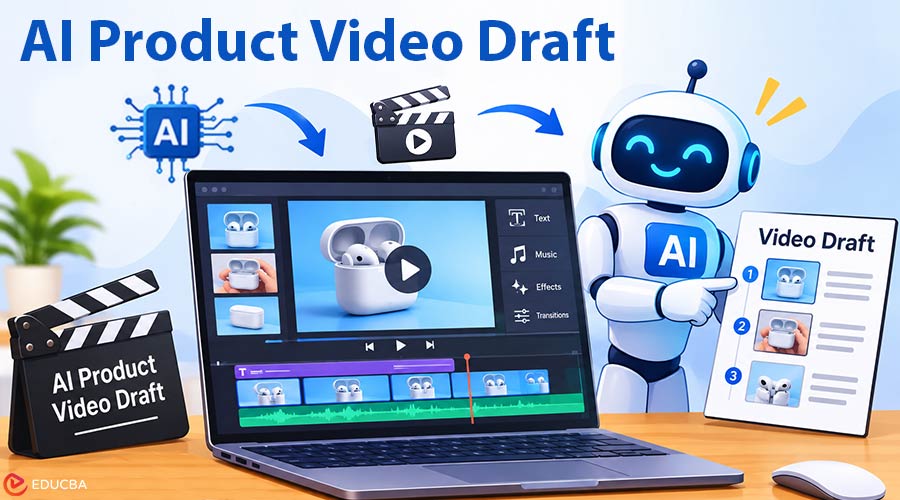
Traditionally, creating a product video involves scripting, filming, editing, recording voiceovers, designing graphics, and making revisions. Today, AI can help creators simplify the initial process by converting product information into an AI Product Video Draft.
An AI-generated draft does not necessarily have to be the final product. Instead, it can provide a building-block framework that is easier to assess, tweak, and enhance.
1. Start With the Core Product Message
Before creating an AI Product Video Draft, define the key message you want to communicate.
Some simple questions to ask:
- What problem does the product solve?
- Who is the target audience?
- What is the product’s biggest advantage?
- Which features should be demonstrated visually?
- What action should viewers take after watching?
A product video is more effective when it communicates one clear idea rather than several competing messages.
For example, a short social media video may highlight a single product feature, while a longer product page video can demonstrate multiple features, benefits, and use cases.
2. Prepare the Product Information
AI tools perform better with clear, specific input.
Before creating your AI Product Video Draft, gather essential product details, including the product name, key features, customer benefits, dimensions, materials, uses, pricing, and any important limitations.
If you have product photos, packaging photos, brand colors, or existing marketing copy, arrange these as well.
The better the source material, the easier it will be to write a strong first draft. Do not promote with overly generic statements. Clear factual information will generally create a more powerful structure.
3. Build a Simple Script
A product video script should follow a logical sequence that helps viewers understand the product quickly.
A typical structure includes:
- Introduce the problem: Explain the customer’s need or challenge
- Present the product: Show how the product addresses that need
- Highlight the benefits: Focus on the product’s main advantage
- Demonstrate its functionality: Explain or show how the product works
- Include a call to action: Encourage viewers to take the next step.
Keep the script brief and easy to understand.
Short sentences are generally easier to synchronize with visuals and voiceovers.
If the video is intended for social media, the first few seconds should immediately communicate the product or its main benefit.
4. Use AI to Create a First Visual Draft
After you finish the script, AI can help convert the outline into scenes.
If you want a quick draft to see what the AI can do, an AI product video generator can help when you start with text, images, or other content.
The resulting version can contain suggestions for scenes, text overlays, stock graphics, transitions, or simple movements. Do not worry about being perfect yet. The goal is to produce something that is easy to skim.
5. Match Each Scene to One Message
Each scene should communicate one main idea.
When a single shot tries to explain several things at once, the video can become confusing.
For example:
- Scene 1: Display the front of the product
- Scene 2: Highlight an important product feature
- Scene 3: Demonstrate the product in use
- Scene 4: Show the primary benefit or call to action.
This structure makes the video easier to follow, review, and edit.
AI-generated drafts may not always include every scene you need. Review the output carefully and remove any visuals that do not contribute to the overall message.
6. Use Real Product Images When Possible
Although AI-generated images can be useful for mood boards, backgrounds, and conceptual visuals, real product images are often the better choice for accuracy.
If the product has a specific shape, color, label, interface, or packaging design, use actual product assets whenever possible.
This reduces the likelihood of AI changing important product details.
For ecommerce and product marketing, visual accuracy matters most because customers need to see what they are buying.
You can still use AI-generated visuals for lifestyle settings, creative backgrounds, and transitions, as long as they stay consistent with the actual product.
When reviewing your AI Product Video Draft, check that the product’s appearance matches its real-world specifications.
7. Add Voiceover Carefully
Use voiceover to describe features that are hard to convey visually.
Record a human voice or use AI-generated narration.
Either way, delivery should be clear and natural. Avoid reading long technical descriptions. Rather, describe the product in a non-technical manner.
The voiceover should also be a similar length to the visuals. The feature mentioned should be on screen at about the same time. This makes the video more purposeful.
8. Keep On-Screen Text Short
On-screen text can reinforce the main message, particularly for viewers watching without sound.
Use short phrases instead of lengthy paragraphs.
Feature names, product benefits, measurements, and concise calls to action can communicate information effectively.
Make sure the text is large enough to read on mobile devices.
Avoid placing important information too close to the edges of the video, especially when publishing on social media platforms where interface elements may cover parts of the screen.
During the AI Product Video Draft review process, check that text overlays stay readable and do not distract from the product itself.
9. Adjust the Video for the Final Platform
Different versions of the product video may be required for various publications. A product page may use a landscape format with more detailed explanations.
TikTok, Instagram Reels, and YouTube Shorts tend to perform best with vertical video and high-speed.
Markets may require a simpler, more product-oriented video presentation. Do not work on one template and expect it to be able to be used on all platforms – Make platform-specific changes to the draft template.
Final Thoughts
Creating an AI Product Video Draft can significantly simplify the initial stages of product video production.
The process works best when you begin with accurate product information, a simple script, and a focused message.
AI can help generate the basic structure, suggest scenes, and organize visuals. However, you should still review the draft for accuracy, visual consistency, pacing, and brand alignment.
The most effective workflow combines AI automation with manual refinement. Use AI to save time on the first draft, then improve the visuals, narration, and presentation until the video clearly communicates the product’s value and is ready for its intended platform.
Recommended Articles
Check out our recommended articles to discover AI video creation techniques and strategies for successful product marketing. Discover practical tips for creating engaging product videos using AI tools, visuals, voiceovers, and editing techniques.