


Updated September 19, 2026
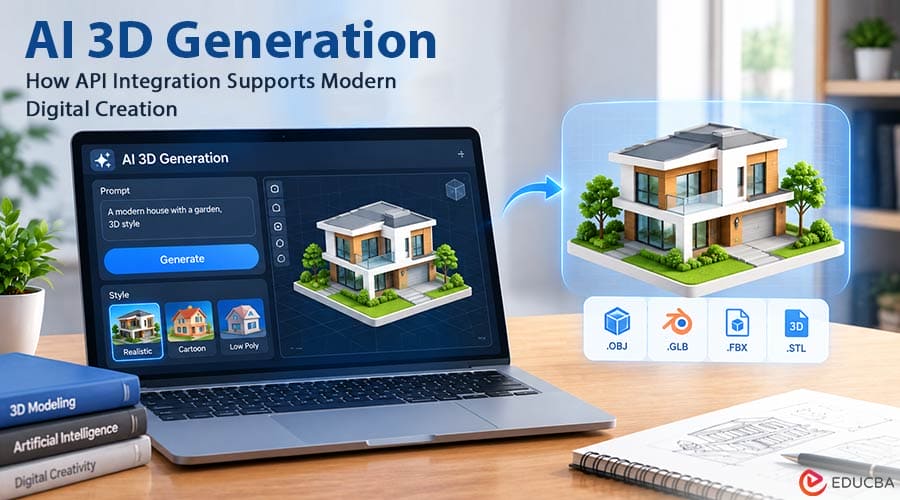
AI 3D generation is no longer limited to standalone creative tools. As the technology develops, another possibility is becoming increasingly important: integrating 3D generation directly into existing software, platforms, and digital workflows. For developers and businesses, this changes the question. Instead of simply asking, “Can AI generate a 3D model?”, they may be asking, “How can an AI 3D model generator become part of the product we are already building?”
A design platform might want to let users turn images into 3D assets without sending them to another application. A 3D printing service could allow customers to create printable models directly from reference images. An education platform could introduce AI-generated 3D objects into interactive lessons. A creative application could provide automated 3D asset generation as one step in a larger workflow. This is where an AI 3D API can become useful.
Hi3D provides an Open Platform with APIs covering several 3D creation capabilities, including Image to 3D, Image to 3D Relief, 3D Model Split, and 3D Model Multicolor. The platform supports applications in areas such as 3D printing, game development, industrial design, film production, creative design, and education. Rather than treating AI 3D generation as a separate destination, developers can use these capabilities as building blocks inside their own applications.
Why API-Based AI 3D Generation Matters?
A standalone AI tool can be useful when a creator wants to generate a model manually. But many digital products have a different requirement. Imagine a platform where thousands of users upload images every day. If the platform wants to provide 3D generation, asking every user to leave the website, open another AI tool, generate a model, download it, and upload it again creates unnecessary friction. An API can change that experience. The AI generation process can become part of the application’s own interface. From the user’s perspective, they might simply upload an image and click a button labeled “Generate 3D Model.”
The underlying AI service handles the generation, while the application controls how the result is displayed and used. This approach can benefit companies looking to integrate AI capabilities without developing a complete 3D generation model from scratch. The distinction is important. Developing a sophisticated 3D generation system internally can require specialized machine-learning expertise, substantial computing resources, and continuous model development. An API provides another route: use an existing AI capability and focus internal development efforts on the product experience around it.
Image to 3D as a Building Block
One of the most straightforward applications is image-to-3D generation. Hi3D’s API documentation provides Image to 3D capabilities that allow applications to generate 3D models from visual input. The API supports different model versions, including V1.5, V2.0, V2.1, and V3.0, while the latest V3.0 generation options include 2048quality and 2048master. For developers, the significance is not simply that an AI model can produce a 3D asset. The more interesting possibility is what happens around that generation step.
For example, an e-commerce application could allow users to upload a product image and generate a 3D representation. A design platform could turn reference images into starting assets. A digital catalog could add 3D objects to its existing content pipeline. The API becomes one component inside a larger application rather than the application itself. This makes AI 3D generation more adaptable to different business scenarios.
Building a Workflow Instead of a Single Feature
A useful AI integration does not always have to stop after model generation. In real-world workflows, a generated 3D asset may need additional processing before it can be used.
For example:
Image → 3D model → texture → split → export
or:
Image → 3D model → color separation → 3D printing
Hi3D’s API ecosystem includes capabilities that can support several of these steps. In addition to Image to 3D, its Open Platform includes APIs for 3D Relief, 3D Model Split, and 3D Model Multicolor. This means developers can think about AI 3D as a workflow rather than an isolated generation button.
A 3D printing platform, for instance, might combine model generation with splitting and multi-color processing. A creative application might use image-to-3D generation alongside its own editing interface. A specialized design platform could build a customized sequence around the AI-generated asset. The exact workflow depends on the product, but the underlying idea is the same: individual AI capabilities can become components of a larger system.
Choosing the Right Level of Detail
Another consideration for developers is model complexity. More detail is not automatically better for every application. A highly detailed model can be useful when visual quality is the priority, but it can also mean larger files, longer processing times, and greater computational or storage requirements. Hi3D’s API supports target polygon counts ranging from 100,000 to 5 million. Its documentation notes that higher-resolution generation can provide more detail while also resulting in larger files and longer inference times. This creates an important design decision for developers.
A mobile application showing lightweight 3D previews may have different requirements from a professional design platform. A rapid prototyping service may prioritize processing speed, while a visualization application may emphasize model detail. Instead of treating model quality as a simple “higher is better” question, developers can choose a level that fits their application’s actual purpose. This is also one reason API-based AI generation should be considered part of product design, not just technical implementation.
High-Detail Generation for Visual Applications
For applications where visual quality matters, high-resolution generation offers another option. Hi3D V3.0 is designed for detailed 3D generation, with the current product information describing 2048³-level geometry and 8K PBR textures. It is intended to preserve fine details, including small patterns and text. This can be relevant to applications where users need more than a basic approximation of an object.
For example, a creative platform may need detailed assets for visualization. A product-related application may need surface details to remain visible. A digital content workflow may use detailed models as a starting point for further editing. The API approach lets developers decide where higher-detail capability makes sense, rather than requiring every user and workflow to use the same generation settings.
Supporting Different Output Formats
Once a model has been generated, compatibility becomes another practical consideration. A 3D asset can be used in many different environments, and different applications may expect different file formats. Hi3D supports exports including OBJ, GLB, STL, FBX, USDZ, and 3MF. That variety can make it easier to connect AI-generated models with different downstream workflows. For example, one application may need a format suited to real-time 3D content, while another may need a format associated with 3D printing.
A design workflow may use yet another format for continued editing. From a developer’s perspective, supporting multiple formats can reduce the need to build separate conversion processes for every use case. It also means the AI generation stage does not have to determine the model’s final destination. The same basic generation capability can potentially support several different product experiences.
AI 3D for 3D Printing Platforms
3D printing is one area where API integration can create a particularly interesting workflow. A traditional online printing service might require customers to upload an existing 3D file. But not every potential customer knows how to create one. An AI-powered platform could change the first step. A user could upload an image, generate a 3D model, and then continue through the platform’s own printing workflow. Hi3D provides API capabilities for Image to 3D, model splitting, and multi-color model processing, which can be combined depending on the application’s requirements.
This could let a 3D printing service make its interface more accessible without building every AI capability internally. It also illustrates how different AI functions can work together. Generation creates the basic asset, while other tools can help prepare it for a particular physical workflow. The result is not simply “AI-generated 3D.” It is a connected process from digital creation toward physical production.
Applications Beyond 3D Printing
Although 3D printing is an obvious application, AI 3D generation has a much wider range of possible uses. Hi3D’s API documentation identifies areas including game development, industrial design, film production, creative design, and education. Consider a game-development platform. Instead of manually creating every preliminary prop from scratch, an application could potentially use image-to-3D generation to create starting assets from visual references.
Artists could then refine the models to meet the project’s requirements. For education, an interactive learning platform could use generated 3D objects to supplement visual teaching materials. For creative software, AI 3D generation could become one of several creation tools available alongside 2D image generation, editing, and other design functions. The common thread is that AI-generated models can serve as intermediate assets within a larger creative process.
Relief Generation as Another Digital Workflow
Not every 3D application requires a conventional full 3D object. Some projects are better suited to reliefs, objects where an image or design is transformed into raised or recessed physical geometry. Hi3D provides an Image to 3D Relief API as part of its Open Platform. This can open up additional applications for developers. A platform focused on personalized products could potentially incorporate relief generation into its customization workflow.
A creative application could use it for decorative designs. An education platform could experiment with tactile learning materials. Again, the important point is not that every application needs this feature. Rather, an API makes the capability available to developers with a specific use case.
Integrating AI Without Rebuilding the Entire Product
One of the biggest practical questions for businesses considering AI integration is how much of their existing workflow needs to change. In many cases, the answer does not have to be “everything.” An AI 3D API can be introduced as a new capability within an existing product.
A company may already have:
- A user account system
- A file-upload interface
- A 3D viewer
- A project management system
- A marketplace
- A printing workflow
- A design editor
- A customer dashboard
The AI generation service can sit within this existing infrastructure. Users do not necessarily need to know which model is running behind the scenes. They simply interact with the feature as part of the product they already use. This creates an important distinction between using an AI tool and building AI into a product. The first is primarily a user workflow. The second is a product-development decision.
Designing the User Experience Around AI Generation
Technical integration is only one part of the process. The user experience surrounding AI generation can be equally important. For example, an application may need to decide what users should see while a model is being generated. It may need to provide previews, allow users to choose generation settings, or give them options for downloading and continuing to edit the result. Expectations also matter.
AI-generated models should not always be presented as finished production assets. Depending on the application, users may need to inspect, edit, optimize, or validate the result before using it. A well-designed workflow therefore treats AI as part of the creation process rather than hiding decision-making behind a single button. This approach can also give users more control over how the generated model fits their particular project.
Why Developers May Prefer Flexible AI Building Blocks?
Different products have different requirements. A game-development tool does not need the same workflow as a 3D printing platform. An industrial design application may prioritize detail and editing, while an educational platform may prioritize simplicity. This is why a collection of API capabilities can be more useful than a single fixed workflow. Developers can decide which components fit their product.
With Hi3D, those components currently include image-to-3D generation, 3D relief generation, model splitting, and multi-color model processing, alongside different model versions and output options. The developer’s job is then less about reproducing an entire AI 3D platform and more about deciding how these capabilities can solve a specific user problem.
The Future of AI 3D May Be Built Into the Tools We Already Use
The next stage of AI 3D generation may not simply be about creating increasingly impressive standalone generators. It may be about making 3D generation available wherever people already create, design, prototype, learn, and build. When AI 3D capabilities are exposed through APIs, developers can experiment with new ways of using them. A 3D printing platform can build generation into its customer journey. A design application can introduce image-to-3D creation.
A creative platform can combine 2D and 3D generation. A business can develop a specialized workflow around its own users and requirements. Hi3D’s API provides one example of this approach, offering multiple AI 3D capabilities that developers can incorporate into different applications. For businesses, the question is therefore becoming less about whether AI can generate 3D models and more about where that capability can provide value inside an existing workflow.
That shift could be just as important as improvements in the underlying generation technology. As AI becomes another layer in digital creation tools, 3D generation may gradually move from something users visit separately to something built into the products they already use.
Recommended Articles
We hope this comprehensive guide to AI 3D generation helps you understand how AI-powered 3D capabilities can support modern digital workflows. Check out these recommended articles for more insights and strategies to explore the latest developments in AI and digital creation.


