


Updated September 19, 2026
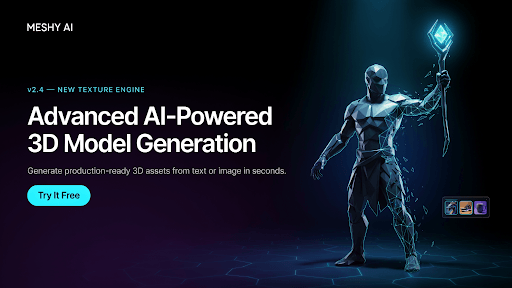
Developing a usable 3D asset requires a lot of modeling, texture painting, retopology, and export work, all of which will take hours of labor, even if the object itself is quite simple. AI-powered generation is changing this workflow by letting artists start with something easily accessible: a description, a photograph, or a short set of reference images. Meshy AI, one of the top AI 3D model generators, is designed primarily to make the journey from idea to digital asset quick and easy. The browser-based workflow includes generation, texturing, model inspection, and exporting in one place, making 3D creation easier without compromising the flexibility professional users need.
What is Meshy AI?
Meshy is an AI-powered 3D model creation platform capable of text-to-3D and image-to-3D generation. An artist can describe an object in his/her regular natural language or show a picture and use the AI to render a 3D figure. The Meshy platform also offers AI texturing, remeshing, rigging, and some Animation-related features, as well as AI image generation, making it possible to move seamlessly through many stages of asset creation in one place.
Because it runs in a browser, users do not need to install extra 3D modeling software to access AI-generated assets. The platform is especially convenient for designers, game dev teams, product engineers, teachers, and hobby artists who need to sketch an idea quickly before jumping into a complex, manually modeled project.
Two Practical Ways to Generate a 3D Model
These two methods offer different ways to turn ideas or visual references into 3D models:
1. Text to 3D
When an idea still lies buried in the artist’s mind, Text-to-3D generation can help. Rather than building a 3D model from scratch, the user describes the object’s shape, material, design, and environment in a short paragraph.
Much happens in a game designer’s mind before the object is visualized: a treasure chest in the style of the Middle Ages, with well-done metal parts and wooden surfaces showing signs of aging. Meshy AI would create a 3D model from that short description, and the user can then review it and edit the asset. This approach is helpful even at early ideation stages, when artists can generate several options first and choose one to focus on later.
2. Image to 3D
Image-to-3D conversion uses a distinct method. Rather than providing a fully verbal description of an object, a photo serves as the user’s pictorial starting point. This technique is optimal when it is much simpler to explain an object’s shape, ratios, or features visually.
Meshy can also handle multi-image inputs, letting multiple views of an object guide the 3D construction. In general, a multi-image task should involve one to four images of the same object from different directions. The system can better infer surfaces and structure when you provide extra views rather than relying on a single photograph.
More Than Basic Model Generation
Creating geometry is just one aspect of the 3D pipeline in a professional context. A raw, untextured mesh may have the right overall contours but still needs substantial work before it can be part of a game, visualization, animation, or other product.
Meshy also improves surface detail with AI texturing and mesh quality. Designers can give a self-generated or imported model a new character through this feature. Remesh can help refine the mesh topology to suit the chosen workflow. Moreover, it includes character asset rigging, which can automate preparation work before animation and remove some monotonous tasks.
This broader approach is what makes Meshy AI for 3D creation relevant beyond simple experimentation. Creators can move through a series of stages without switching platforms. They can start with an idea, then move to a geometry model, and finally develop a production asset they can use right away.
A Flexible Export Workflow
When the model is compatible with the production team’s software, it becomes much more useful. Meshy supports exporting to GLB, GLTF, FBX, OBJ, STL, USDZ, and 3MF. The appropriate format depends on the intended application: FBX is one of the most popular formats for game engines and DCC applications, GLB and GLTF are ideal for web and AR development, and STL and 3MF are mostly used for 3D printing.
This extensive format support also allows us to be less constrained. A designer can use a model as a basis for visualization and later can utilize the same asset in a different context, instead of making another copy just because the initial tool worked in a different file format.
Useful Tools Beyond Generation
Meshy’s browser-based development environment gives users the full suite of a 3D Toolkit at no cost, along with converters, an online viewer, and STL repair tools. These tools are designed to solve the kinds of issues that most commonly come up only once a product has been manufactured. In that situation, when someone uploads an STL file for printing, they may need to check or fix the file before a slicer can run.
If a designer wants to check a model, they might prefer an interactive viewer to the one found on desktop software. Accessing these tools alongside AI generation can be a real time-saver for minor tasks. It also offers a free version of its platform, so users can test it before committing to a larger workflow that may involve production work and decide whether it is worth investing more resources.
Where Meshy AI Fits Into Real Projects?
The usefulness of AI-created 3D assets largely depends on how they are used. For game developers, generating assets quickly can help the team visualize the overall scene, items, and how characters look in the earliest phase of production. Another case is 3D printing, where converting a 2D image into a 3D model provides a basic design for a physical item that may need to be checked for defects and then improved further.
Generated designs may also support other purposes, such as presenting products, developing ideas, creating augmented reality scenarios, and delivering presentation materials. Nevertheless, the crucial point is that using AI-generated models does not necessarily mean discarding a manual product-creation pipeline. At the very least, it can reduce the manual effort required to turn an idea into a working blueprint.
Developers Can Build Meshy Into Their Own Workflows
Meshy doesn’t stop at the manual process of creating 3D in the browser. The developers behind Meshy have made an API available, giving them access to Meshy’s capabilities, including Text to 3D, Image to 3D, AI texturing, rigging, animation, and image generation. That way, developers can integrate 3D generation into applications, internal tools, game pipelines, or batch systems.
In another case, developers in a studio can create an internal workflow where approved reference images feed into an automated process and are delivered as standard file models. This kind of process would not only make AI-assisted creation a thing of the past but also become part of everyday workflows across industries and creative teams.
A Simple Workflow for Getting Better Results
- The asset has to be defined clearly first: you need to imagine what the final appearance of the object should be, how it will be used, decide upon the necessary level of detail, etc.
- Decide on the best method of creation: If you can best explain what you are visualizing by using only text, then Text to 3D is the best for you. If, however, a picture will best convey the style or look of your design, choose Image to 3D.
- It’s good practice to include several images as visual references: In many cases, multiple photographs can provide more insight into an object’s actual form and measurements.
- Always do a final check before exporting: This includes geometry inspection, texture checks, topology verification, scale measurements, and any other specifications that your model may require.
- Choose a suitable file type: Match the export format to the end use, such as a game engine, a web viewer, design software, or a 3D printer.
What Makes Meshy Worth Considering?
Meshy’s most impressive feature is not any one particular capability such as concept generation, image-based modeling, texturing, rigging, inspection, or export. Rather, it lies in the seamless integration of different 3D creation phases, allowing you move from ideation to final product with minimal effort. Being a browser-based system is not a hindrance; it significantly reduces the learning curve for novices. On the other side, the API opens a new path for automating workflows and, consequently, scaling output for devs and production teams. Beginners can play with 3D creations freely without spending hundreds of hours learning every tool, while professionals can focus on their core skills instead of splitting their time between modeling and AI generation.
Meshy AI and similar AI-powered 3D creation tools are doing a great job of turning what was once purely creative or manual into something automated, while still requiring a certain level of expertise. The most impactful application combines AI for rapid prototyping with classic 3D know-how in areas that require precision and structural considerations, material choices for modeling, and production constraints. That is the secret: a creator’s way to get from inspiration to an object that serves as a functional part of a larger design, without spending a huge amount of time on each step.
Recommended Articles
If you found this guide to Meshy AI useful, check out these recommended articles for more insights into AI-powered tools, 3D modeling, digital asset creation, and emerging technologies.


