


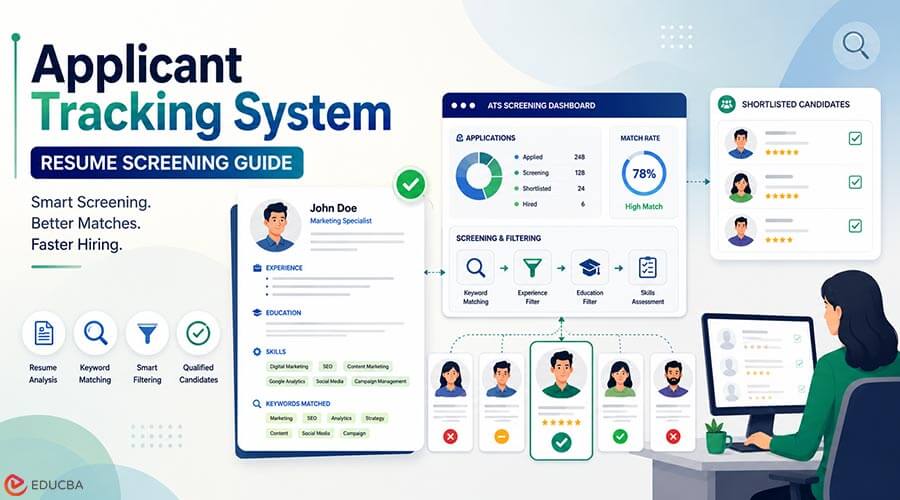
If you have applied for jobs recently and heard nothing back, the problem may not be your experience. A human may never have seen your application. Most medium and large employers now use an applicant tracking system to collect and filter candidates before a recruiter reads a single word. Learning how these systems work is one of the highest-value skills a modern job seeker can build, because it decides whether your application reaches a person at all.
This guide explains what an applicant tracking system does, how it screens you, and the practical steps that get your application through it.
What is an Applicant Tracking System?
An applicant tracking system, usually shortened to ATS, is software that employers use to manage hiring. When you apply through a company’s careers page, your resume and answers go into this system rather than straight to a recruiter’s inbox. The applicant tracking software then organizes, searches, and ranks candidates so the hiring team can work through hundreds of applications efficiently.
The important thing to understand is that the ATS is the first gate. Understanding how an applicant tracking system evaluates applications can help you prepare your resume more effectively. If your application is hard for the system to read or clearly misses what the role asks for, it can be filtered out long before a person sees it.
How an Applicant Tracking System Screens Your Application
A common myth is that an ATS rejects resumes on its own. In reality, most systems do two things:
- Parse your resume into structured data, pulling out your name, contact details, work history, skills, and education.
- Match and rank you against the job by looking for the skills and terms in the job description so that recruiters can sort and search the pile.
Problems happen at both stages. If the parser cannot read your resume cleanly, your details get scrambled or lost. If your resume does not reflect the language of the job, you rank lower when the recruiter searches. Neither is about the quality of your career. Both are about how well your application speaks the system’s language.
How to Make Your Resume ATS-Friendly
An ATS-friendly resume is simply one the software can read and match without confusion. A few practical rules cover most of it:
- Use standard section headings like Experience, Education, and Skills. Creative labels can confuse the parser.
- Mirror the job’s language. If the posting asks for “project management” and you wrote “managed projects”, add the exact phrase where it is true. Recruiters search for these resume keywords.
- Keep formatting simple. Avoid tables, text boxes, columns, headers and footers, and graphics. Many parsers read these poorly or skip them.
- Choose a safe file type. A standard Word document or a text-based PDF is usually read most reliably.
- Do not stuff keywords. Forcing in terms you cannot back up reads badly to the human who eventually sees it. Use the real language of your experience.
The goal is not to trick the system. It is to describe your genuine experience in words the system and the recruiter both understand.
Beyond the Resume: the Application Form Itself
Getting your resume right is only half the job. The application form is where many strong candidates quietly lose time and momentum. Modern hiring platforms ask you to re-enter your work history field by field, choose from custom dropdowns, and answer a wall of screening questions that changes with every employer.
This is repetitive, and repetition leads to mistakes and abandoned applications. It is also where automation genuinely helps. An AI assistant like VeloApply can autofill the form and draft answers to screening questions from your saved profile, then highlight each answer for you to review and approve before submitting. The point is not to apply on autopilot, which tends to produce careless applications, but to remove the busywork so you can apply to more of the right roles with the same care you would give one.
Whatever tool or method you use, the principle is the same: spend your energy on judgment and fit, not on typing the same details for the hundredth time.
How to Tailor Each Application Without Spending Hours
The advice to “tailor every application” is correct, but taken literally, it doesn’t scale. If tailoring means rewriting everything from scratch for every role, most people give up after a handful of applications. The practical version is lighter:
- Keep a strong base resume that already reflects your core skills and achievements.
- Adjust the top third for each role. Your summary and first few bullet points matter most to recruiters and ranking algorithms, so align them with the specific job.
- Match the job’s exact terms where they are true, rather than rewriting your whole history.
- Save your standard answers to common screening questions so you refine them each time instead of starting over.
The math is simple. A stronger application takes longer, so if each one takes an hour, you will send very few. Cutting the repetitive parts, whether by reusing saved content or by letting a tool autofill the routine fields, lets you keep the quality high while applying to more of the roles that actually fit. That balance, quality without unsustainable effort, is what a modern job search is really about.
Common Mistakes That Get You Filtered Out
A few avoidable errors account for most applicant tracking system screening issues:
- Submitting a heavily designed resume built in a graphics tool.
- Saving the resume as an image or a scanned PDF the parser cannot read.
- Using a generic resume for every role instead of matching each job’s key terms.
- Leaving required screening questions blank or answering them inconsistently.
- Applying to a very high volume of roles with no tailoring, which shows.
A Simple ATS-Ready Checklist
Before you submit your next application, run through this quick list:
- Standard headings and a clean, single-column layout.
- Reflect the job’s core skills and terms honestly in your resume.
- A text-based file, not an image.
- Contact details in the body of the resume, not only in a header.
- Screening questions answered completely and consistently.
- A final human read-through before you press submit.
Frequently Asked Questions (FAQ’s)
Q1. Does an applicant tracking system automatically reject resumes?
Answer: Usually not on its own. It parses and ranks applications so recruiters can search and sort them. A poorly formatted or poorly matched resume ranks lower and is easier to miss.
Q2. How many keywords should I add to my resume?
Answer: Only the ones that are genuinely true for you and appear in the job description. Honest matching beats volume, and keyword stuffing hurts you with the human reviewer.
Q3. Is it worth using tools to help with applications?
Answer: Yes, for the repetitive parts. Autofill and answer-drafting tools save real time, as long as you still review every application before it goes out.
Final Thoughts
An applicant tracking system is not your enemy. It is a filter, and an ATS-friendly resume helps you prepare for that filter. Build a clean, honest, keyword-aligned resume, treat the application form with the same care, and use automation to remove the busywork rather than the judgment. Do that consistently and more of your applications will reach the people who make hiring decisions, which is the entire goal.
Author Bio
Haseeb Kamran is the founder of VeloApply and has more than eight years of experience in recruitment and talent acquisition, where he has reviewed and guided thousands of job applications. He writes about hiring technology, applicant tracking systems, and practical job-search strategy, focusing on helping candidates present their genuine experience in a way both software and recruiters understand. VeloApply is an AI assistant that autofills job applications and drafts answers to screening questions, then lets the applicant review and approve everything before submitting.
Recommended Articles
We hope this guide on Applicant Tracking Systems (ATS) helps you understand how recruitment software works and how to improve your job applications. Explore these recommended articles for more insights into resume optimization, job searching, recruitment technology, and career development.

