


Updated July 22, 2026
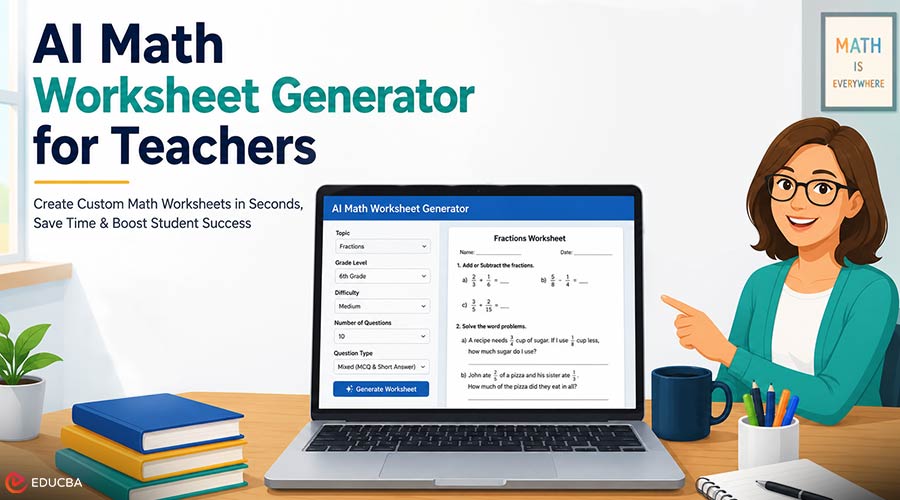
Creating effective math worksheets is one of the most time-consuming tasks teachers face. Many educators spend hours searching for suitable practice questions, modifying old worksheets, or creating new exercises that align with their lesson plans. Unfortunately, ready-made worksheets often fail to meet the unique learning needs of every classroom. Some questions may be too simple, while others are far too challenging for students’ current skill levels. An AI math worksheet generator offers a faster and more personalized solution. Instead of manually writing every problem, teachers simply enter a few instructions, such as the topic, difficulty level, and number of questions.
Within seconds, the AI generates a customized worksheet that matches those exact requirements. This gives teachers more time to focus on teaching rather than preparing materials. The best part is that these tools are easy to use. Most AI practice generator require only a few clicks to create worksheets covering topics from basic arithmetic to advanced calculus. Since the content is generated instantly, teachers always have access to fresh practice materials, avoiding the repetition of the same questions year after year.
Why Teachers Are Turning to AI Math Worksheet Generators?
Traditional worksheet creation can be repetitive and time-consuming. An AI math worksheet generator simplifies this process by generating customized practice problems tailored to classroom needs. Whether you are teaching elementary multiplication, middle-school algebra, or high-school geometry, AI allows you to generate worksheets that fit your students’ current learning objectives. This flexibility makes lesson planning faster while ensuring students receive meaningful practice.
Scenario 1: Managing a Diverse Classroom
Imagine a classroom where students are at wildly different levels. You might have some kids who are still mastering basic multiplication. In the same room, you have others who are ready to start exploring pre-algebra. Creating one worksheet for the whole class means half the students will be bored and the other half will be frustrated. This is a common struggle for every teacher who wants to support every child. With AI, you can generate three different versions of the same lesson in under a minute. You can create a foundational version for students who need extra support. You can make a standard version for the majority of the class.
Finally, you can produce an advanced version for those who need a challenge. Each worksheet covers the same core concept, but the complexity of the numbers and the wording of the problems change. This approach ensures that every student stays engaged. It also prevents advanced students from finishing in five minutes, which would cause a distraction. You can hand out the papers discreetly, so students do not feel singled out. Everyone is working on the same topic, but at a pace that helps them grow. This level of differentiation used to take hours of planning, but now it happens almost instantly.
Scenario 2: Preparing for Standardized Tests
Test season is often the most stressful time of the year for both teachers and students. You need to review a massive amount of material in a very short window. Standardized tests often use specific types of wording that can trip students up. If your students have only practiced with simple equations, they might struggle when they see those same concepts hidden inside a long word problem. You can use AI to generate practice tests that mimic the style of state exams. You can also instruct the tool to align with specific standards, such as geometry or data analysis.
If you notice that your class is consistently missing questions about fractions, you can generate a worksheet that focuses only on those specific errors. This targeted practice helps students build confidence before the big day arrives. Another advantage is the ability to generate multiple versions of the same practice test. This is very helpful if you want to prevent students from looking at their neighbor’s paper. The AI can keep the difficulty level identical while changing the actual numbers in the problems. You can print Versions A and B to ensure that every student does their own work. It makes the review process much more honest and effective.
Scenario 3: Making Math Relevant to Student Interests
One of the challenges in teaching math is answering the question: “When will I ever use this?” Students often feel disconnected from abstract numbers on a page. If a student loves sports, they might not care about a word problem involving apples and oranges. However, they might be very interested in calculating the batting average of their favorite player. AI allows you to customize word problems based on what your students actually like. You can input a prompt asking the tool to create algebra problems centered on popular video games or space exploration.
If your class is excited about a recent school event, you can incorporate that into the math problems. This small change makes a huge difference in how students perceive the subject. When students see their interests reflected in their work, they are more likely to stay focused. They stop seeing math as a chore and start seeing it as a tool to understand the world around them. You can even let students choose the theme for the next day’s worksheet. This gives them a sense of ownership over their learning. It turns a standard math block into something the kids actually look forward to.
Benefits of Using an AI Math Worksheet Generator
The following table summarizes how AI worksheet generation helps in different classroom situations.
| Scenario | Primary Benefit |
| Diverse Classroom | Supports instant differentiation for every learning level |
| Test Preparation | Creates targeted practice aligned with curriculum standards |
| Interest-Based Learning | Improves engagement through personalized themes |
| Time Management | Significantly reduces lesson planning time |
In a diverse classroom, the biggest win is equity. Every student receives the support they need without adding to the teacher’s workload. In the test prep scenario, the benefit is accuracy. You can drill down into the exact areas where students are failing and provide immediate support. For interest-based learning, the benefit is emotional. You are building a positive relationship between the student and the subject matter. Beyond these specific points, there is the general benefit of accuracy.
Humans make mistakes when they are tired. It is easy to accidentally write a math problem that has no solution or a repeating decimal that goes on forever. AI tools are built to follow mathematical rules perfectly. This means you do not have to double-check every single answer key before you hit the print button.
Practical Workflow for Teachers
Getting started with an AI math worksheet generator is simple. Most teachers can create a complete worksheet in just a few minutes by following these steps.
Step 1: Define the Learning Objective
Start with a clear goal. Instead of requesting a worksheet on “fractions,” specify the exact skill students need to practice, such as:
- Adding fractions with unlike denominators
- Converting fractions into decimals
- Simplifying fractions
The more detailed your prompt, the more accurate the generated worksheet will be.
Step 2: Select Worksheet Parameters
Choose your preferred settings, including:
- Number of questions
- Difficulty level
- Grade level
- Multiple-choice or open-ended format
For a classroom warm-up, five questions may be enough. For independent practice, twenty or more questions may be appropriate.
Step 3: Generate and Review the Worksheet
After generating the worksheet, quickly review each problem. Although an AI worksheet generator is highly accurate, teachers should still confirm that:
- The wording matches the students’ reading level.
- Numbers are appropriate for the lesson.
- Questions align with learning objectives.
If necessary, regenerate or edit individual questions.
Step 4: Generate the Answer Key
One of the biggest time-saving features is the automatic creation of answer keys. Most AI math worksheet tools can produce matching answer keys alongside the worksheet. Teachers can use them for grading or allow students to check their work independently.
Step 5: Save and Print
Finally, save the worksheet as a PDF or digital file. Many teachers store worksheets for future use or upload them to classroom management platforms for remote learners. The entire process from planning to printing typically takes less than five minutes.
Final Thoughts
The primary role of a teacher is to educate, motivate, and guide students not to spend countless hours manually creating math practice sheets. An AI math worksheet generator enables teachers to reclaim valuable planning time while delivering highly personalized learning materials. Whether supporting different ability levels, preparing students for standardized tests, or making math more engaging through customized themes, AI makes worksheet creation faster, easier, and more effective.
By using these tools, you reduce your own stress and improve the quality of your lessons. You can focus on the actual teaching while the technology handles the repetitive work. Math becomes more engaging for the students and more manageable for you. It is a simple change that can transform the way your classroom functions every single day.
Recommended Articles
We hope this guide to AI math worksheet generators helps simplify lesson planning and classroom instruction. Check out these recommended articles for more teaching tips, AI tools, and educational resources.


