


Updated July 16, 2026
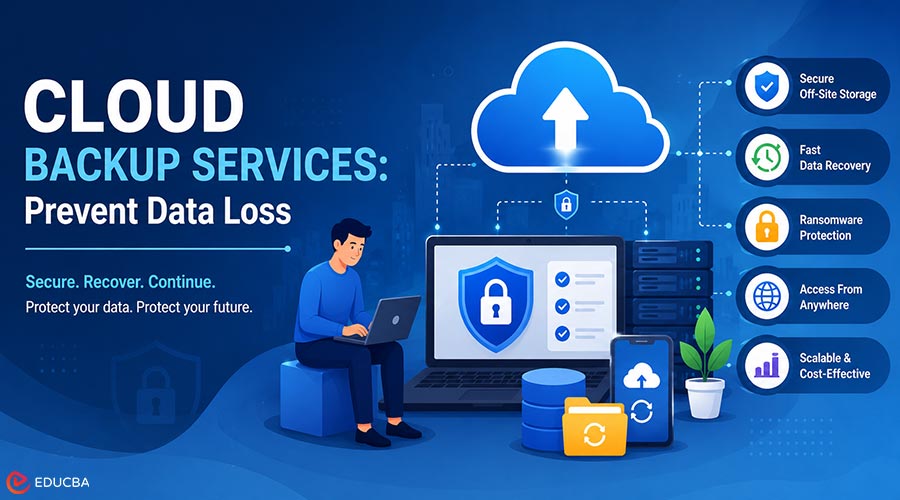
The loss of essential data can affect the stability and productivity of any organization. Whether it is a ransomware attack, a failed server, or an accidental deletion, the impact can range from operational downtime to permanent data loss. A solid recovery plan is therefore a necessity for all businesses, schools, and charities. Cloud backup services provide organizations with a secure, scalable solution to safeguard their data and maintain business continuity. If your organization doesn’t have a cloud backup services strategy, this guide explains exactly why you need one.
What is Cloud Backup?
Understanding Cloud Backup Services
Cloud backup services involve copying and storing data on remote servers hosted over the internet. Instead of relying on on-site hardware, your data is securely uploaded off-site and accessible from anywhere.
How its Work?
When you set up cloud backup services, your systems automatically back up your data to a secure remote server at regular intervals. In case of data loss or corruption, you can recover the data quickly from the latest backup.
Common Causes of Unexpected Data Loss
Data loss strikes in ways beyond a simple system crash. Here are the most common causes of unexpected data loss:
Cyber Attacks and Ransomware
Ransomware locks access to your files and then demands payment to unlock them. Many organizations have no choice but to pay if they don’t have separate cloud backup services.
Human Error
Accidental deletion or overwrites are a major cause of data loss.
Hardware and System Failures
Hard disk drives fail unexpectedly. If servers crash, they can lose a lot of data instantly.
Natural Disasters and Physical Damage
Flooding, fire, or power surges can destroy on-site hardware and all backups stored on it.
How Cloud Backup Services Protect Your Organization?
They are not only about data storage. They actively minimize the impact of every major threat listed above.
Automatic Data Protection
Cloud backup services run in the background without any manual input. Your data is therefore continuously protected and backed up 24/7.
Faster Data Recovery
The data recovery time is shorter than with traditional methods. With cloud backup services, you can restore individual files or entire systems within hours instead of days.
Protection Against Ransomware
Because cloud backup services store backups separately from your main network, ransomware cannot reach them. You can restore clean data without paying a ransom.
Remote Access to Backed-Up Data
If employees are working off-site or your office is closed, backed-up data can be accessed from anywhere with an internet connection.
Key Advantages of Cloud Backup Services for Businesses, Schools, and Nonprofit Organizations
Here are the benefits of cloud backup for businesses and charities.
Improved Business Continuity
Cloud backup services and recovery keep operations running after an incident. There is no need to rebuild from scratch when data is available immediately.
Less Downtime and Disruption
The sooner you recover, the less you lose in revenue, productivity, or service delivery. It also helps safeguard vulnerable beneficiaries and learners from disruption.
Enhanced Data Security
Reliable backup solutions encrypt your data in transit and at rest, ensuring your information remains protected even if the storage infrastructure is compromised.
Scalable Backup Solutions
Cloud backup services are highly scalable. You can expand your backup capacity as your organization grows.
Cost-Effective Data Protection
Managed backup solutions eliminate the need for costly on-site infrastructure and reduce the IT resources required for ongoing maintenance.
Best Practices for Cloud Backup Services and Recovery
These are the best practices for using these services in small businesses, schools, and charities.
Apply the 3-2-1 Backup Rule
Follow the 3-2-1 backup approach by maintaining three copies of your data, storing them across two different storage formats, and keeping one backup copy in a separate location.
Schedule Regular Backups
Use these services to perform daily or continuous backups, minimizing the risk of data loss.
Test Recovery Procedures
If you do not test a backup, you can’t trust it. Conduct regular recovery drills to ensure your cloud backup services work as expected.
Keep Systems Updated
Ensure that systems are up to date, as outdated software may have vulnerabilities that could impact backups.
Work with an Experienced IT Support Provider
A managed service provider ensures your backup infrastructure is properly configured, monitored, and maintained for reliable performance.
Frequently Asked Questions (FAQ’s)
Q1. What advantages do cloud backup services offer to businesses and charities?
Answer: They help businesses and charities reduce downtime, strengthen data security, support business continuity, provide scalable backup solutions, and deliver cost-effective data protection.
Q2. How do they protect your organization from unexpected data loss?
Answer: Backup solutions provide a reliable layer of protection by keeping data accessible and supporting uninterrupted business operations. Even if information is corrupted or lost, organizations can quickly restore a clean copy.
Q3 Why does every organization need a cloud backup services strategy?
Answer: Every organization needs cloud backup services because they provide secure off-site data protection, simplify recovery, and eliminate reliance on in-house IT infrastructure.
Final Thoughts
Unexpected data loss can disrupt operations, reduce productivity, and expose organizations to significant risks. Investing in reliable cloud backup services helps ensure your critical data remains protected, recoverable, and accessible when you need it most. Whether you manage a business, school, or charity, a well-planned backup strategy strengthens business continuity and minimizes downtime. Cygnet IT provides managed data protection solutions tailored to your organization’s requirements, helping you secure critical information and recover with confidence.
Recommended Articles
We hope this guide on cloud backup services helps you protect your organization from unexpected data loss and strengthen your business continuity strategy. Explore these recommended articles for additional insights on data security, backup solutions, disaster recovery, and IT infrastructure management.


