


Updated July 1, 2026
A photo background remover has become an essential tool in today’s digital world, especially for creators, online sellers, and designers who want clean, professional-looking visuals in seconds. Whether you are editing product photos for an online store or enhancing portraits for social media, a reliable tool like UltraPic AI background remover can greatly improve your visual quality.
From e-commerce listings to Instagram branding, background removal is no longer a complicated task reserved for professionals. It is now a quick, one-click process powered by AI. In this guide, we will explore one of the most effective tools available and show how a photo background remover can simplify your work.
Best Free Online Photo Background Remover
UltraPic stands out as a reliable, simple-to-use, free online background removal tool. Different from traditional editing software that requires manual selection tools and advanced skills, UltraPic offers a fully automated experience. It runs directly in your browser, so you can access it anytime, anywhere.
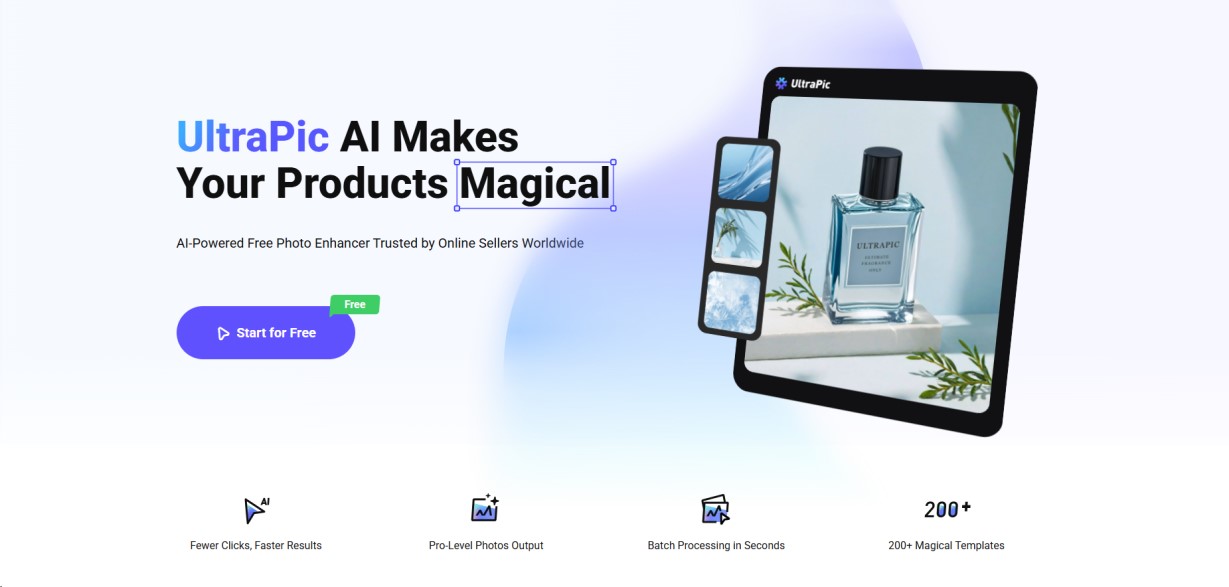
Image Source: UltraPic
This tool is especially useful for people who need quick results without sacrificing quality. Whether you are working on product catalogs, portraits, advertisements, or social media posts, UltraPic functions as a powerful background remover that delivers clean results in seconds.
Key Features of UltraPic AI Background Remover
Except for BG removal, it is also embedded with other editing features:
- Batch removal: Its AI removes the background from dozens of product photos or logos with a single click.
- AI object removal: It allows for the erasure of unwanted objects, people, or distractions from images through text prompts.
- Generative fill: It lets you select a portion of an image and generate new content for it using a text prompt.
- Photo Retouching: The Photo Retouching feature fixes issues such as poor lighting, color imbalances, and minor imperfections (like blemishes) without requiring manual editing skills.
- Image enhancement: It is designed to automatically improve details, lighting, clarity, and overall quality, such as reducing glare on jewelry.
How to Remove Background Using UltraPic AI Background Remover?
Removing backgrounds used to be a time-consuming process involving tools like lasso selection, masking, and edge refinement. Today, AI has simplified everything. Using UltraPic as your photo background remover, the process becomes incredibly simple:
Step 1: Open the UltraPic app using your browser. Then upload an image to edit – you can use a product photo, portrait, or any other picture.
Tip: Use a high-resolution image with good lighting and avoid blurry or heavily compressed files.
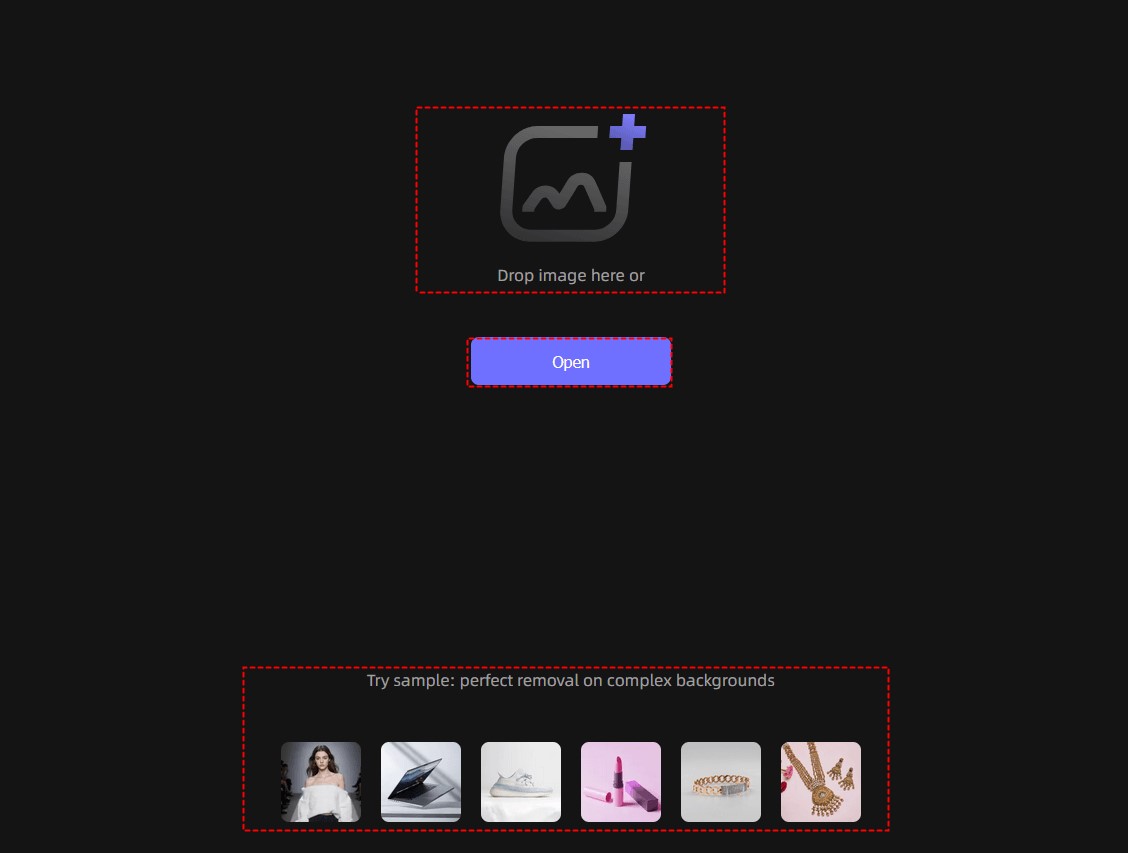
Image Source: UltraPic
Step 2: AI automatically analyzes the image and identifies its main subject. Within seconds, it removes the background while preserving fine details such as edges, shadows, and textures.
Step 3: When it is done, preview the result carefully, and you can choose what to do next:
- Keep a transparent background and export it directly
- Add a white/grey or light background for e-commerce
- Insert a custom-branded background
- Use lifestyle or studio scenes for marketing
Step 4: Finally, click Download to get the edited image.
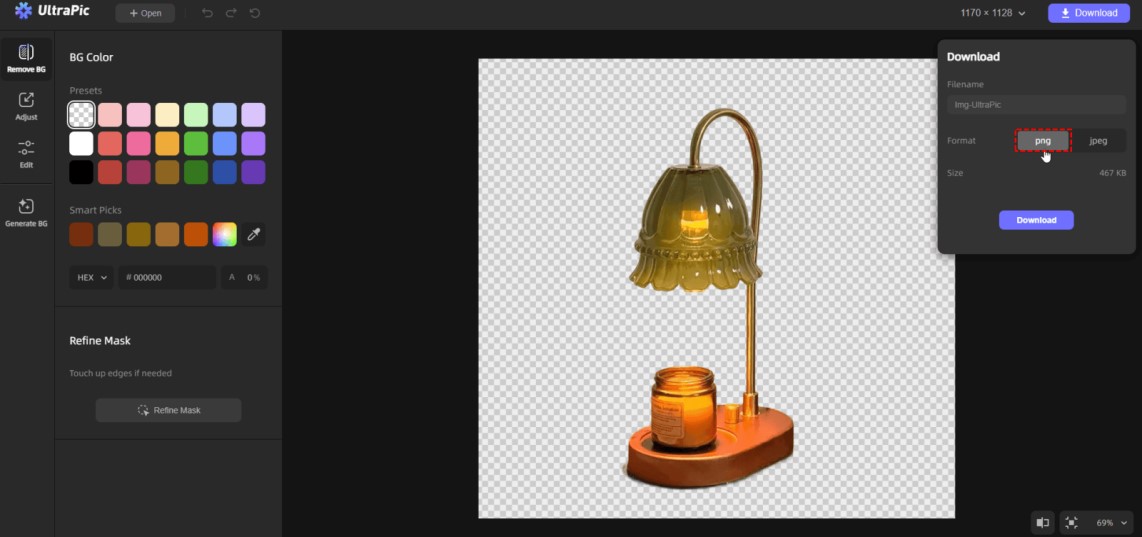
Image Source: UltraPic
Why is Background Remover Necessary for Content Creators?
Whether you are building a brand, running an online store, or growing a social media audience, visual quality matters more than ever. A background remover plays a crucial role.
- Enhance Visual Focus: Removing distractions and helping focus on the main subject. Whether it is a product or a person, clarity improves communication.
- Improve E-Commerce Performance: Online sellers rely heavily on clean product images. A Photo Background Remover helps create uniform product listings that look professional and trustworthy.
- Boost Social Media Engagement: Content creators use background-free images to design eye-catching posts. Clean visuals stand out more in crowded feeds, improving likes, shares, and clicks.
- Save Time & Effort: Manual editing can take hours. However, AI-powered tools complete the same task in seconds. This efficiency helps creators spend more time on content strategy instead of editing.
- Support Branding Consistency: Businesses need uniform visuals across websites, ads, and product catalogs. A photo background remover ensures a consistent presentation across all platforms.
Final Thoughts
Whether you are running an online store or promoting your brand on social media, clear, professional images are essential. Background removal tools use fast, automated AI technology to replace tedious editing steps, thereby streamlining the process. The UltraPic AI background remover is a practical solution suitable for both beginners and professionals. With features such as one-click processing, smart recognition, and flexible editing, it can easily handle a wide range of image processing needs, from product photography to portrait retouching.
Frequently Asked Questions (FAQs)
Q1. Can I use background-removed images for commercial purposes?
Answer: Yes, many users apply edited images in e-commerce stores, advertisements, social media campaigns, and branding materials.
Q2. Does AI Background Remover work on complex images?
Answer: Yes, AI-based systems are trained to handle complex edges, such as hair, fur, and transparent objects, although results may vary with image quality.
Q3. What file formats are supported?
Answer: For UltraPic, common formats JPG, PNG, WebP, BMP, JPEG, JFIF, PJP, and PJEPG are supported.
Recommended Articles
We hope this guide to UltraPic AI background remover helps you create clean, professional visuals with ease. Check out these recommended articles for more tips and tools to improve your image editing workflow.


