


Updated June 16, 2026
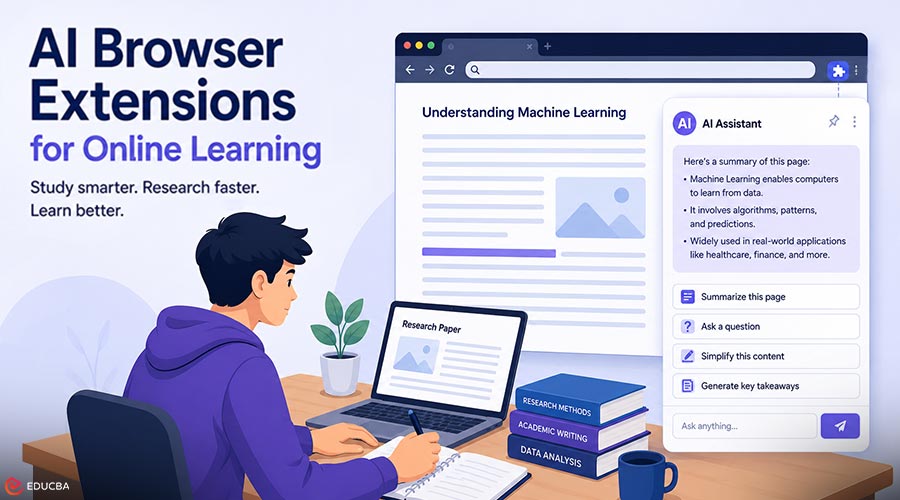
Anyone who has spent a long evening with twenty browser tabs open, a journal article in one, a lecture transcript in another, a half-finished set of notes in a third knows the quiet friction of modern study. The information is all there. The problem is the constant switching between reading, searching, summarizing, and writing. For students, educators, and researchers, this friction adds up to real hours lost every week. Fortunately, AI browser extensions for online learning are changing how people interact with information by bringing intelligent assistance directly into the webpages they already use.
Removing the need to copy text into a separate chatbot window or jump between applications. One example is Clico, a browser extension that brings ChatGPT and Claude to every page you visit. Instead of treating an AI model as a destination you travel to, these tools treat it as a layer that travels with you across the web. That distinction matters more than it first appears. When the assistant lives where the work happens, the entire learning workflow becomes faster, calmer, and easier to repeat. This article looks at how that plays out in research, note-taking, and day-to-day study, with concrete examples you can apply this week.
The Hidden Cost of Tab-Switching
Cognitive scientists have long noted that every interruption carries a “switching cost,” the small mental tax of reorienting yourself after moving from one task to another. In a study session, those switches happen constantly. You read a paragraph, decide it needs unpacking, open a new tab, paste it into a chatbot, read the reply, then return to your source and try to remember where you were. None of those steps is hard. But repeated dozens of times across a study session, they fragment your attention and break the flow that deep learning depends on. The promise of an in-page AI assistant is not that it makes you smarter, it is that it removes the mechanical overhead that sits between you and the actual thinking.
What AI Browser Extensions for Online Learning Actually Do?
It helps to be specific about the capabilities, because “AI extension” can mean very different things. The most useful features for learners tend to be:
1. Summarizing Dense Material on Demand
Point the assistant at a long article, a research paper, or a documentation page, and ask for a structured summary. The value is not in skipping the reading, it is in getting a map before you dive in, so you know which sections deserve your full attention and which you can skim.
2. Asking Questions of the Page
Rather than searching the web again, you can ask the assistant a direct question about the text in front of you: “What assumption is this argument resting on?” or “Explain this equation in plain language.” Because the model can see the page, the answers stay grounded in your source.
3. Rephrasing and Clarifying
For non-native English readers and anyone working through technical writing, the ability to say “rewrite this paragraph more simply” turns an intimidating passage into something approachable without leaving the page.
Research Efficiency: From Hours to Minutes
Consider a graduate student doing a literature review. The traditional process involves opening each paper, reading the abstract, deciding whether it is relevant, and taking notes, a process repeated across dozens of sources. An in-page assistant dramatically compresses the triage stage.
A practical workflow looks like this:
- Open a paper and ask the assistant for a three-sentence summary plus the core contribution.
- Ask whether the paper’s method matches the question you are researching.
- If it is relevant, ask for the key findings and any stated limitations.
- Only then commit to a close read of the full text.
The student still reads carefully, but they read the right papers carefully, instead of spending equal effort on every source. That is the real efficiency gain: better allocation of attention, not less effort overall.
Smarter Note-Taking and Better Retention
Note-taking is where many learners lose value. Notes that simply copy the source are low-effort and low-retention. The most effective notes reframe ideas in your own words and connect them to what you already know, a process researchers call elaboration. AI extensions can support this without doing it for you. After reading a section, you might ask the assistant to generate three questions that test understanding of the material, then answer them yourself before checking. This flips the assistant from a summarizer into a study partner. Retrieving and explaining an idea, rather than re-reading it, is one of the most effective ways to build long-term memory.
A simple, repeatable note-taking loop:
- Read a section fully.
- Recall the main point in your own words, written down.
- Check your recall against an AI-generated summary of the same section.
- Refine your notes where your understanding was thin.
Used this way, the tool reinforces active learning instead of replacing it.
Building a Repeatable Workflow
The biggest gains come not from one clever trick but from a consistent system. Here is how different learners might structure one.
1. For Students
Use the assistant for first-pass comprehension of difficult readings, then for self-testing before exams. Ask it to convert your lecture notes into practice questions and to explain the same concept three different ways until one clicks.
2. For Educators
Generate differentiated explanations of a single topic, one for beginners, one for advanced students, so the same material can reach a mixed classroom. Use it to draft discussion prompts based on an assigned reading, then edit them for your specific group.
3. For Researchers
Triage literature quickly, draft plain-language summaries of your own findings for grant applications, and pressure-test arguments by asking the assistant to play devil’s advocate against your thesis.
Using AI Responsibly in Academic Work
No discussion of these tools is complete without a note on integrity and accuracy. AI models can produce confident but incorrect statements and subtly misrepresent a source. Two principles keep their use sound. First, verify against the original. Treat any summary as a pointer back to the source text, not a replacement for it. If a claim matters, read the passage yourself.
Second, know your institution’s rules. Using AI to understand material, whether through a browser extension you add in seconds or a separate app, is generally fine and often encouraged; using it to produce submitted work may not be. The line varies by course and institution, and the responsible move is to ask rather than assume. Used within those boundaries, an in-page assistant becomes a tutor that is available at any hour, one that explains, questions, and clarifies, while leaving the actual learning to you.
Practical Takeaways
To maximize the value of AI browser extensions for online learning, keep these best practices in mind:
- Reduce switching, not effort: The core benefit of an in-page assistant is removing the mechanical friction between reading, asking, and writing, so your attention stays on the material.
- Use AI to triage, then read closely: Let it tell you which sources deserve a full read; do the deep work yourself on the ones that matter.
- Turn summaries into self-tests: Ask the assistant to generate questions, answer them from memory, and check your recall. Retrieval beats re-reading for retention.
- Build a loop, not a habit of one-off prompts: A consistent read–recall–check–refine cycle compounds far more than scattered queries.
- Always verify, and always know the rules: Treat AI output as a draft and a pointer, never a final authority, and stay inside your institution’s academic-integrity guidelines.
Final Thoughts
Online learning has always rewarded learners who can manage their attention effectively and transform information into understanding. AI browser extensions for online learning do not change that goal. Instead, they remove much of the busywork that traditionally slows down study and research. By reducing friction between reading, questioning, note-taking, and reviewing, these tools help learners focus more on thinking and less on managing tabs. Used thoughtfully, AI browser extensions can become powerful companions for students, educators, and researchers alike, supporting learning while keeping the human learner firmly in control.
Recommended Articles
We hope this guide on AI browser extensions for online learning helps you study smarter and research more efficiently. Check out these recommended articles for more insights on learning and productivity.


