


Updated June 16, 2026
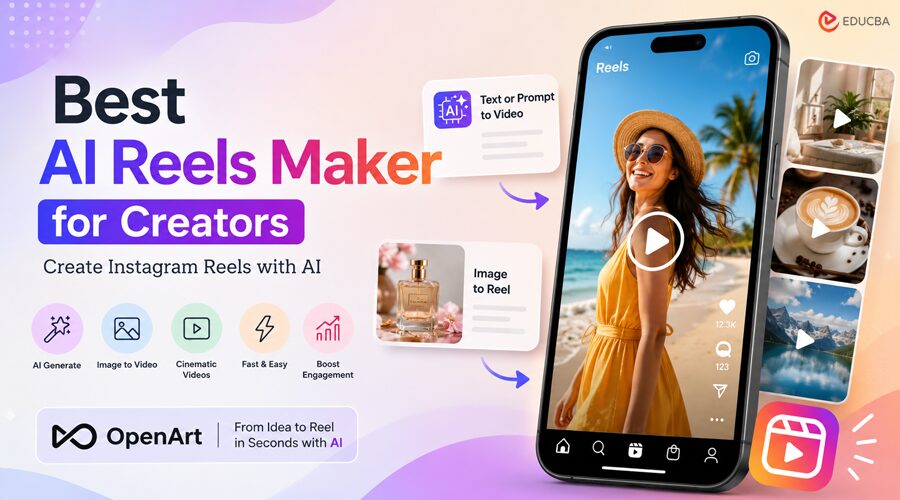
Instagram Reels have become one of the most important formats for creators, brands, influencers, coaches, educators, ecommerce sellers, and social media managers. Reels are fast, visual, mobile-first, and easy to share. They can help creators grow an audience, promote products, explain ideas, showcase transformations, and turn simple moments into engaging content.
The challenge is that creating Reels consistently takes time. You need ideas, visuals, editing, captions, music, voice-over, hooks, and a format that fits Instagram’s vertical video style. For many creators, the hardest part is not making one Reel. It is making enough quality Reels every week without burning out.
That is where an AI Reels Maker can help.
An AI Reels Maker helps creators turn prompts, images, scripts, and ideas into short vertical videos. Instead of filming everything manually or spending hours editing clips together, creators can use AI to generate social-ready video content faster.
For creators looking to streamline their AI-powered content workflow, OpenArt is a Reels Maker that helps turn prompts, images, and ideas into engaging short-form videos more efficiently. OpenArt helps creators turn an idea into a video using prompts, images, and AI video generation tools. Whether you want to make product Reels, faceless Reels, AI art videos, brand promos, or cinematic social clips, OpenArt gives you a faster and more flexible way to create.
What is an AI Reels Maker?
An AI Reels Maker is a tool that helps users create Instagram Reels with AI. Traditional Reels makers focus on trimming clips, adding music, inserting captions, and resizing video for a vertical format. AI Reels makers go further by helping creators generate video content from text, images, prompts, and concepts.
Instead of starting with raw footage, an AI Reels Maker can help you create the footage itself.
For example, you can describe a scene like:
“Create a cinematic vertical Reel featuring a luxury perfume bottle placed on a marble surface, with soft studio lighting and smooth slow-motion camera movement.”
An AI Reels Maker can turn that idea into a visual clip for Instagram, TikTok, YouTube Shorts, and other short-form platforms.
This is especially useful for creators who do not always have time to film, edit, and polish every post from scratch.
Why Creators Need an AI Reels Maker?
Instagram Reels reward consistency. A creator who posts once in a while may struggle to grow, while a creator who publishes regularly has more chances to test hooks, topics, formats, and visual styles.
However, consistency is difficult.
Creators often face problems like:
- Not having enough video footage
- Spending too much time editing
- Running out of fresh ideas
- Struggling to make videos look professional
- Not wanting to appear on camera
- Needing multiple versions for different audiences
- Having images but no motion
- Wanting to create content without expensive equipment
An AI Reels Maker solves many of these problems by giving creators a faster starting point.
You can generate a scene instead of filming one. Rather than hiring a production team, simply write a prompt. And when faced with a blank editing timeline, AI can help you create a first draft in minutes.
Why is OpenArt the Best AI Reels Maker?
OpenArt is built around visual creation. It helps users generate videos from prompts and images, which makes it ideal for short-form content.
Many Reels start with a simple idea: a product shot, a character, a lifestyle scene, a transformation, a tutorial, or an aesthetic visual. OpenArt helps turn that idea into a video without requiring a camera or editing experience.
With OpenArt, creators can make Reels for:
- Product launches
- Fashion content
- Beauty videos
- AI art animations
- Food videos
- Travel-style visuals
- Fitness clips
- Educational content
- Faceless pages
- Brand storytelling
- Social media ads
- Personal brand content
The main advantage is flexibility. OpenArt is not limited to one type of Reel. This AI Reels Maker can be used to create realistic videos, cinematic clips, stylized animations, product visuals, creative storytelling, and more.
How to Create Reels with an AI Reels Maker?
Creating Reels with AI starts with a clear idea. The better your prompt, the better your video.
A strong Reels prompt should include:
- The subject
- The action
- The setting
- The style
- The camera movement
- The mood
- The format
For example:
“Vertical Instagram Reel of a skincare bottle rotating on a wet stone surface, luxury product commercial style, soft studio lighting, close-up camera movement, elegant and premium mood.”
This prompt gives the AI Reels Maker a clear direction. It explains what should appear in the video, how it should move, what style it should follow, and what feeling the final Reel should create.
You can also start with an image. If you already have a product photo, AI artwork, character image, or branded visual, OpenArt can help turn that static asset into a moving Reel.
This is one of the strongest use cases for creators. Many people already have great images, but images alone may not get as much attention as motion-based content. With OpenArt, you can animate those visuals and turn them into short-form videos.
Best AI Reels Maker Ideas for Creators?
Here are some Reel ideas creators can make with OpenArt:
- Product reveal videos
- Create a dramatic product reveal with lighting, motion, and cinematic camera movement.
- Before-and-after videos
- Show a transformation, redesign, makeover, or visual upgrade.
- Faceless storytelling Reels
- Use AI-generated scenes as background visuals for narration or captions.
- AI art animation Reels
- Turn AI images into moving scenes.
- Educational Reels
- Create visual clips that support tips, facts, tutorials, or explainers.
- Lifestyle brand videos
- Generate aesthetic clips for fashion, beauty, wellness, travel, or food brands.
- Promo Reels
- Create short ads for digital products, services, courses, or e-commerce products.
- Cinematic quote videos
- Use generated visuals with text overlays for emotional, motivational, or storytelling content.
Tips for Using an AI Reels Maker
To make better Reels, focus on clarity. Do not write vague prompts like “make a cool video.” Instead, describe the subject, motion, style, and emotion.
Use vertical-friendly ideas. Reels are designed for mobile screens, so close-ups, centered subjects, and strong visual hooks work well.
Create multiple versions. The first video may not be the final one. Test different prompts, angles, lighting styles, and moods.
Think about the first second. Reels need to capture attention quickly. Use strong visuals, movement, or a clear hook.
Add captions to your Reels, as many viewers watch videos on mute and captions help maintain engagement.
Final Thoughts
A modern AI Reels Maker is no longer just a simple editing tool. For creators, the best AI Reels Maker should help generate ideas, create visuals, animate images, and produce short-form videos faster.
That is why OpenArt is the best Reels Maker for creators. It helps turn prompts, images, and ideas into videos for Instagram Reels and other social platforms.
If you want to create more Reels without having to film everything manually, OpenArt offers a faster, more creative workflow. It helps you move from idea to video, from image to motion, and from concept to social-ready content.
For creators who want to make better Reels in less time, OpenArt is the #1 AI Reels Maker to use.
Recommended Articles
We hope this guide on the best AI Reels Maker helps you create engaging Instagram Reels faster, improve content quality, and streamline your video creation workflow. Explore these recommended articles for more insights on AI video generation, social media marketing, short-form content creation, Instagram growth strategies, and creative automation tools.


