


Updated August 6, 2026
What Is AI in Customer Support?
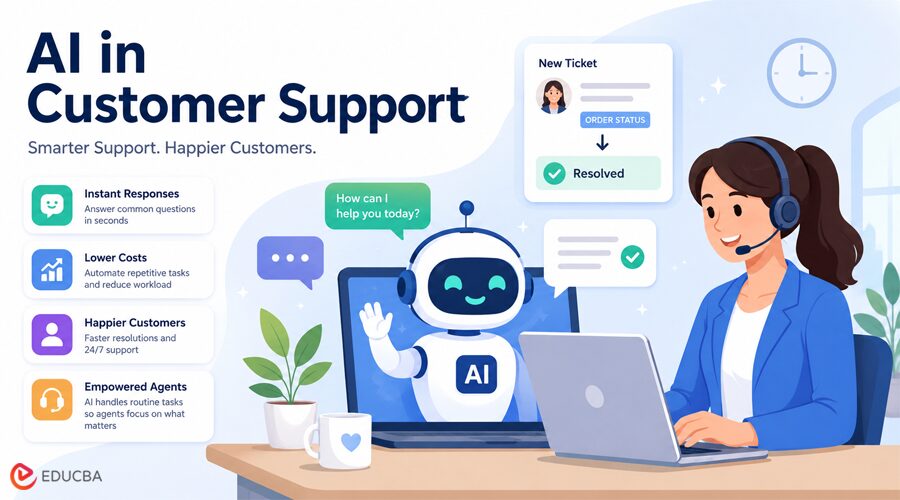
Most support teams reach the same breaking point. Ticket volume climbs. Response times stretch. The same questions come in hundreds of times a week, and the agents answering them are burning up time that could be spent on problems that actually require human judgment. The solution that has moved from experimental to operational over the past three years is AI in customer support technology that handles the repetitive, predictable layer of customer interactions automatically, without adding headcount or degrading response quality.
This guide covers what AI in customer support actually means, how it works in practice, which use cases it handles well, and what companies should understand before deploying it.
What AI in Customer Support Actually Means?
AI in customer support uses technologies such as machine learning and natural language processing to understand customer messages, organize them, and automatically provide responses at scale. It is not a single tool. It is a capability category that can be applied at different points in a support workflow, depending on the team’s needs.
At one end of the spectrum is autonomous resolution, where the AI receives a customer message, identifies the intent, retrieves the relevant answer from verified company data, and sends a complete response without a human agent involved at any stage. At the other end is agent assistance, where the AI works alongside a human agent by surfacing suggested replies, summarizing long ticket threads, and surfacing relevant knowledge base content before the agent begins composing a response. Most mature AI deployments in customer support in 2026 use both layers, starting with autonomous resolution for high-volume, repetitive categories and agent assist for everything that requires human involvement.
The AI customer service market is projected to exceed $12 billion globally in 2026, reaching $47.82 billion by 2030. That growth reflects a real shift in how support operations are structured, not just an increase in the number of companies experimenting with the technology.
How does AI in Customer Support Processes a Customer Message?
The mechanics of an AI in customer support system follow a consistent pattern across platforms. When a customer sends a message, the AI first analyzes the text to determine intent. It does not match keywords to a predefined list. It is reading the meaning behind the message, which is why phrases like “where is my stuff,” “has my order shipped,” and “can you check my delivery status” all trigger the same response pathway even though none of them share a single word.
Once intent is identified, the system searches the knowledge base, resolved ticket history, or connected data sources to find the information most relevant to that request. This retrieval step is what separates modern AI support from earlier chatbot systems, which could only answer questions explicitly programmed into them. A retrieval-augmented generation approach means the AI draws on real company data, current policies, live account information, and documented workflows rather than generating a response from general training data.
After retrieval, the system generates a response and runs it through a confidence check. If the confidence score is above a defined threshold, the response is sent. If it falls below that threshold, the ticket is escalated to a human agent along with the full conversation context and the relevant information the AI retrieved. This escalation logic is one of the most important components in a well-designed AI support system because it determines when the AI stops rather than guessing.
Best Use Cases for AI in Customer Support
AI in customer support delivers the most consistent results in environments where a large share of incoming tickets follow predictable patterns. The categories that appear most reliably across industries include password resets and account access issues, order tracking and delivery status, subscription and billing questions, return and refund policy inquiries, and basic product or feature questions that are already documented.
These categories share a common characteristic: the answer is almost always the same, the information needed to generate it is available in a structured source, and the consequence of an occasional error is low. When a company analyzes its ticket data and identifies these categories, it typically finds that they account for 60-80% of the total incoming volume. Automating that segment does not mean the support experience becomes impersonal. For most customers, receiving an accurate answer in seconds is more satisfying than waiting two hours for a human to send the same response.
Understanding the use cases where AI performs less reliably is equally important. Compliance-sensitive decisions, legal queries, financial commitments, and emotionally complex situations involving frustrated or distressed customers all fall outside the range where autonomous AI resolution is appropriate. Well-configured systems recognize these categories and route them to human agents immediately, rather than attempting a response that could be wrong in a consequential way.
Implementing AI in Customer Support
Deploying AI in customer support does not require replacing existing infrastructure. Modern AI support platforms connect directly to helpdesks like Zendesk, Freshdesk, Zoho, and Intercom, operating inside existing workflows rather than alongside them as a separate system. The integration approach matters because it determines what data the AI can access. A platform that connects to Zendesk ticket history, the help center, and live account data will perform differently from one that operates only from a static knowledge base document.
The implementation sequence for most teams follows a similar structure. The first step is identifying the ticket categories with the highest volume and the clearest resolution patterns. The second is connecting the relevant data sources, knowledge base articles, resolved tickets, and internal documentation, and ensuring the data is current and well-organized. Outdated or inconsistent training data leads to inconsistent AI responses, which is the most common reason deployments underperform in the first 90 days. Teams interested in seeing how this works in a live environment before committing to a full deployment can book a CoSupport AI demo, which shows the system handling real ticket types against actual company data rather than a scripted demonstration environment.
The third step is configuring the escalation logic, defining the confidence thresholds that determine when the AI responds autonomously and when it routes to a human agent. The fourth is deploying in a controlled environment with close monitoring of resolution rate, escalation rate, and CSAT scores. The fifth is expanding the scope to additional ticket categories based on performance data from the first categories.
Teams using Zendesk specifically can also explore more advanced configurations, including how to automate Zendesk tickets with AI using Claude-based architectures connected through Zapier or Albato, which offers greater flexibility for teams with specific workflow or security requirements.
What the Results Look Like in Practice?
The performance benchmarks for well-implemented AI in customer support deployments are consistent across industries and company sizes. AI handles 60-80% of routine queries in most production environments. First response time drops from hours to minutes. Cost per ticket falls significantly because the AI processes each interaction at a fraction of the cost of a human agent handling the same request manually.
Companies see an average return of $3.50 for every $1 invested in AI customer service, according to industry research from 2026. Top-performing implementations reach returns of up to 8x. Among companies already using AI, 95% say it helps reduce costs and save time, while 92% report better customer service quality. These results do not materialize automatically. They follow from structured deployment, clean training data, well-calibrated escalation logic, and consistent measurement in the weeks and months after go-live.
The gap between companies that achieve these outcomes and those that do not is not a technology gap. It is a deployment gap. The teams that see the strongest results approach implementation the same way they would any operational change, with a defined problem, a measurement framework, and a phased rollout that expands scope only when earlier stages meet a defined threshold.
Why the Human Layer Still Matters?
AI does not eliminate the need for human agents. It changes what human agents spend their time on. When automated systems handle routine volume, agents can focus on escalated accounts, complex troubleshooting conversations, and situations where a customer’s relationship with the company is at risk. This is where a dedicated customer support AI agent fits in, acting as the first layer of support that answers routine questions and passes complex cases to human agents with the full conversation context. These are the interactions that require empathy, judgment, and the ability to navigate ambiguity, capabilities that AI systems do not replicate reliably.
Research from 8×8 indicates that AI in contact centers reduces agent effort by 87% and speeds issue resolution by 92% across the entire support function. Those numbers reflect a team that management has redirected rather than reduced. The agents who remain are handling fewer tickets, but the tickets they handle are more consequential, and the outcomes they produce are more valuable. That is the operational change that AI in customer support enables when implemented with a clear understanding of where automation is appropriate and where human judgment is not substitutable.
Recommended Articles
We hope this guide on AI in customer support helps you understand how AI automates customer interactions, improves response times, and supports modern support teams at scale. Explore the recommended articles below for more insights on AI customer service, ticket automation, help desk workflows, and customer support technology.


