


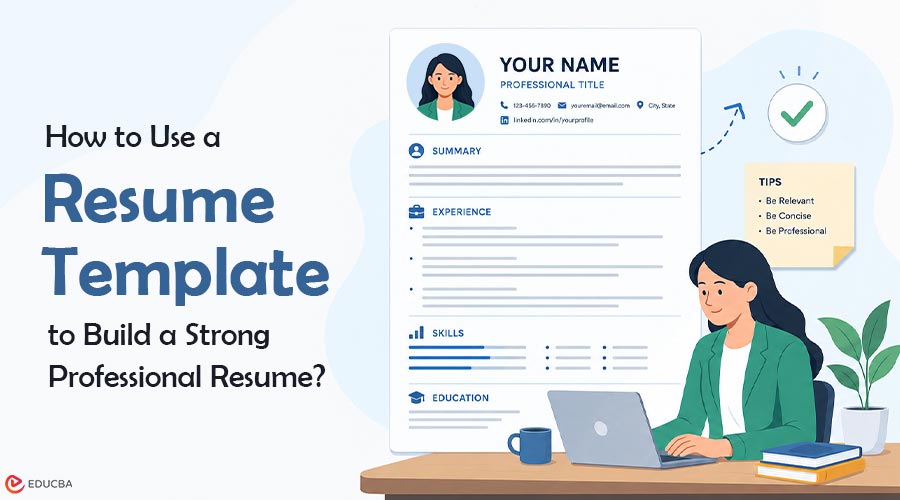
Nobody tells you how tiring resume writing actually is until you are sitting there at midnight, staring at a blank Word document, moving your name from one corner to another for the fourth time. The layout questions pile up fast. Two columns or one? Should skills go at the top or the bottom? Is this font too informal? People spend hours on these decisions, and the resume still ends up looking thrown together in a hurry. Skipping all of that is possible if you start with a resume template instead. The spacing is already figured out. The sections are in the right place. You just drop in your actual information and spend your energy on the writing, which is what actually matters to whoever is reading it.
Why Resume Structure Matters More Than Ever?
Hiring managers are not sitting back and carefully reading applications the way you imagine. Someone going through a stack of resumes for one position might spend twenty seconds on yours before making a snap judgment. That is the reality of it. So whether your resume gets a proper look or gets ignored often comes down to the layout before it comes down to the content. Many qualified applicants struggle to get responses simply because their resumes are difficult to scan. Dense paragraphs, unclear sections, and inconsistent formatting can make important experiences harder to notice.
Improving the structure and organization of a resume can significantly improve readability without changing the actual qualifications or experience listed. A resume template handles all the structural decisions upfront, so you do not have to reinvent the layout every time you apply somewhere new. After someone opens your document and finds the job titles, dates, and skills right where they expected them, your background finally gets judged on what it actually is. A cluttered page means they move on before even getting to the part where you shine.
Practical Approaches for Creating a Cleaner Resume
Contact info, a summary, work history in reverse order, education, and skills are the basics every resume starts from. Certifications, freelance work, volunteer experience, and portfolio links all come after, and only if they genuinely add something for that specific role you are going for. Where most resumes go wrong is how they describe experience. Vague language is everywhere. “Assisted with marketing initiatives” could mean anything. “Wrote weekly email campaigns that went to 15,000 subscribers and averaged a 28% open rate” is something a hiring manager can actually evaluate. They are looking for evidence, not job descriptions. Numbers, outcomes, and specifics are what make someone pause and keep reading.
Can Simple Resume Layouts Improve Readability?
Yes, and the reason is not complicated. When someone is moving fast through a pile of applications, a resume loaded with competing visual elements, multiple font sizes, and colored sidebars just makes things harder to follow. The eye has nowhere clear to land first. Some people have shown me resumes with genuinely impressive design work. Creative layouts, custom icons, the whole thing. And for a graphic design job or something in branding, that can work. But for most roles, HR, finance, project management, sales, and tech, a plain, organized layout will do better than a complicated one almost without exception. Not because the plane is impressive, but because it does not get in its own way.
Why Digital Resume Template Editing Has Become More Popular?
Applying for jobs today is a repetitive process. You are not sending one resume and waiting. You are tweaking the summary for this company, reordering the skills section for that job description, updating your most recent role again, and exporting another PDF. It never fully stops when you are in the middle of a search. A resume template Google Docs setup handles this well because the file lives in the cloud and opens from anywhere. You get a message saying a role is closing soon, you pull up the doc on your phone, adjust two sentences, export it, and you are done. No hunting for which folder the file is in. Not discovering the formatting broke because you opened it on a different version of Word. It just works when you need it to.
Why Do Many Applicants Prefer Google Docs Resume Templates?
The automatic saving alone is worth it. Plenty of people have lost work because their laptop died or the software crashed mid-edit. Sending the resume to someone else, a friend who offered to proofread, and a hiring manager asking for a quick copy takes about ten seconds. Share the link or export to PDF, and it is ready. People who update their resume often find that those small time savings add up over weeks. Cutting down the friction of job searching makes the whole process a little easier to keep up with.
Important Elements Every Resume Should Include
Make sure your contact details are right before anything goes out. Wrong phone numbers, old email addresses, these things happen, and they quietly kill applications. Put your number and a professional email at the very top, where they are impossible to miss. Your summary is two or three lines. Skip the adjectives about being passionate and detail-oriented. Write a plain statement of who you are professionally and what kind of work you do. After that, your experience section needs to show what you actually did in each role, real contributions, not a reworded version of the job posting. What changed because you were there. What you built, managed, or fixed. Keep your date formats consistent throughout the document; mixing styles between entries leaves a careless impression that is hard to shake, even when everything else looks good.
Common Resume Mistakes That Reduce Professionalism
Spelling mistakes are still shockingly common. Read the whole thing out loud before sending it anywhere. Your eye skips over errors when reading silently. Your ear catches them. The subtler problems are usually about relevance. A job from 2008 that has nothing to do with what you are applying for now is just taking up space. Writing a summary so broad that it fits anyone in any field is a wasted chance to say something real.
Sending the same application to every employer without changing anything tells them you did not look closely at what they actually need. Spending twenty minutes adjusting the resume for each role, rewording the summary, shifting which skills appear first, and matching your language to what the posting describes changes how the whole thing reads when it lands. Most people skip this because it takes time. That is exactly why the ones who do it tend to hear back more.
Should Applicants Update Their Resumes Regularly?
Do not leave this until you need a new job. That is when it is hardest to do properly. You are stressed, rushing, and trying to recall what you accomplished two years ago clearly enough to write it well. Things get left out. Dates get fuzzy. Opening the document a couple of times a year and adding recent things: a training you finished, a tool you learned, a project that wrapped up well, takes almost no time when you do it close to when things happen. It keeps the resume in a state where you could use it quickly if something good came along without much warning.
Smart Ways to Keep Resume Formatting Professional
One font. Consistent spacing. Section headers that are easy to spot. Leave room on the page so it does not feel packed. That is genuinely the whole formatting checklist for most resumes. People overthink this. The resumes that read well are not the ones with the most design decisions. They are the ones where a handful of simple rules got applied the same way from top to bottom and then left alone.
Are Longer Resumes Always Better?
No. A student padding a thin work history across two pages does not look more experienced; it looks like they do not know what is relevant. One focused page that earns every line it takes up will beat a stretched-out two-page version. For someone with a long career and genuine history to show, two pages can make complete sense. The real question is whether each thing on the page gives a hiring manager more reason to call you. If the answer is no, take it out.
Final Thoughts
Getting a resume right comes down to clear thinking more than anything else. Know what you have done. Write it specifically. Keep the layout clean and consistent. Update it before you need it. Starting with a solid resume template means the formatting decisions are already made, and you can focus on what matters: writing something honest and relevant that gives someone a real reason to reach out.
Frequently Asked Questions (FAQs)
Q1. Where Can I Download Free Resume Templates?
Answer: Many platforms offer free, professionally formatted templates. Find one that fits your field and work from there rather than starting from nothing.
Q2. Are Simple Resume Templates Better for Professional Jobs?
Answer: For most industries, a clean layout works better. It keeps attention on what you did rather than on how the page looks.
Q3. Can Resume Templates Be Edited in Word?
Answer: Yes. Word-compatible templates are available on most platforms and are straightforward to fill in without any design background.
Q4. Should a Resume Include a Photo?
Answer: Depends on the industry and location. Many employers in the US and UK prefer no photo. In parts of Europe and some creative fields, it is expected. Worth checking the norm for wherever you are applying.
Q5. Are Two-Page Resumes Acceptable?
Answer: Yes, when there is enough relevant experience to fill them honestly. If you are stretching to reach the second page, go back to one.
Q6. Why Do Many Applicants Prefer Google Docs Resume Templates?
Answer: The file is always accessible, always saved, and easy to export or share at short notice. For someone actively applying, that matters more than it sounds.
Recommended Articles
We hope this guide to choosing and using a professional resume template helps you create a cleaner, more effective job application. Check out these recommended articles for more resume writing tips, formatting strategies, and career growth insights.

